

- Monthly visits
- 2,302
- 2026-09
Maxxwell - Coordinate coding agents in one desktop workspace
Maxxwell is a desktop workspace for running and coordinating coding agents. It displays session activity, context usage, questions, blockers, and code changes so you can review work and respond to agents. It supports tools including Claude Code and Codex, and is available for macOS, Windows, and Linux.
- AI Agents
- Agent Governance
- Project Management
- Software
- coding agent workspace
- coding agent manager
- multi-agent coding IDE
Capabilities
Coding agent session monitoring
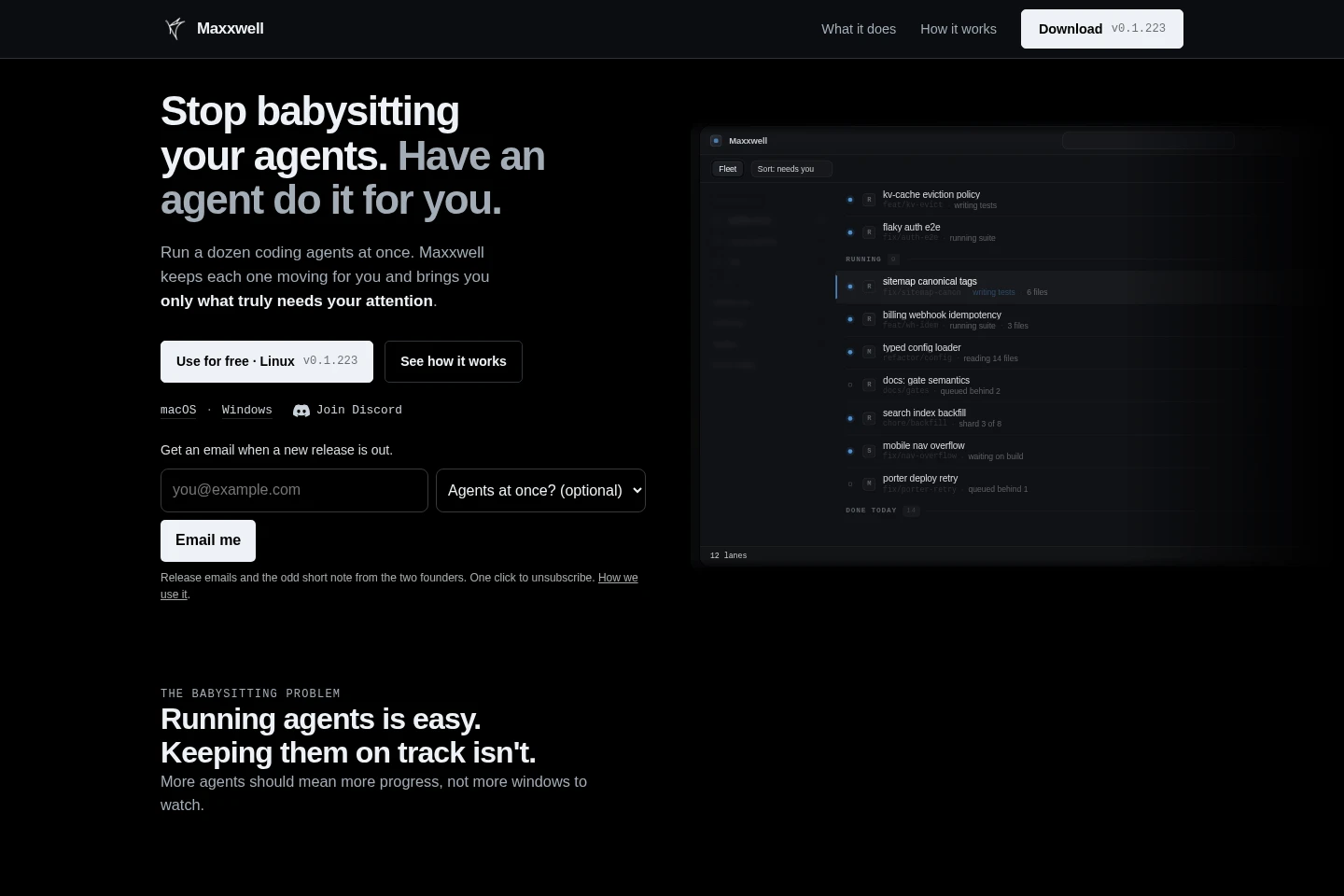
View coding agent session activity, context usage, requests for attention, and code changes in one workspace. Maxxwell presents session status and work details so you can identify questions and blockers.
Coding agent coordination
Coordinate coding agents through a managing agent that checks progress and follows up with others. Give the managing agent a work brief; each session remains visible in Maxxwell.
Task lane management
Create a lane for each task and track its progress across coding agents. Lanes are ranked by work they have landed, with stalled activity and requests surfaced for review.
Agent question handling
Review and answer agent questions or take over a session from the workspace. Maxxwell shows the question and related activity, allowing work to continue after your response.
Desktop apps and CLI
Install Maxxwell on macOS, Linux, or Windows, or use its installation command-line script. The listed desktop downloads include macOS Apple silicon, Linux x86_64, and Windows x86_64 builds.
Pricing
Maxxwell is free to use. There are no paid plan prices listed; users bring their own coding agent subscriptions or API keys.
Use cases
Monitor parallel coding agent tasks
When several coding agents are working at once, use Maxxwell to view their sessions, activity, context usage, and code changes together. Review which lanes need attention without checking each terminal separately.
Coordinate work across coding agents
When delegating work to multiple coding agents, brief a managing agent to check progress and follow up with the others. Their sessions remain visible in Maxxwell as they work.
Respond to coding agent blockers
When an agent is stalled or needs a decision, inspect its question, tool activity, and recent changes in Maxxwell. Answer in the workspace or take over the session so the agent can proceed.
Limitations
Maxxwell is free to use, but users must bring their own coding agent subscriptions or API keys to run the coding tools.
The listed macOS desktop download is for Apple silicon; the listed Linux and Windows builds are for x86_64.
Who it is for
Developers running multiple coding agents who need one place to monitor sessions and review blockers.
Engineering leads coordinating coding-agent tasks and directing a managing agent to follow up on progress.
FAQ
Does Maxxwell cost anything to use?
Maxxwell is free to use. The product page does not list paid plans or subscription prices.
Do coding agent subscriptions or API keys come with Maxxwell?
No. Bring your own coding agent subscriptions or API keys to use coding agents with Maxxwell.
Which operating systems have downloads?
Downloads are listed for macOS Apple silicon, Linux x86_64, and Windows x86_64. The page also links to all versions and checksums.
Which coding tools can I use with Maxxwell?
Maxxwell supports coding tools including Claude Code and Codex. The page says you can run the coding tools you already use.
Can I use Maxxwell from the terminal?
Yes. The page provides an install script for the CLI and says to run maxxwell runtime to see which coding agents are installed.
Comments