

- Monthly visits
- 33,633
- 2026-09
- Monthly growth +7.5%
Lip Sync AI - Create synchronized speech videos from video and audio
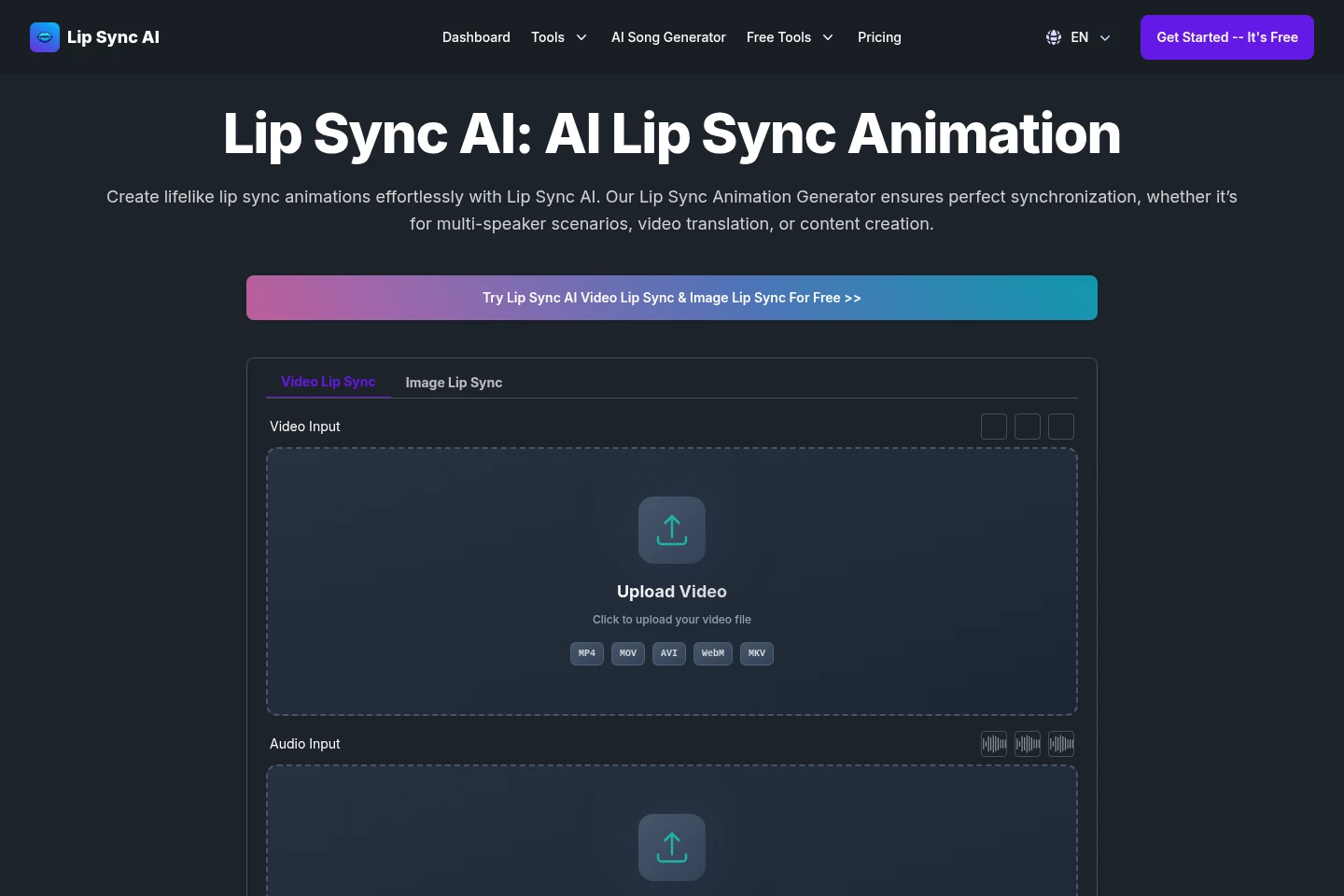
Lip Sync AI generates videos with mouth movements matched to audio. Upload a video and audio file or use the video's existing audio, choose Standard or Precision mode, select faces, preview and adjust the result, then download it. It supports multiple speakers, different head positions, and synchronization across languages. Free-plan uploads are limited to 10 seconds.
Capabilities
Video lip synchronization
Matches facial mouth movements to an audio track and outputs a lip-synced video. Upload a video or provide a video link, then upload audio or use the video's existing audio; preview and adjust the result before downloading.
Multi-face synchronization
Synchronizes up to six selected faces with audio and outputs a video for multi-speaker scenes. Specify the number of faces to process; the feature is described for scenarios with multiple speakers.
Synchronization mode selection
Provides Standard and Precision modes for generating synchronized video. Choose a mode for faster results or high-quality synchronization, then preview and adjust the generated alignment.
Video duration controls
Lets users trim uploaded video and audio before generation. Free-plan uploads can be trimmed to 10 seconds; longer uploads require an upgrade, with maximum video duration varying by paid plan.
Pricing
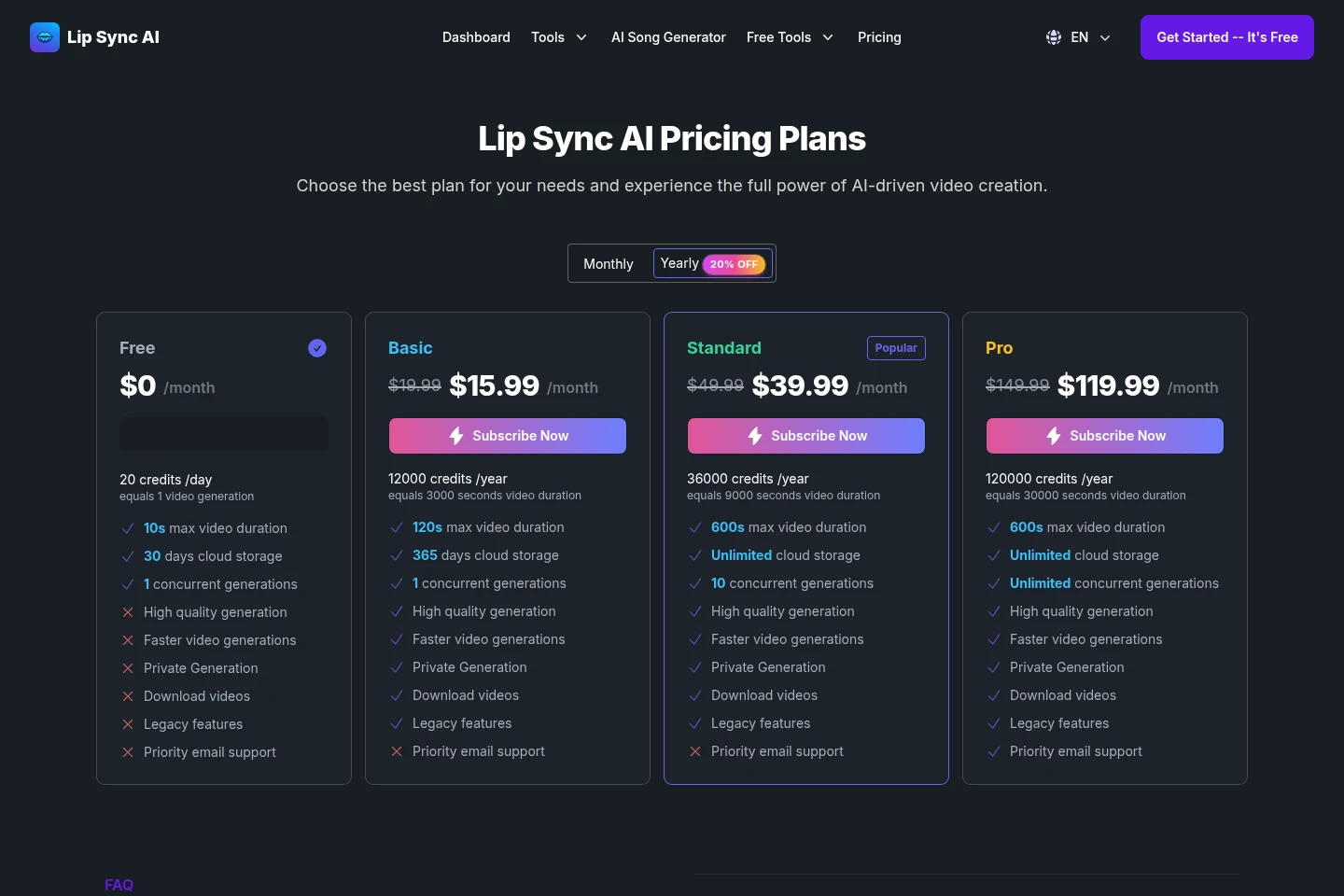
Lip Sync AI offers a free plan and paid subscriptions, with monthly and yearly billing options shown. Compare included credits, maximum video duration, storage period, and concurrent generations to choose a plan.
| Plan | Price | Included features and limits |
|---|---|---|
| Free | $0 per month |
|
| Basic | $19.99 monthly or $15.99 per month billed yearly |
|
| Standard | $49.99 monthly or $39.99 per month billed yearly |
|
| Pro | $149.99 monthly or $119.99 per month billed yearly |
|
The pricing page displays monthly and yearly options and labels yearly pricing as 20% off. Its yearly prices are shown alongside annual credit allowances.
Use cases
Localize videos with replacement audio
When preparing a video with translated or replacement speech, upload the video and new audio, select faces and a synchronization mode, then preview and adjust mouth alignment before downloading the localized video.
Create social videos matched to audio
When making a skit, song video, or other social content, upload video and audio or use the video's existing audio. Generate synchronized mouth movements, review the result, and download the video.
Update existing videos with new audio
When revising footage with a new voice track, upload the existing video and replacement audio, choose the faces and mode, and generate a version with mouth movements aligned to the new track.
Limitations
Free-plan video and audio uploads can be trimmed to 10 seconds; the homepage says an upgrade is needed for longer uploads.
Multi-face synchronization is described as supporting up to six faces.
The Standard plan allows one concurrent generation, while the Free plan also allows one; higher concurrency is listed only for Standard and Pro.
Who it is for
Video creators preparing localized versions with replacement-language audio
Creators producing social videos, skits, or music clips matched to audio
People updating training or explainer videos with voiceovers
FAQ
What does Lip Sync AI do?
Lip Sync AI generates video with mouth movements synchronized to audio. Users can supply a video and audio track, choose faces and a mode, preview and adjust the result, and download the generated video.
Can I use more than one face in a video?
Yes. The product describes synchronization for up to six faces in multi-speaker scenes. Users can specify the number of faces and choose faces for synchronization.
How do video credits work?
Credits are used to generate videos, and each plan includes a set number. The pricing FAQ says additional credits can be purchased or users can upgrade when credits run out.
Can I change or cancel my subscription?
Yes. Plans can be changed at any time, with changes taking effect immediately and billing adjusted accordingly. Cancellation is available at any time; the subscription remains active until the billing cycle ends, and remaining credits can be used until then.
What are the upload duration limits?
The Free plan lists a maximum video duration of 10 seconds. Paid plans list limits of 120 seconds for Basic and 600 seconds for Standard and Pro; the homepage says upgrading unlocks longer uploads.
Comments