
- Monthly visits
- 2,621
- 2026-09
- Monthly growth +460%
krin - Turn school assignments into a clear, prioritized task list
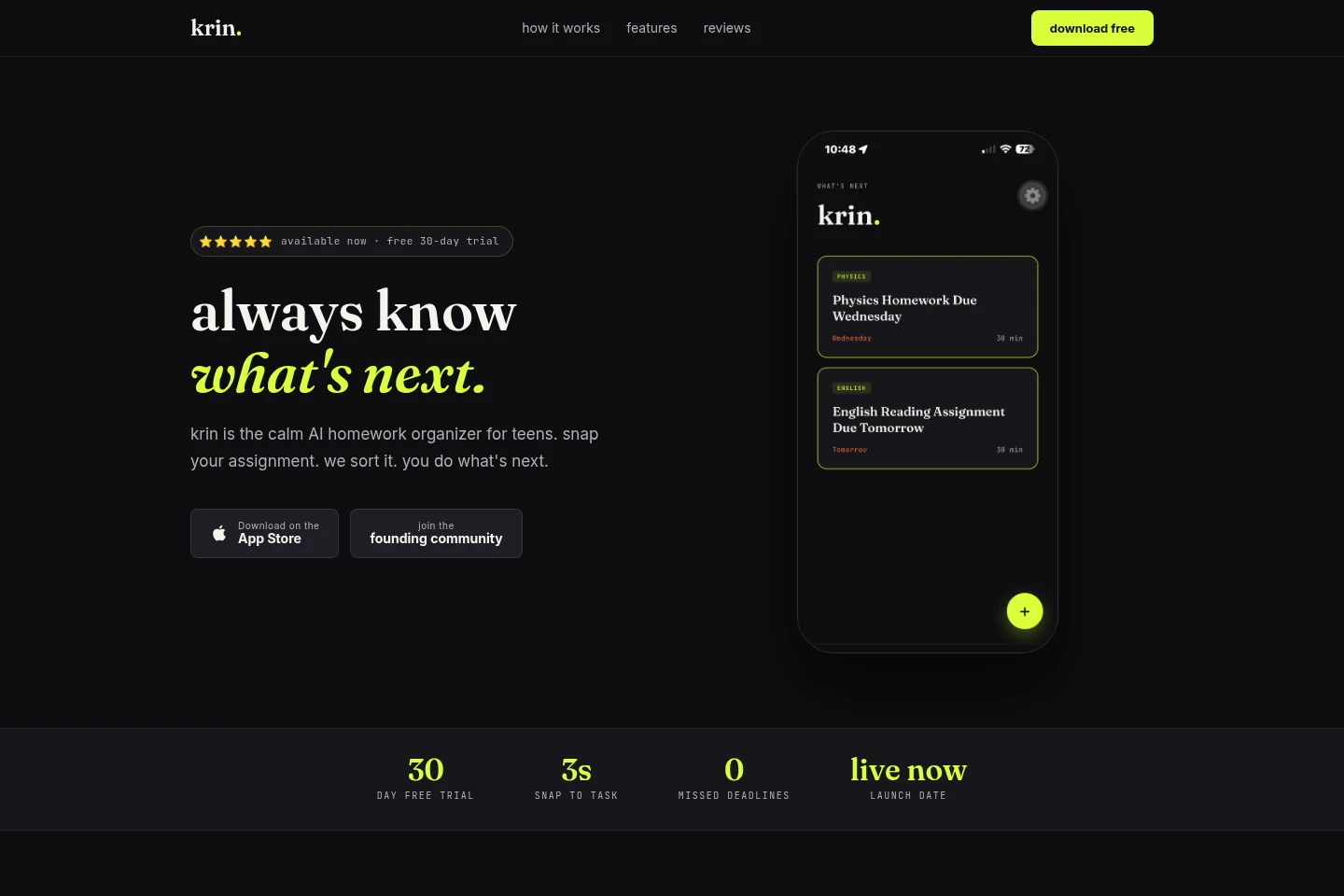
krin is an AI homework organizer for teens. Capture assignments with a photo, typed text, or copied student-portal content. Claude AI extracts the subject, due date, and estimated time, then creates a task card sorted by urgency. The app also provides an up-next list and a premium week view.
- AI Productivity
- To-Do Lists
- Document Parsing
- Education
- AI homework organizer
- assignment tracker for teens
- school task planner
Capabilities
Assignment capture
Add school assignments using a photo, typed text, or copied student-portal content. The app processes each input through the same capture flow.
AI assignment parsing
Claude AI reads assignment content and extracts its subject, due date, and estimated time. It can read handwriting and interpret shorthand; no typing is required when capturing an image.
Prioritized task list
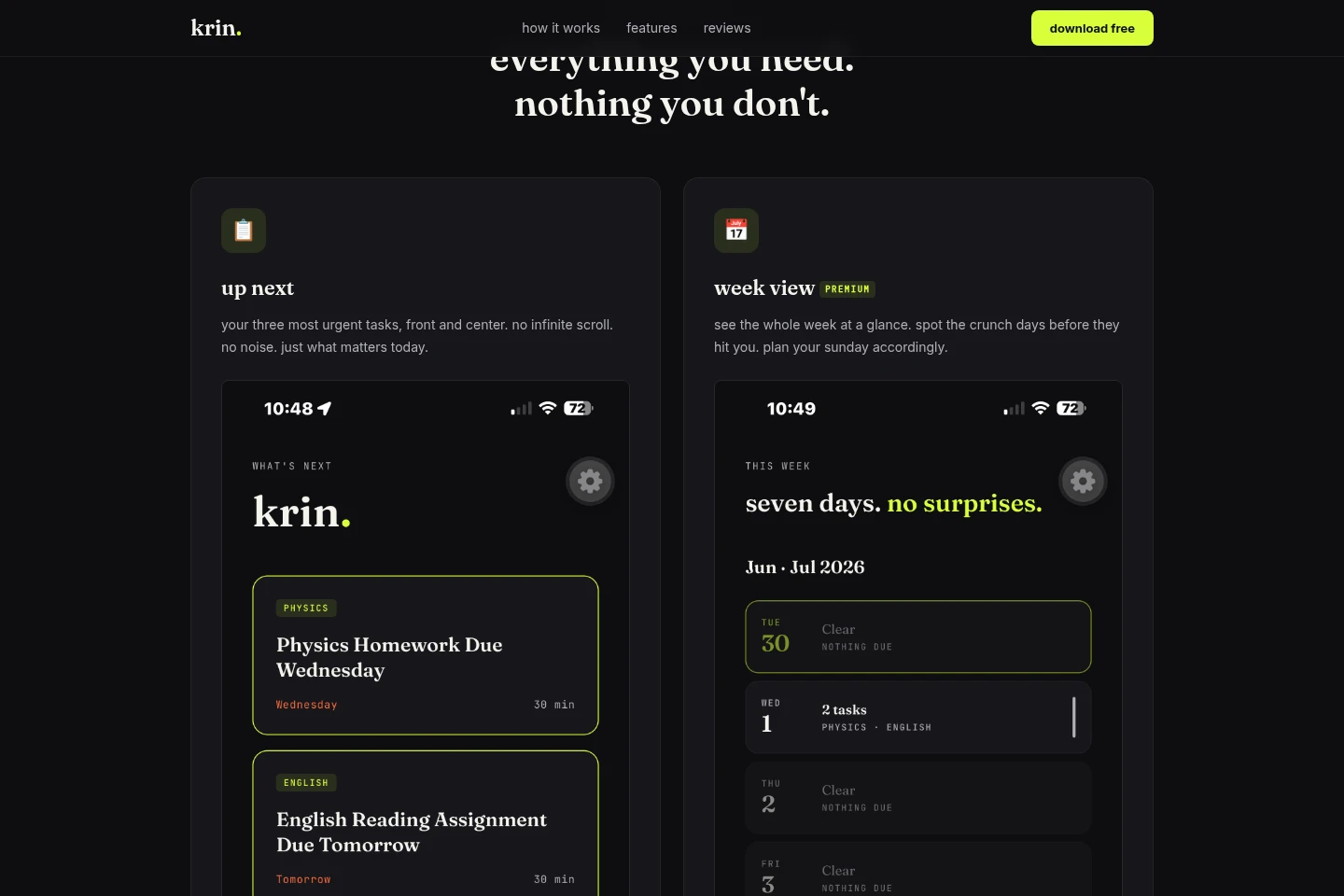
Creates task cards and sorts them by urgency, with the three most urgent tasks shown in the up-next list. Tasks can be expanded and marked complete.
Weekly planning view
Shows tasks across the week so students can see upcoming busy days. Week view is marked Premium on the homepage.
Streak tracking
Displays a counter for consecutive days of staying on top of assignments. It provides a quiet progress indicator within the app.
Pricing
The homepage offers a free 30-day trial, but does not state ongoing plan prices or billing terms. Compare the trial offer and the Premium week-view access; no paid-plan price is provided.
Use cases
Record assignments from class
When a teacher writes work on a board or shares a worksheet, screenshot, or other assignment, capture it with a photo or image. krin reads the content and creates a task card with extracted school details.
Add assignments from text or a portal
When an assignment is already written down or available in a student portal, type it or paste its content into krin. The app uses the same capture flow to create a task.
Plan the week’s schoolwork
When students need to review upcoming homework, use the up-next list for the three most urgent tasks or the Premium week view for the whole week. The views help surface tasks by urgency and show busy days.
Limitations
The week view is labeled Premium on the homepage; the page does not specify its price or the terms for accessing it.
Who it is for
Teens who need to capture and organize homework assignments from classes and student portals.
Students who want to see urgent tasks and review their schoolwork across the week.
FAQ
How can I add an assignment?
Add it by taking a photo, typing the assignment, or pasting content from a student portal. krin processes all three input types through the same capture flow.
What information does krin extract from an assignment?
Claude AI extracts the subject, due date, and estimated time from assignment content. The homepage also says it can read handwriting and interpret shorthand.
Does image capture require typing?
No. When you capture an assignment as an image, Claude AI parses the content and creates a task card without requiring you to type it.
What does the free trial include?
The homepage offers a free 30-day trial and says no card or account is needed to try krin. It does not state what happens after the trial or list paid-plan prices.
Can I see assignments for the whole week?
Yes. The homepage describes a week view for seeing the whole week at a glance and labels it Premium. It does not provide pricing or further access conditions.
Comments