

- Monthly visits
- 3,764
- 2026-09
- Monthly growth +152.3%
KOPY - Generate context-aware replies from your iPhone keyboard
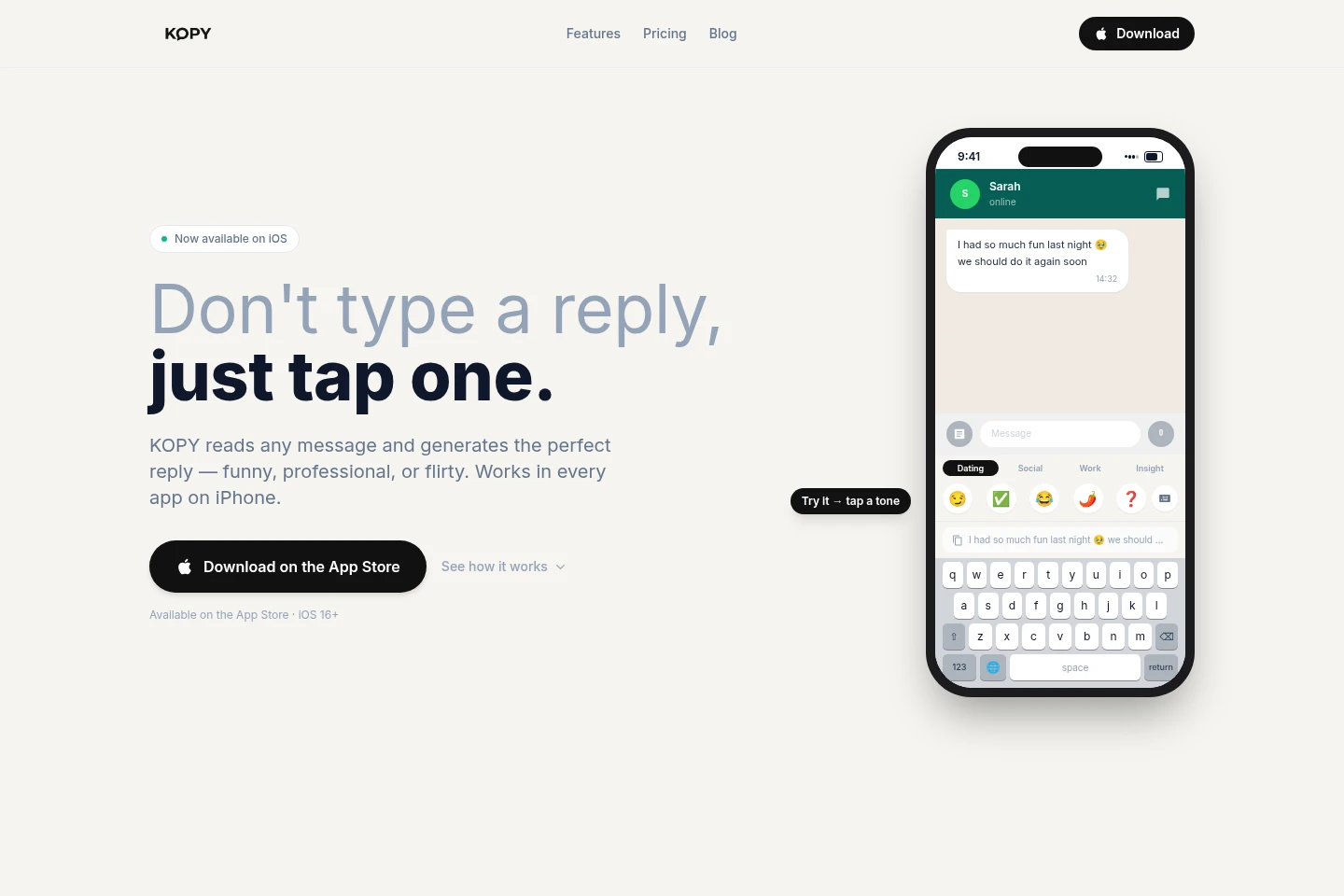
KOPY is an AI-powered custom keyboard for iPhone that generates context-aware replies inside text fields. Choose Social, Insight, Work, or Dating mode and a reply tone, then insert the generated text directly into the app you are using. It supports iOS 16 and later and requires an internet connection.
- AI Lifestyle
- Dating Assistants
- Communication Training
- Writing Assistants
- AI reply keyboard
- iPhone reply generator
- context-aware text replies
Capabilities
Context-aware reply generation
Generates a reply for a message and inserts it into the current text field. The user copies a received message, chooses a mode and tone, and taps Generate; an internet connection is required.
Four conversation modes
Produces replies tailored to Social, Insight, Work, or Dating conversations. The selected mode guides the reply for contexts such as group chats, forums, email, workplace messaging, or dating apps.
Ten reply tones
Offers ten tones that can be combined with any of the four modes, for 40 mode-and-tone combinations. Tones include Agree, Disagree, Funny, Insight, Neutral, Rizz, Spicy, Question, Continue, and Professional.
Custom iOS keyboard
Provides a keyboard that can be enabled in iPhone keyboard settings and switched to with the globe button. It works in iOS apps with text fields, and inserts generated replies directly into the field.
Pricing
KOPY offers a recurring KOPY Pro subscription and a one-time Own Key purchase. Compare the reply allowance, included modes and tones, personalization options, and whether you use your own OpenAI key.
| Plan | Price | Included features and limits |
|---|---|---|
| KOPY Pro | $10.00/mo, billed annually |
|
| Own Key | $12.99 one-time |
|
Payments are handled by the App Store. KOPY Pro access continues until the end of the billing period after cancellation.
Use cases
Draft replies to chats and direct messages
When responding to texts, group chats, or direct messages, copy the received message and select Social mode with a tone. KOPY generates a reply that can be inserted into the current text field.
Compose replies to workplace messages
When answering work email or messages in tools such as Slack and LinkedIn, select Work mode and a suitable tone after copying the message. The generated response is inserted into the app's text field.
Write replies in dating apps
When replying to a dating conversation in apps such as Tinder, Hinge, or Bumble, copy the message and choose Dating mode and a tone. KOPY generates a reply for insertion into the conversation.
Limitations
KOPY requires an internet connection to generate AI replies and does not work offline.
KOPY is available for iPhone on iOS 16 or later; the supplied pages do not identify other native platforms.
KOPY Pro includes 1,000 replies per month; the supplied pricing does not specify a reply quota for Own Key.
Who it is for
iPhone users who want help drafting replies in messaging apps
People who write work emails and workplace messages on an iPhone
People who want suggested replies for conversations in dating apps
FAQ
What is KOPY?
KOPY is an AI reply keyboard app for iPhone. It generates context-aware replies inside text fields, and is available from the App Store.
How do I use the KOPY keyboard?
Enable KOPY in Settings → General → Keyboard → Keyboards, then switch to it with the globe button. Copy a message, choose a mode and tone, and tap Generate to insert the reply into the text field.
Does KOPY work in other apps?
Yes. KOPY works in iOS apps with a text field, including iMessage, WhatsApp, Telegram, Tinder, Hinge, Bumble, Gmail, Outlook, Slack, Twitter/X, LinkedIn, and Instagram.
How does KOPY handle my messages?
The site says messages are not stored, logged, or sold. Text pasted for reply generation is sent to the AI provider and then immediately discarded, and conversations are not retained.
Can I use my own OpenAI API key?
Yes. The Own Key plan connects your OpenAI API key and uses it instead of KOPY's server. OpenAI charges you directly for its usage, and the plan has no monthly subscription.
Does KOPY work offline, and can I cancel Pro?
KOPY does not generate replies offline; it requires an internet connection. You can cancel Pro through your iPhone's App Store subscription settings, and access remains active until the billing period ends.
Comments