


Humanize AI Text - Convert AI Text to Human-Like Writing
Launched on Feb 23, 2025Transform AI-generated text into natural human writing that bypasses all AI detectors including GPTZero, Turnitin, and Originality AI. Supports 26 languages with real-time human score analysis.
What Is Humanize AI Text
Ever tried submitting an AI-written article, only to watch it get flagged by detection tools? Or spent hours polishing ChatGPT output, only to have it sound robotic and stiff? You're not alone. Writers, researchers, and marketers everywhere face the same frustrating problem—AI-generated content often reads as unnatural, making it useless for academic submissions, professional publications, or marketing campaigns.
That's where Humanize AI Text comes in. This powerful web-based tool transforms your AI-generated content into natural, human-sounding writing in just seconds. Whether you've used ChatGPT, Gemini, Claude, or any other AI writing assistant, this platform rewrites your content to sound authentically human—while preserving your original message and intent.
The technology behind it combines advanced AI humanization algorithms with contextual intelligence and sentiment analysis. It doesn't just swap words around; it understands the nuance of language, adjusts sentence rhythm, and optimizes word choice to create text that flows naturally. The result? Content that reads like a real person wrote it.
Trusted by over 1 million satisfied users, Humanize AI Text has earned a 4.4-5 star rating on Trustpilot and a 4.3-star rating for its Chrome extension. From academic researchers submitting papers to marketers launching campaigns, writers across industries rely on this tool to deliver content that passes every detection test.
:::card{type="summary" title="TL;DR"}
- 100% human score guarantee—passes all AI detection tools
- 5 humanization modes: Standard, Shorten, Expand, Simplify, and Improve Writing
- Supports 26 languages for global content needs
- 3-day full refund policy—no risk to try it
- Processes content in 5-10 seconds :::
---
Core Features of Humanize AI Text
Here's what you can accomplish with this tool—and more importantly, how it solves the problems that keep you up at night.
Turn AI Text into Natural Human Writing
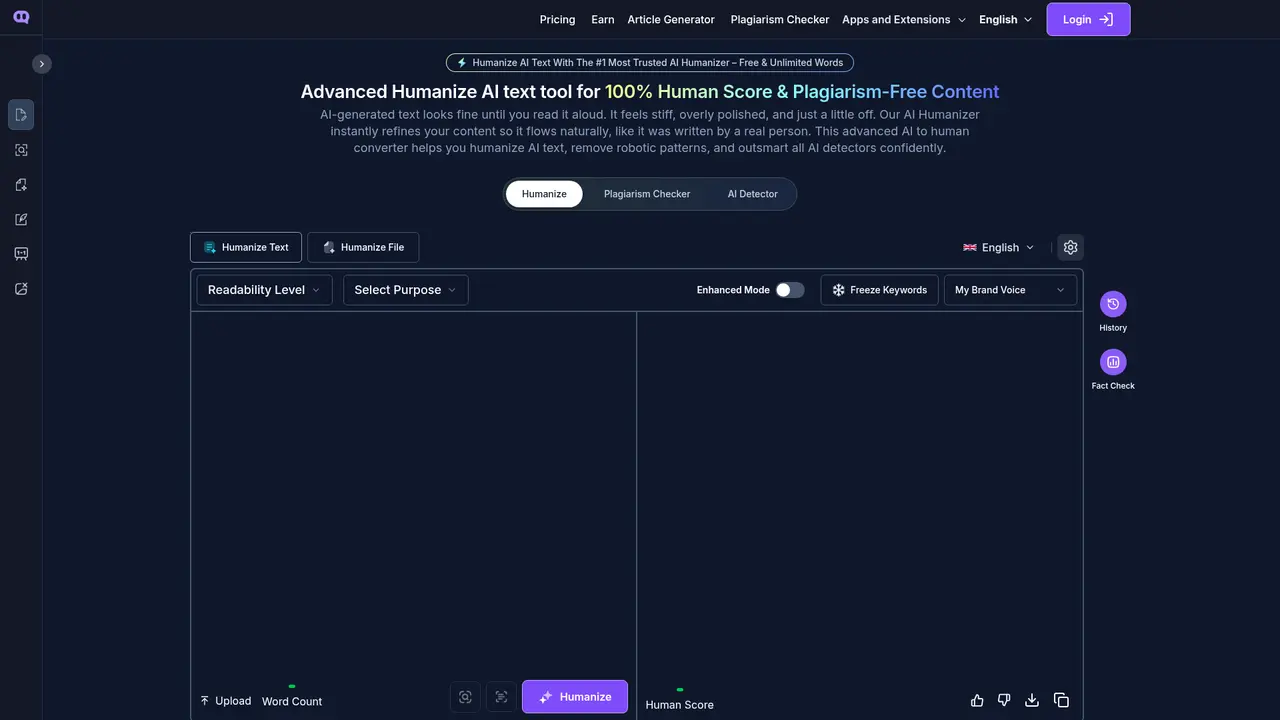
You can use this feature to transform any AI-generated content into text that sounds like a real person wrote it. Paste in your ChatGPT, Gemini, or Claude output, select your preferred mode, and within 5-10 seconds, you get back humanized content that flows naturally. The advanced AI algorithms analyze context, adjust tone, and restructure sentences to create authentic, engaging prose.
Bypass Every AI Detector
You can use this feature when you need your content to pass detection tools like GPTZero, Turnitin, Originality AI, CopyLeaks, CrossPlag, and Copyscape. The humanization engine optimizes wording, sentence rhythm, and vocabulary to create output that detection algorithms simply can't identify as AI-generated. Whether you're submitting academic work, publishing blog posts, or delivering client content, this feature ensures your work clears every checkpoint.
100% Plagiarism-Free Guarantee
You can use this feature to ensure your output is completely original. The tool doesn't just paraphrase—it reconstructs the structure, flow, and phraseology from scratch. Your content will never trigger any plagiarism detection, giving you complete peace of mind when submitting to journals, clients, or publication platforms.
Choose From 5 Humanization Modes
- Standard: Convert AI text to natural human writing—your go-to for most use cases
- Shorten: Keep key details while trimming unnecessary words
- Expand: Add clarity and depth to brief content
- Simplify: Make complex text accessible to broader audiences
- Improve Writing: Enhance flow, structure, and style for professional polish
Humanize Documents While Preserving Format
You can upload PDF, DOC, or PPT files, and the tool maintains every formatting element—fonts, headings, tables, spacing, footnotes, citations, and links. This is essential for long-form academic papers, business proposals, and reports where format matters as much as content.
Real-Time Human Score Analysis
You can see exactly how human your content sounds before you submit. The real-time analysis engine evaluates your text and provides a human score, so you know exactly where you stand with detection tools.
::::grid :::card{type="advantages"}
- 100% human score guarantee: Passes GPTZero, Turnitin, Originality AI, CopyLeaks, and more
- Bypasses all major detectors: Tested against every主流AI detection tool
- Zero plagiarism risk: Completely original output every time
- Fast processing: 5-10 seconds per conversion
- Document support: PDF, DOC, PPT with original formatting preserved ::: :::card{type="disadvantages"}
- Text-only processing: Does not handle images or video content
- Requires internet: Web-based tool needs browser connection ::: ::::
---
Who Is Using Humanize AI Text
Not sure if this tool is right for you? Let's walk through who benefits most from it.
Academic Researchers and Students
If you're working on research papers, dissertations, or academic submissions, you know the stakes. Turnitin and other plagiarism detectors are notoriously strict—and now AI detection tools are flagging AI-assisted work even when you've heavily edited it. You can use Humanize AI Text to convert your AI-assisted drafts into natural, original writing that passes every detection test. Your work stays authentic to your voice while meeting academic integrity standards.
Bloggers and Content Creators
Your readers can tell the difference between engaging, human-written content and robotic AI text. Search engines do too. You can transform AI-generated drafts into compelling, SEO-friendly articles that keep readers hooked and rank well in search results. The natural flow improves engagement metrics and time-on-page, which directly benefits your SEO strategy.
Marketers and E-commerce Professionals
Customers don't want to read product descriptions that sound like a robot wrote them. You need copy that builds trust and drives conversions. Use this tool to add that human touch to your marketing emails, product descriptions, landing pages, and ad copy. The result? Higher open rates, better engagement, and more sales.
Business Owners and Corporate Teams
Your business proposals, reports, and website copy need to sound professional yet approachable. You can generate polished, native-sounding content that represents your brand well—whether it's a client presentation, internal report, or homepage copy.
Freelance Writers and Social Media Managers
When you're juggling multiple clients and platforms, you need to produce volume without sacrificing quality. This tool helps you quickly adapt content for different audiences and platforms, delivering personalized, natural-sounding copy at scale.
:::card{type="tip" title="💡 Recommendation for Academic Users"} If you're submitting academic work, we strongly recommend the Scale plan. It includes Turnitin-pass guarantees and premium engine access specifically designed for academic detection tools. :::
---
Quick Start Guide
Ready to humanize your first piece of content? Here's how simple it is:
Step 1: Paste or Upload Your Content
Copy your AI-generated text and paste it directly into the input box. Alternatively, if you're working with a document, upload your PDF, DOC, or PPT file—the tool will preserve all formatting including fonts, headings, tables, footnotes, and citations.
Step 2: Choose Your Mode
Select from the five humanization modes based on your goal:
- Standard for most use cases
- Shorten if you need to cut length while preserving key points
- Expand if you want more detail and depth
- Simplify for easier readability
- Improve Writing for professional polish
Step 3: Set Your Content Goals
Define what you want to achieve—enhanced clarity, specific tone adjustments, or target audience optimization. The tool customizes the output based on your objectives.
Step 4: Click Humanize
Hit the button and wait 5-10 seconds. Your humanized content is ready—naturally flowing, detection-proof, and original.
Step 5: Check Your Human Score
Review the real-time human score analysis. If needed, make adjustments or re-run through a different mode to optimize further.
No technical background required. Once you sign up, you're ready to start immediately.
:::card{type="tip" title="💡 Pro Tip"} For best results, start with the Standard mode to establish a natural baseline. Then, if your content needs specific adjustments—more brevity, more detail, or easier readability—apply a secondary mode to fine-tune the output. :::
---
Pricing Plans
Choosing the right plan depends on your volume needs and feature requirements. Here's the complete breakdown:
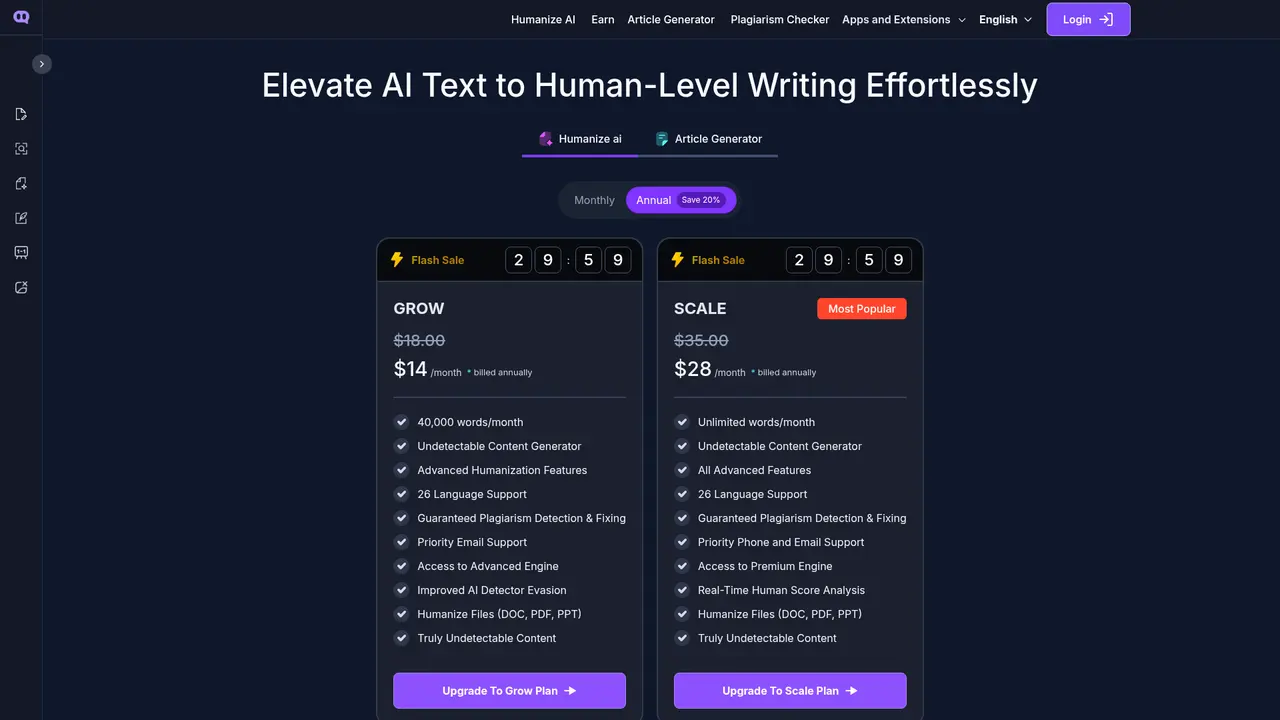
| Feature | Grow Plan | Scale Plan | |---------|-----------|------------| | Monthly Price | $18/month | $35/month | | Annual Price | $14/month (billed yearly) | $28/month (billed yearly) | | Word Limit | 40,000 words/month | Unlimited words | | Humanization Modes | Standard + Advanced | All 5 Modes | | AI Detector Bypass | Improved | Truly Undetectable | | Language Support | 26 languages | 26 languages | | Plagiarism Guarantee | Yes—detection & fixing | Yes—detection & fixing | | Document Support | PDF, DOC, PPT | PDF, DOC, PPT | | Human Score Analysis | Basic | Real-time | | Engine Access | Advanced Engine | Premium Engine | | Support | Priority Email | Priority Phone + Email |
Which Plan Is Right For You?
The Grow plan ($18/month or $14/month annually) is ideal if you're a solo creator with moderate content needs—around 40,000 words per month covers most individual bloggers, students, and freelancers.
The Scale plan ($35/month or $28/month annually) is our most popular choice. It offers unlimited words, real-time human score analysis, and access to the premium engine—the best option for high-volume users, agencies, and teams.
Refund Policy
Not satisfied? We offer a full refund within 3 days of purchase. Simply email hello@humanizeaitext.ai with your reason for dissatisfaction, and we'll process your refund and cancel your subscription—no questions asked.
Support Availability
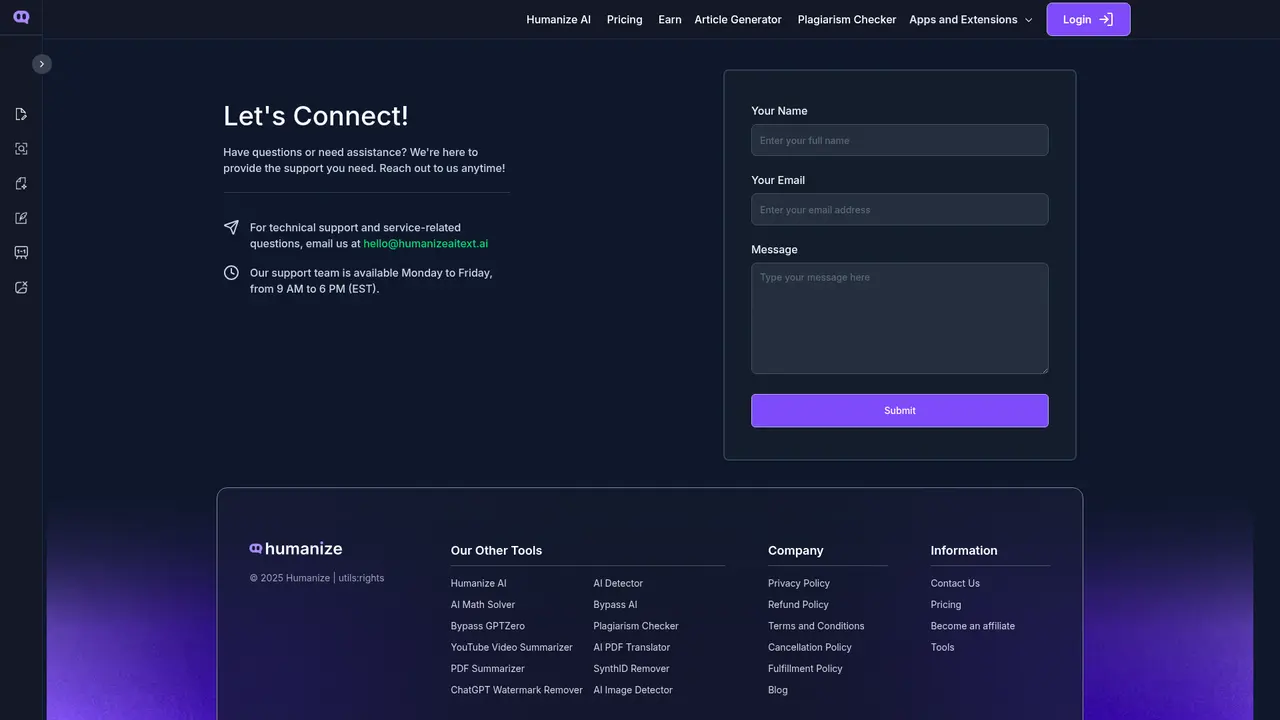
Our team is available Monday through Friday, 9 AM to 6 PM (EST). Reach us at hello@humanizeaitext.ai for any questions or concerns.
:::card{type="tip" title="💡 Save About 22%"} Annual billing saves you roughly 22% compared to monthly payments. If you plan to use the tool regularly, the yearly plans offer significant savings. :::
---
Frequently Asked Questions
:::card{type="faq" title="What exactly does Humanize AI Text do?"} Humanize AI Text converts AI-generated content into natural, human-sounding writing. Using advanced natural language processing, it transforms robotic, stiff AI output into authentic prose that reads like a real person wrote it—while preserving your original meaning and intent. :::
:::card{type="faq" title="How do I convert AI text to human content?"} It's a simple 4-step process: 1) Paste your AI text into the input box, 2) Choose your humanization mode (Standard, Shorten, Expand, Simplify, or Improve Writing), 3) Set your content goals like clarity or tone preferences, 4) Click the Humanize button. Your converted text is ready in 5-10 seconds. :::
:::card{type="faq" title="Can it handle content from ChatGPT, Gemini, and Claude?"} Absolutely. The tool works with content from any major AI writing assistant, including ChatGPT, Gemini, Claude, Jasper, Copy.ai, and more. It optimizes and humanizes the output regardless of which platform generated the original text. :::
:::card{type="faq" title="Will humanized content actually pass AI detectors?"} Yes. Our AI humanizer generates content that fully passes all major detection tools including GPTZero, CrossPlag, Originality AI, CopyLeaks, and Turnitin. We offer guaranteed detection evasion with every conversion. :::
:::card{type="faq" title="How long does processing take?"} Most conversions complete in just 5-10 seconds, even for longer documents. The advanced engine handles substantial content quickly while maintaining quality and format. :::
:::card{type="faq" title="Is my content secure?"} Yes, completely. Your content is treated with strict confidentiality—it is never stored, shared, or exposed to any third parties. Your data remains yours and yours alone. :::
:::card{type="faq" title="How do I request a refund?"} If you're not satisfied within 3 days of purchase, simply email hello@humanizeaitext.ai with your reason for requesting a refund. We'll process your full refund and cancel your subscription promptly—no hassle, no pushback. :::
---
Ecosystem and Integrations
Humanize AI Text is more than a standalone tool—it's part of a complete content ecosystem designed to support every aspect of your writing workflow.
Chrome Extension
If you frequently use ChatGPT, our Chrome extension is a game-changer. Available with a 4.3-star rating and over 1 million users, it lets you humanize AI text directly within ChatGPT without copying and pasting. One click makes your content undetectable across all major detection platforms—perfect for users who want seamless integration into their existing workflow.
Complete Tool Matrix
Beyond the core humanizer, you have access to 20+ complementary tools:
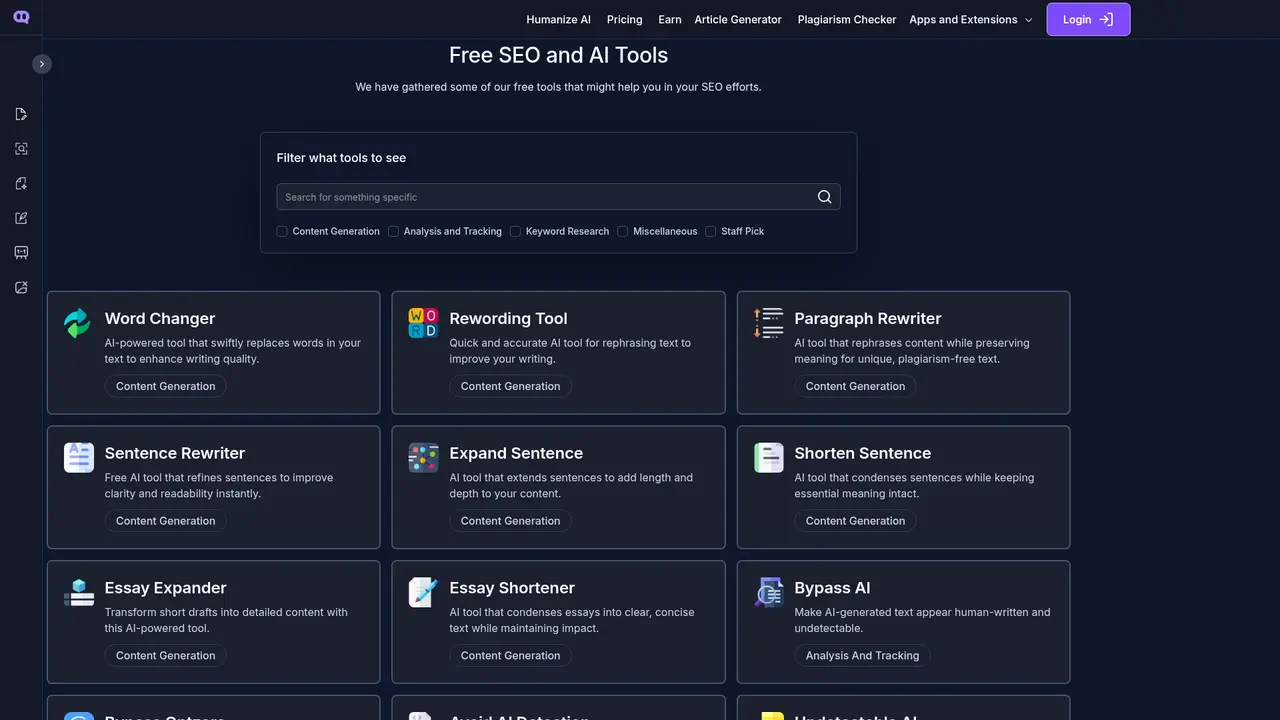
- Content Generation: Word Changer, Rewording Tool, Paragraph Rewriter, Sentence Rewriter, Expand Sentence, Shorten Sentence, Essay Expander, Essay Shortener, AI Text Converter
- Detection & Bypass: Bypass AI, Bypass GPTZero, Avoid AI Detection, Undetectable AI
- Video & PDF: YouTube Video Summarizer, AI PDF Translator, PDF Summarizer
- Analysis: AI Detector, Plagiarism Checker, AI Math Solver
- Specialty Tools: Article Generator, SynthID Remover, ChatGPT Watermark Remover, AI Image Detector
Affiliate Program
Want to earn while you recommend? Join our affiliate program at humanizeaitext.ai/affiliate and earn commissions for every user you refer. It's a great opportunity for content creators, educators, and marketers who want to monetize their audience.
Blog Resources
Our blog (humanizeaitext.ai/blog) offers ongoing tips, guides, and insights on AI writing, humanization techniques, SEO strategies, and content marketing best practices. Check it regularly for fresh ideas to improve your writing.
:::card{type="tip" title="💡 Get the Full Experience"} If you regularly use ChatGPT or similar AI writing tools, installing the Chrome extension dramatically streamlines your workflow. You'll humanize content instantly without switching between tabs—saving time on every piece you create. :::
Related Content
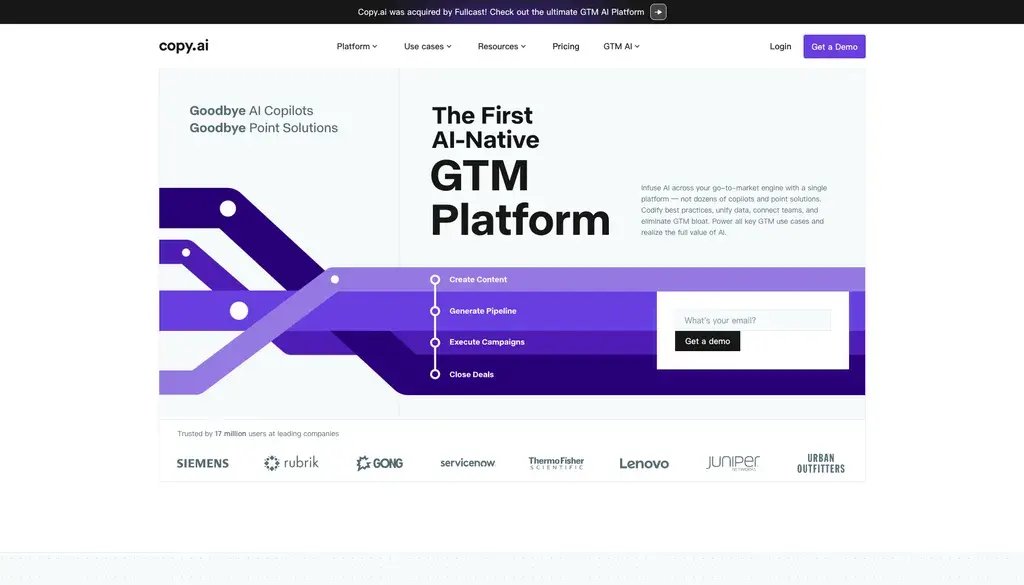
Copy.ai Review 2026: AI Copywriting Made Easy
Our honest Copy.ai review for 2026. We test Content Agents, AI Workflows, pricing ($29-$249/mo), and compare it to Jasper and Writesonic. Find out if it's worth it for your marketing team.

Rytr Review 2026: Is This Budget AI Writer Worth It?
Our hands-on Rytr review for 2026. We test features, pricing, content quality, and compare it to Jasper & ChatGPT. Find out if Rytr is the best budget AI writing tool.

Word Changer - Free AI tool to rewrite and improve your writing instantly
Writing always using repetitive words or need to avoid plagiarism? Word Changer is a free AI writing assistant that instantly rewrites any text with richer vocabulary and appropriate tone. Get multiple versions with one click, adjust formality level, check readability - all for free!

Unite - AI-powered platform for romantic fantasies and dream couple moments
Explore romantic fantasies and create special moments for your dream couple. This AI-powered platform lets you generate personalized romantic content and experience exclusive AI-created romantic experiences.
Comments