Logo
ProductsBlogs
Submit

Categories

  • AI Coding
  • AI Writing
  • AI Image
  • AI Video
  • AI Audio
  • AI Chatbot
  • AI Design
  • AI Productivity
  • AI Data
  • AI Marketing
  • AI DevTools
  • AI Agents

Featured Tools

  • Coachful
  • Wix
  • TruShot
  • AIToolFame
  • ProductFame
  • Google Gemini
  • Jan
  • Zapier
  • LangChain
  • ChatGPT

Featured Articles

  • The Complete Guide to AI Content Creation in 2026
  • 5 Best AI Agent Frameworks for Developers in 2026
  • 12 Best AI Coding Tools in 2026: Tested & Ranked
  • Cursor vs Windsurf vs GitHub Copilot: The Ultimate Comparison (2026)
  • 5 Best AI Blog Writing Tools for SEO in 2026
  • 8 Best Free AI Code Assistants in 2026: Tested & Compared
  • View All →

Subscribe to our newsletter

Receive weekly updates with the newest insights, trends, and tools, straight to your email

Browse by Alphabet

ABCDEFGHIJKLMNOPQRSTUVWXYZOther
Logo
English中文PortuguêsEspañolDeutschFrançais|Terms of ServicePrivacy PolicyTicketsSitemapllms.txt

© 2025 All rights reserved

  • Home
  • /
  • Products
  • /
  • AI Productivity
  • /
  • GPTExcel - AI-powered Excel formula and spreadsheet automation assistant
GPTExcel

GPTExcel - AI-powered Excel formula and spreadsheet automation assistant

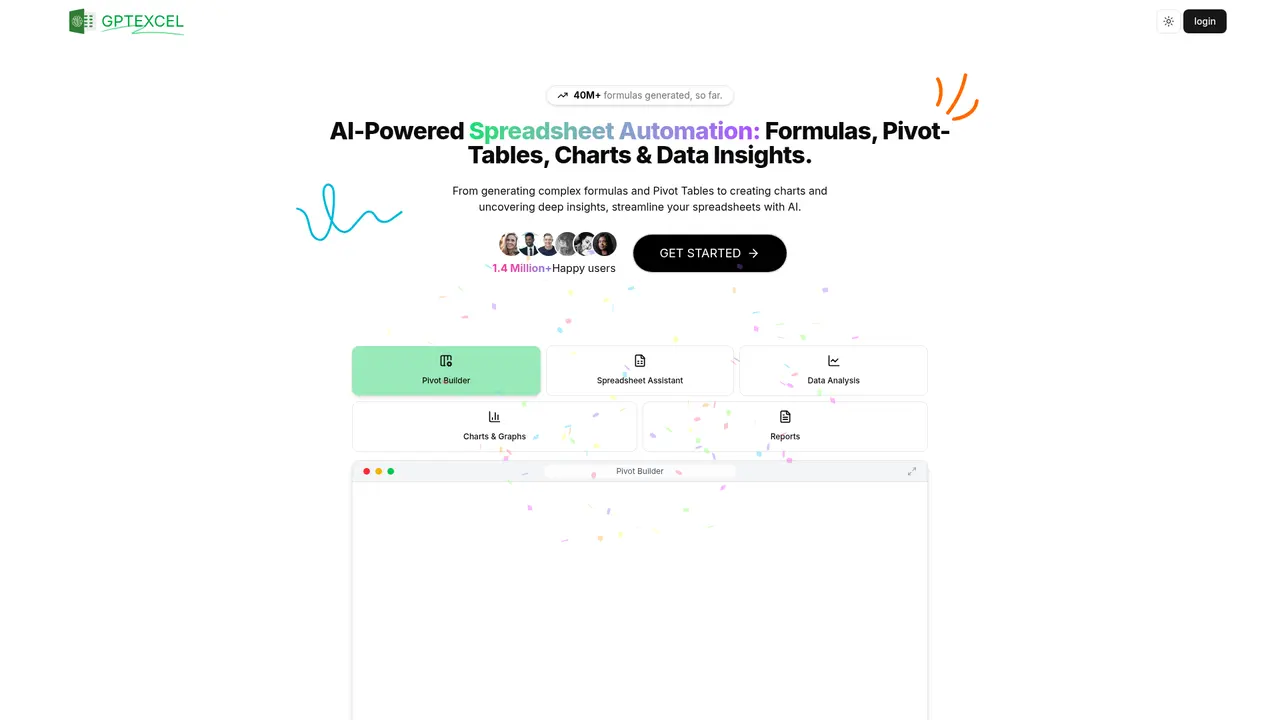
GPTExcel is an AI-powered spreadsheet assistant that generates Excel formulas, SQL queries, and automation scripts from plain English. With support for 50+ languages and platforms like Excel, Sheets, and Airtable, it helps accountants, analysts, and managers automate complex calculations and data analysis.
AI ProductivityFeaturedFreemiumWorkflow AutomationCode GenerationData AnalysisData VisualizationSpreadsheet
Visit Website
Product Details
GPTExcel - Main Image
GPTExcel - Screenshot 1
GPTExcel - Screenshot 2
GPTExcel - Screenshot 3

What is GPTExcel

If you've ever spent hours wrestling with a complex Excel formula, debugging a nested IF statement, or staring at a SQL query trying to figure out why it won't return the results you need, you're not alone. Millions of professionals face these same challenges daily—manually crafting formulas is time-consuming, error-prone, and frankly, frustrating. Whether you're a financial analyst building complex models or a database administrator writing intricate queries, the learning curve can feel steep and the margin for error razor-thin.

GPTExcel is an AI-powered spreadsheet assistant designed to handle all of this in a fraction of the time. Instead of manually writing formulas or scripts, you simply describe what you need in plain language, and GPTExcel's AI generates the exact formula, SQL query, VBA script, or automation you need. It's like having a spreadsheet expert available 24/7, ready to help with everything from basic calculations to complex data analysis.

What sets GPTExcel apart is its comprehensive approach. While other tools focus on just one function, GPTExcel serves as a one-stop solution for formula generation, SQL queries, automation scripts, regular expressions, spreadsheet templates, data analysis, and visualization. The platform supports multiple platforms including Microsoft Excel, Google Sheets, LibreOffice Calc, and Airtable, and handles various file formats like Excel and CSV.

The numbers speak for themselves: over 1.4 million happy users have generated more than 40 million formulas using GPTExcel. This trusted solution is used by notable organizations including Spotify, Google, the University of Michigan, Decathlon, and Flippa—companies and institutions that rely on accurate data handling every day.

TL;DR
  • AI-powered assistant for formulas, SQL, scripts, regex, and templates
  • Supports Excel, Google Sheets, LibreOffice Calc, and Airtable
  • Used by 1.4M+ users worldwide with 40M+ formulas generated
  • Works in 50+ languages including English, Spanish, Chinese, French
  • Trusted by Spotify, Google, University of Michigan, and more

Core Features of GPTExcel

GPTExcel packs a powerful suite of tools designed to streamline your spreadsheet workflow. Here's what you can accomplish with this platform.

Excel Formula Generator lets you create complex Excel and Google Sheets formulas using natural language. Whether you need financial modeling calculations, data aggregation with SUMIF and COUNTIF, or nested conditional logic, just describe your requirement and GPTExcel generates the formula. The tool also explains existing formulas, making it perfect for understanding and modifying spreadsheets you didn't create.

Script Generator automates repetitive tasks by generating VBA scripts for Excel, Apps Script for Google Workspace, and custom scripts for Airtable. You can automate data entry, create custom workflows, and build cross-platform integrations without writing code from scratch.

SQL Query Generator simplifies database interactions. Describe the data you need in plain language, and GPTExcel creates optimized SQL queries for extraction, debugging, and performance tuning. This is invaluable for generating reports or pulling specific datasets from large databases.

Regular Expression Generator creates regex patterns for data validation, text extraction, and pattern matching. Whether you need to validate email formats, extract phone numbers from unstructured text, or filter data based on specific patterns, GPTExcel handles the complexity.

Spreadsheet Template Generator creates standardized templates for Excel and Google Sheets. Whether you need financial statements, inventory trackers, or project management dashboards, GPTExcel builds them instantly with proper formatting and structure.

Spreadsheet Chat Assistant lets you interact directly with your Excel files through conversation. Upload a file, ask questions about the data, request analysis, or ask for formula explanations—all through an intuitive chat interface.

Image to Table (OCR) converts images of tables into editable Excel spreadsheets. Simply upload a photo of a paper document, and GPTExcel uses OCR to extract and structure the data accurately.

Chart and Visualization Generator automatically creates charts and visualizations from your data. Describe what insights you want to visualize—trends, comparisons, distributions—and GPTExcel generates professional charts instantly.

Data Analysis and Insights identifies trends, summarizes key metrics, and provides actionable insights from your datasets. The AI generates comprehensive reports to support data-driven decision-making.

Pivot Table Builder creates and modifies pivot tables using AI. Describe the analysis you need, and GPTExcel builds the pivot table with the right fields, filters, and groupings.

  • All-in-one solution: Replaces multiple tools with a single platform for formulas, SQL, scripts, regex, and templates
  • Multi-language support: Works in 50+ languages, perfect for global teams
  • High accuracy: 40M+ formulas generated demonstrates proven reliability
  • Multi-platform support: Works with Excel, Google Sheets, LibreOffice Calc, and Airtable
  • File conversation: Upload files and chat with your data directly
  • AI accuracy dependent: Complex or ambiguous requests may require refinement
  • Requires internet connection: Cloud-based service needs online access
  • Learning curve: New users may need time to discover all capabilities

Who Uses GPTExcel

GPTExcel serves a diverse range of professionals across industries. Understanding how others use the platform can help you envision how it might fit into your workflow.

Accountants rely on GPTExcel to automatically generate financial formulas, calculation templates, and standardized reporting structures. Instead of manually building complex accounting models, accountants describe what they need—a profit and loss statement, depreciation calculation, or tax formula—and GPTExcel delivers. This dramatically reduces manual errors and accelerates financial close processes.

Financial Analysts use GPTExcel to build sophisticated financial models quickly. Whether creating DCF valuations, scenario analyses, or variance reports, analysts describe their requirements in plain language and receive accurate formulas and templates. The ability to generate pivot tables and visualizations from data streams also accelerates the analysis workflow.

Supply Chain Managers automate data processing workflows and generate inventory management reports. From tracking stock levels across warehouses to analyzing delivery performance metrics, GPTExcel handles the heavy lifting. Managers can generate regex patterns for SKU validation, automation scripts for data imports, and dashboards for real-time visibility.

Software Engineers leverage GPTExcel to generate VBA and Apps Script automation that connects their spreadsheet workflows with other systems. Rather than spending hours writing boilerplate code for repetitive tasks, engineers describe the automation they need—scheduled data exports, form submissions, or cross-sheet calculations—and GPTExcel delivers ready-to-use scripts.

Clinical Trial Coordinators use GPTExcel to process trial data and generate compliant reports. The platform helps create standardized data collection templates, generate regulatory-compliant tables, and perform statistical analyses—all while maintaining the documentation standards required in clinical research.

💡 Who should consider GPTExcel?

If you regularly work with spreadsheets, databases, or repetitive data tasks, GPTExcel can significantly boost your productivity. The platform is especially valuable if you find formula creation time-consuming, need to work across multiple spreadsheet applications, or want to automate manual data processes without learning complex programming.


GPTExcel Pricing Plans

GPTExcel offers three tiers designed to match different user needs—from casual spreadsheet users to power users with demanding workflows.

Plan Comparison

Plan Price AI Messages Tool Uses File Upload Best For
Free $0/month 10/month 4 per 12 hours 5MB/file, 5 files/chat Casual users, testing
Pro $6.30/month (billed annually, saves 30%) 3,000/month 3,000/month 50MB/file, 10 files/chat Professionals, regular users
Pro Plus $12.60/month (billed annually, saves 30%) 10,000/month 10,000/month 100MB/file, 15 files/chat Power users, teams

Plan Details

Free Plan is perfect if you want to explore GPTExcel's capabilities before committing. You get 10 AI chat messages every 30 days and 4 tool uses every 12 hours—enough for occasional formula help or simple queries. File uploads are limited to 5MB per file with a maximum of 5 files per conversation. This plan includes access to the formula assistant, script generator, SQL query generator, regex generator, template builder, and pivot table tools.

Pro Plan at $6.30/month (billed as $75.60 annually, down from $9/month) unlocks substantial additional capacity. You receive 3,000 AI chat messages and 3,000 tool uses per month, with larger file uploads of 50MB per file and up to 10 files per conversation. This plan includes everything in Free plus advanced data analysis features. This is the recommended plan for professionals who use spreadsheets daily.

Pro Plus Plan at $12.60/month (billed as $151.20 annually, down from $18/month) is designed for power users and teams. With 10,000 monthly AI messages and 10,000 tool uses, you'll never hit limits. File uploads increase to 100MB per file with 15 files per conversation. You also get priority customer support for faster assistance when you need it.

All paid plans include invoice delivery via email immediately after purchase, monthly invoices, and the ability to download invoices from your account billing page. You can cancel your subscription anytime from the billing page—your service continues until the end of your current billing cycle, then your account downgrades to Free.

💡 Choosing the right plan

Start with the Free plan to see if GPTExcel fits your workflow. If you find yourself running into limits or needing advanced features like larger file uploads and priority support, upgrading to Pro delivers excellent value at $6.30/month. Pro Plus is ideal if you have team members who all need access or have high-volume requirements.


Frequently Asked Questions

What exactly is GPTExcel?

GPTExcel is an AI-powered spreadsheet assistant that helps you generate formulas, SQL queries, automation scripts, regular expressions, and spreadsheet templates. You describe what you need in plain language, and GPTExcel creates the exact output you need. Additional features include file conversation (chat with your Excel files), image-to-table conversion (OCR), chart generation, data analysis, and pivot table building.

Which platforms and file formats does GPTExcel support?

GPTExcel supports Microsoft Excel, Google Sheets, LibreOffice Calc, and Airtable. Supported file formats include Excel (.xlsx, .xls) and CSV files.

What are the limitations of the Free plan?

The Free plan provides 4 tool uses every 12 hours (refreshed twice daily) and 10 AI chat messages per month. File uploads are limited to 5MB per file with a maximum of 5 files per conversation. No credit card is required to start with the Free plan.

How do I upgrade to Pro?

Visit GPTExcel's website and navigate to the "Choose Your Plan" section. Select the Pro plan and complete the checkout process. Your upgraded features will be available immediately after payment.

Can I cancel my subscription?

Yes, you can cancel your subscription anytime from your account billing page. After cancellation, your service continues until the end of your current billing cycle, after which your account downgrades to the Free plan.

Is GPTExcel secure?

Yes, GPTExcel uses industry-standard security measures to protect your data and transactions. The platform provides privacy policy and terms of service documentation for transparency.

What languages does GPTExcel support?

GPTExcel supports over 50 languages including English, Spanish, Chinese, French, Russian, Hindi, German, Japanese, Portuguese, Italian, Korean, Arabic, Dutch, Swedish, Polish, and many more.

How many formulas has GPTExcel generated?

GPTExcel has generated over 40 million formulas, demonstrating its reliability and widespread adoption across industries and use cases.

Explore AI Potential

Discover the latest AI tools and boost your productivity today.

Browse All Tools
GPTExcel
GPTExcel

GPTExcel is an AI-powered spreadsheet assistant that generates Excel formulas, SQL queries, and automation scripts from plain English. With support for 50+ languages and platforms like Excel, Sheets, and Airtable, it helps accountants, analysts, and managers automate complex calculations and data analysis.

Visit Website

Featured

Coachful

Coachful

One app. Your entire coaching business

Wix

Wix

AI-powered website builder for everyone

TruShot

TruShot

AI dating photos that actually get matches

AIToolFame

AIToolFame

Popular AI tools directory for discovery and promotion

ProductFame

ProductFame

Product launch platform for founders with SEO backlinks

Featured Articles
12 Best AI Coding Tools in 2026: Tested & Ranked

12 Best AI Coding Tools in 2026: Tested & Ranked

We tested 30+ AI coding tools to find the 12 best in 2026. Compare features, pricing, and real-world performance of Cursor, GitHub Copilot, Windsurf & more.

Cursor vs Windsurf vs GitHub Copilot: The Ultimate Comparison (2026)

Cursor vs Windsurf vs GitHub Copilot: The Ultimate Comparison (2026)

Cursor vs Windsurf vs GitHub Copilot — we compare features, pricing, AI models, and real-world performance to help you pick the best AI code editor in 2026.

Information

Views
Updated

Related Content

5 Best AI Meeting Assistants in 2026: Tested & Ranked
Blog

5 Best AI Meeting Assistants in 2026: Tested & Ranked

We tested the top AI meeting assistants to find which ones actually deliver. Compare Otter.ai, Fireflies, Fathom, Tactiq, and Granola — with pricing, features, and real-world results.

Perplexity AI Review 2026: The AI Search Engine That Replaces Google
Blog

Perplexity AI Review 2026: The AI Search Engine That Replaces Google

Our in-depth Perplexity AI review covers features, pricing, accuracy tests, and real-world use. Is this AI search engine really a Google replacement in 2026?

GoGlobal.World - Connect with verified startups effortlessly
Tool

GoGlobal.World - Connect with verified startups effortlessly

Go Global World revolutionizes the way investors find startups. Our platform sorts through countless applications to present only those that meet your specific criteria. With automated scouting, you'll receive updates on startups that have demonstrated post-revenue growth ranging from 10% to 30% month-over-month. We gather all startup interactions in one place, allowing you to manage your potential investments more efficiently. Stay connected with innovative leaders shaped by our dedicated advisory team. Whether you're looking to connect with startups or expand your investor network, Go Global World delivers.

MaxAI - Your AI browser extension for faster online work
Tool

MaxAI - Your AI browser extension for faster online work

MaxAI is your AI browser extension for faster online work. Ask any webpage or YouTube video directly without copying and pasting. Integrates top AI models like GPT-5, Claude, and Gemini, supporting AI writing, translation, image generation, and more. Saves 40+ hours per month, perfect for professionals, students, and marketers.

