

- Monthly visits
- 3,266
- 2026-09
Flux 3 AI - Unified multimodal AI for image video and audio creation
Tired of jumping between separate tools for images, videos, and audio? Flux 3 AI is a unified creative platform powered by Black Forest Labs' FLUX 3 multimodal foundation model. It lets you generate and edit images, create videos with native synchronized audio, and transform static visuals into dynamic content. With support for text-to-video, image-to-video, keyframe control, and multilingual dialogue, you can bring your vision to life in minutes. Start with free credits and scale with flexible plans.
- AI Image
- Image Generation
- Content Creation
- Video Generation
- Multi-language
- Text to Speech
388Views
What Is Flux 3 AI?
Picture this: you're working on a product launch. You start with a text prompt to generate a product image in one tool, then export it to another tool to animate it into a video. Next, you need to add voiceover and sound effects — that's a third tool. By the time you're done, the visual style has shifted across platforms, the audio feels disconnected, and hours have vanished into file exports and format conversions.
This fragmented workflow is the reality for most creators, marketers, and designers today. That's exactly the problem Flux 3 AI was built to solve.
Flux 3 AI is a unified creative platform powered by Black Forest Labs' FLUX 3 multimodal foundation model. Unlike traditional tools that treat image generation, video creation, and audio production as separate modules, Flux 3 AI brings them together under one roof — because in the real world, great content isn't created in silos.
The secret sauce lies in Self-Flow, a self-supervised flow matching method that learns useful representations while it learns to generate. This means the model doesn't just produce visuals — it understands how images, motion, and sound relate to each other naturally. The result is a platform where you can start with a text prompt, generate a photorealistic image, and turn it into a video with native audio — all in one seamless workflow.
Flux 3 AI represents a significant evolution from its predecessor. FLUX.2 was primarily image-focused. FLUX 3 expands that capability to unify image, video, and audio generation into a single system, making it one of the most versatile AI creative platforms available today.
Unified multimodal architecture: Image, video, and audio treated as one integrated system — no more juggling between disconnected tools
Native synchronized audio-video generation: Every video comes with natural dialogue and sound effects, perfectly synced from the start
One-click transition from text/image to video: Start with a concept or static image, and transform it into dynamic video content in moments
Your Essential Creative Toolkit
Flux 3 AI packs a versatile set of capabilities into a browser-based workspace — no installation required. Here's how you can put each feature to work.
Text-to-Image Generation. You can use it to turn natural language prompts into photorealistic, illustrative, cinematic, or experimental visuals. Whether you need a product concept, an ad creative, a character design, or a poster, simply describe what you want and let the FLUX 3 model handle the rest. The output supports 1K to 4K resolution, giving you the flexibility to use results across web, print, and presentation contexts. Diverse aspect ratios and complex prompt handling mean you're not limited to cookie-cutter outputs.
Text-to-Video with Native Audio. You can use it to generate up to 20 seconds of video directly from text — complete with synchronized audio including multilingual dialogue and event-related sound effects. This is a game-changer for product launch videos, social media shorts, or storyboard previews. The model generates the audio alongside the video, so the footsteps match the walking animation, and the dialogue is already timed to the scene.
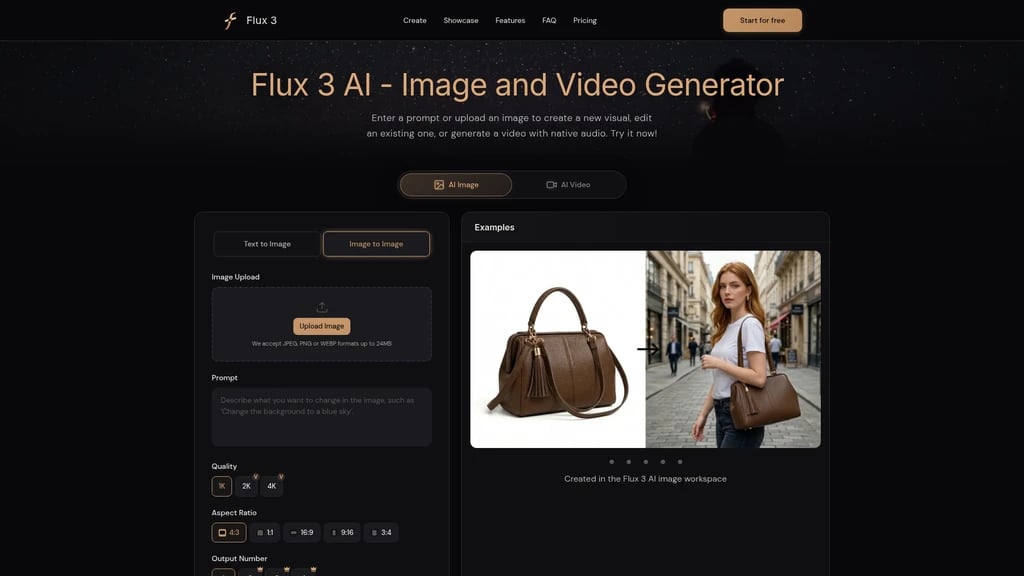
Image-to-Video. You can use it to take a static image — say, a product photo or a character concept — and let it serve as the starting frame for a dynamic video. The model infers the motion trajectory from your reference, making it ideal for turning product shots into promotional clips or bringing concept art to life.
Image Editing. You can use it to upload existing images (JPEG, PNG, or WEBP, up to 24MB) and transform them using natural language instructions. Want to change the background, adjust lighting, or swap a product color? Just describe the change. You can also upload multiple images as visual references to guide the edit direction — perfect for iterating ad variations or refining product concepts.
Keyframe Control & Video Concatenation. You can use it to control transitions and motion flow by defining keyframes, with the model interpolating smooth movements between them. And since individual clips max out at 20 seconds, you can connect multiple segments to form longer sequences — giving you full control over pacing and narrative structure.
Unified multimodal system: Generate and edit images, video, and audio in one workspace — no switching between three different tools
Native audio sync: Every video comes with dialogue and sound effects that match the action, generated simultaneously with the visuals
No installation required: Works entirely in the browser, accessible from any device with an internet connection
Single clip limit of 20 seconds: Longer sequences require concatenating multiple clips
Credit-based pricing can add up: High-volume users may need to budget for Pro or Max plans
Not suitable for confidential materials: Standard privacy practices apply — avoid uploading sensitive data
Who Should Use Flux 3 AI?
Not every creative tool fits every workflow. Here's how different teams and professionals are using Flux 3 AI in real-world scenarios.
Product Managers & Marketers. Your pain point: product images and launch videos traditionally require separate tools, making it hard to maintain a unified visual style. The solution: generate your product concept image first, refine the composition, then use that same image as the starting frame for a launch video with dialogue and ambient sound. The result: a seamless transition from static to dynamic content with consistent visual identity across every touchpoint.
New users receive free credits to start. Use them to test a complete workflow — from text-to-image to image-to-video — and experience the full journey from static concept to dynamic production in minutes.
Social Media Managers. Your pain point: social channels demand a constant stream of fresh visuals, and manual creation simply can't keep up. The solution: create static ads, animated graphics, and short scenes using reference images to maintain brand consistency. The result: fast turnaround on differentiated content without sacrificing brand recognition.
Pre-Visualization & Animation Teams. Your pain point: moving from a written script to an actual shoot involves massive communication overhead and costly trial-and-error. The solution: turn scene descriptions into key images, then select a frame to generate a dynamic preview with dialogue and atmosphere. The result: test camera direction, pacing, and tone before production begins — saving time, money, and creative friction.
Independent Creators & Designers. Your pain point: keeping characters or environments visually consistent across multiple frames is a constant challenge. The solution: start with a static image to explore character design, then reuse the same reference across new scenes and contexts. The result: consistent visual identity for your characters and worlds, with rapid creative iteration.
Advertising Creative Teams. Your pain point: traditional ad production cycles from concept to final asset are long, expensive, and risk-averse. The solution: start from a multimodal prompt in the same workspace, quickly generate multiple style variations, shortlist the best ones, and refine further. The result: dramatically shorter creative-to-asset cycles with significantly lower trial-and-error costs.
Transparent Pricing, Straightforward Choices
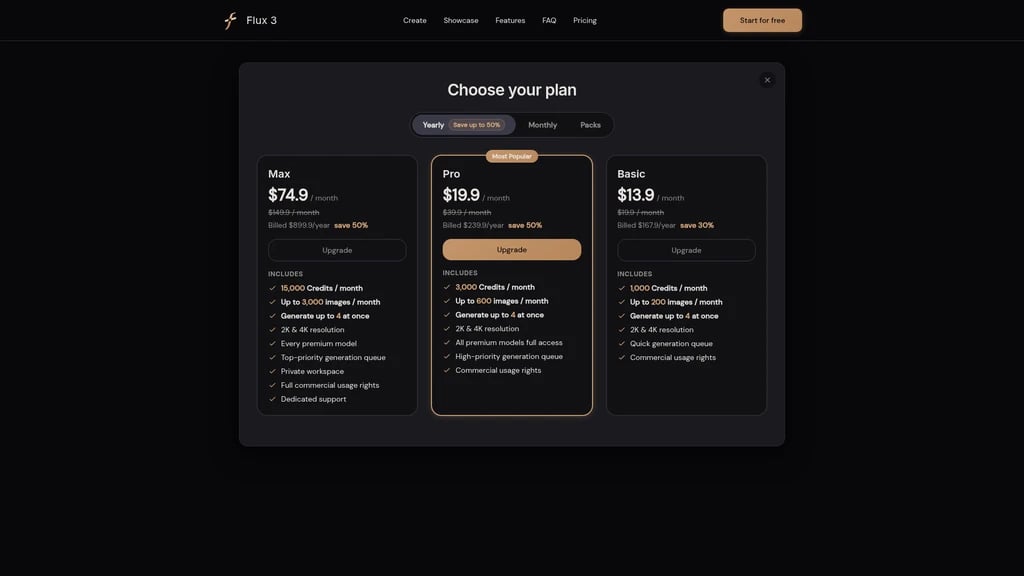
Flux 3 AI is designed to grow with you — from free exploration to professional-grade production. All paid plans include commercial usage rights, so anything you create can be used in your business or client work.
Plan | Monthly Price | Annual Price | Monthly Credits | Estimated Images/Month | Key Features |
|---|---|---|---|---|---|
Basic | $13.9/month | $167.9/year (save 30%) | 1,000 credits | Up to 200 images | Up to 4 images per generation, 2K & 4K, fast queue, commercial rights |
Pro | $19.9/month (was $39.9) | $239.9/year (save 50%) | 3,000 credits | Up to 600 images | Full access to all advanced models, high-priority queue, commercial rights |
Max | $74.9/month (was $149.9) | $899.9/year (save 50%) | 15,000 credits | Up to 3,000 images | Every advanced model, top priority queue, private workspace, dedicated support |
Free trial: New users receive free credits to explore the platform before committing.
Which plan fits you? If you're an individual creator experimenting with AI-generated content, the Basic plan gives you enough credits for regular use — up to 200 images or equivalent video generations per month. We recommend the Pro plan for teams and frequent users who need full access to advanced models and higher priority processing. For agencies and production studios running high-volume workflows, Max delivers 15,000 monthly credits with a private workspace and dedicated support.
One-time credit packs are also available if you prefer a pay-as-you-go approach without monthly commitments. These are described as non-expiring credits, giving you full flexibility.
Frequently Asked Questions
What's the relationship between Flux 3 AI and Black Forest Labs?
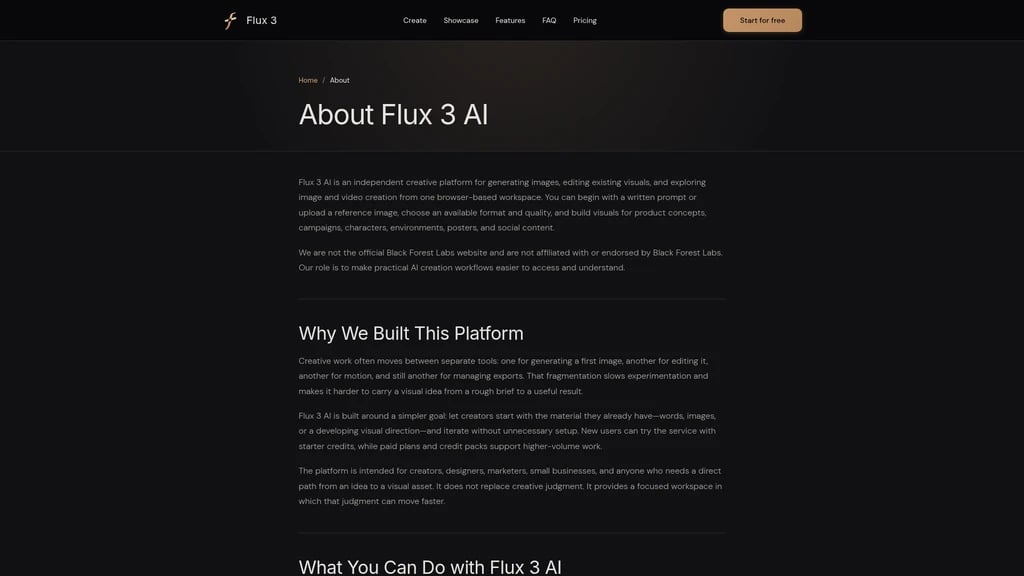
Flux 3 AI is an independent creative platform powered by Black Forest Labs' FLUX 3 model. To be transparent: we are not the official Black Forest Labs website, nor are we affiliated with or endorsed by them. Our role is to make practical AI creative workflows more accessible and easier to navigate for everyday creators.
Does Flux 3 AI generate audio along with video?
Yes — this is one of our standout features. The FLUX 3 model generates video and native audio simultaneously, including multilingual dialogue and physical event-related sounds. The audio is perfectly synced with the visuals from the moment of generation, so you don't need to add soundtracks or voiceovers in a separate step.
Is Flux 3 AI free?
It starts free. New users receive complimentary credits to explore the platform and try out different features. When you need more credits for regular production work, you can choose from our pay-as-you-go credit packs or monthly subscription plans (Basic, Pro, or Max).
Is my uploaded data secure?
We take security seriously. The platform uses HTTPS encryption for all data transmission, uploaded files are stored on Alibaba Cloud Object Storage, and we use Cloudflare Turnstile for anti-abuse protection on registrations. Payment processing is handled by Stripe — we never store full credit card numbers. You can also contact us to delete account-associated content. That said, we generally recommend avoiding uploads of confidential or sensitive materials.
What's the maximum video length Flux 3 AI can generate?
Each single generation produces up to 20 seconds of video with native audio. For longer sequences, you can connect multiple 20-second clips to form extended narratives. This clip-based approach gives you precise control over pacing and structure.
What formats and sizes are supported for image editing?
You can upload JPEG, PNG, and WEBP files up to 24MB. This covers most standard image formats used in web and print design work.


Comments