

Flux 3 AI — Image & Video Generator - AI-powered image and video generator powered by FLUX model family
Creating high-quality visuals shouldn't require a design degree or expensive software. Flux 3 AI gives you unified access to the complete FLUX model family from a single workspace. Generate stunning images and videos with text-to-image, image-to-image, and natural language editing capabilities. Whether you're a marketer crafting ad creatives, a designer prototyping concepts, or a creator exploring artistic styles, our platform adapts to your workflow. Pay only for what you use with flexible credit-based pricing and no subscription commitments.
- AI Image
- Image Generation
- Image Editing
- Content Creation
- Video Generation
395Views
What Is Flux 3 AI — Image & Video Generator
Creating high-quality visuals has always been a bottleneck for creators, designers, and marketers. You either invest hours learning complex design tools, pay premium prices for professional services, or bounce between half a dozen platforms just to go from a rough concept to a final deliverable. The friction is real—and it's expensive.
Flux 3 AI changes that. Built on Black Forest Labs' powerful FLUX model family, it's a unified AI image and video generation platform that puts six different FLUX.2 models under one roof. Instead of switching tools every time your workflow evolves, you get a single workspace where you can move from a lightning-fast sketch to a production-grade asset without ever leaving the page.
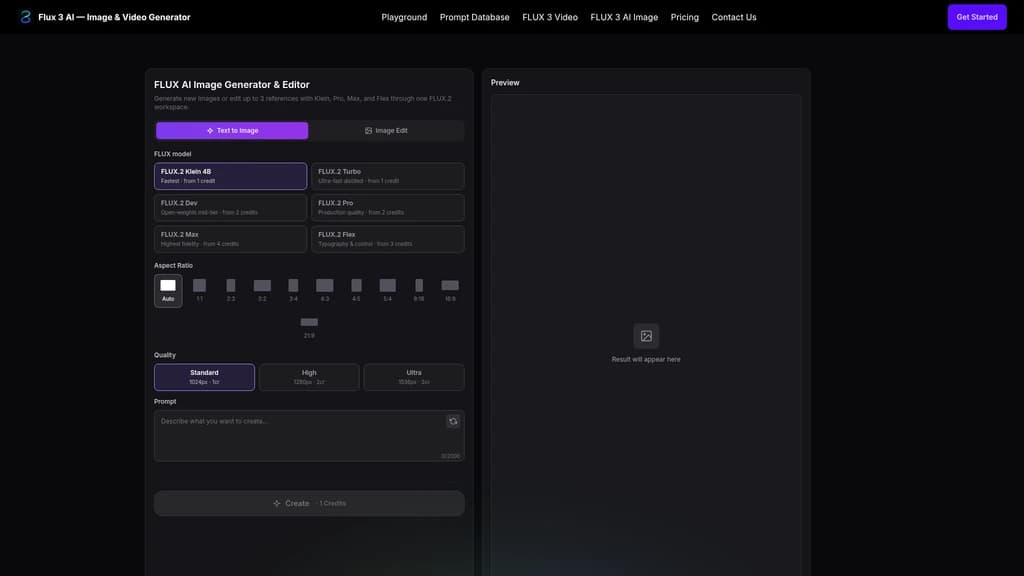
Here's what that looks like in practice. Need a quick concept to run by a client? Grab the Klein model (fastest, from 1 credit). Need to refine the lighting and composition? Switch to Pro (production quality, from 2 credits). Need the absolute highest fidelity for a hero image? Max has you covered (from 4 credits). And if you're working with typography or precise layout control, Flex handles that too (from 3 credits). All six models—Klein, Turbo, Dev, Pro, Max, and Flex—are accessible from the same interface, sharing your credit pool and generation history.
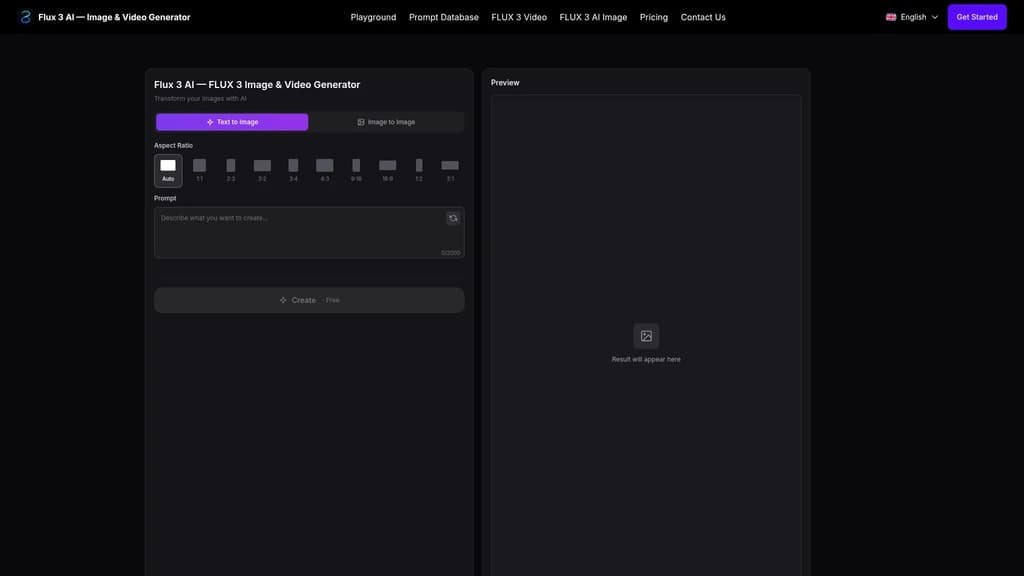
The platform supports two core generation modes: Text-to-Image and Image-to-Image (up to 3 reference images), giving you complete flexibility whether you're creating from scratch or editing existing visuals. And because it's powered by FLUX.2, you get context-aware understanding, natural language editing, and style-consistent outputs that actually look like they belong together.
Industry recognition backs this up. Flux 3 AI has been featured and recommended by ShowMeBestAI, NavFolders, Similarlabs, Findly.tools, Startup Fast, and That App Show—a solid indicator that the platform delivers on its promises.
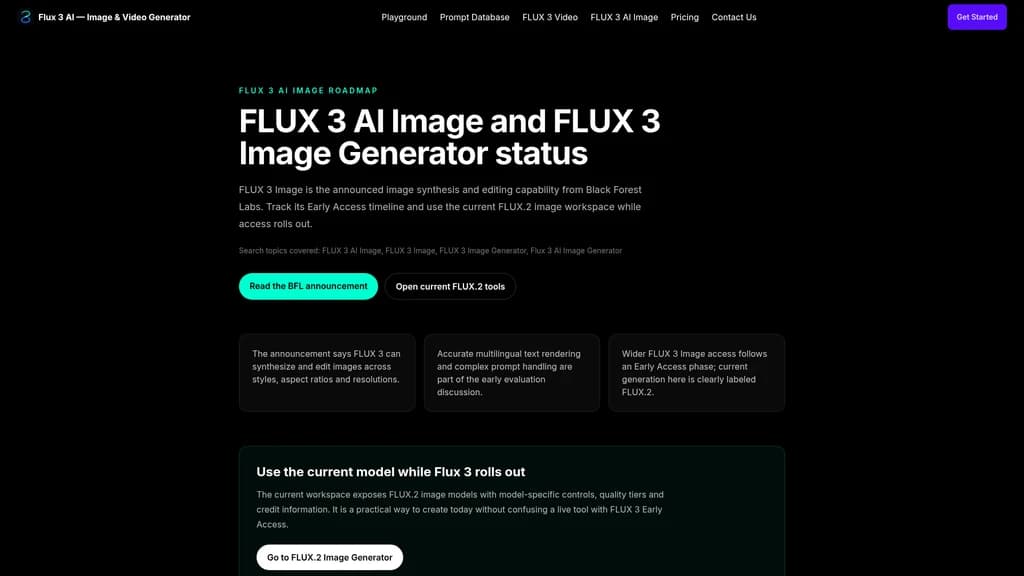
One important note on transparency: the current workspace runs on FLUX.2 models, and the site clearly marks this distinction. FLUX 3 (including Video, AI Image, and Dev) is actively in the roadmap and Early Access phase. You're getting production-ready capabilities today, with a clear path to next-gen multimodal features tomorrow.
Unified multi-model workspace — access all 6 FLUX.2 models (Klein/Turbo/Dev/Pro/Max/Flex) in one interface
Dual generation modes — Text-to-Image and Image-to-Image with up to 3 reference images
Natural language editing & context awareness — edit images with plain text, no masks or layers needed
Pay-per-credit pricing — no subscriptions, you only pay for what you actually use
FLUX 3 multimodal roadmap — track the coming Video, AI Image, and Dev models via official roadmap pages
Core Capabilities of Flux 3 AI
Every feature here is built around one question: what can you actually do with it? Let's walk through the five capabilities that make Flux 3 AI a genuinely useful tool in your daily workflow.
1. A Single Workspace for Six Models
You can use it to move through an entire creative process without switching tabs. Start with Klein for a rapid concept draft (1 credit per generation), iterate with Turbo or Dev as you refine the idea, and finish with Pro or Max for the highest-quality output. Flex handles typography and layout tasks. All models share your credit pool, so there's no separate billing to manage, and your generation history stays intact across the board.
This isn't just convenient—it changes how fast you can work. A designer validating visual directions with a client can show 10 variations in minutes. A marketer testing ad concepts can compare outputs from different models side by side. The friction of exporting, re-uploading, and re-configuring settings across tools simply disappears.
2. Two Modes, One Workflow
Text-to-Image lets you start from a prompt and generate entirely new visuals. It supports complex scene descriptions, specific style instructions, and multi-object layouts. You can choose from 10 aspect ratios (1, 2, 3, 3, 4, 4, 5, 9, 16, 21) and three quality tiers: Standard (1024px), High (1280px), and Ultra (1536px).
Image-to-Image takes it further. Upload up to 3 reference images, combine them with a text prompt, and FLUX.2 uses the visual context to generate precisely what you need. Need to replace the background of a product photo while keeping the exact same lighting and reflections? Done. Want to merge elements from multiple reference shots into one cohesive composition? No problem.
3. Edit with Natural Language
You can use it to modify generated images using plain text instructions—no masks, no layers, no complex tools. Say "make the background warmer" or "change the subject's shirt to blue" or "add a subtle shadow underneath." FLUX.2's context-aware understanding automatically parses your intent and applies it to the image.
This lowers the bar significantly. You don't need to be a Photoshop expert to make precise edits. Product managers can tweak visuals during a presentation. Content creators can adjust social media assets on the fly. The edit loop is fast enough that you can explore creative variations without costing yourself time.
4. Style and Tone Consistency
When you apply edits or generate variations, the lighting, shadows, and texture details stay intact. FLUX.2 encodes stylistic information in latent space, keeping the core visual identity of your image stable even as you change elements.
This is critical for real-world workflows. If you're editing a product catalog, the lighting needs to match across all images. If you're creating a brand campaign, the visual tone needs to stay consistent. Flux 3 AI handles this automatically, so you're not fighting the tool to keep things looking coherent.
5. Track the FLUX 3 Roadmap
Flux 3 AI isn't standing still. The platform provides official roadmap pages to track what's coming next:
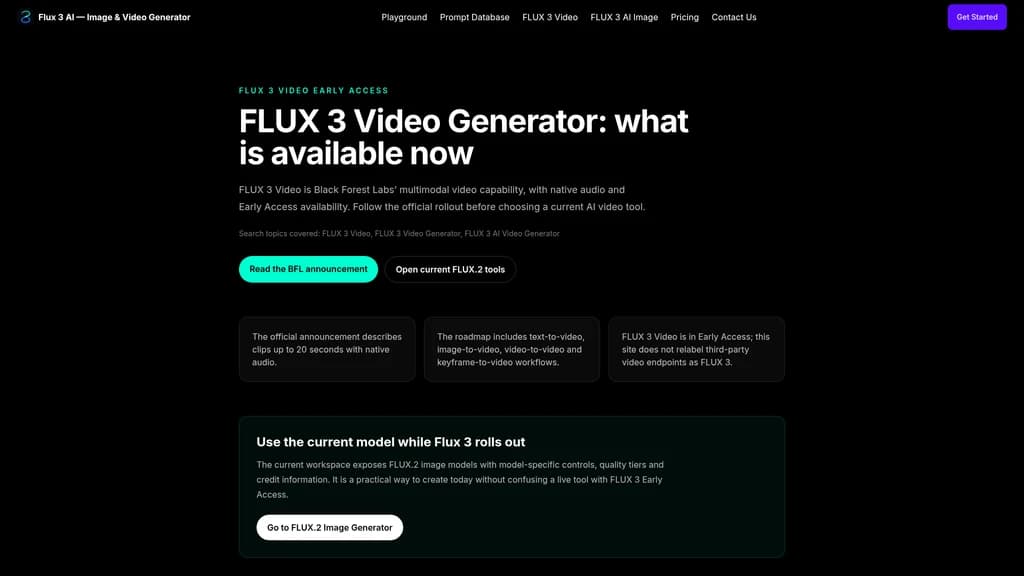
FLUX 3 Video (Early Access): Supports text-to-video, image-to-video, video-to-video, and keyframe-to-video generation. Up to 20 seconds with native audio.
FLUX 3 AI Image: Next-generation multimodal image model—roadmap published, awaiting broader access.
FLUX 3 Dev: Planned open-weight multimodal backbone network supporting image, video, audio, and motion prediction.
These roadmap pages aggregate official announcements from Black Forest Labs, so you're getting first-party information without the noise.
Unified workspace, six models — switch between Klein, Turbo, Dev, Pro, Max, and Flex without leaving the page
No subscription lock-in — pay-per-credit means you only buy what you'll actually use
Natural language lowers the barrier — edit images with plain text, no software expertise required
Current workspace runs FLUX.2, not FLUX 3 — the branding can be confusing if you don't read the fine print
Some features are still on the roadmap — FLUX 3 Video and AI Image are in Early Access, not fully available yet
Who Uses Flux 3 AI
Still wondering if this is for you? Here are five real-world scenarios that might feel familiar.
1. Content Creators & Social Media Managers
The pain: You need to produce high-quality visuals every single day—multiple platforms, multiple formats, and a consistent brand style. Hiring a designer for every post isn't realistic.
The solution: Use the multi-model workspace to generate platform-specific images in minutes. The 10 aspect ratios cover Instagram (1, 4), TikTok (9), YouTube (16), and more. Start with Klein for quick drafts, then use Pro for the final polished output.
The outcome: You go from concept to published asset in under 10 minutes, without opening a single design tool.
2. Designers & Creative Teams
The pain: Concept iteration is where most projects stall. Presenting one option means days of work before you even know if the direction is right.
The solution: Use Klein (1 credit) to generate 10 quick visual directions. Present them to the client. Lock in the direction. Then switch to Max (4 credits) for a high-fidelity final output—all within the same workspace.
Start with the Klein model for low-cost rapid experimentation (1 credit per generation). Once you've locked in the direction, switch to Max for the highest-quality final output. This keeps your credit usage efficient and your creative options open.
The outcome: From initial concept to final asset in one continuous flow, no export/import friction.
3. E-Commerce & Marketing Teams
The pain: Product photography is expensive. Reshooting for every campaign, season, or platform drains budgets and timelines.
The solution: Upload your product photos and use Image-to-Image to swap backgrounds while keeping the exact same lighting, shadows, and reflections. Generate multiple campaign variations—one with a studio backdrop, one on location, one with a seasonal theme.
The outcome: A full product visual library from a single photoshoot, ready for any channel.
4. Hobbyists & Photo Restoration Enthusiasts
The pain: Old family photos are faded, scratched, and low-resolution. Professional restoration costs more than the photo is "worth" emotionally.
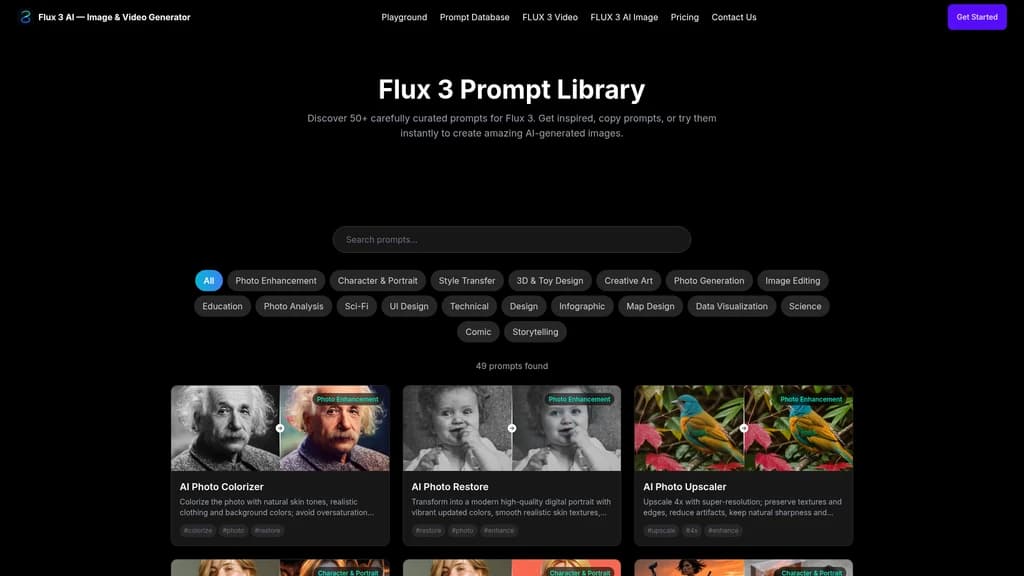
The solution: Use the AI photo colorizer, restorer, and upscaler workflow. Upload the original, add a text prompt describing the desired color palette and quality improvements, and let FLUX.2 handle the rest.
The outcome: A clean, vibrant, high-resolution digital version of a treasured memory—without the professional price tag.
5. Educators & Filmmakers
The pain: Visualizing abstract concepts or creating concept art requires either drawing skills or expensive stock assets.
The solution: Use style transfer to turn photos into Studio Ghibli-style scenes, pixel art, anime, or any other aesthetic. Generate educational diagrams, math problem visualizations, or science illustrations with text prompts.
The outcome: Abstract ideas become tangible visuals in minutes, making your teaching materials or pitch decks dramatically more engaging.
Pricing & Credit Usage
Flux 3 AI uses a pay-per-credit model—no monthly subscriptions, no surprise renewals. You buy credits, you use them, they last until they're gone. It's designed for people who want flexibility, not long-term commitments.
Your credit consumption depends on three factors:
Which model you choose (Klein is the cheapest, Max the most expensive)
The generation mode (Text-to-Image vs. Image-to-Image)
The output quality tier (Standard 1024px / High 1280px / Ultra 1536px)
Here's a clear breakdown of every available plan:
Plan | Price per Credit | Total Price | Credits | Key Features |
|---|---|---|---|---|
OneTime $50 | $0.50 | $50 | 100 | No subscription, fast generation, commercial use, no watermark |
OneTime $100 | $0.45 | $100 | 220 | Same as above, lower unit price |
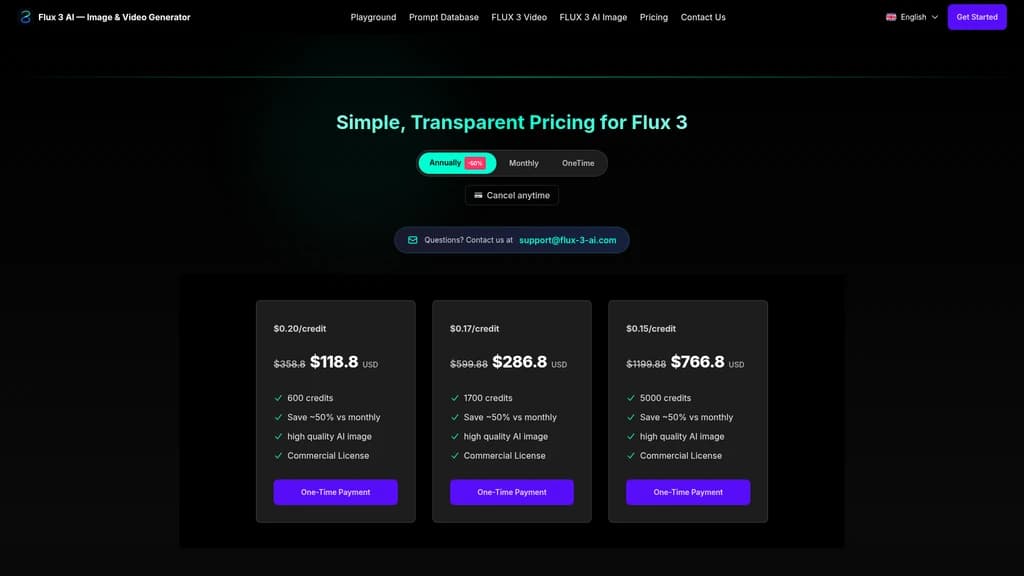
Bundle 600 Credits | $0.20 | $118.8 (was $358.8) | 600 | ~50% savings, commercial use included |
Bundle 1700 Credits | $0.17 | $286.8 (was $599.88) | 1700 | ~50% savings, commercial use included |
Bundle 5000 Credits | $0.15 | $766.8 (was $1,199.88) | 5000 | ~50% savings, commercial use included |
The OneTime plans are perfect for casual users or those just testing the waters. The bundled plans drop the per-credit cost to as low as $0.15/credit—ideal if you're working on multiple projects or need consistent output volume. Every plan includes commercial use rights and watermark-free generations.
Start with the OneTime $50 plan. It gives you 100 credits to explore the models, test your workflows, and confirm the platform works for your needs. If you see consistent value, the 600-credit bundle drops your cost per generation by more than half.
Refund policy: You can request a refund within 7 days for issues like accidental duplicate purchases, technical failures, or billing errors. Contact the team at [email protected]. Note that refunds don't apply if you've already used a significant portion of your credits, completed generations, or if the request stems from unrealistic expectations.
What Users Are Saying
Without specific named reviews to pull from, the feedback that consistently surfaces across platform mentions and community discussions paints a clear picture.
Multi-model flexibility is the standout feature. Users who bounce between concept exploration and final production appreciate that they can stay in one workspace. "I used to go from Midjourney for concepts to Stable Diffusion for control," one typical sentiment goes. "Now I just switch models in the same window."
No subscription pressure is a genuine relief. Freelancers and small teams especially value the pay-per-credit model. There's no clock ticking on unused capacity, no guilt about paying for a month you barely used. You buy when you need, you use at your own pace.
Natural language editing wins converts. For users who aren't fluent in Photoshop, the ability to say "make the lighting warmer" and have it happen is transformative. Several community threads cite this as the feature that "just makes sense" for how people naturally want to interact with AI tools.
Image-to-Image quality impresses. The style and tone preservation when using reference images gets consistent praise. Product photographers and e-commerce teams note that the lighting consistency between reference and output is noticeably better than other tools they've tried.
But there are real growing pains too. The most common frustration is clear: the current workspace runs FLUX.2, not FLUX 3. Users who arrive expecting next-gen multimodal capabilities find a capable but different product. The platform is transparent about this distinction, but it's easy to miss. And some users wish the roadmap features—especially FLUX 3 Video—were available sooner rather than later.
Frequently Asked Questions
What is Flux 3 AI?
Flux 3 AI is an AI image and video generation platform built on Black Forest Labs' FLUX model family. The currently available FLUX.2 workspace supports Text-to-Image and Image-to-Image generation. FLUX 3 (Video, AI Image, and Dev) is in the roadmap and Early Access phase. The site clearly labels this distinction, so you always know exactly what you're working with.
What's the difference between FLUX.2 models? Which one should I choose?
Klein is fastest and cheapest (from 1 credit), ideal for quick drafts and concept validation. Turbo is an ultra-fast distilled model (from 1 credit). Dev is the open-weight mid-range option (from 2 credits). Pro delivers production-quality output (from 2 credits). Max offers the highest fidelity (from 4 credits), best for final deliverables. Flex handles typography and layout control (from 3 credits). Our advice: start with Klein to test directions, then switch to Pro or Max for the final output.
Does FLUX.2 require a subscription? How do credits work?
No subscription needed. Flux 3 AI uses a pay-per-credit model—buy credits, use them as you go, no monthly or annual fees. Credit consumption depends on three factors: the model you choose, the generation mode (Text-to-Image vs. Image-to-Image), and the output quality tier (Standard/High/Ultra).
How do I edit an existing image with FLUX.2?
Switch to Image Edit (Image-to-Image) mode, upload up to 3 reference images, write a text prompt describing the changes you want, select your model and quality tier, then generate. You can make local edits, adjust style, add or remove elements—all using natural language instead of complex masking tools.
Can I use FLUX 3 Video now? What can it do?
FLUX 3 Video is currently in Early Access. When fully available, it will support text-to-video, image-to-video, video-to-video, and keyframe-to-video generation—up to 20 seconds with native audio output. Check the official roadmap page for the latest availability updates.
Can I get a refund if I'm not satisfied?
Yes, requests within 7 days are eligible for refunds in cases like accidental duplicate purchases, technical failures, or billing errors. However, refunds don't apply if you've used a significant portion of your credits, completed generations, or if the request is based on unrealistic expectations. Contact [email protected] with any concerns.


Comments