

- Monthly visits
- 944
- 2026-09
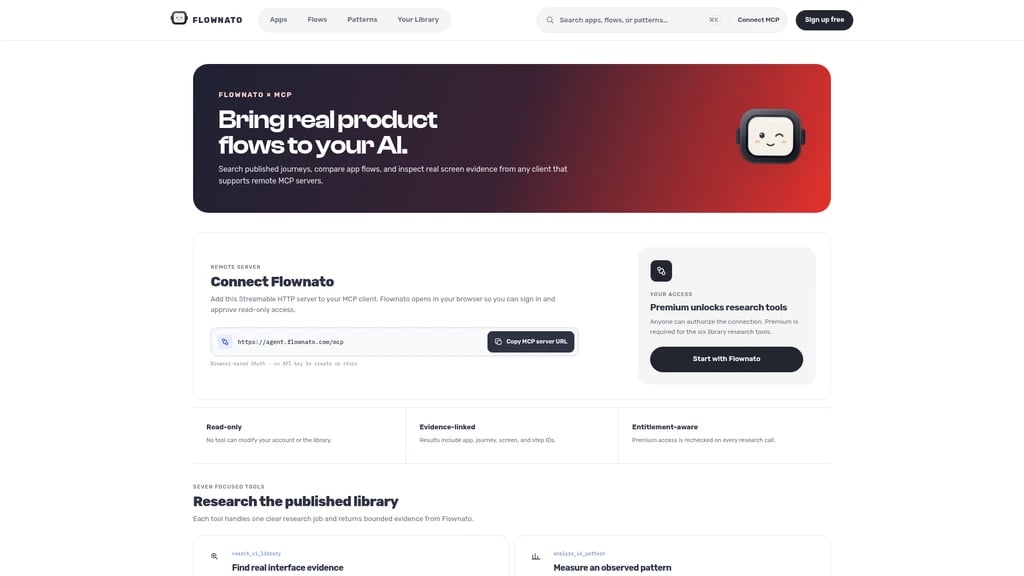
Flownato × MCP - Search real mobile UI journeys and compare flows from compatible AI assistants.
Flownato MCP connects compatible AI assistants to Flownato’s library of real mobile app screens, user flows and UI patterns. Product designers and UX researchers can search journeys, compare flows and inspect linked screen evidence. Library research requires an active Flownato Premium subscription.
- AI Agents
- Tool Connectors
- API Available
- UI Design
- UX Design
- Research
115Views
Core Capabilities
Flownato MCP runs as a Streamable HTTP remote server available at https://agent.flownato.com/mcp. It uses browser-based OAuth for connection, no manual API key creation or storage required. The connection uses read-only access, so no tool can modify your Flownato account or the library data. All returned results include linked app, journey, screen, and step IDs for full traceability. The server checks your active membership tier on every research call to enforce access rules.
Seven Built-in Research Tools
The platform provides seven focused, purpose-built tools for working with the Flownato published UI library:
search_ui_library: Search product moments and UI goals across published journeys, returning ordered screens and exact evidence IDsanalyze_ui_pattern: Get scoped counts, variation data, co-occurrence metrics, outcomes, and concrete examples for a single named UI patternexplore_ui_patterns: Surface screen patterns, UI elements, flow patterns, and user actions when you do not have a specific target term to search forcompare_ui_flows: Compare the same product moment across 2 or 3 named apps, including full steps, flow boundaries, and outcomesinspect_app_library: View full coverage data, representative journeys, patterns, elements, actions, and outcomes for a single application in the libraryget_screen_image: Return a published screen image inline using an evidence ID provided by another Flownato toolwhoami: Confirm the connected Flownato account, client identity, granted access scope, and current membership tier
Connection Workflow
You can connect Flownato MCP to any compatible MCP client in three simple steps:
Select the Streamable HTTP remote server option in your MCP client and paste the official Flownato MCP URL
Sign in to your Flownato account in the browser window that opens, and approve the requested read-only library access
Ask your MCP client a product research question, and it can automatically select the appropriate Flownato tool to pull exact evidence into your conversation. A generic configuration JSON snippet is provided for manual MCP client setup.
Audience and Use Cases
This integration is intended for UX researchers, product designers, and AI agent developers who need real, verifiable UI flow evidence rather than hypothetical or generated reference examples. Common use questions include researching how specific app categories structure a common feature, comparing checkout or onboarding flows across multiple competing products, identifying recurring UI patterns around high-impact interaction points such as login gates, and reviewing full documented evidence for a specific app in the library.
Access Rules
Any user can complete the initial authorization and connect the Flownato MCP server to their MCP client. The six full library research tools require an active Flownato Premium subscription to access.


Comments