

- Monthly visits
- 145,362
- 2026-09
- Monthly growth +102.1%
ExtractPics - Extract and download images from public web pages
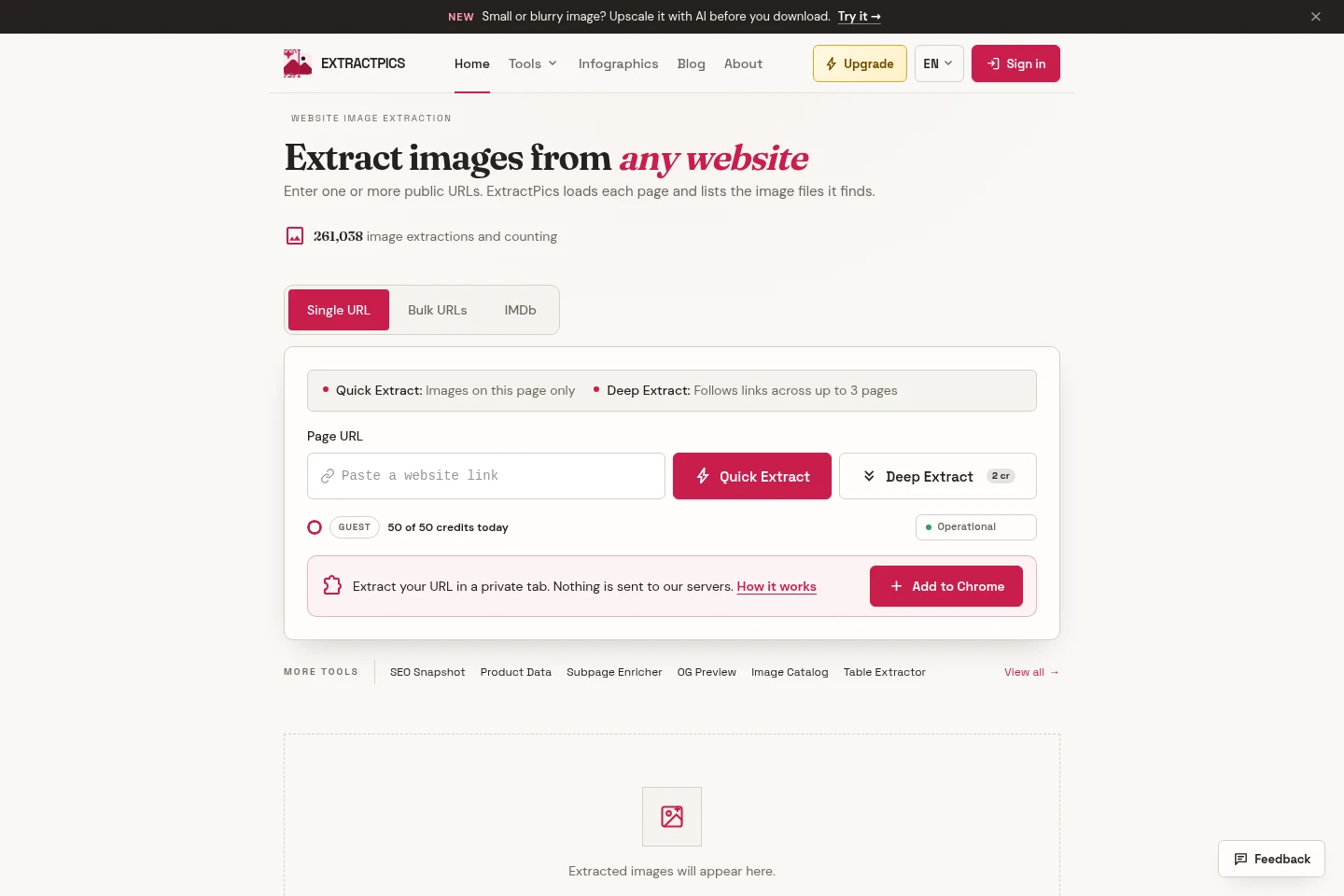
ExtractPics analyzes public page URLs and lists the images it finds, including lazy-loaded images and CSS backgrounds. Users can run Quick Extract on one page or Deep Extract across linked pages, select files, copy image URLs, or download images as a ZIP. Bulk extraction accepts multiple URLs, while browser-based image tools handle file editing and conversion.
- AI Data Tools
- Web Scraping
- Photo Editors
- website image extractor
- bulk image downloader
- image extraction from URL
Capabilities
Webpage image extraction
Finds and lists image files loaded by public webpage URLs. Quick Extract checks the supplied page, while Deep Extract follows links across up to three pages; image sources can include lazy-loaded content and CSS backgrounds.
Bulk URL extraction
Processes multiple public page URLs in one extraction workflow. Users can add URLs in bulk, with the maximum batch size depending on plan: five URLs on Free and 25 on Pro.
Image selection and download
Lets users select found images, copy their URLs, or download selected images together as a ZIP. Download settings can convert WebP and AVIF, preserve animations as GIF, and include a CSV of file URLs, sizes, formats, and pages.
Browser-based image tools
Provides tools to edit and inspect files in the browser, including resizing, cropping, compression, format conversion, and EXIF reading. Most tools process files in the browser without uploading them to ExtractPics.
Pricing
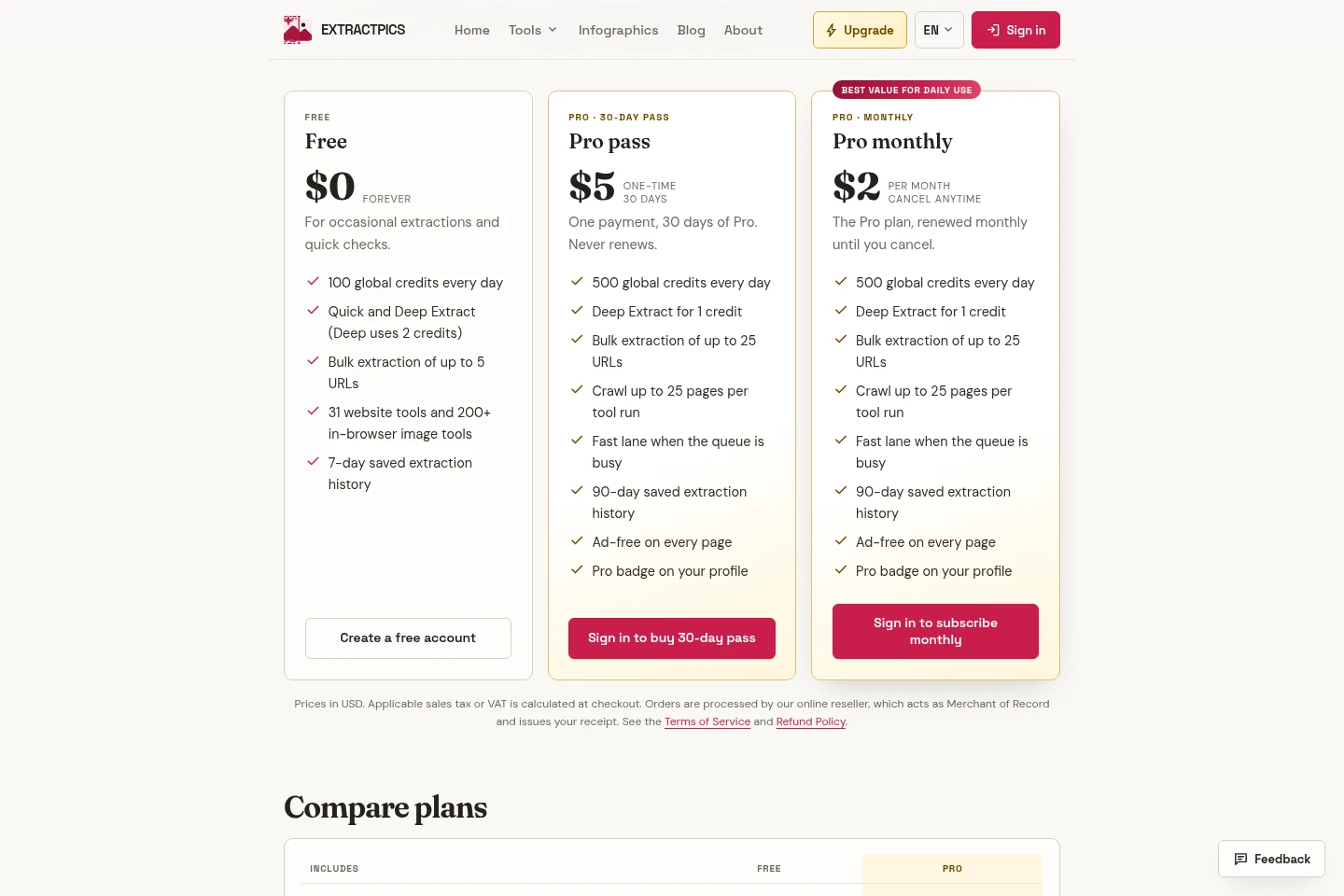
ExtractPics has a free tier and paid Pro access, offered as a one-time 30-day pass or a recurring monthly subscription. Compare daily credits, extraction limits, saved history, and ad-free access when choosing.
| Plan | Price | Included features and limits |
|---|---|---|
| Free | $0, free forever |
|
| Pro pass | $5 one-time for 30 days |
|
| Pro monthly | $2 per month, cancel anytime |
|
Prices are in USD. Applicable sales tax or VAT is calculated at checkout; an online reseller acts as Merchant of Record and issues the receipt.
Use cases
Download images from a public webpage
When a user needs images displayed on a public webpage, they enter its URL and run Quick Extract to list the images found. They can select images, copy their URLs, or download them together in a ZIP file.
Collect images across multiple website pages
When images are spread across several public pages, users can submit multiple URLs in bulk or use Deep Extract to follow links. The tool returns the image files it finds, subject to plan-specific URL and page limits.
Edit or convert image files in a browser
When a user needs a quick file adjustment, they open an image in a browser-based tool to resize, crop, compress, convert formats, or inspect EXIF metadata. Most tools show a preview and process the file in the browser.
Limitations
The webpage extractor works with public page URLs; the service describes extraction of pages users have permission to use.
Deep Extract follows links across up to three pages in the homepage workflow; tool-run page limits vary by plan.
The Free plan allows bulk extraction of up to five URLs, while Pro allows up to 25 URLs per bulk extraction.
The Chrome extension's private-tab extraction is described as an alternative when the website extractor is offline.
Who it is for
People who occasionally need to collect images from public webpages
People who regularly extract images and need higher daily credits or ad-free pages
People who want to edit or convert image files in browser-based tools
FAQ
Can I use ExtractPics without paying?
Yes. Guests receive 50 global credits per day, and a Free account receives 100 credits per day. Pro raises the daily limit; browser tools that run entirely in the browser do not use credits.
What does one global credit cover?
One credit runs one Quick Extract of a public page or one standard website-tool run. Browser-only tools do not use credits, and failed or cancelled runs return credits automatically.
How does the 30-day pass differ from Pro monthly?
Both unlock the Pro plan. The Pro pass costs $5 once for 30 days and does not renew; Pro monthly costs $2 per month and renews until cancelled.
How can I cancel Pro monthly?
Cancel future renewals in Dashboard → Manage billing or through the link in the receipt email. Pro remains active until the end of the period already paid for.
What payment and tax conditions apply?
Prices are in USD, and applicable sales tax or VAT is calculated at checkout. An online reseller acts as Merchant of Record and issues the receipt.
Comments