
- Monthly visits
- 7,048
- 2026-10
- Monthly growth +371.4%
DubMog - Live speech and video dubbing in your language
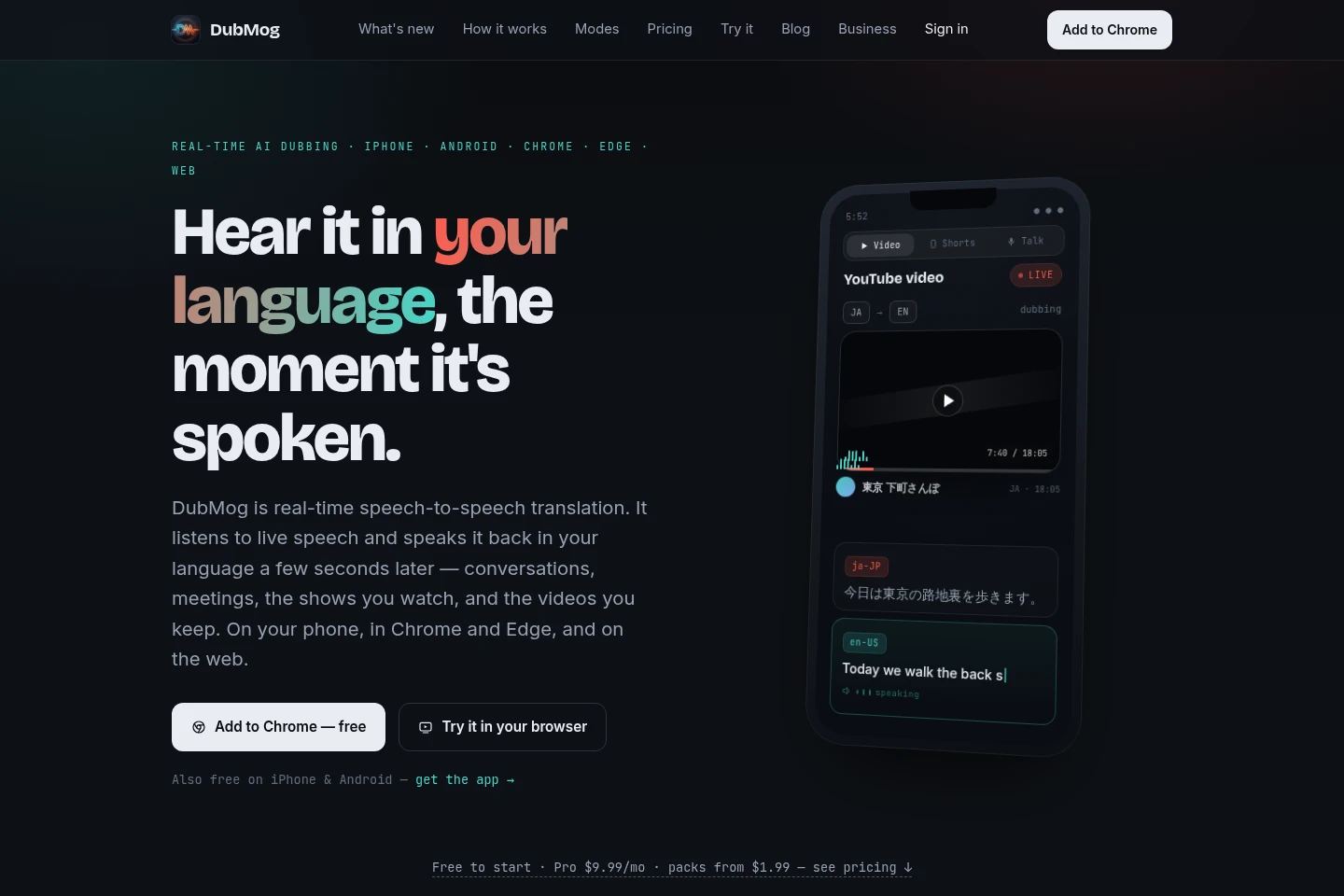
DubMog translates live speech and video into a chosen language and speaks the translation aloud. Use it for conversations, meetings, films, shows, browser tabs and audio from other phone apps. It also exports dubbed videos, supports more than 80 languages with Pro Live, and is available on the web, iPhone, Android, Chrome, Edge, Windows and Mac.
- AI Video
- Video Translators
- Translators
- Transcription
- real-time AI dubbing
- live speech translation
- video dubbing app
Capabilities
Live speech translation
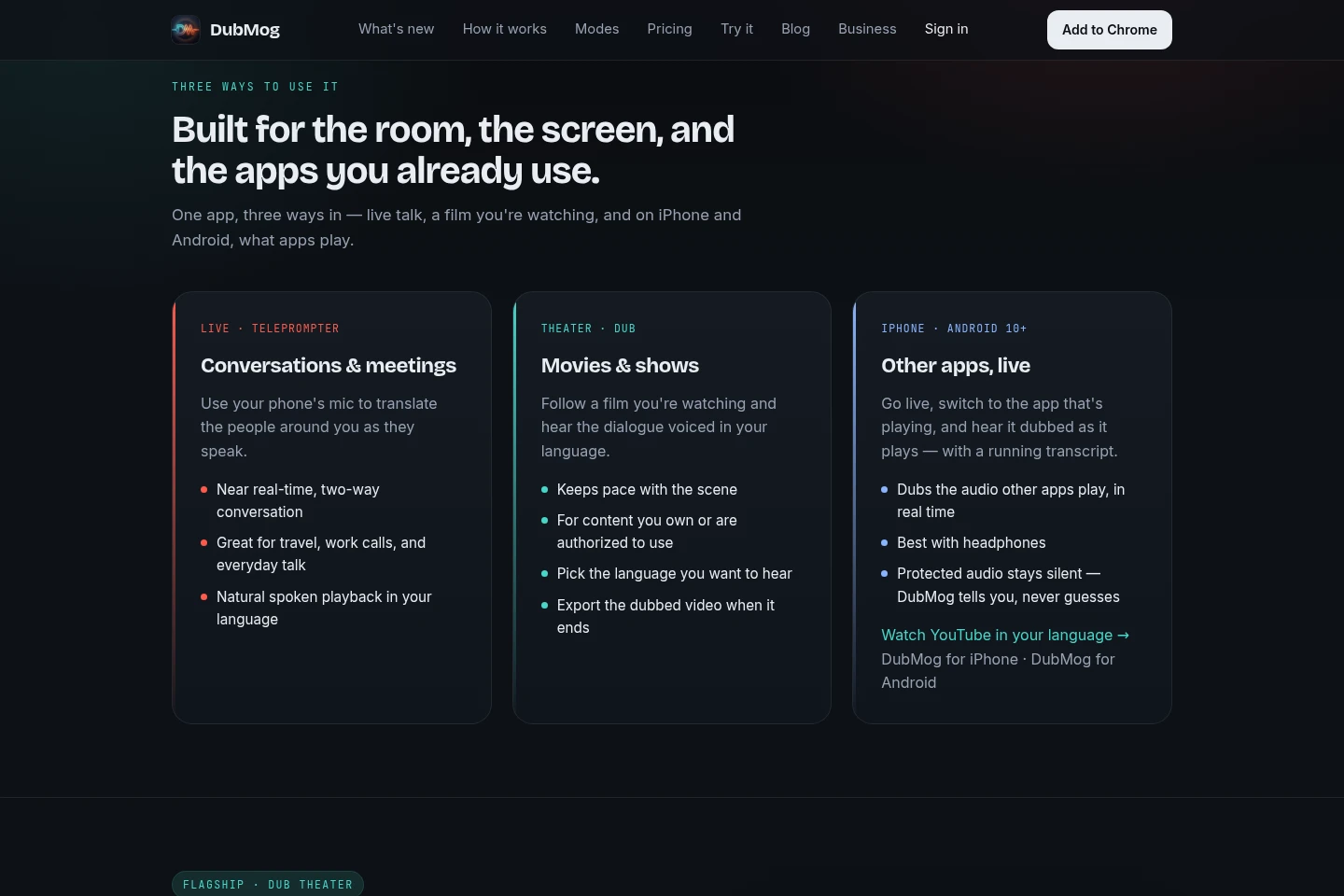
Translates nearby speech in near real time and speaks the result aloud. The phone microphone captures conversations or meetings; users select a language and can use two-way conversation mode.
Live video dubbing
Translates and voices dialogue from a film or show while it plays, keeping pace with the scene. Select the language to hear; use only content you own or are authorized to use.
Phone app audio dubbing
Dubs audio from other apps as it plays and provides a running transcript. Available on iPhone and Android; protected audio remains silent.
Video dubbing and export
Creates a dubbed video file from a selected video and provides it to save or share. On iPhone, export size can be 720p, 1080p or original size; availability depends on app version.
Browser meeting translation
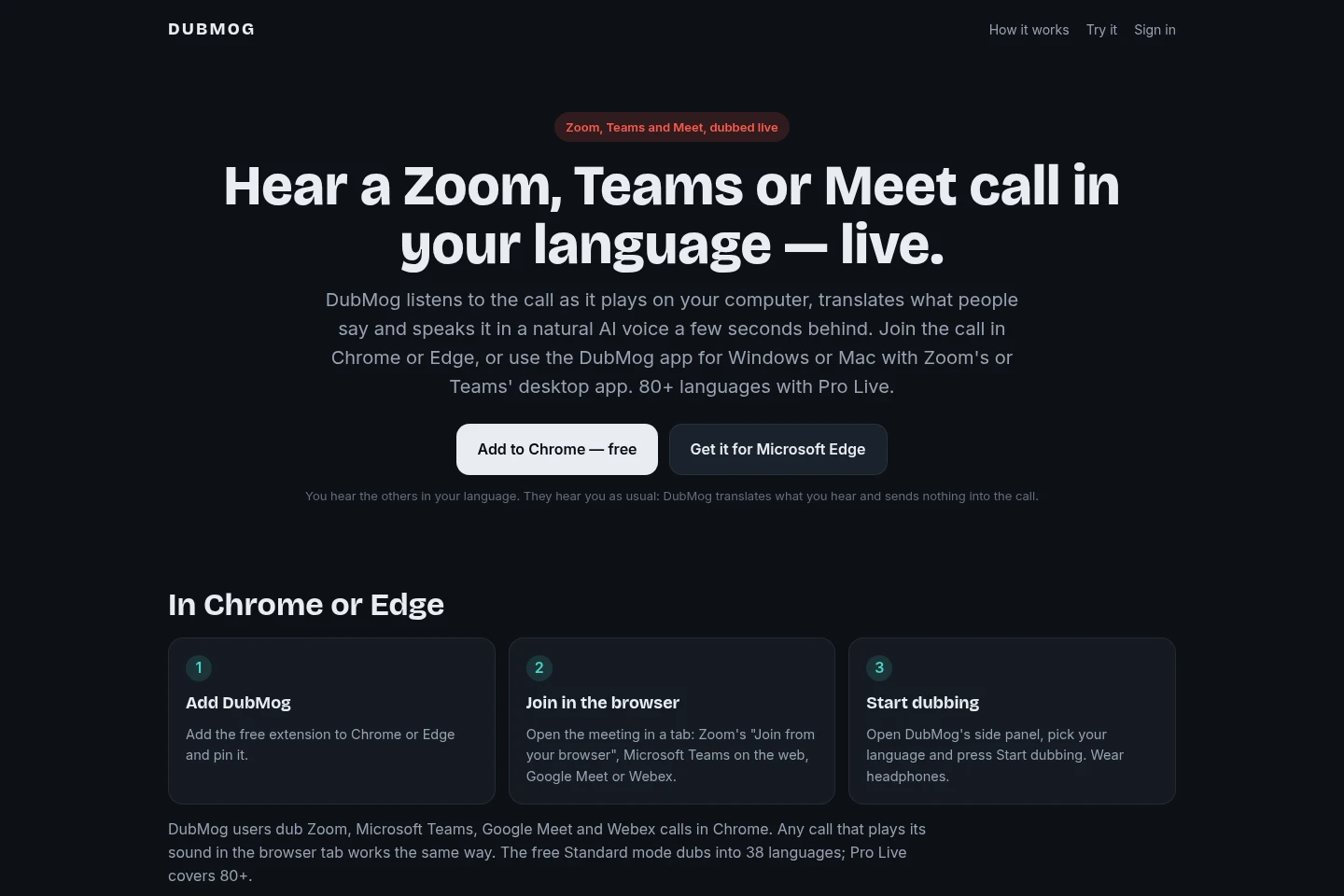
Translates meeting audio playing in Chrome or Edge and displays translated lines in a side panel. It works with browser calls including Zoom, Microsoft Teams, Google Meet and Webex; it translates what the user hears, not what they say.
Pricing
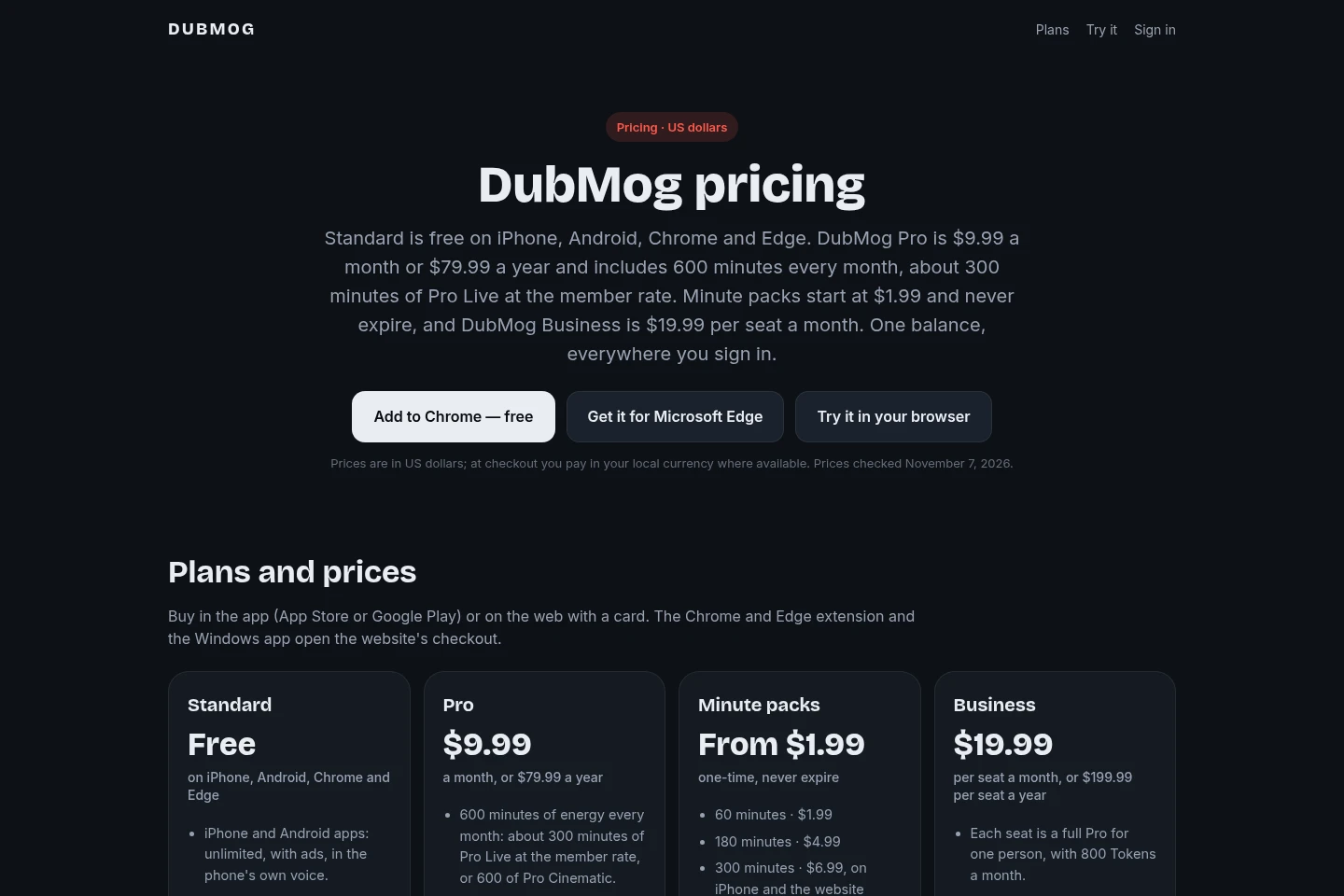
DubMog offers a free Standard plan, recurring Pro and Business subscriptions, and one-time Minute packs. Compare the monthly energy allowance, seat count and where each purchase is available; all listed prices are in US dollars.
| Plan | Price | Included features and limits |
|---|---|---|
| Standard | Free |
|
| Pro | $9.99 a month or $79.99 a year |
|
| Minute packs | From $1.99 one-time |
|
| Business | $19.99 per seat a month or $199.99 per seat a year |
|
Prices are in US dollars; checkout uses local currency where available. Pro renews until canceled. Minute packs are non-expiring one-time purchases. Business seats renew automatically until the admin cancels; removing seats does not refund the current period.
Use cases
Follow a conversation in another language
When people nearby speak a language you do not understand, open DubMog, choose your language and use the phone microphone. It translates speech near real time and speaks the result aloud, including two-way conversation.
Watch films and shows with dubbed dialogue
When watching a film or show in another language, select the language you want to hear and let DubMog voice the dialogue as the scene plays. The resulting dubbed video can be exported when playback ends, for content you own or are authorized to use.
Hear online meetings in your language
When a call plays in a Chrome or Edge tab, start DubMog, select a language and listen to the translated speech a few seconds behind. The translated lines appear in the side panel; other participants hear the user as usual.
Listen to other phone apps in translation
When audio plays in another app on an iPhone or Android device, start DubMog and switch back to that app. DubMog speaks the translated audio with a running transcript; protected audio remains silent.
Limitations
Movie and show dubbing is intended for content the user owns or is authorized to use.
Protected audio in other phone apps stays silent rather than being dubbed.
DubMog translates meeting audio the user hears; it does not translate or send the user's speech into the call.
The monthly Pro allowance resets each billing month, and unused minutes do not carry over.
Pro Live uses 3 energy minutes per live minute in Web Studio, including for Pro members.
Standard Chrome and Edge use is limited to 30 minutes a day without an account; signing in with a free account makes it unlimited.
Who it is for
People who need to follow conversations spoken in another language
Meeting participants who need translated audio from browser or desktop calls
Viewers who want film and show dialogue voiced in their chosen language
Phone users who want audio from other apps dubbed while it plays
FAQ
Which meeting platforms can DubMog translate?
It works with Zoom, Microsoft Teams, Google Meet and Webex when their audio plays in a Chrome or Edge tab. Windows and Mac apps can dub audio played by desktop meeting apps.
Will meeting participants hear my translated speech?
No. DubMog translates the audio you hear and does not send anything into the call. Other participants hear you as usual; headphones help prevent your microphone from picking up the dub.
Does DubMog record meeting calls?
No. Translated lines remain in the side panel for scrolling or copying, and the transcript stays on your computer. Pro Live audio is processed in the moment and is not stored; Chrome Standard recognition and translation run inside Chrome.
Can I use DubMog on my phone for calls?
The phone apps are designed for videos and audio from other apps, not phone calls. For calls, use Chrome, Edge, or the Windows or Mac app; Live Voice can translate an in-person conversation on iPhone and Android.
What is included in Standard?
Standard is free on iPhone, Android, Chrome and Edge. In the phone apps it is unlimited with ads and the device's own voice; Chrome and Edge provide 30 minutes daily without an account or unlimited use with a free account.
How do Pro minutes and Minute packs work?
Pro includes 600 energy minutes each month; its monthly allowance resets and does not carry over. Minute packs never expire and are used after the Pro monthly allowance; Pro Live consumes energy at rates that vary by platform and purchase type.
Official links
Official pricing · https://get.dubmog.com/pricing.html
Official pricing · https://get.dubmog.com/#pricing
Documentation · https://get.dubmog.com/meeting-translator.html
Download · https://apps.apple.com/us/app/dubmog-ai-video-dubbing/id6771579639
Download · https://play.google.com/store/apps/details?id=com.dubmog.app
Download · https://chromewebstore.google.com/detail/lncolbpchgadicjeghkhfikpgapooicn
Comments