


Doc2Lang - AI-powered document translator preserving format and layout
Launched on Feb 18, 2025Doc2Lang uses GPT-powered AI to translate documents in over 100 languages while preserving the original format, layout, and fonts. No subscription required—pay only for what you use with free preview before payment.
What Is Doc2Lang and Who Is It For?
Imagine you need to translate a 30-page business contract from English to Spanish. The traditional approach involves either hiring an expensive translator, using machine translation tools that destroy your carefully formatted layout, or wrestling with subscription-based software that charges you monthly regardless of how often you actually translate. This is the common pain point millions of professionals face when dealing with multilingual document needs.
Doc2Lang is an AI-powered document translation service that solves these problems by combining the intelligence of GPT with a format-preserving engine. When you upload your document, Doc2Lang doesn't just translate the text—it maintains your original fonts, graphics, bullet points, formulas, and even PowerPoint speaker notes. The service supports over 100 languages, from widely spoken ones like English, Spanish, and Mandarin to lesser-known languages, making it a versatile tool for global businesses and individuals alike.
What sets Doc2Lang apart is its pay-as-you-go model. Unlike subscription services that lock you into monthly fees, you only pay for what you use. The service operates on a token-based system where you purchase credits upfront and use them as needed. There's no mandatory registration to get started—you can begin translating immediately and create an account when you're ready to save your preferences. Perhaps most importantly, you can preview the translation results for free before committing to payment, ensuring you get quality results every time.
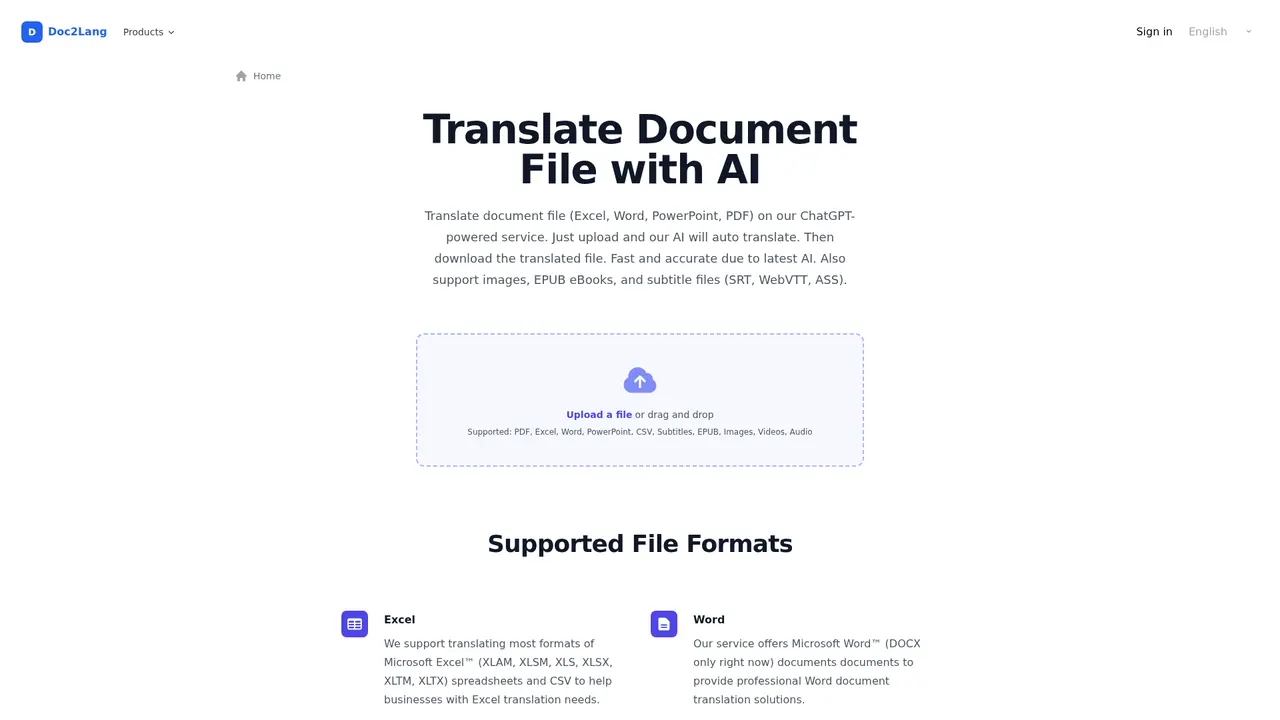
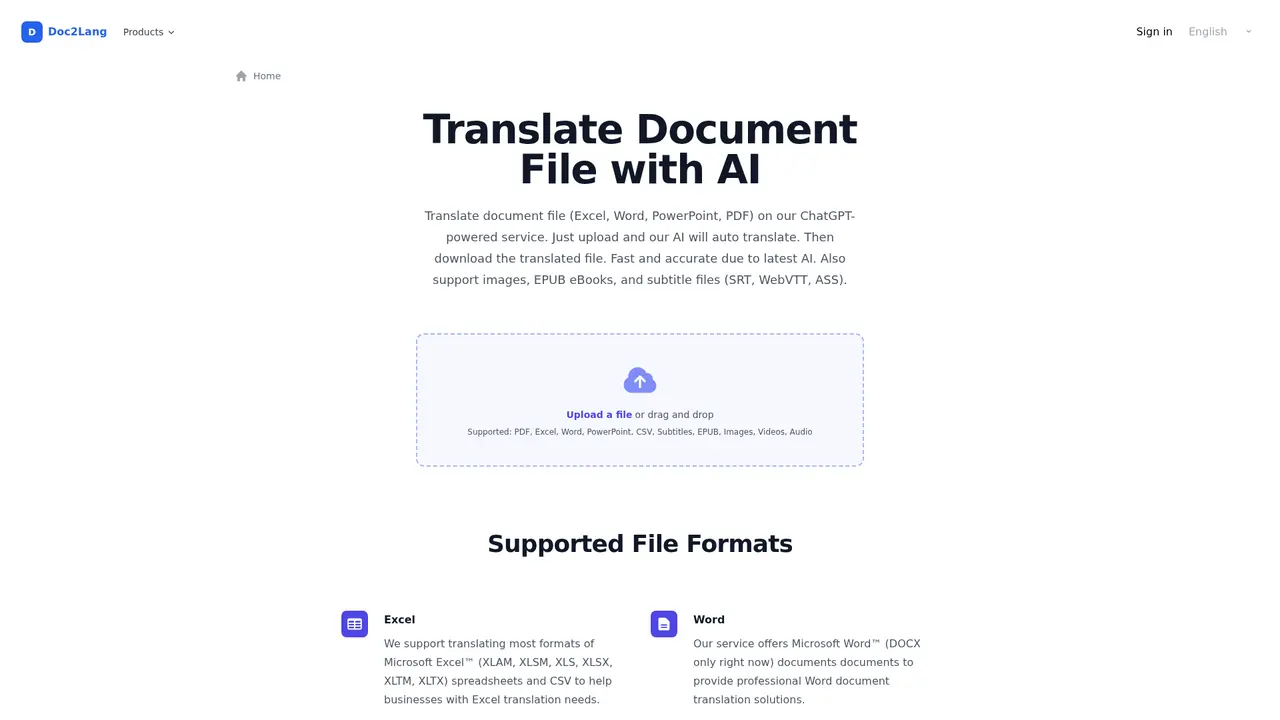
The platform handles an impressive range of file formats. Whether you're working with PDF documents, Excel spreadsheets, Word files, PowerPoint presentations, CSV data, or even EPUB ebooks, Doc2Lang processes them all. It also accepts image files containing text—useful for translating screenshots, posters, or scanned documents—and subtitle files for video localization projects.
:::card{type="summary" title="TL;DR"}
- Supports 100+ languages with AI-powered translation
- Preserves original document formatting, fonts, and layout
- Pay-as-you-go pricing with no monthly subscription
- Works without registration; free preview before payment
- Handles PDF, Word, Excel, PowerPoint, CSV, EPUB, images, and subtitles :::
---
What Can Doc2Lang Do for You?
The core value of Doc2Lang lies in solving real translation challenges without forcing you to compromise on quality or format. Let's explore the key capabilities that make this possible.
Multi-format document translation forms the foundation of the service. When you upload a PDF contract, Excel financial report, Word document, or PowerPoint presentation, Doc2Lang's AI analyzes the file structure and preserves everything that matters—the fonts you chose, the graphics and charts, bullet points, mathematical formulas, and in the case of PowerPoint, even the speaker notes and embedded media. This means you receive a translated document that looks professional and is ready for immediate use, rather than a basic text translation that requires extensive reformatting.
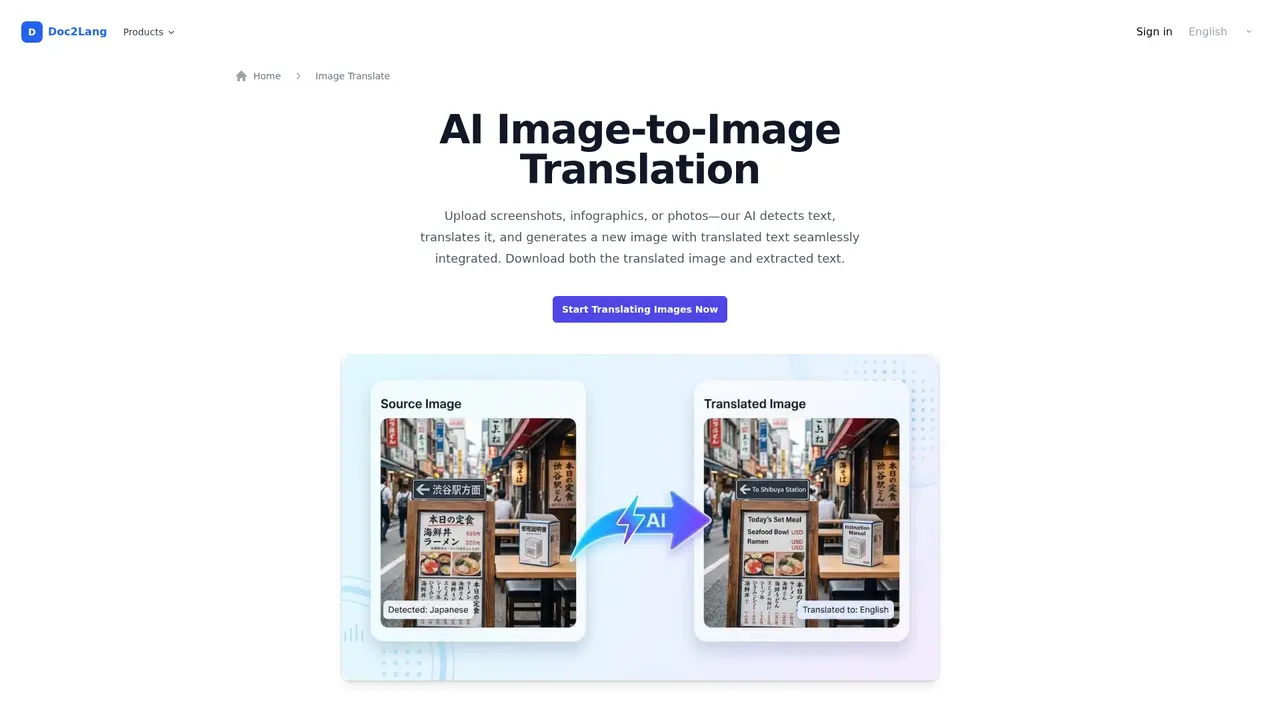
Image translation addresses a common need in our visually-driven world. If you have screenshots, photographs of documents, infographics, or promotional materials containing text, Doc2Lang can detect, extract, and translate the text within those images. Supported formats include JPG, PNG, JPEG, GIF, and WebP. The system maintains your image's original styling while replacing the text with its translated equivalent.
Subtitle file translation opens doors for content creators and video professionals. The service supports standard subtitle formats including SRT, WebVTT, and ASS. You can translate video subtitles while preserving the correct timing, which is essential for maintaining sync between dialogue and translation during video playback.
EPUB ebook translation makes multilingual publishing more accessible. Upload an EPUB file, and Doc2Lang translates the content while maintaining the ebook's structure and formatting, enabling you to reach readers in their native languages.
OCR text recognition solves the challenge of translating scanned documents. The built-in optical character recognition technology extracts text from image-based PDFs and photographs, making previously untranslatable documents accessible. This is particularly valuable for archiving projects or when working with legacy documents that exist only in printed form.
Custom terminology tables address a critical business need—consistency. When translating brand names, technical jargon, or industry-specific terminology, accuracy matters. You can create and upload your own terminology database to ensure Doc2Lang applies your preferred translations consistently across all documents. This feature is especially valuable for companies operating in regulated industries or those with strong brand guidelines.
Free preview and re-translation puts you in control. Before paying anything, you can review the translation quality and, if needed, adjust settings such as translation style or terminology preferences and request a re-translation. This ensures you receive satisfactory results before spending any money.
Batch upload streamlines workflow for users handling multiple documents. Instead of translating files one by one, you can package them into a ZIP archive and upload them all at once. The system processes each file and presents them for selection and translation.
:::card{type="tip" title="💡 Pro Tip"} The custom terminology table feature is particularly valuable for businesses that need consistent translation of brand names, product names, and technical terms across all their documentation. :::
---
Real-World Use Cases: Who Benefits Most from Doc2Lang?
Understanding how Doc2Lang performs in practical situations helps you determine whether it matches your needs. Here are the most common scenarios where users find the greatest value.
Commercial document translation represents the largest use case. Business professionals regularly need to translate contracts, proposals, annual reports, and client presentations into multiple languages. The challenge has always been maintaining the professional appearance of these documents while achieving accurate translation. With Doc2Lang, you upload your formatted document, select your target language, and receive a professionally translated version that retains your original design. A 30-slide PowerPoint presentation translated from English to German arrives with all graphics, charts, speaker notes, and formatting intact—ready for your international meeting without any additional desktop publishing work.
Personal file processing serves individuals who need occasional document translation without committing to expensive subscriptions. Whether it's translating academic papers, resumes for international job applications, personal correspondence, or immigration documents, Doc2Lang provides a straightforward solution. The lack of required registration means you can complete a translation task quickly without creating accounts or managing subscriptions.
Multi-language content localization benefits content creators and marketers expanding into global markets. When you need your website copy, marketing materials, or product documentation in ten different languages, the combination of 100+ language support and batch processing makes this manageable. You can upload multiple documents and process them efficiently, maintaining consistency across all language versions.
Visual content translation addresses the needs of designers, marketers, and social media managers who work with image-based content. Translating a multilingual event poster, a product screenshot for international support documentation, or an infographic with statistical labels becomes straightforward. Doc2Lang extracts the text, translates it, and overlays it in a way that respects your original design.
Video subtitle translation serves the growing community of content creators producing videos for international audiences. Translating YouTube videos, online courses, corporate training materials, or documentary films requires maintaining proper timing alongside accurate translation. Doc2Lang handles this complexity, producing subtitle files that sync correctly with your video content.
:::card{type="tip" title="💡 Choosing the Right Approach"} Not sure about translation quality for your specific document? Start by using the free preview feature to evaluate results before making payment. This is particularly recommended for complex documents with technical terminology or culturally sensitive content. :::
---
Under the Hood: How Doc2Lang Delivers Quality Translation
The technical foundation of Doc2Lang combines advanced AI capabilities with robust security measures. Understanding these technical aspects helps you trust the service with your important documents.
GPT-powered translation forms the intelligence core of the service. Doc2Lang utilizes OpenAI's latest GPT models, which have demonstrated state-of-the-art performance in language understanding and generation. This approach produces translations that go beyond literal word-for-word conversion—it captures context, nuance, and natural phrasing that makes translated documents read professionally in the target language. The AI continuously improves through OpenAI's development pipeline, ensuring you benefit from ongoing advancements in language AI.
Format preservation technology addresses the common frustration with machine translation tools that strip away document styling. Doc2Lang's engine automatically identifies the file type and analyzes its structure—detecting columns, headers, footers, embedded objects, and styling elements. During translation, the system maintains these elements while replacing only the text content. For PowerPoint presentations specifically, the system preserves speaker notes and embedded media, which many translation tools simply discard.
OCR text extraction enables translation of documents that aren't already in digital text format. The integrated optical character recognition technology analyzes scanned PDFs and images, converting detected text into machine-readable format that the translation engine can process. This capability significantly expands the range of documents you can translate—you're no longer limited to natively digital files.
Security infrastructure protects your sensitive documents throughout the translation process. All data transmission occurs over HTTPS/SSL encrypted connections, ensuring your documents can't be intercepted during upload or download. You maintain full intellectual property rights to both your original documents and the translated outputs. The service provides options to manually delete uploaded documents at any time, and automatically purges all files from their systems after 14 days if you don't delete them manually.
Privacy commitment addresses legitimate concerns about AI training and data usage. Doc2Lang explicitly does not use customer content to train public AI models. When you translate documents through their system, neither Doc2Lang nor its AI provider retains the document data for purposes beyond completing your translation request. Payment processing is handled entirely by Stripe, meaning your financial information never touches Doc2Lang's servers and is protected by Stripe's PCI DSS compliant infrastructure.
::::grid :::card{type="advantages"}
- Industry-leading AI: Uses latest OpenAI GPT models for accurate, context-aware translation
- Complete format preservation: Maintains fonts, graphics, formulas, and PowerPoint speaker notes
- Comprehensive OCR: Translates scanned documents and images containing text
- Strong security: HTTPS encryption, optional manual deletion, automatic 14-day purging
- Privacy-first: No AI training on user content, Stripe handles payments securely
- Flexible pricing: Token-based system with volume discounts, no subscription required ::: :::card{type="disadvantages"}
- Quality variance: AI translation may require human review for highly technical or legally sensitive documents
- Token consumption: Non-English languages consume more tokens, potentially increasing costs
- Minimum purchase: $5 minimum payment required (covers approximately 10,000-20,000 tokens)
- Internet required: Service operates entirely online; no offline capability ::: ::::
---
Understanding Doc2Lang's Pricing Structure
Doc2Lang uses a transparent token-based pricing model designed to be simple and cost-effective. Here's how it works and what you can expect to pay.
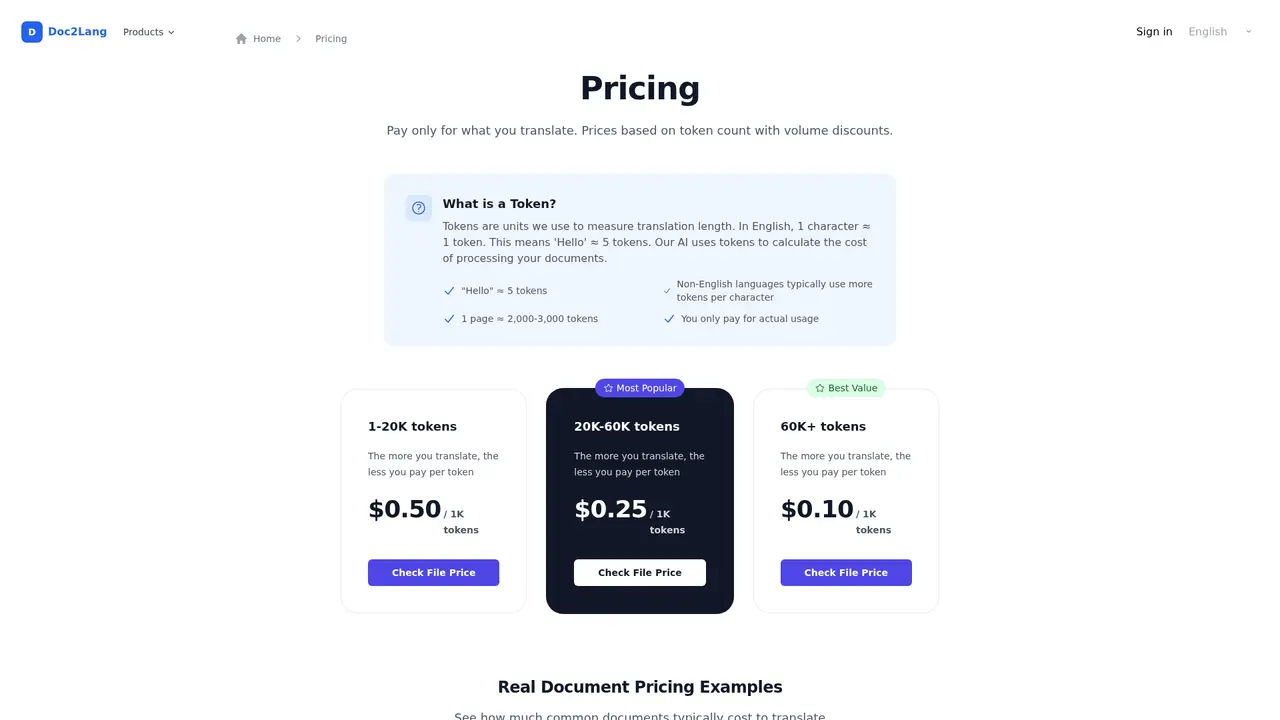
The pricing follows a tiered structure based on token volume:
| Token Range | Price per 1K Tokens | |-------------|---------------------| | 1-20,000 tokens | $0.50 | | 20,001-60,000 tokens | $0.25 | | 60,000+ tokens | $0.10 |
Understanding token consumption helps you estimate costs. Generally, one character equals approximately one token in English text. Non-English languages typically consume more tokens per character due to the way language models process them. For practical planning, one page of typical document content equals approximately 2,000 to 3,000 tokens. The minimum spending requirement is $5 per transaction.
Here's how this translates to real documents:
| Document Type | Approximate Size | Estimated Tokens | Price | |---------------|-------------------|-------------------|-------| | Word document | 5 pages | ~10,000 | $5.00 | | PDF document | 10 pages | ~20,000 | $10.00 | | Excel spreadsheet | 200 rows | ~15,000 | $7.50 | | PowerPoint presentation | 30 slides | ~50,000 | $12.50 |
Credit system: For users who translate regularly, purchasing credits in advance offers both convenience and value. One credit equals 100 tokens, and credits never expire. This system provides volume-based savings while giving you flexibility in when you use the service.
Enterprise options: Organizations with high-volume translation needs can contact Doc2Lang directly for custom pricing. The enterprise team can discuss volume discounts, dedicated support, and tailored solutions for organizations processing large numbers of documents regularly. You can reach them at support@doc2lang.com.
:::card{type="tip" title="💡 Cost Optimization"} For individual users, start with a small credit purchase to test the service with your specific document types. This lets you verify quality before committing to larger purchases. Enterprise users with consistent translation volumes should contact support@doc2lang.com to discuss custom pricing arrangements. :::
---
Frequently Asked Questions
:::card{type="faq" title="Which languages does Doc2Lang support?"} Doc2Lang supports over 100 languages, including all major world languages (English, Spanish, French, German, Chinese, Japanese, Korean, Arabic, Portuguese, Russian, Hindi, and many others) as well as numerous smaller and regional languages. The extensive language support makes it suitable for most global business and personal translation needs. :::
:::card{type="faq" title="Will my document formatting be preserved?"} Yes, Doc2Lang is specifically designed to preserve your document's original formatting. The system maintains fonts, graphics, images, bullet points, tables, mathematical formulas, and other visual elements. For PowerPoint presentations, it also preserves speaker notes and embedded media. Your translated document will maintain the professional appearance of the original. :::
:::card{type="faq" title="Can Doc2Lang translate scanned PDFs?"} Yes, the service includes built-in OCR (optical character recognition) capability. This allows Doc2Lang to extract text from scanned PDFs and images, making them translatable. This is particularly useful for translating archived documents, scanned contracts, or any document that exists only in physical form. :::
:::card{type="faq" title="Is my data safe with Doc2Lang?"} Security is a priority. All data transmission uses HTTPS/SSL encryption. You can manually delete your documents at any time, and the system automatically removes all files after 14 days if not manually deleted. Doc2Lang does not use your content to train public AI models, and your payment information is processed through Stripe without being stored on Doc2Lang servers. :::
:::card{type="faq" title="Can I translate multiple files at once?"} Yes, Doc2Lang supports batch processing. You can upload multiple files packaged as a ZIP archive. The system will automatically extract the files and present them for individual selection and translation. This feature significantly streamlines workflow when you need to translate several documents at once. :::
---
Ready to Get Started?
If you need document translation that preserves your formatting, supports numerous languages and file types, and costs only what you use, Doc2Lang offers a compelling solution. The combination of GPT-powered translation quality, format preservation, and flexible pay-as-you-go pricing addresses the common frustrations of traditional translation methods.
Visit https://doc2lang.com to start translating your documents today. For enterprise inquiries or custom pricing, reach out to support@doc2lang.com.
Related Content

Copy.ai Review 2026: AI Copywriting Made Easy
Our honest Copy.ai review for 2026. We test Content Agents, AI Workflows, pricing ($29-$249/mo), and compare it to Jasper and Writesonic. Find out if it's worth it for your marketing team.

Rytr Review 2026: Is This Budget AI Writer Worth It?
Our hands-on Rytr review for 2026. We test features, pricing, content quality, and compare it to Jasper & ChatGPT. Find out if Rytr is the best budget AI writing tool.

Word Changer - Free AI tool to rewrite and improve your writing instantly
Writing always using repetitive words or need to avoid plagiarism? Word Changer is a free AI writing assistant that instantly rewrites any text with richer vocabulary and appropriate tone. Get multiple versions with one click, adjust formality level, check readability - all for free!

Unite - AI-powered platform for romantic fantasies and dream couple moments
Explore romantic fantasies and create special moments for your dream couple. This AI-powered platform lets you generate personalized romantic content and experience exclusive AI-created romantic experiences.
Comments