Logo
ProductsBlogs
Submit

Categories

  • AI Coding
  • AI Writing
  • AI Image
  • AI Video
  • AI Audio
  • AI Chatbot
  • AI Design
  • AI Productivity
  • AI Data
  • AI Marketing
  • AI DevTools
  • AI Agents

Featured Tools

  • Coachful
  • Wix
  • TruShot
  • AIToolFame
  • ProductFame
  • Google Gemini
  • Jan
  • Zapier
  • LangChain
  • ChatGPT

Featured Articles

  • The Complete Guide to AI Content Creation in 2026
  • 5 Best AI Agent Frameworks for Developers in 2026
  • 12 Best AI Coding Tools in 2026: Tested & Ranked
  • Cursor vs Windsurf vs GitHub Copilot: The Ultimate Comparison (2026)
  • 5 Best AI Blog Writing Tools for SEO in 2026
  • 8 Best Free AI Code Assistants in 2026: Tested & Compared
  • View All →

Subscribe to our newsletter

Receive weekly updates with the newest insights, trends, and tools, straight to your email

Browse by Alphabet

ABCDEFGHIJKLMNOPQRSTUVWXYZOther
Logo
English中文PortuguêsEspañolDeutschFrançais|Terms of ServicePrivacy PolicyTicketsSitemapllms.txt

© 2025 All rights reserved

  • Home
  • /
  • Products
  • /
  • AI Writing
  • /
  • Captions - Edit videos effortlessly with AI
Captions

Captions - Edit videos effortlessly with AI

Captions is an innovative AI-powered platform designed to revolutionize video editing. With features like automatic captioning, AI-generated video edits, and multilingual translation, users can create captivating content effortlessly. Our tools not only save time but also enhance video quality, making it easier for creators to engage their audience. Join the 10M+ creators who trust Captions to elevate their storytelling.

AI WritingFeaturedFreemiumVideo EditingSocial MediaAvatar GenerationVideo GenerationTranslationText to SpeechSubtitle Generation
Visit Website
Product Details
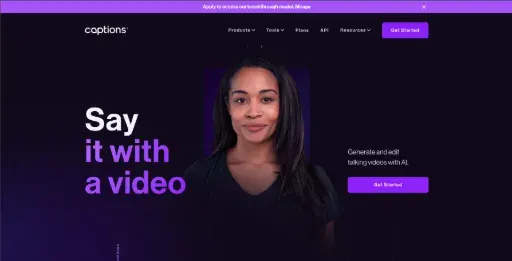
Captions - Main Image
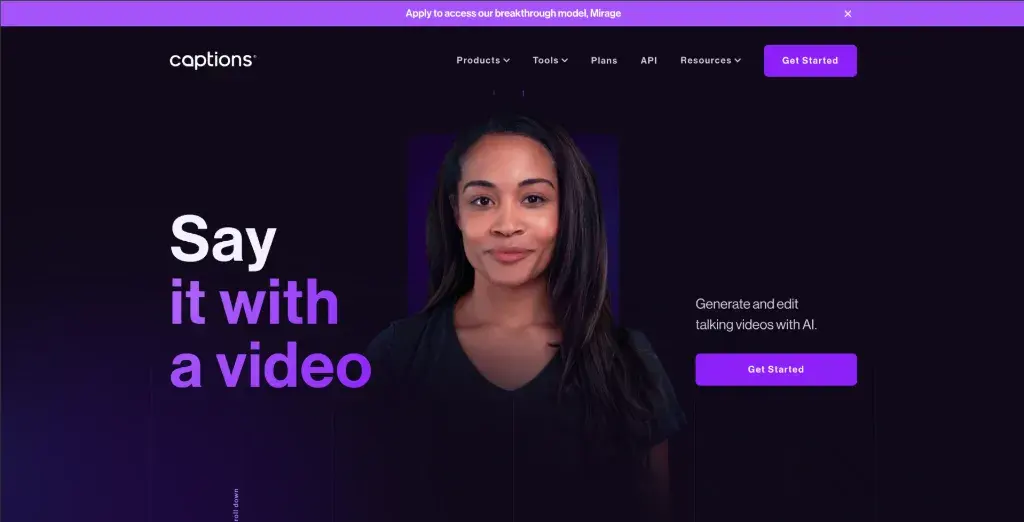
Captions - Screenshot 1
Captions - Screenshot 2
Captions - Screenshot 3

Transform your video editing experience with Captions, the AI-driven creative studio. Whether you're a content creator or a marketing professional, our tools streamline the editing process, enabling you to focus on what truly matters: your story.

How It Works

Captions leverages advanced AI technology to simplify video editing and content creation. The platform works by utilizing machine learning algorithms to analyze video content and automatically apply edits based on user preferences. Key features include:

  • AI Video Editing: Select a style, and AI edits your video in real-time.
  • Automatic Captioning: Instantly add subtitles to your videos.
  • AI Translator: Translate your voice into 28+ languages.
  • AI Avatar Creation: Generate 3D avatars for engaging content.
  • Background Noise Removal: Clean up your audio tracks with ease.
  • AI Clips Generator: Identify and highlight the most engaging segments of your videos.

Usage

Getting started with Captions is easy! Follow these steps:

  1. Sign Up: Create an account on the Captions website or download the app.
  2. Upload Your Video: Click on the upload button and select the video you want to edit.
  3. Select Editing Style: Choose your preferred editing style from the options provided.
  4. Add Captions: Enable automatic captioning for your video.
  5. Generate AI Avatar: Create a 3D avatar if you want to include one in your video.
  6. Review and Export: Once editing is complete, review your video and export it in your desired format.

Social Media Content Creation

Use Captions to create engaging videos for your social media platforms, enhancing viewer engagement.

Online Marketing Campaigns

Generate high-performing video ads quickly with AI tools, reaching your target audience effectively.

Educational Videos

Create informative video content with accurate subtitles, making learning accessible for everyone.

Corporate Training

Develop training videos with AI-generated captions to ensure clarity and understanding.

YouTube Channel Management

Easily edit and optimize your YouTube videos with automatic captioning and multilingual support.

Event Highlights

Capture and edit event highlights efficiently, adding engaging captions for audiences.

Features

  • AI Video Editor: Watch as AI edits your videos for you, saving you time and effort.
  • Add Subtitles: Automatically add captions to your videos for better accessibility.
  • AI Avatar Generator: Create 3D avatars to enhance your video content.
  • Video Translator: Translate your voice into 28+ languages with synced lip movement.
  • Background Noise Remover: Eliminate unwanted background noise from your audio.
  • AI Clips Generator: Find the most engaging clips from your long videos effortlessly.

Pro Plan (Monthly): $29/month

  • Unlimited video edits
  • Access to all tools
  • Priority support

Business Plan (Monthly): $99/month

  • Team collaboration
  • Advanced features
  • Custom branding

Free Plan (Monthly): $0/month

  • Basic editing tools
  • Limited video exports
  • Community support

FAQ

  1. What is Captions and how does it work?

Captions is an AI-powered video editing platform that automates the editing process, allowing users to create high-quality videos quickly.

  1. Can I add captions to my videos using Captions?

Yes, Captions automatically adds subtitles to your videos, improving accessibility and viewer engagement.

  1. Is there a free plan available for Captions?

Yes, Captions offers a free plan that includes basic editing tools and limited video exports.

  1. How many languages can I translate my video into?

With Captions, you can translate your voice into 28+ languages with synced lip movement.

  1. What types of videos can I create with Captions?

You can create various types of videos, including promotional content, educational videos, and social media posts.

  1. Is Captions suitable for businesses?

Absolutely! Captions provides tools for businesses to create engaging marketing videos and training materials.

  1. How do I get started with Captions?

Simply sign up on the Captions website or download the app, upload your video, and start editing!

  1. Can I remove background noise from my videos?

Yes, Captions features a background noise remover that cleans up your audio tracks effortlessly.

Explore AI Potential

Discover the latest AI tools and boost your productivity today.

Browse All Tools
Captions
Captions

Captions is an innovative AI-powered platform designed to revolutionize video editing. With features like automatic captioning, AI-generated video edits, and multilingual translation, users can create captivating content effortlessly. Our tools not only save time but also enhance video quality, making it easier for creators to engage their audience. Join the 10M+ creators who trust Captions to elevate their storytelling.

Visit Website

Featured

Coachful

Coachful

One app. Your entire coaching business

Wix

Wix

AI-powered website builder for everyone

TruShot

TruShot

AI dating photos that actually get matches

AIToolFame

AIToolFame

Popular AI tools directory for discovery and promotion

ProductFame

ProductFame

Product launch platform for founders with SEO backlinks

Featured Articles
Cursor vs Windsurf vs GitHub Copilot: The Ultimate Comparison (2026)

Cursor vs Windsurf vs GitHub Copilot: The Ultimate Comparison (2026)

Cursor vs Windsurf vs GitHub Copilot — we compare features, pricing, AI models, and real-world performance to help you pick the best AI code editor in 2026.

12 Best AI Coding Tools in 2026: Tested & Ranked

12 Best AI Coding Tools in 2026: Tested & Ranked

We tested 30+ AI coding tools to find the 12 best in 2026. Compare features, pricing, and real-world performance of Cursor, GitHub Copilot, Windsurf & more.

Information

Views
Updated

Related Content

5 Best AI Blog Writing Tools for SEO in 2026
Blog

5 Best AI Blog Writing Tools for SEO in 2026

We tested the top AI blog writing tools to find the 5 best for SEO. Compare Jasper, Frase, Copy.ai, Surfer SEO, and Writesonic — with pricing, features, and honest pros/cons for each.

The Complete Guide to AI Content Creation in 2026
Blog

The Complete Guide to AI Content Creation in 2026

Master AI content creation with our comprehensive guide. Discover the best AI tools, workflows, and strategies to create high-quality content faster in 2026.

MagicSlides - Create stunning presentations in seconds
Tool

MagicSlides - Create stunning presentations in seconds

MagicSlides is an innovative tool that allows users to create presentations quickly and easily using AI technology. With its intuitive interface, users can generate slides from topics, YouTube video transcripts, or even large text passages in just minutes. The platform supports multiple formats for downloads, including PPT, PDF, and JPG, ensuring versatility for various presentation needs. Furthermore, MagicSlides offers customization options for fonts and colors, allowing users to tailor their presentations to their specific style. With features like web scraping and integration with ChatGPT, users can effortlessly gather information and create professional-quality slides. Plus, with support for over 100 languages, it caters to a global audience. MagicSlides is perfect for students, educators, and professionals looking to streamline their presentation creation process.

WorldsWorstWebsite - Experience digital chaos and annoyance
Tool

WorldsWorstWebsite - Experience digital chaos and annoyance

WorldsWorstWebsite is the ultimate destination for those seeking a genuinely irritating online experience. With an intentionally terrible user interface, this website defies all UX rules to provide a chaotic atmosphere where users can find amusement through irritation. You'll encounter overwhelming pop-ups, confusing navigation, and an absurd array of useless offers. Not just a website, it's a challenge! Survive for ten minutes, and you'll be rewarded with a cookie—if you can withstand the madness. Prepare for a visual and auditory overload that ensures boredom has never been this entertaining!