
Monthly visits
3,249
2026-10
Monthly growth +902.8%

Brono - Turn product ideas into editable, Figma-ready designs

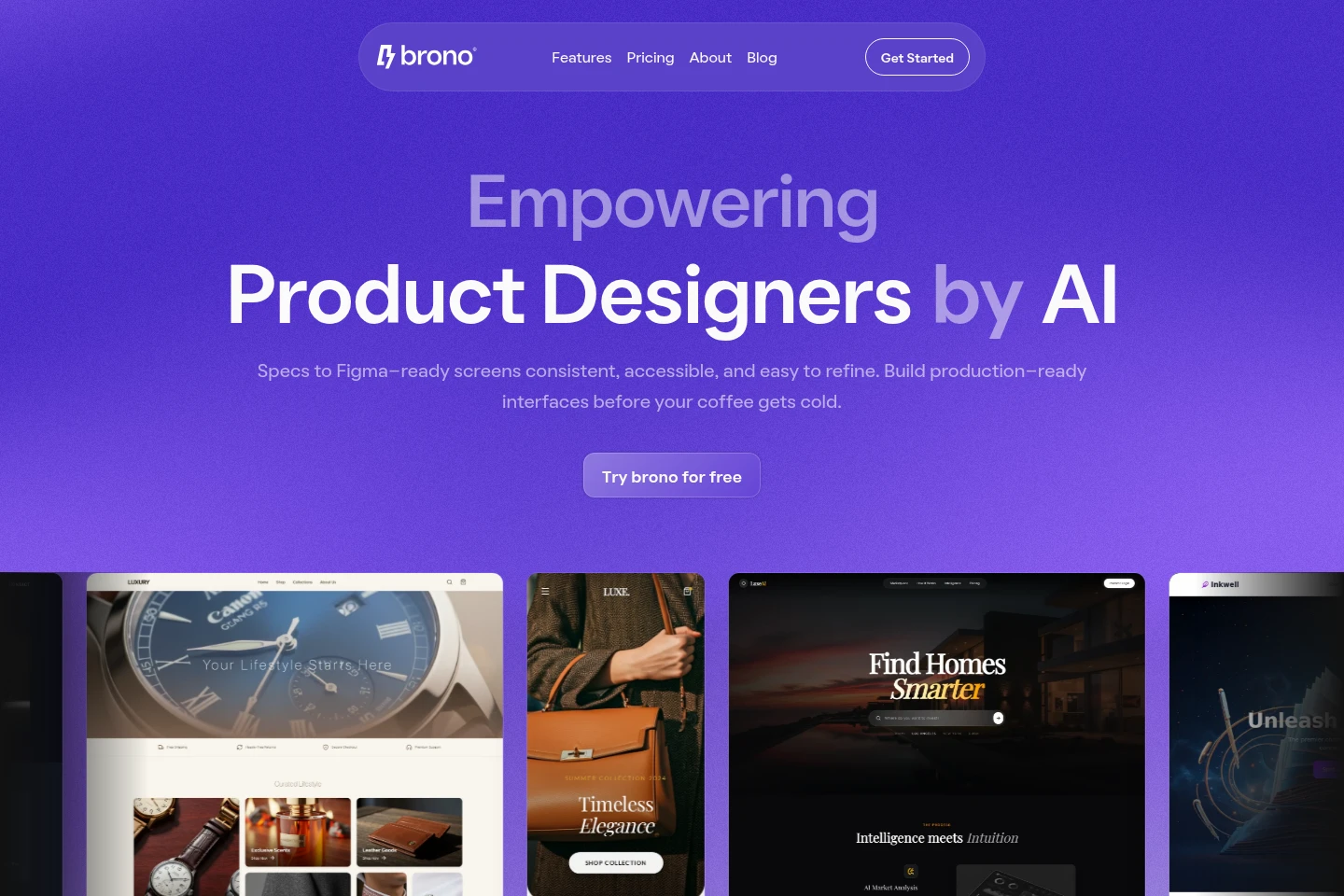
Brono is an AI design tool for creating and reviewing product interfaces. Generate editable screens and wireframes from text prompts or uploaded screens, create redesign variants, inspect predictive heatmaps, and run UX reviews for accessibility and design issues. Export designs to Figma, collaborate with inline feedback, or connect compatible AI tools through Brono MCP.

Visit WebsiteUpdate this product

0Views

Capabilities

Editable screen generation

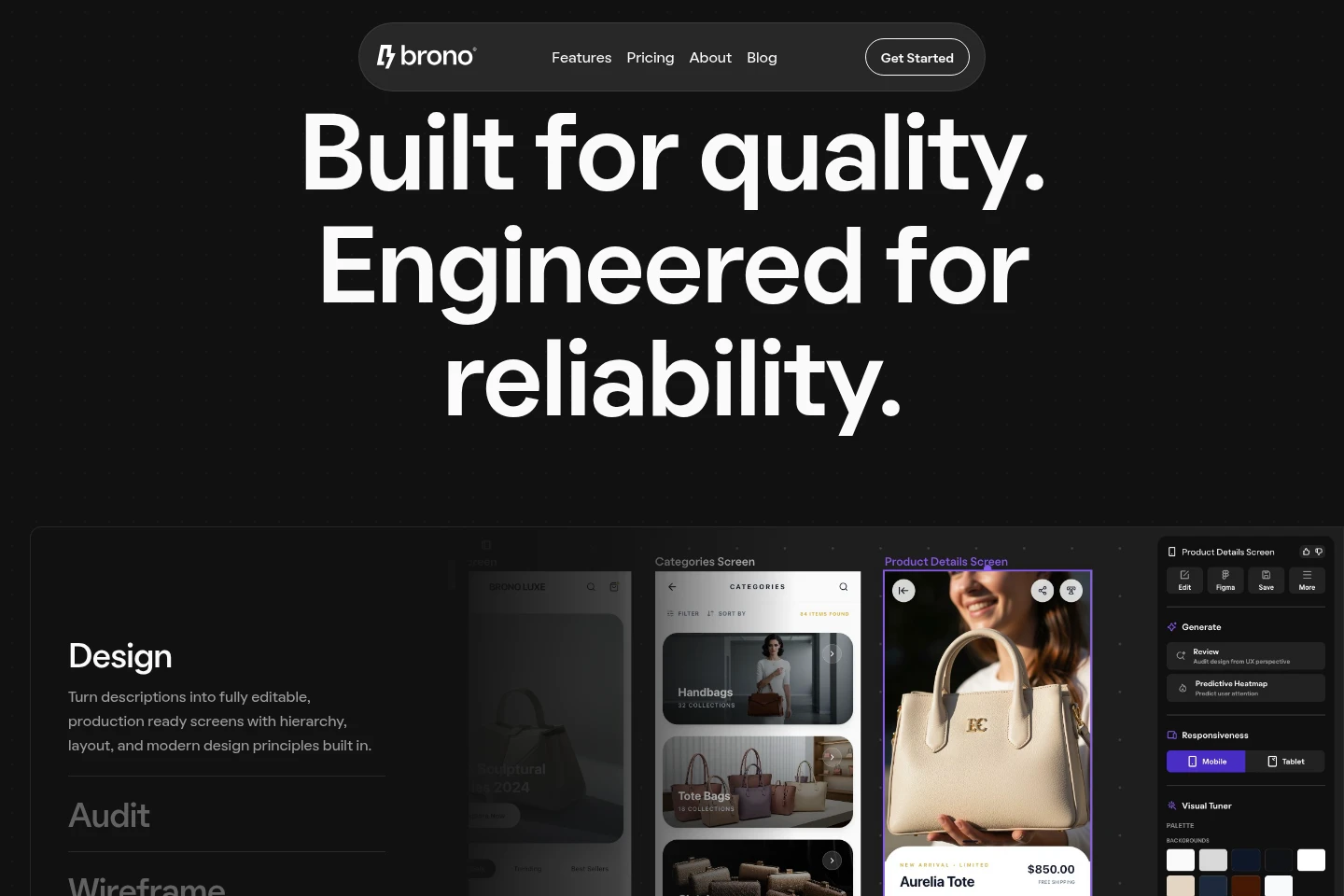
Creates editable, production-ready interface screens from descriptions. Users provide text prompts or uploaded screen references, and can refine the resulting layouts and hierarchy.

Wireframe creation

Produces greyscale wireframes for validating interface structure. Users describe a screen or flow, then review its structure before applying visual polish.

UX and accessibility audits

Reviews designs for contrast, hierarchy, and accessibility issues and suggests improvements. Users submit an interface design; issues can be addressed in one click.

Predictive heatmaps

Displays predicted attention and click areas on a design. Users inspect a screen to consider where visitors may look before the page is shipped.

Figma export

Exports editable design components and structured layers to Figma. Figma import and export are listed on Plus, and paid plans offer unlimited copies.

Brono MCP integration

Connects compatible AI tools to Brono for design generation, audits, and exports. MCP Access is listed on Pro, and named integrations include Claude, Cursor, VS Code, Warp, and ChatGPT.

PricingFreemium

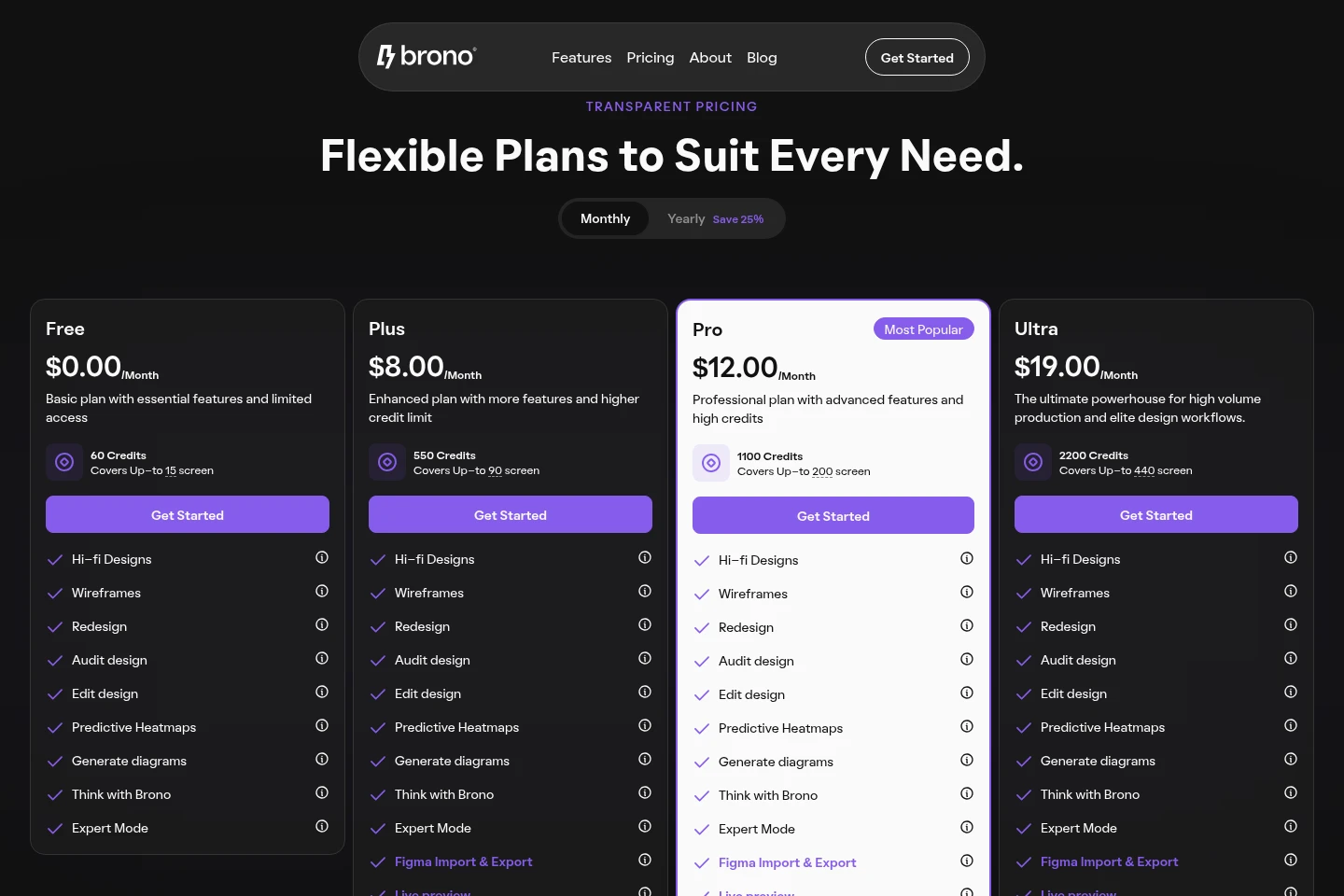
Brono offers a free plan and paid monthly plans. Compare the included credits and screen allowances, then check which features such as Figma import and export or MCP Access are listed for each plan.

PlanPriceIncluded features and limits
Free

$0.00/Month

  • 60 credits.

  • Covers up to 15 screens.

  • Includes hi-fi designs, wireframes, redesign, design audit, and design editing.

  • Includes predictive heatmaps, diagram generation, Think with Brono, and Expert Mode.

Plus

$8.00/Month

  • 550 credits.

  • Covers up to 90 screens.

  • Includes Figma import and export and live preview.

  • Upload up to 2 files.

  • Includes Pages.

Pro

$12.00/Month

  • 1100 credits.

  • Covers up to 200 screens.

  • Upload up to 5 files.

  • Includes parallel generation and MCP Access.

Ultra

$19.00/Month

  • 2200 credits.

  • Covers up to 440 screens. months and annual billing are offered; yearly billing is advertised as saving 25%.

  • Unlimited Figma copies are available on paid plans.

The pricing page offers monthly and yearly billing and advertises a 25% saving for yearly billing. The listed monthly prices do not specify the yearly payment amounts.

Use cases

Create interface screens from product prompts

When a product designer needs to turn a written specification or screen reference into interface concepts, they provide a prompt or upload a screen to generate editable UI screens and full user flows.

Review interface designs for UX issues

When checking a design before handoff or release, users run a UX review to identify contrast, hierarchy, and accessibility issues, see suggested improvements, and inspect predictive attention or click areas.

Prepare editable designs for Figma handoff

When a design needs to move into a Figma workflow, users export editable components and structured layers; Figma import and export are included in the Plus plan and unlimited copies are offered on paid plans.

Limitations

  • The Free plan includes 60 credits and covers up to 15 screens; higher usage requires a plan with a larger stated credit allowance.

  • Figma import and export are listed as a Plus feature, while unlimited Figma copies are specified for paid plans.

  • MCP Access is listed on Pro; the page does not list it as a Free or Plus plan feature.

Brono alternatives

Figma AI

Unleash creativity and streamline design workflows

Figma AI is a cutting-edge tool designed to boost your creative potential and speed up your design workflow. With features like instant layer renaming, intelligent text adjustments, and background removal, Figma AI enables designers to focus on what really matters: creativity. Quickly generate design mockups and find assets with ease, making your design process not only faster but also more efficient. Additionally, Figma AI allows you to create interactive prototypes in just a click, ensuring your ideas are presented in an engaging format. Experience seamless collaboration with teammates, simplifying design handoffs and fostering innovation across teams.

  • Freemium
  1. Polymet

    Design product interfaces and generate frontend code with AI

    Contact Sales
  2. Bravo Studio

    Transform designs into apps without coding

    Paid
  3. Banani

    Generate and refine editable UI designs with AI

    Free · $0/mo
  4. Fabrie AI

    Transform your design collaboration with ease

    Freemium
  5. DiddyDesign

    Convert UI images into editable Figma designs

    Starter · $29/month; pay monthly

Who it is for

  • Product designers who need to turn interface specifications into editable screens and review designs before handoff.

  • Design collaborators who need to share projects, leave inline feedback, and iterate on synchronized screens.

  • Designers using compatible AI tools who want to generate, audit, and export designs through Brono MCP.

FAQ

What can I create with Brono?

You can create wireframes and UI screens from a prompt or uploaded screen, generate redesign variants, run UX reviews, view predictive heatmaps, and export Figma-ready designs.

Can I use designs from Brono for client work?

Yes. Brono says you own what you create and may use it for client projects, personal work, or commercial products.

How does Brono handle my data?

Brono says it treats your data as private and uses it only to run requested features. You can delete projects at any time.

How can Brono connect to my design tools?

Brono MCP connects compatible AI tools for generating, auditing, and exporting designs. Named integrations include Claude, Cursor, VS Code, Warp, ChatGPT, Antigravity, Bolt, Cluely, Lovable, and Ghostty.

Comments

Please sign in to leave a comment.
No comments yet. Be the first to share your thoughts!