
- Monthly visits
- 2,803
- 2026-09
- Monthly growth +707.8%
AyeCreate - Create AI images, edit photos, and generate short videos
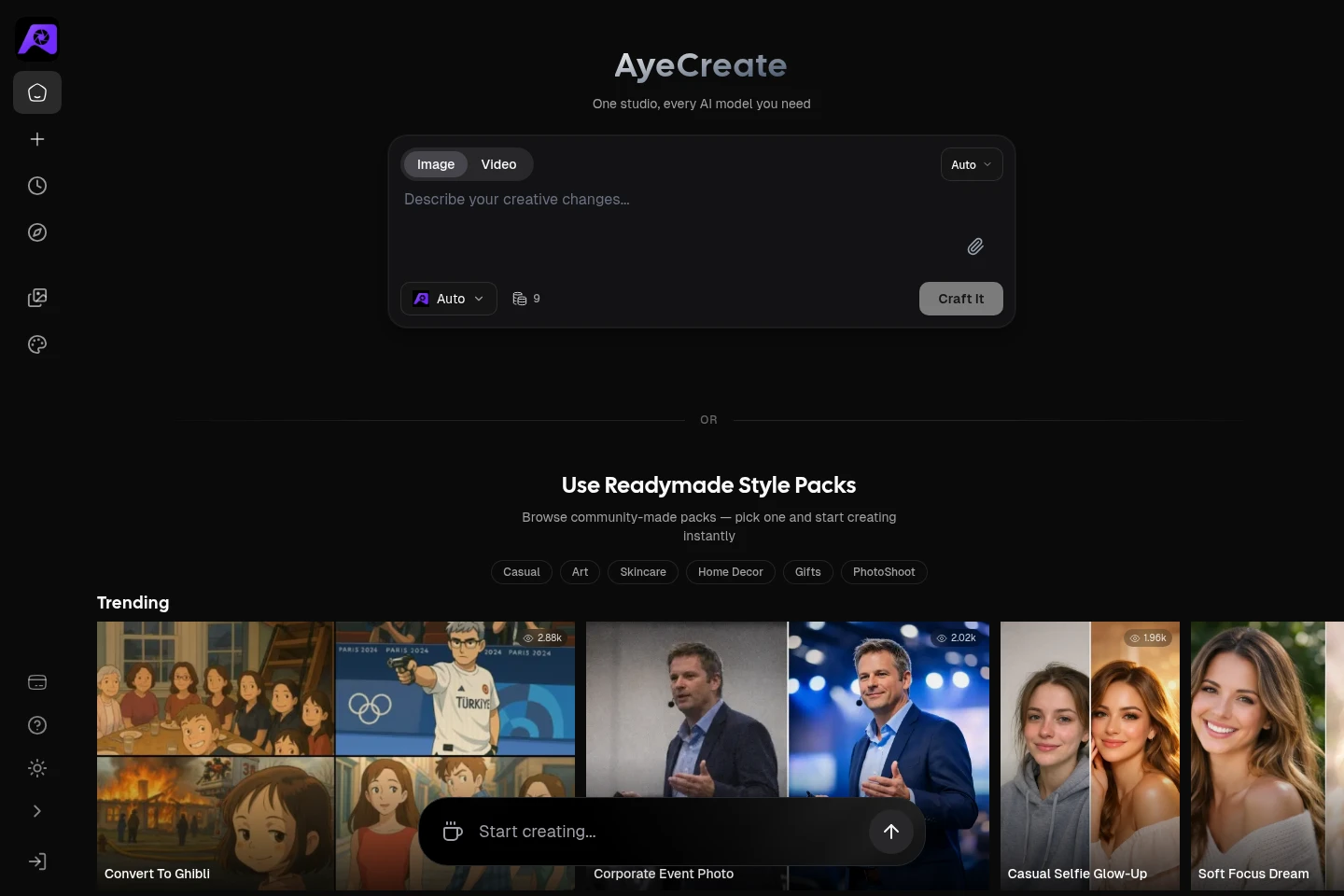
AyeCreate is an AI creation studio for generating images and videos from text prompts and editing photos. It brings multiple AI models and community-made Style Packs into one studio. Users can browse packs by category, apply styles, and use editing tools such as upscaling, background removal, and enhancement.
- AI Image
- Image Generators
- Video Generators
- Photo Editors
- AI image and video generator
- AI photo editing studio
- AI Style Packs
Capabilities
Text-to-image and video generation
Generates images and short videos from text prompts. Users enter a description in the studio and can select among available AI models; video creation is also presented as a studio mode.
AI photo editing
Edits photos with tools that include upscaling, background removal, and enhancement. Users provide an image and apply an editing action through the studio.
Community-made Style Packs
Applies ready-made styles to image creation. Users browse community-made packs by category, select a pack, and use it to guide creation.
Multiple AI models in one studio
Provides access to multiple named AI models from one studio. Users can switch among models including Sora, Veo, Flux, Kling, and others when creating content.
Style Pack creator credits
Lets creators package prompts into a StylePack and earn credits when other creators use it. Creators can set a payout preference and request a payout; the page does not specify payout amounts or eligibility conditions.
Use cases
Generate images and videos from text prompts
When a creator needs a visual asset, they enter a description in the studio and choose image or video creation. AyeCreate uses available AI models to produce the requested visual output.
Apply a community-made style to an image
When a creator wants a ready-made visual direction, they browse Style Packs by category and select one. The chosen pack guides image creation toward its specified style.
Edit and enhance an existing photo
When a user has a photo to adjust, they use studio editing tools such as upscaling, background removal, or enhancement. The result is an edited image produced through the selected action.
Package prompts as a StylePack for others
When a creator wants to share a reusable prompting style, they package their prompting skills into a StylePack. The page says creators earn credits when others use it and can request a payout according to their preference.
Who it is for
Creators who need to generate or edit images and short videos
Designers and business creators producing product photos, social content, thumbnails, or ads
Creators who want to package prompts into reusable StylePacks and earn credits from their use
FAQ
What can AyeCreate create?
AyeCreate supports AI image generation, photo editing, and short video creation. The homepage describes text prompts, multiple AI models, Style Packs, and photo actions including upscaling, background removal, and enhancement.
Can I use different AI models in AyeCreate?
Yes. The homepage describes access to multiple models in one studio, including Sora, Veo, Flux, Kling, and others. The models available may depend on the studio options shown.
What are Style Packs?
Style Packs are reusable styles, including community-made packs that users can browse by category and apply when creating. The homepage also describes creators packaging prompts into a StylePack.
Can creators earn credits from StylePacks?
The homepage says creators earn credits every time someone uses their pack. It also says creators can set a payout preference and request a payout; payout amounts and conditions are not specified there.
Comments