

- Monthly visits
- 9,062
- 2026-09
- Monthly growth +31.5%
AutoKeyWorder - Generate image metadata and fill contributor upload forms
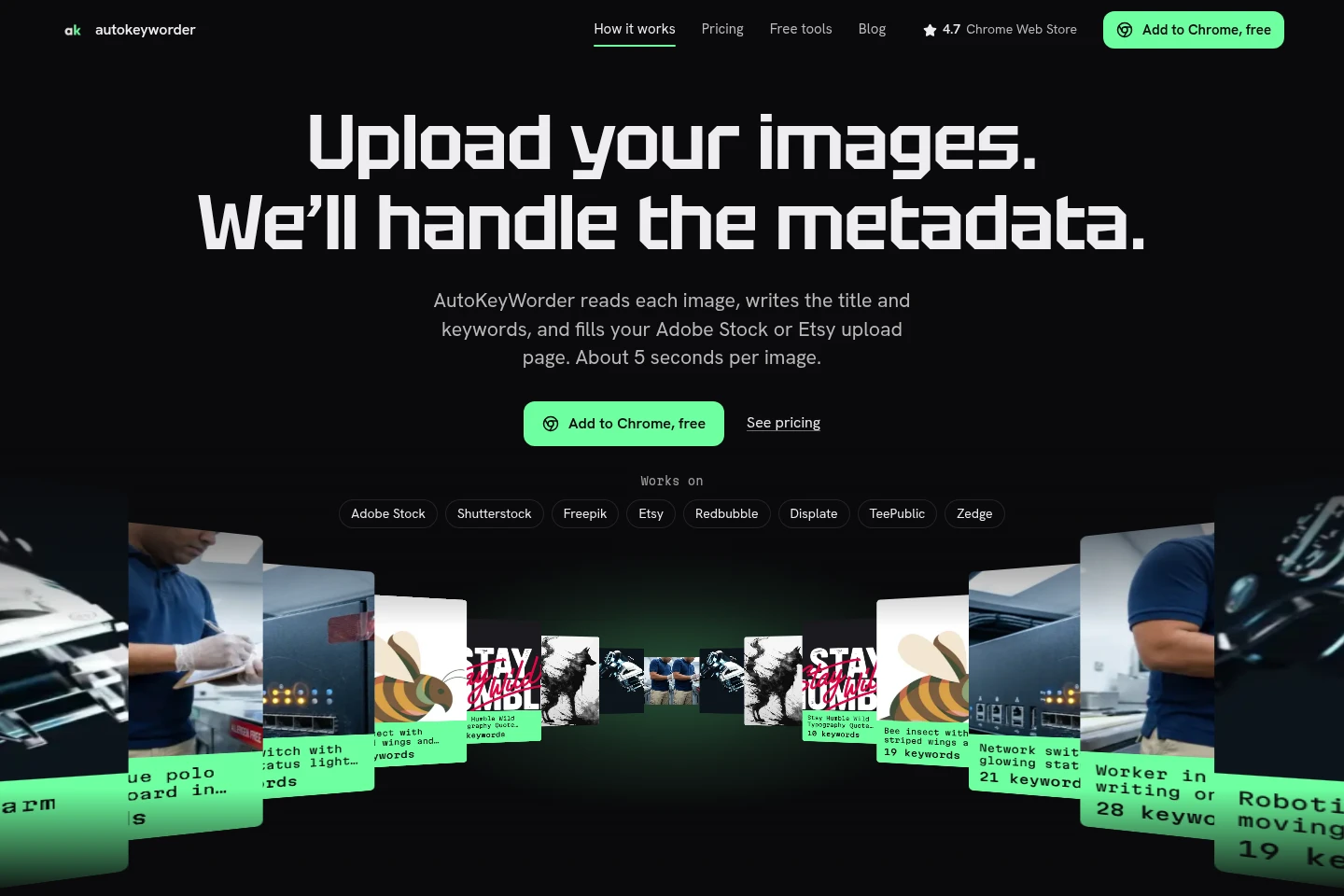
AutoKeyWorder is a Chrome extension for stock and merchandise contributors. It reads images, generates titles, keywords, and categories, then fills the upload form on eight supported platforms. You review and submit the fields yourself; the extension does not submit uploads.
- AI Marketing
- Product Description Generators
- Browser Automation
- Image Recognition
- AI image keywording
- stock photo metadata
- Chrome upload form extension


Capabilities
Image metadata generation
Generates a title, keywords, and category for each image. It reads images in a batch and applies the selected platform’s rules; you can add context or mark an image as AI-generated first.
Contributor form filling
Fills metadata fields directly in the upload form in your browser. It supports Adobe Stock, Shutterstock, Freepik, Etsy, Redbubble, Displate, TeePublic, and Zedge; you review and submit the form yourself.
Image metadata preview
Lets you test metadata generation by uploading an image to the website’s free tool. The tool accepts JPG, PNG, or WebP files up to 4 MB and provides five free tries without sign-up.
Pricing
AutoKeyWorder offers one-time credit packs and also describes monthly subscriptions. Compare image-credit quantities, per-image cost, supported platforms, and whether credits expire.
| Plan | Price | Included features and limits |
|---|---|---|
| Standard | $7.99 one-time |
|
| Power Pack | $31.99 one-time |
|
Prices are in USD, and checkout adjusts them to your country automatically. Payment methods listed are card, PayPal, and Google Pay. One credit covers one image.
Use cases
Prepare metadata for stock image uploads
When preparing images for a supported stock contributor site, run the extension on the images in your upload batch. It generates titles, keywords, and categories, then places them in the site’s form for you to review and submit.
Fill metadata for merchandise listings
When listing artwork on supported merchandise platforms, use the extension on the upload page. It generates titles and tags within each site’s field rules and fills the form, leaving review and submission to you.
Limitations
The extension fills the upload fields but does not submit the form; you must review and submit it yourself.
The free website preview accepts only JPG, PNG, or WebP images up to 4 MB per file.
Who it is for
Stock content contributors who need image metadata prepared for agency uploads
Artwork sellers who need titles and tags entered on supported merchandise platforms
FAQ
Does AutoKeyWorder submit uploads for me?
No. It fills the fields on the upload page, but it never submits for you. Review or change the generated metadata and submit the form yourself.
Which platforms does the extension support?
It supports Adobe Stock, Shutterstock, Freepik, Etsy, Redbubble, Displate, TeePublic, and Zedge. The fields and limits vary by platform.
Can I change existing titles when retagging old images?
Existing titles change only if you select “Overwrite existing titles” in the popup. The site recommends trying one file first when retagging an older catalog.
Do purchased credits expire?
Pack credits never expire. Subscription credits reset every month; one credit is used for one image.
What file types can I use in the free preview?
The free website preview accepts JPG, PNG, and WebP files up to 4 MB. It offers five tries without requiring sign-up.
Comments