

AiPPT - AI-powered presentation creation platform
Launched on Feb 23, 2025Transform ideas into professional presentations instantly with AI. Features 200000+ templates, smart document import, and Nano Banana AI image generation. Perfect for business, education, and personal use.
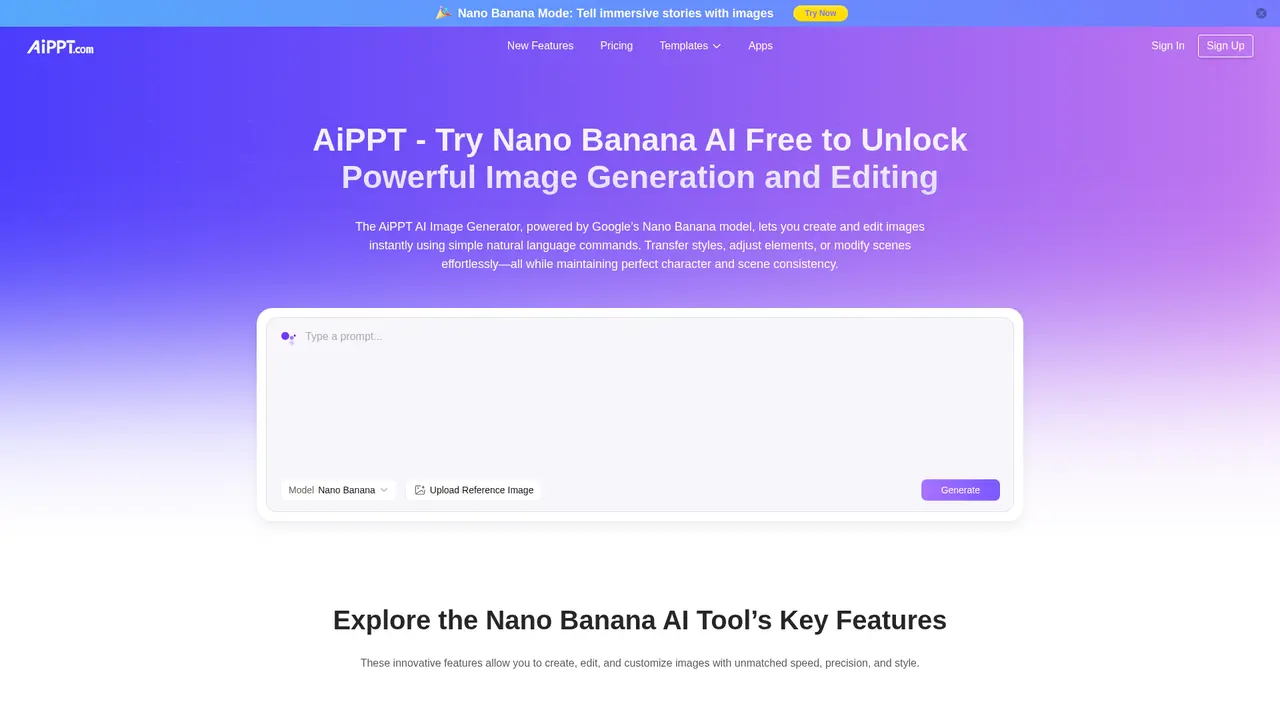
What is AiPPT
Let's face it—creating a professional presentation often feels like a second job. You have the ideas, but turning them into polished slides takes hours of formatting, designing, and second-guessing every layout decision. Whether you're preparing a quarterly business review, pitching to investors, or creating lesson materials for your students, the gap between your vision and the final output can be frustratingly wide.
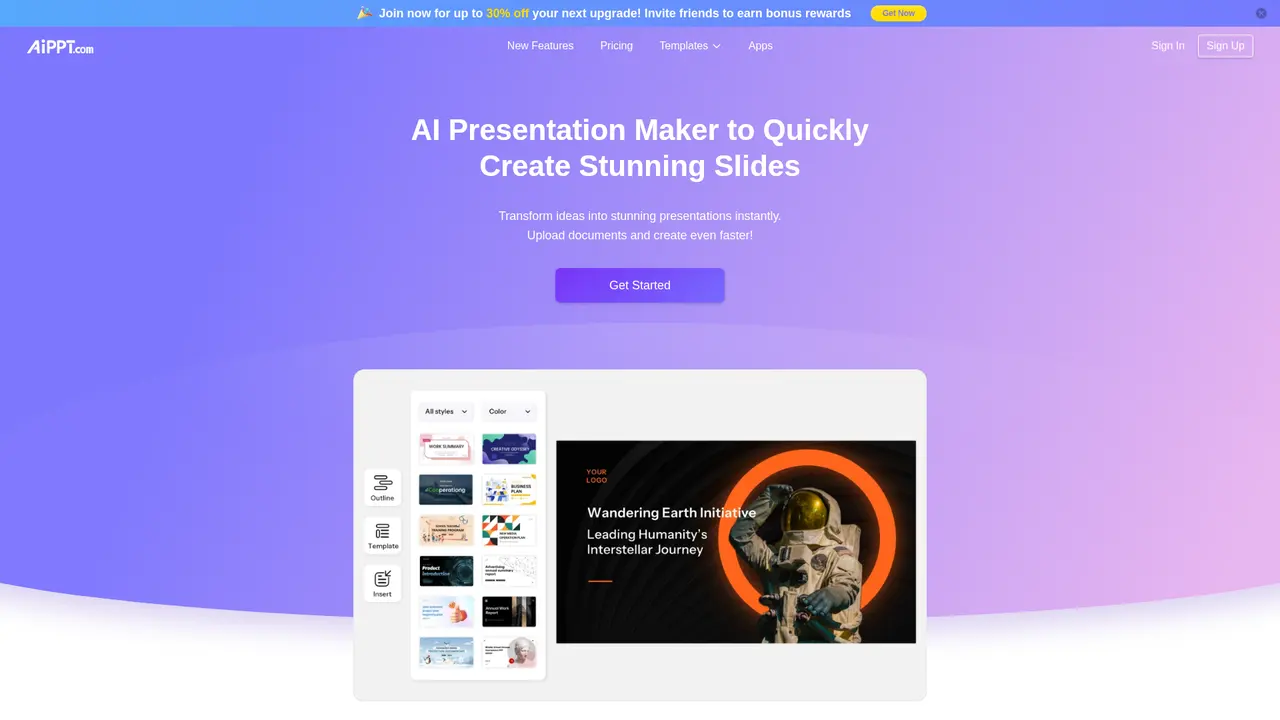
That's exactly where AiPPT comes in. AiPPT is an AI-powered presentation creation platform designed to transform your ideas into professional, visually compelling PowerPoint slides in just minutes. Instead of wrestling with formatting tools or hiring a designer, you simply describe what you need—and AiPPT handles the rest.
What makes AiPPT stand out is its combination of intelligent automation and creative flexibility. The platform uses advanced AI to analyze your content and automatically arrange it into well-structured slides, complete with professional layouts and design elements. With access to over 200,000 professionally designed templates covering every conceivable use case—from corporate board presentations to creative classroom materials—you're never starting from a blank canvas.
But AiPPT goes beyond just slide creation. Its Nano Banana AI image generation, powered by Google Gemini 2.5, lets you create custom visuals using natural language descriptions. Need a product mockup for your pitch deck? Describe it in plain English and watch it come to life. This level of creative control was previously only available to teams with dedicated designers.
The platform supports multiple input methods to fit your workflow. You can start from scratch with a topic idea, upload existing documents like PDFs or Word files, import directly from Google Drive, or even convert any webpage into a structured presentation. Once your slides are ready, export them as PPT, PDF, or high-resolution images.
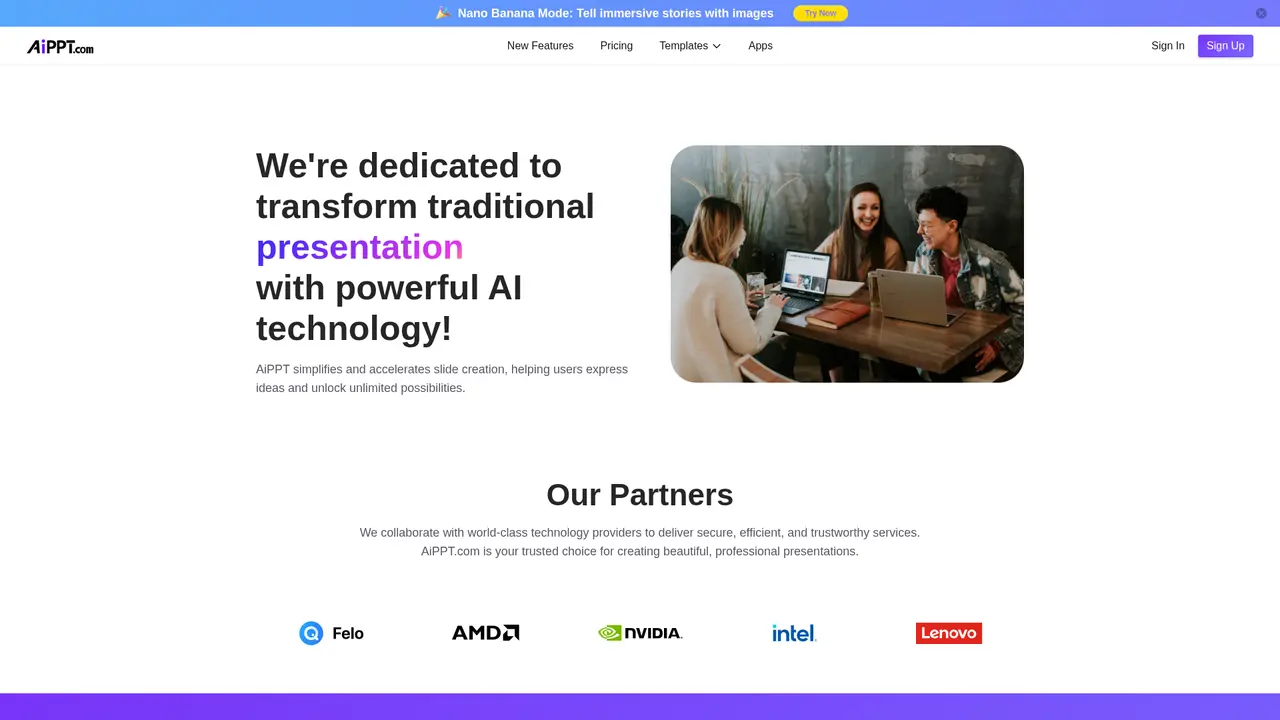
Founded in 2018, AiPPT has grown to serve millions of users worldwide. The team brings together talent from Microsoft, Google, and other global tech leaders, giving you confidence in both the platform's reliability and its continued innovation. Whether you're a business professional, educator, student, or entrepreneur, AiPPT gives you the tools to communicate your ideas with the professionalism they deserve—without the traditional time investment.
:::card{type="summary" title="TL;DR"}
- AI-powered one-click presentation generation
- 200,000+ professional template library
- Nano Banana AI image generation powered by Google Gemini 2.5
- Multi-format document import (PDF, Word, TXT, Markdown)
- Flexible pricing including lifetime subscription options
- Trusted by millions globally since 2018 :::
---
Core Features of AiPPT
What can AiPPT actually do for you? Let's break down the features that make this platform a game-changer for anyone who creates presentations.
AI One-Click Generation
The core of AiPPT is its ability to turn text, documents, or even just a topic idea into a complete, professionally designed presentation in minutes. You provide the content or concept, and the AI analyzes it, structures it logically, and generates slides with appropriate layouts. The system intelligently distributes your content across slides, ensuring nothing gets lost in translation. Free users can generate up to 10 pages per session, while Plus users get 20 pages, and Pro users can create presentations of up to 50 pages in a single go.
AI Outline Generator
Before generating full slides, you can use the Outline Generator to quickly organize your concepts into a coherent structure. This is particularly valuable when you're planning complex presentations like business plans or academic lectures. The AI suggests logical flow and section organization, saving you the mental effort of structuring your narrative from scratch.
Smart Document Import
Got an existing document you need to convert into slides? AiPPT handles this seamlessly. Upload your PDF, Word document, TXT file, or Markdown content, and the platform extracts the key information and transforms it into presentation-ready slides. This feature alone can save you hours of copy-pasting and reformatting.
URL to Presentation
Sometimes the content you need lives online—articles, reports, or web pages. Simply paste any URL, and AiPPT will crawl the page, extract the relevant content, and organize it into a professional presentation. This is incredibly useful for competitive analysis, market research summaries, or converting online articles into shareable decks.
Google Drive Integration
If you already work with Google Docs or Google Slides, you don't even need to download files. Connect your Google Drive directly and import content from your existing documents. This tight integration means your workflow stays uninterrupted.
Nano Banana AI Image Generation
This is where AiPPT really differentiates itself. Powered by Google Gemini 2.5, Nano Banana lets you generate and edit images using natural language. Describe what you want—"a modern office scene with team collaboration" or "a sleek product mockup on a gradient background"—and the AI creates it. You can maintain consistent elements across images, merge multiple images into cohesive scenes, and apply various artistic styles including realistic, anime, watercolor, and oil painting effects. For marketers, entrepreneurs, and anyone needing custom visuals, this eliminates the need for stock photo subscriptions or design tools.
Template Replacement
Found a presentation but want a different look? One-click template replacement lets you instantly change the entire visual theme while keeping your content intact. The AI intelligently adapts your content to the new template layout, so you don't need to manually reformat anything.
Multi-Format Export
Your finished presentation needs to work where you present it. AiPPT supports export to PPT (editable PowerPoint), PDF (perfect for sharing), and high-resolution images (ideal for social media or email attachments).
::::grid :::card{type="advantages"}
- AI-driven efficiency: Transform ideas to slides in minutes, not hours
- Massive template library: 200,000+ options for every use case and style
- Flexible export: PPT, PDF, and image formats for any presentation need
- Integrated image creation: Generate custom visuals without external tools
- Multiple input methods: Start from text, documents, URLs, or cloud files ::: :::card{type="disadvantages"}
- Requires internet connection: Cloud-based platform needs stable connectivity
- Advanced features locked behind paid plans: Full AI generation and image credits limited in free version ::: ::::
---
Who Uses AiPPT
AiPPT serves a remarkably diverse user base. Understanding who else uses the platform can help you see how it might fit into your specific needs.
Business Professionals
Business analysts like Malika Karahan use AiPPT to streamline their reporting workflows. Instead of spending hours formatting quarterly reviews, she inputs her data and key insights, and AiPPT generates polished slides with professional data visualizations. Product designers like Mark Smith leverage the platform's AI capabilities to create client presentations in a fraction of the time, allowing them to focus on the design work itself rather than slide preparation. Whether you need a quarterly business review, a board presentation, or a client proposal, AiPPT helps you deliver a professional impression without the traditional effort.
Educators and Instructors
Teachers and professors represent a significant user group. University instructors like Bruce Hardy transform their course materials into visually engaging presentations that capture student attention. Rather than reading from text-heavy slides, educators can convert their lesson content into dynamic visual formats that support different learning styles. The time saved on presentation preparation means more energy for actual teaching and student interaction.
Students
From class presentations to thesis defenses to speech competitions, students at all levels rely on AiPPT. The platform is particularly valuable for students who lack design experience but need to deliver professional-looking work. Instead of struggling with complicated design software, they can access professionally designed templates and let the AI handle the visual heavy lifting.
Marketing Professionals
Marketing teams use AiPPT to create client proposals, campaign presentations, and internal strategy decks. The combination of the extensive template library and Nano Banana image generation means they can produce client-ready materials without waiting for design team availability. This speed is crucial in fast-paced agency environments where yesterday's deadline is often the norm.
Entrepreneurs and Startups
Founders preparing investor pitch decks face enormous pressure to make a strong impression in limited time. AiPPT's professional templates combined with AI content generation help entrepreneurs quickly create compelling pitch decks that look like they had a full design team behind them. This is particularly valuable for early-stage startups without dedicated presentation resources.
:::card{type="tip" title="💡 Choosing the Right Plan"} For frequent users—business professionals creating weekly presentations, educators with multiple courses, or marketing teams handling regular client work—Plus or Pro plans offer significantly more value with 20-40 daily generations and generous image credits. If you're just trying AiPPT for the first time or have occasional needs, the Free plan lets you experience the core functionality without any commitment. :::
---
Getting Started with AiPPT
Ready to see how AiPPT can transform your presentation workflow? Here's how to get started in just a few minutes.
Step 1: Create Your Account
Visit the official AiPPT website and sign up for a free account. The Free plan requires no payment information, so you can explore the platform immediately without any commitment.
Step 2: Choose Your Input Method
AiPPT supports several ways to create your presentation:
- Start from a topic: Simply enter your presentation topic or a brief description of what you want to cover. The AI will generate both an outline and the full presentation.
- Upload documents: Upload your existing PDF, Word, TXT, or Markdown files. The AI extracts the content and transforms it into slides.
- Import from URL: Paste a webpage link and let AiPPT convert the online content into a presentation.
- Google Drive: Connect your Google account to import directly from Google Docs or Slides.
Step 3: AI Generates Your Outline
If you start with a topic, the AI first generates a structured outline. You can review, edit, or approve this framework before moving to slide generation. This ensures your presentation flows logically before any content is created.
Step 4: Select Your Template
Browse the extensive template library and choose a style that fits your purpose. Templates range from corporate and professional to creative and playful. You can also apply a different template later if you change your mind.
Step 5: Generate and Customize
The AI creates your complete presentation based on the outline and selected template. You can then edit any content, adjust layouts, or refine the messaging. Use Nano Banana to generate custom images for your slides—describe what you need in plain language and the AI creates it.
Step 6: Export Your Presentation
When your presentation is ready, export it in your preferred format. Download as an editable PPT file, a PDF for secure sharing, or as individual images for specific use cases.
:::card{type="tip" title="💡 Pro Tip for Best Results"} For optimal output, start with the AI Outline Generator to establish a clear structure. Then select your template based on your audience and purpose. Finally, use Nano Banana to generate custom visuals that perfectly complement your content. This workflow ensures cohesive, professional results with minimal manual editing. :::
---
Technical Features
Understanding the technology behind AiPPT helps you appreciate why it performs so well—and what capabilities you can expect as the platform continues evolving.
AI Engine: Google Gemini Integration
At the core of AiPPT lies the Google Gemini AI model, one of the most advanced large language models available. This integration provides powerful natural language processing capabilities that understand context, structure content logically, and generate human-readable text. The Gemini model continuously improves through updates, meaning your presentation creation experience gets better over time.
Nano Banana: Advanced Image Generation
Nano Banana represents AiPPT's proprietary implementation of Google Gemini 2.5 for visual content creation. Unlike basic AI image generators, Nano Banana understands the context of your presentation and can create images that match your narrative tone and style.
Key technical capabilities include:
- Natural language editing: Describe changes in everyday language—"make the background darker" or "add more people to the scene"—and the AI understands intent
- Element consistency: Maintain visual continuity across multiple images, keeping characters, products, or branding elements consistent
- Multi-image fusion: Combine elements from different images into cohesive scenes
- Style transfer: Apply artistic styles including realistic, anime, watercolor, and oil painting effects
Document Parsing Technology
AiPPT's document parser intelligently extracts content from various file formats. It identifies headings, paragraphs, bullet points, and even embedded data tables, then reorganizes this content into appropriate slide structures. The system preserves important formatting cues while optimizing content for visual presentation.
Web Content Extraction
The URL-to-presentation feature uses intelligent web crawling to extract relevant content from webpages. The AI evaluates page structure, identifies main content versus navigation and advertising, and then structures the extracted information into presentation-ready format.
Cloud Integration
Seamless connectivity with Google Drive, Google Docs, and Google Slides means you don't need to download and re-upload files. This cloud-native approach also ensures your work is automatically saved and accessible across devices.
Output Flexibility
The platform supports multiple export formats designed for different use cases:
- PPT: Fully editable Microsoft PowerPoint files
- PDF: Fixed-layout documents ideal for distribution
- Images: High-resolution PNG/JPG for individual slides
::::grid :::card{type="advantages"}
- Google Gemini backing: Industry-leading AI model with continuous improvements
- Regular model updates: Platform capabilities expand over time
- Cloud-native architecture: Secure storage with automatic saving
- Enterprise-ready output: Multiple formats for professional use cases ::: :::card{type="disadvantages"}
- Internet dependency: Requires stable network connection for all features
- Regional variations: Service availability and features may differ in certain markets, including China ::: ::::
---
Frequently Asked Questions
:::card{type="faq" title="What exactly is AiPPT?"} AiPPT is an AI-powered platform that transforms your ideas, text, or existing documents into professional, visually appealing PowerPoint presentations. It handles the design and layout work so you can focus on your message. :::
:::card{type="faq" title="How do I cancel my subscription?"} If you need to cancel a recurring subscription, navigate to your account settings and look for the "Subscription" section. If you purchased a one-time lifetime membership, no cancellation is needed—the access is permanent. :::
:::card{type="faq" title="What types of presentations can I create with AiPPT?"} Almost any presentation that needs to be professionally structured and visually polished. This includes business reports, sales proposals, educational materials, product demonstrations, marketing decks, investor pitch presentations, academic lectures, and personal projects like wedding or event presentations. :::
:::card{type="faq" title="Why should I choose AiPPT over alternatives like Gamma or Prezi?"} AiPPT offers several distinct advantages: an extensive template library with over 200,000 options, competitive pricing with lifetime membership plans, and integrated AI image generation that eliminates the need for separate design tools. Many users find the combination of comprehensive features and straightforward pricing makes AiPPT the most practical choice for regular presentation needs. :::
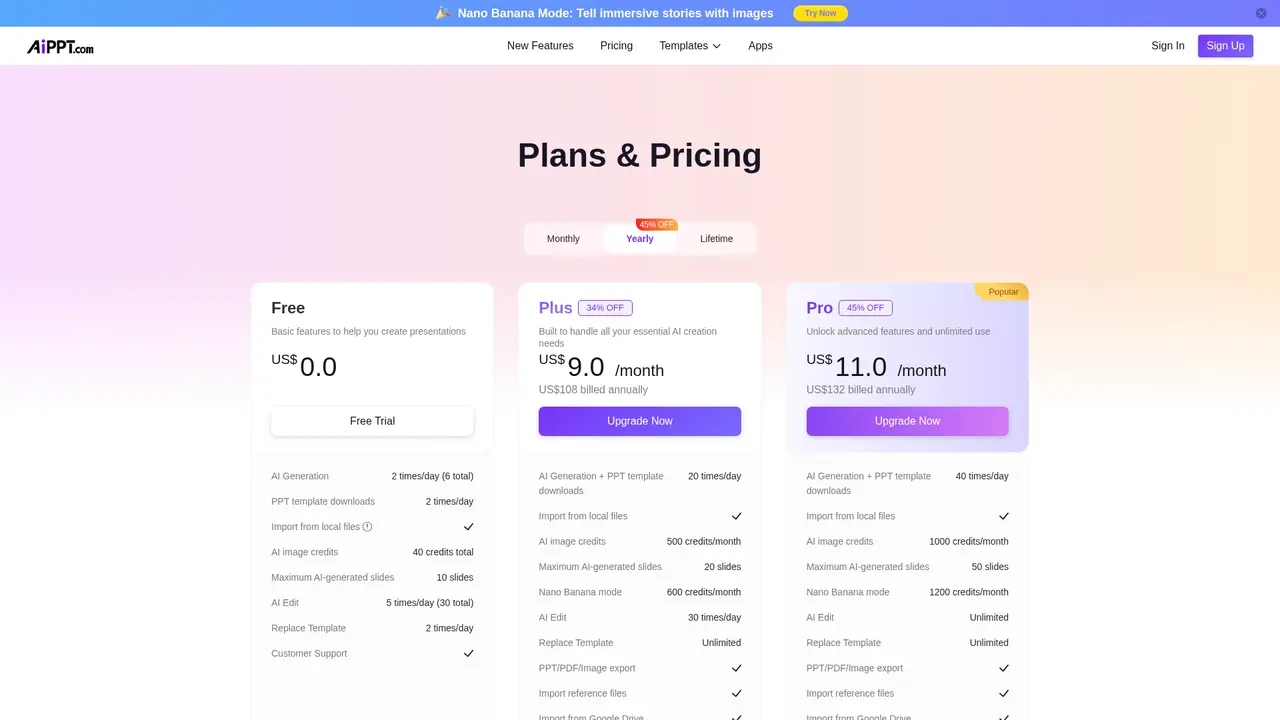
:::card{type="faq" title="What's the difference between Free and paid plans?"} The Free plan gives you 2 AI generation credits per day (with a 6-credit total limit), 2 template downloads daily, up to 10 pages per generation, 40 total AI image credits, and 5 AI edits per day (30 total). Paid plans increase this significantly—Plus offers 20 daily generations with 20-page limits and 500 monthly image credits, while Pro provides 40 daily generations, 50-page limits, and 1,000 monthly image credits plus unlimited AI edits. :::
:::card{type="faq" title="What is Nano Banana image generation?"} Nano Banana is AiPPT's AI image creation tool powered by Google Gemini 2.5. It allows you to generate custom images using natural language descriptions—simply describe what you want and the AI creates it. You can also edit existing images, maintain consistent elements across multiple images, merge images together, and apply different artistic styles. :::
Related Content

Copy.ai Review 2026: AI Copywriting Made Easy
Our honest Copy.ai review for 2026. We test Content Agents, AI Workflows, pricing ($29-$249/mo), and compare it to Jasper and Writesonic. Find out if it's worth it for your marketing team.

Rytr Review 2026: Is This Budget AI Writer Worth It?
Our hands-on Rytr review for 2026. We test features, pricing, content quality, and compare it to Jasper & ChatGPT. Find out if Rytr is the best budget AI writing tool.

Word Changer - Free AI tool to rewrite and improve your writing instantly
Writing always using repetitive words or need to avoid plagiarism? Word Changer is a free AI writing assistant that instantly rewrites any text with richer vocabulary and appropriate tone. Get multiple versions with one click, adjust formality level, check readability - all for free!

Unite - AI-powered platform for romantic fantasies and dream couple moments
Explore romantic fantasies and create special moments for your dream couple. This AI-powered platform lets you generate personalized romantic content and experience exclusive AI-created romantic experiences.
Comments