
Logo
ProductsBlogs
Submit

Categories

  • AI Coding
  • AI Writing
  • AI Image
  • AI Video
  • AI Audio
  • AI Chatbot
  • AI Design
  • AI Productivity
  • AI Data
  • AI Marketing
  • AI DevTools
  • AI Agents

Featured Tools

  • Coachful
  • Wix
  • TruShot
  • AIToolFame
  • ProductFame
  • Google Gemini
  • Jan
  • Zapier
  • LangChain
  • ChatGPT

Featured Articles

  • The Complete Guide to AI Content Creation in 2026
  • 5 Best AI Agent Frameworks for Developers in 2026
  • 12 Best AI Coding Tools in 2026: Tested & Ranked
  • Cursor vs Windsurf vs GitHub Copilot: The Ultimate Comparison (2026)
  • 5 Best AI Blog Writing Tools for SEO in 2026
  • 8 Best Free AI Code Assistants in 2026: Tested & Compared
  • View All →

Subscribe to our newsletter

Receive weekly updates with the newest insights, trends, and tools, straight to your email

Browse by Alphabet

ABCDEFGHIJKLMNOPQRSTUVWXYZOther
Logo
English中文PortuguêsEspañolDeutschFrançais|Terms of ServicePrivacy PolicyTicketsSitemapllms.txt

© 2025 All rights reserved

  • Home
  • /
  • Products
  • /
  • AI Productivity
  • /
  • FormGen.in - AI-powered Google Forms generator from text descriptions
FormGen.in

FormGen.in - AI-powered Google Forms generator from text descriptions

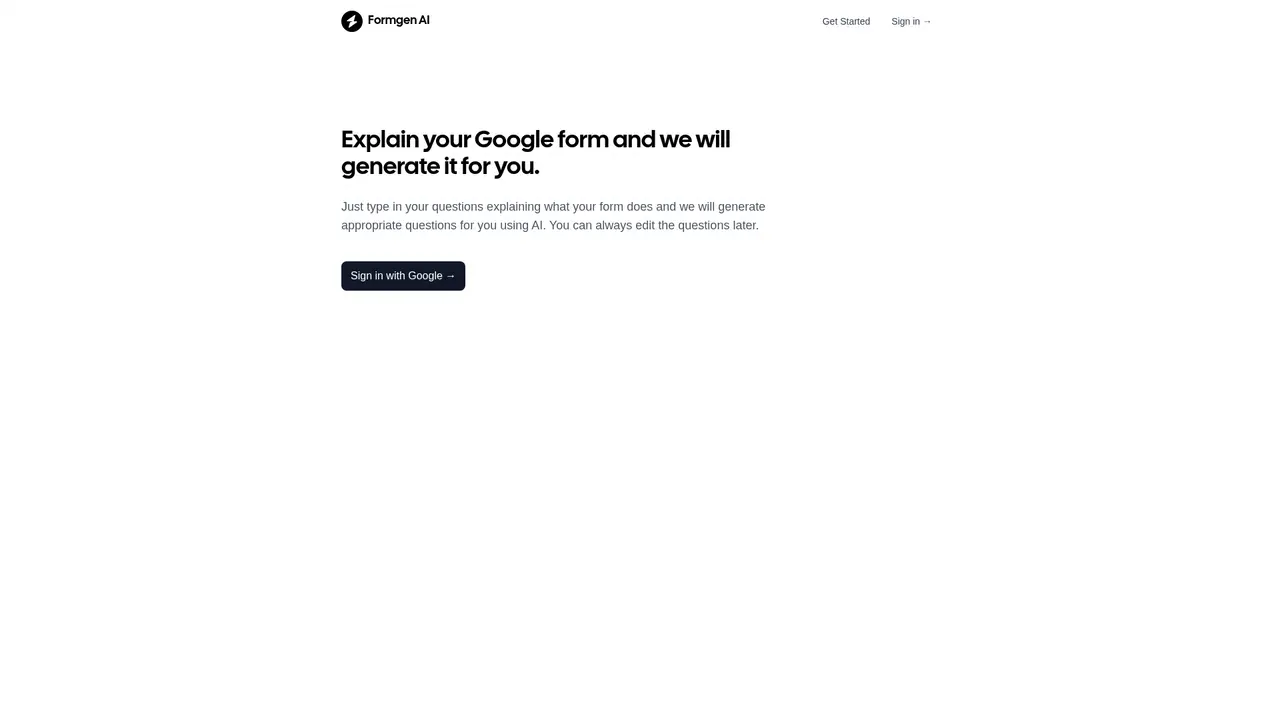
Just describe what your form is for and FormGen.in's AI will automatically generate the questions for you. No more manually creating survey questions one by one. You can edit the generated questions and use them directly in Google Forms. Perfect for quick surveys, event registrations, and feedback forms.
AI ProductivityFreeNo-CodeNLP
Visit Website
Product Details
FormGen.in - Main Image

What is FormGen.in

Ever stared at a blank Google Form, wondering what questions to ask? Yeah, we've all been there. You know you need to collect feedback, but figuring out the right questions—the ones that actually get you useful answers—takes forever. And let's be honest, sometimes you just don't know where to start.

That's exactly why FormGen.in exists. Think of it as your personal form-design assistant. You just tell it what your form is for—like "I need a customer satisfaction survey"—and boom, it generates the questions for you. No more staring at a blank screen, no more wrestling with how to phrase things.

Here's how it works: you describe your form in plain English, and the AI understands what you're trying to accomplish. Then it automatically creates a complete list of relevant questions. It's like having a professional survey designer right in your pocket, except it's just you and a simple text box.

What makes this cool is that you don't need any design experience. Whether you're a teacher creating a quiz, a small business owner gathering customer feedback, or just someone who needs a quick registration form—FormGen.in handles the heavy lifting. You focus on what you want to achieve, and the AI handles the question structure.

TL;DR
  • Describe your form purpose in natural language
  • AI automatically generates relevant questions
  • Ready to use directly in Google Forms

What FormGen.in Can Actually Do for You

Let's break down the real benefits—because honestly, "AI form generator" sounds a bit abstract until you see what it actually means for your daily work.

AI-Powered Question Generation is the big one. You type something like "I want a feedback form for my restaurant" or "create a student course evaluation," and the AI figures out what questions make sense. It understands context—restaurant feedback gets questions about food quality, service, and ambiance. Course evaluations get questions about instructor clarity, materials, and learning outcomes. You describe the purpose, and it builds the question list. Simple as that.

Easy Question Editing is the safety net. Let's be real—AI isn't perfect, and your specific needs might be slightly different. That's why after generation, you get a clean editing interface where you can tweak any question, change the wording, reorder them, or delete what doesn't fit. Think of it as AI gives you a solid first draft, and you have full control to polish it.

Google Forms Ready means zero friction at the end. The questions it generates are already formatted to work perfectly with Google Forms. No weird formatting issues, no need to manually copy-paste into different fields. You export, you copy to Google Forms, you're done.

💡 Pro Tip

The more context you give, the better. Instead of saying "create a survey," try something like "a customer satisfaction survey for a coffee shop that wants to improve their service." Specific details = more accurate questions that actually help you get the answers you need.


Who Is FormGen.in Actually For

You might be wondering if this tool fits your situation. Let me walk through some real scenarios where it really shines.

If you're an individual who occasionally needs surveys—like collecting opinions from friends, planning an event, or doing quick research—FormGen.in saves you a ton of time. Normally you'd spend 20 minutes just thinking of good questions. Now you describe what you need, tweak the output, and done in under 5 minutes.

If you're an educator, whether you're a teacher, trainer, or workshop facilitator, you probably create feedback forms constantly. Describe your course and what students should rate, and you get a professional evaluation form in seconds. Course content, instructor effectiveness, suggestions for improvement—all there.

If you're in HR or manage events, registration forms can be tricky. What information do you actually need? Name, contact, dietary restrictions, experience level? FormGen.in thinks about these details and includes the right fields automatically. You get a complete registration structure without the mental effort.

If you're in marketing or sales, market research is part of your job. Rather than building questionnaires from scratch every time, describe your target audience and research goals. The AI generates questions structured the way professional researchers would approach it.

💡 Which Type Are You?

Not sure what questions your form should have? That's actually the best time to use FormGen.in. Instead of struggling to figure out the right structure yourself, let the AI show you a solid starting point. You can always modify it, but at least you're not starting from zero.


How to Get Started in Under 2 Minutes

Okay, so you're ready to try it. Here's exactly what to do:

Step 1: Visit formgen.in — Just head to the website in your browser. It's a clean, simple interface. No sign-up required to try it out.

Step 2: Describe your form — There's a text box waiting for you. Type something like "I need a customer feedback form for my online store" or "create a volunteer registration form for a charity event." Be natural about it—just explain what you're trying to accomplish.

Step 3: Click Generate — Hit the button and watch the AI work. It takes just a few seconds. You'll see a list of relevant questions appear, organized and ready to review.

Step 4: Review and edit — Look through the generated questions. Change anything that doesn't fit your exact needs. Maybe you want to add an extra question or reword something. The editing interface makes this easy.

Step 5: Use in Google Forms — Copy your finalized questions into Google Forms. They're already formatted correctly, so it should be a smooth copy-paste process.

💡 Getting Better Results

Want the best questions? Be descriptive. Include what the form is for, who will answer it, and what specific information you want to collect. "A survey to understand why customers chose not to buy" gives you much better questions than just "a sales survey."


Frequently Asked Questions

How do I actually use FormGen.in?

It's super simple. You type what your form is for in the text box—like "I need a questionnaire to collect event feedback"—and the AI automatically generates relevant questions for you. Then you edit if needed and copy them to Google Forms.

Can I edit the questions after they're generated?

Absolutely. The editing interface lets you modify any question, change answer options, reorder them, or delete ones that don't fit your needs. Think of AI generation as a starting point—you have full control to make it perfect.

Where do I actually use the generated forms?

The questions are designed to work directly with Google Forms. Just copy them over and they're formatted to fit Google Forms' structure. No conversion or special handling needed.

Does FormGen.in cost anything?

Right now, FormGen.in is completely free to use. You can generate as many forms as you need without paying anything.

How good are the AI-generated questions?

The AI creates logically structured questions based on your description. They're designed to get you useful answers. That said, since it doesn't know your exact situation, it's always smart to review and tweak them to match your specific needs.

What types of forms can I create?

Pretty much any form that works in Google Forms—surveys, feedback forms, registration forms, quizzes, event applications, customer reviews, and more. Just describe what you need and the AI handles the question structure.

Explore AI Potential

Discover the latest AI tools and boost your productivity today.

Browse All Tools
FormGen.in
FormGen.in

Just describe what your form is for and FormGen.in's AI will automatically generate the questions for you. No more manually creating survey questions one by one. You can edit the generated questions and use them directly in Google Forms. Perfect for quick surveys, event registrations, and feedback forms.

Visit Website

Featured

Coachful

Coachful

One app. Your entire coaching business

Wix

Wix

AI-powered website builder for everyone

TruShot

TruShot

AI dating photos that actually get matches

AIToolFame

AIToolFame

Popular AI tools directory for discovery and promotion

ProductFame

ProductFame

Product launch platform for founders with SEO backlinks

Featured Articles
12 Best AI Coding Tools in 2026: Tested & Ranked

12 Best AI Coding Tools in 2026: Tested & Ranked

We tested 30+ AI coding tools to find the 12 best in 2026. Compare features, pricing, and real-world performance of Cursor, GitHub Copilot, Windsurf & more.

5 Best AI Blog Writing Tools for SEO in 2026

5 Best AI Blog Writing Tools for SEO in 2026

We tested the top AI blog writing tools to find the 5 best for SEO. Compare Jasper, Frase, Copy.ai, Surfer SEO, and Writesonic — with pricing, features, and honest pros/cons for each.

Information

Views
Updated

Related Content

Perplexity AI Review 2026: The AI Search Engine That Replaces Google
Blog

Perplexity AI Review 2026: The AI Search Engine That Replaces Google

Our in-depth Perplexity AI review covers features, pricing, accuracy tests, and real-world use. Is this AI search engine really a Google replacement in 2026?

5 Best AI Meeting Assistants in 2026: Tested & Ranked
Blog

5 Best AI Meeting Assistants in 2026: Tested & Ranked

We tested the top AI meeting assistants to find which ones actually deliver. Compare Otter.ai, Fireflies, Fathom, Tactiq, and Granola — with pricing, features, and real-world results.

LoreKeeper - AI-powered worldbuilding companion for tabletop RPG creators
Tool

LoreKeeper - AI-powered worldbuilding companion for tabletop RPG creators

LoreKeeper is an AI-powered tool for tabletop RPG game masters and world-builders. It offers lore management, AI chat with NPCs, image and video generation, plus free generators for characters, monsters, maps, and names. Perfect for Dungeon Masters, RPG players, and fantasy authors seeking creative inspiration.

Coursebox - AI-powered course creation and LMS platform
Tool

Coursebox - AI-powered course creation and LMS platform

Coursebox is an AI-powered learning management system that combines AI course creation, white-label customization, and course delivery in one platform. With features like Document-to-Course, AI video generator with 500+ avatars, AI tutor chatbot, and AI grading. Trusted by 150,000+ training providers worldwide, supporting 100+ languages and 180+ countries.

