


WPTurbo - AI-powered WordPress code generation tool
Launched on Feb 18, 2025WPTurbo provides 40+ free WordPress code generators and an AI assistant for developers. Generate custom post types, taxonomies, hooks, admin interfaces, WooCommerce customizations, and more with just a few clicks. Reduce plugin dependency by creating a starter plugin with your custom code. Perfect for developers seeking efficient, secure, and maintainable WordPress solutions.
What is WPTurbo
WordPress powers over 40% of all websites on the internet, yet developers and site owners face a persistent challenge: thePlugin dependency spiral. Each new feature requirement typically leads to installing another plugin, which incrementally degrades performance, expands the attack surface, and introduces compatibility conflicts. WPTurbo addresses this fundamental pain point by providing a comprehensive code generation platform that empowers users to implement custom functionality through code rather than relying on third-party solutions.
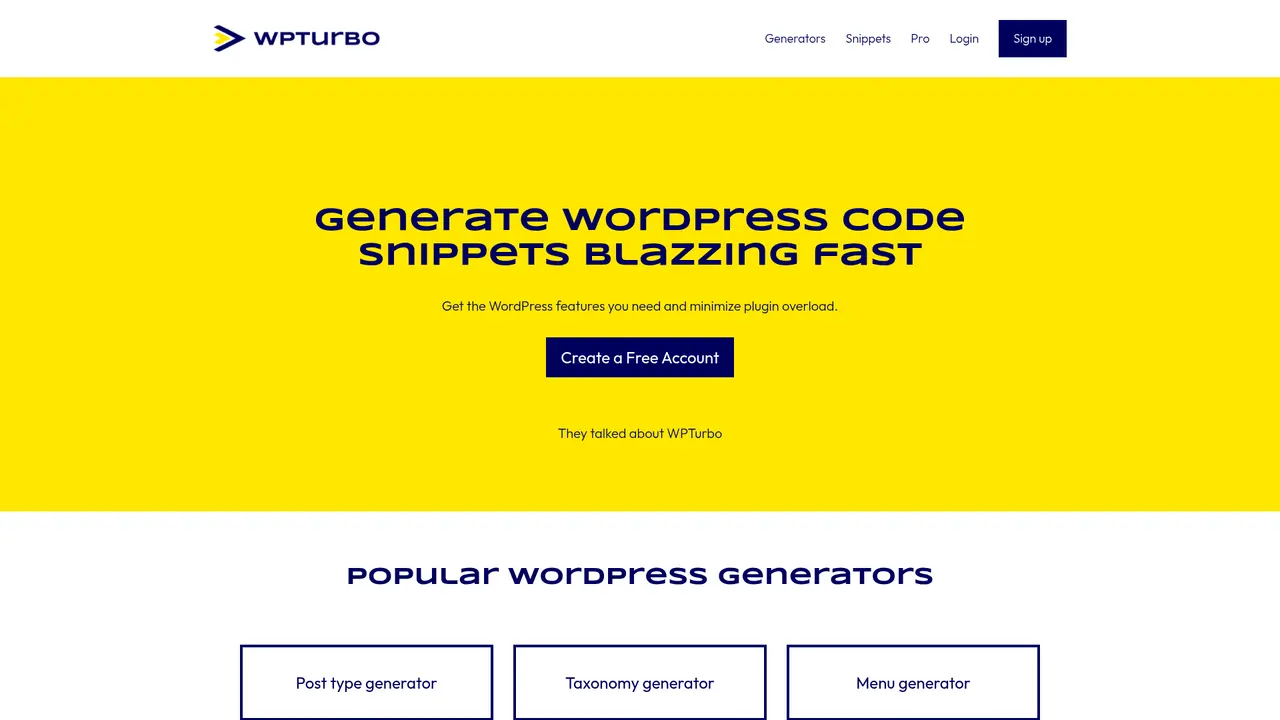
WPTurbo is a WordPress development tool SaaS platform created by the team behind WPMarmite, a renowned French WordPress tutorial blog with over a decade of experience in the WordPress ecosystem. The platform offers two complementary approaches to code generation: a suite of 40+ specialized code generators covering virtually every WordPress development scenario, and WPTurbo AI, an intelligent assistant that transforms natural language descriptions into production-ready WordPress code.
The core value proposition centers on reducing plugin dependency while accelerating development velocity. Whether you are a seasoned WordPress developer seeking to eliminate repetitive coding tasks, a theme developer building modern Block Theme experiences, or a non-technical site owner looking to customize your website without approaching developers for every minor modification, WPTurbo provides the tools necessary to achieve these goals efficiently.
The platform generates code that adheres to WordPress coding standards and security best practices, ensuring that the output is not merely functional but maintainable and scalable. By focusing on native WordPress functions, hooks, and APIs, WPTurbo eliminates the bloat associated with multipurpose plugins while preserving the flexibility that makes WordPress the world's most popular content management system.
:::card{type="summary" title="Core Capabilities"}
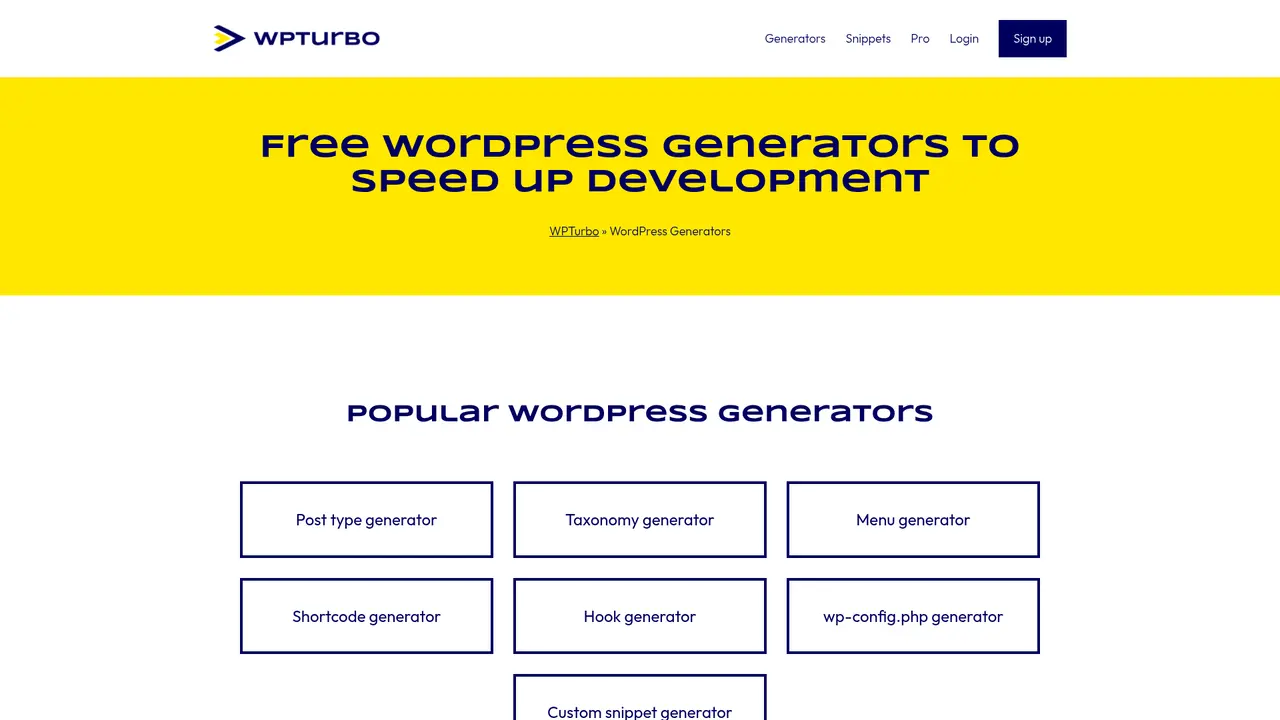
- 40+ specialized WordPress code generators covering CPT, taxonomy, menus, shortcodes, hooks, widgets, metaboxes, and more
- WPTurbo AI assistant for natural language to code conversion
- Snippets Library for centralized code management
- Starter Plugin Generator for reducing plugin dependencies :::
---
Core Features of WPTurbo
WPTurbo delivers a comprehensive suite of development tools designed to address the full spectrum of WordPress customization requirements. Each tool is engineered to generate code that follows WordPress best practices, eliminating the guesswork often associated with manual coding or reliance on poorly maintained plugins.
The Code Generator Suite forms the foundation of the platform, offering over 40 specialized generators organized by functionality. The Post Type Generator and Taxonomy Generator enable developers to create custom content structures in minutes rather than hours of manual coding. The Menu Generator, Shortcode Generator, and Hook Generator address common customization scenarios, while more advanced tools like the WP_Query Generator, WP_Tax_Query Generator, and WP_User_Query Generator provide sophisticated data retrieval capabilities without requiring deep SQL knowledge. Additional generators cover Theme Customizer options, Widget registration, Metabox creation, and Settings Pages implementation.
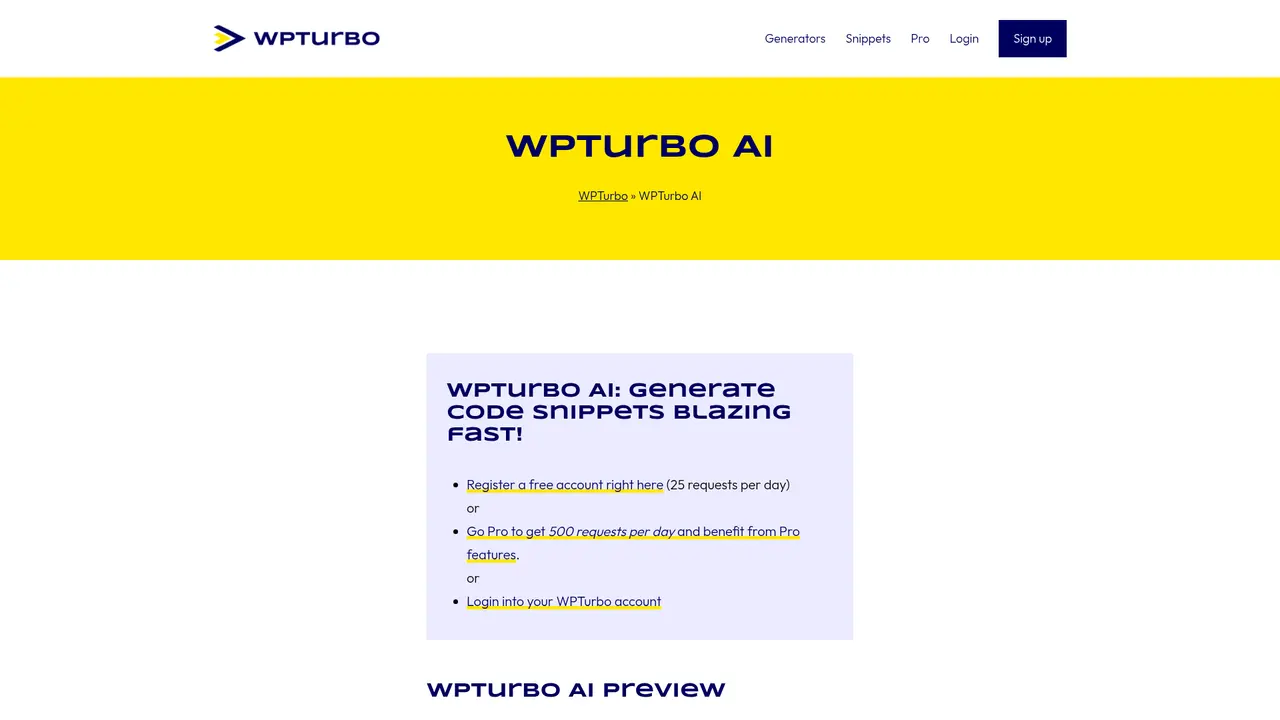
WPTurbo AI represents the platform's intelligent code generation capability. Users describe their requirements in plain English, and the AI generates corresponding WordPress code that follows best practices. Free accounts receive 25 AI requests per day, while historical Pro accounts had access to 500 requests daily. The AI is specifically trained on WordPress development patterns, resulting in more accurate and contextually appropriate code generation compared to general-purpose AI tools.
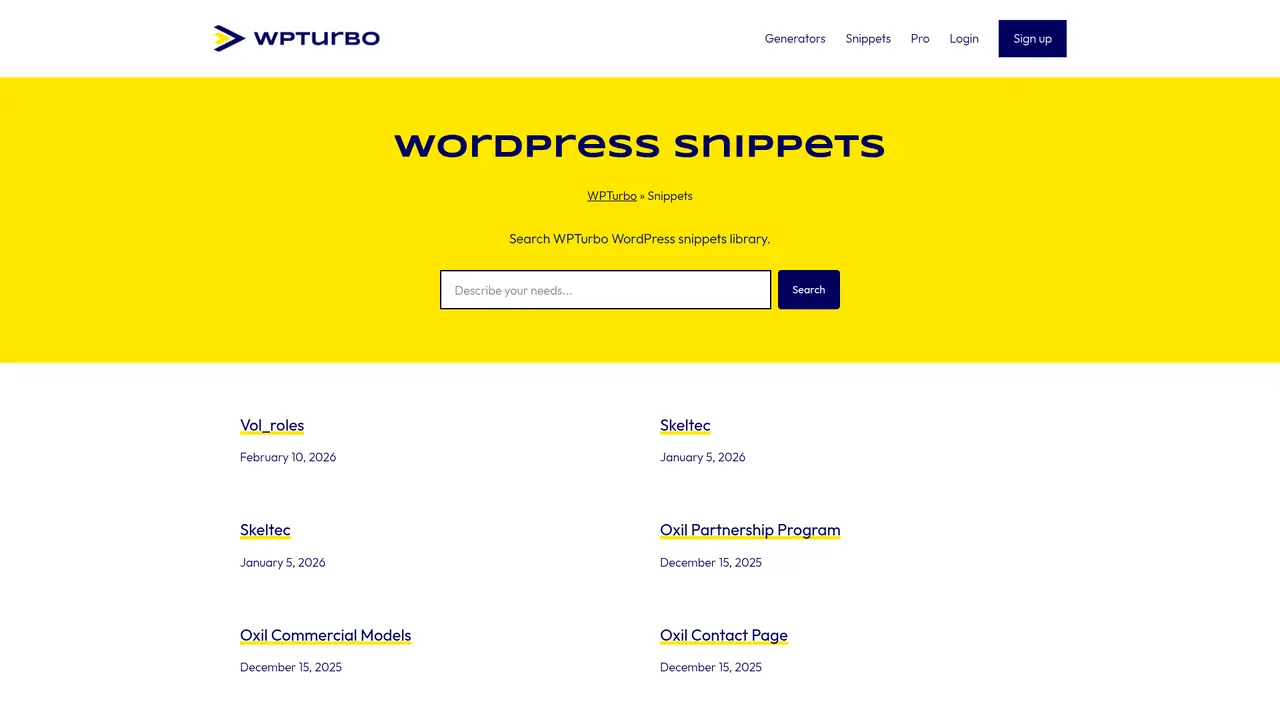
The Snippets Library provides cloud-based storage for all generated code, enabling developers to maintain a centralized repository of reusable code snippets. Users can organize snippets into collections, apply tags for easy filtering, and choose between public or private visibility. This centralized approach ensures consistency across projects and significantly reduces the time spent searching for previously written code.
The Starter Plugin Generator addresses one of WordPress's most common architectural challenges: plugin proliferation. Instead of installing separate plugins for each minor customization, developers can generate a custom starter plugin containing all their required functionality. This approach can eliminate 3-5 plugins from a typical WordPress installation, improving performance, reducing security vulnerabilities, and simplifying maintenance.
Specialized generators extend platform capabilities to specific use cases. The WordPress Admin Generator creates login forms, dashboard widgets, admin notices, metaboxes, settings pages, and admin bar modifications. The WooCommerce Generator handles checkout field validation and removal, address fields, email templates, currency settings, and account page customizations through WooCommerce hooks and filters. The Elementor Generator facilitates custom Elementor widget and plugin development using the Elementor API. The Block Theme Generator produces theme.json files compatible with WordPress 6.0+ Full Site Editing capabilities.
::::grid :::card{type="advantages"}
- Production-ready code quality: All generated code follows WordPress coding standards and security best practices
- Completely free generators: 40+ generators available at no cost, democratizing WordPress development
- Comprehensive coverage: From basic CPT creation to advanced Block Theme development
- WooCommerce and Elementor native: Direct integration with popular WordPress ecosystem tools ::: :::card{type="disadvantages"}
- Pro subscription paused: The Pro tier is currently暂停销售, limiting access to advanced features
- WordPress version dependent: Some features require specific WordPress versions (e.g., Block Theme for WP 6.0+)
- AI daily limits: Free tier limited to 25 AI requests per day ::: ::::
---
Who Should Use WPTurbo
WPTurbo serves a diverse user base ranging from professional developers to non-technical WordPress site owners. Understanding which user profile matches your needs helps determine the most effective approach to leveraging the platform.
WordPress Developers constitute the primary user demographic. These professionals frequently need to generate boilerplate code for custom post types, taxonomies, WP_Query loops, and various WordPress hooks. WPTurbo eliminates the repetitive aspects of these tasks, allowing developers to focus on unique business logic rather than reinventing standard implementations. The code generators produce syntax-correct, secure code that adheres to WordPress conventions, reducing code review iterations and debugging time.
Theme Developers benefit particularly from the Block Theme Generator and Elementor Generator. With WordPress increasingly shifting toward Block-based theming through Full Site Editing, the theme.json generator provides a critical tool for creating modern, block-compatible themes. The Elementor Generator supports developers building custom widgets and extensions for the popular page builder ecosystem.
Plugin Developers find the Starter Plugin Generator invaluable for scaffolding new plugin projects. Rather than starting from scratch, developers can generate a complete plugin structure with common settings, security configurations, and admin interface elements. This accelerates the development lifecycle and ensures consistent code organization across different projects.
WooCommerce Store Owners represent a significant user segment with specific customization needs. The WooCommerce Generator addresses common requirements such as customizing checkout fields, modifying email templates, adjusting currency display, and personalizing account page elements. These customizations typically require either expensive extensions or custom development; WPTurbo provides a middle ground enabling store owners to implement changes independently.
Non-Technical WordPress Users benefit most dramatically from WPTurbo AI. Users without coding knowledge can describe their requirements in natural language and receive functional code that can be installed directly via a code snippets plugin or downloaded as a custom plugin. This democratizes WordPress customization, reducing reliance on developers for minor modifications while maintaining code quality.
:::card{type="tip" title="Selection Guide"} Prioritize the Starter Plugin Generator if your primary goal is reducing plugin dependency. Use Post Type and Taxonomy Generators for rapid custom content structure creation. Non-technical users should start with WPTurbo AI to generate functional code from natural language descriptions. :::
---
Quick Start Guide
Getting started with WPTurbo requires no installation or configuration—simply navigate to the platform and begin generating code immediately. The following workflow optimizes your initial experience.
First, access the generators directory at https://wpturbo.dev/generators/ and select the generator matching your requirements. The interface presents configuration options organized into logical tabs corresponding to different aspects of the generated functionality. For example, the Post Type Generator includes tabs for basic settings, labels, capabilities, and display options.
Complete the configuration by filling in the relevant fields. The generators provide sensible defaults for most parameters, allowing rapid prototyping while offering full customization for specific requirements. Hover tooltips explain each option's purpose for users unfamiliar with particular WordPress concepts.
Click "Update code" to generate the corresponding code snippet. The output displays immediately in a code editor view with syntax highlighting. You can copy the code directly to your clipboard or download it as part of a complete plugin package for more complex generators like the Starter Plugin Generator.
For registered users, the Snippets Library provides persistent storage. Free accounts can save publicly visible snippets, while Pro accounts (currently unavailable for new subscriptions) support private snippet storage and global settings such as custom function prefixes. Registration also enables WPTurbo AI access at 25 requests per day for free users.
Regarding code placement, the general rule depends on functionality scope. Theme-related code such as custom post type registrations, menu setups, and theme customizer additions typically belong in the theme's functions.php file or, preferably, a child theme to prevent updates from overwriting customizations. Plugin functionality should reside in custom plugins created via the Starter Plugin Generator or standalone snippet files managed through a code snippets plugin.
:::card{type="tip" title="Best Practice"} Always use a child theme when adding customizations to commercial themes. This ensures your modifications persist through theme updates and maintains a clear separation between theme code and custom functionality. :::
---
Technical Architecture
WPTurbo's technical implementation reflects deep understanding of WordPress internals, ensuring generated code integrates seamlessly with WordPress core while maintaining compatibility with the broader ecosystem.
The platform leverages WordPress Core APIs extensively for code generation. The WP_Query, WP_Tax_Query, WP_Term_Query, WP_User_Query, and WP_Comment_Query classes power the database query generators, producing optimized query arguments that utilize WordPress's built-in caching mechanisms. This approach ensures better performance compared to raw SQL queries while maintaining security against SQL injection through WordPress's prepared statement handling.
Code quality assurance represents a core design principle. Generated code follows WordPress Coding Standards, implementing proper escaping for output, sanitization for input, nonce verification for form submissions, and capability checks for administrative actions. The generators understand the distinction between settings API usage and custom options, applying the appropriate methodology based on the specific use case.
The WooCommerce integration relies on official WooCommerce hooks and filters rather than database modifications or core overrides. This ensures compatibility with WooCommerce updates and minimizes conflicts with other WooCommerce extensions. The generators understand WooCommerce's extensive hook system, producing code that hooks into appropriate actions at the correct priority levels.
Elementor support utilizes the Elementor Plugin API for widget and extension development. Generated code follows Elementor's component architecture, implementing the required methods for proper registration and rendering within the Elementor editor and frontend rendering pipeline.
For Block Theme development, the theme.json generator produces files compatible with WordPress 6.0+ Full Site Editing capabilities. This includes theme supports configuration, color palettes, typography settings, spacing controls, and block pattern registrations. The output conforms to the JSON schema expected by the WordPress block editor.
::::grid :::card{type="advantages"}
- Native API integration: Direct utilization of WordPress core functions ensures compatibility and performance
- Security by default: Generated code includes proper escaping, sanitization, and capability checks
- Version-aware generation: Outputs adapt to WordPress version-specific features and deprecations
- WooCommerce/Elementor official APIs: Leverages official extension points for maximum compatibility ::: :::card{type="disadvantages"}
- WordPress version requirements: Block Theme features require WordPress 6.0 or higher
- No offline capability: Requires internet connection for AI features and cloud snippet storage
- Browser-based only: No desktop application or local development tool integration ::: ::::
---
Frequently Asked Questions
:::card{type="faq" title="How do I use WPTurbo generators?"} Navigate to the generators section, select the appropriate generator for your needs, fill in the configuration fields across the available tabs, and click "Update code" to generate the code snippet. Copy the code directly or download a complete plugin package for more complex generators. :::
:::card{type="faq" title="Where should I place the generated code?"} Code placement depends on functionality scope. Theme-related code such as custom post types, taxonomies, and theme customizer additions typically belong in your theme's functions.php file or preferably a child theme. Plugin functionality should reside in custom plugins. For single-site modifications, code snippet plugins offer a convenient management interface. :::
:::card{type="faq" title="Why should I register a free account?"} Free registration enables saving code snippets to the cloud-based Snippets Library with public visibility. Registered users also gain access to WPTurbo AI with 25 requests per day, enabling natural language to code conversion for custom requirements not covered by standard generators. :::
:::card{type="faq" title="What benefits did Pro accounts include?"} Pro accounts provided private snippet storage (hidden from public visibility), global settings configuration (including custom function prefixes), access to exclusive WordPress tools, and increased AI request limits of 500 per day. However, Pro subscriptions are currently暂停销售 for new registrations. :::
:::card{type="faq" title="What is the relationship between WPTurbo and WPMarmite?"} WPTurbo is a sub-project of WPMarmite, one of France's most respected WordPress tutorial blogs. Founded by Alex Borto with over 10 years of WordPress experience, WPMarmite focuses on beginner tutorials and honest plugin/theme reviews. WPTurbo extends this educational mission by providing practical tools for implementing WordPress customizations. :::
:::card{type="faq" title="Is WPTurbo Pro currently available for purchase?"} No, WPTurbo Pro subscriptions are currently paused. Free users retain access to all generators and the 25 daily AI requests. Users requiring more extensive AI capabilities may consider alternative tools such as Cursor, Claude Code, or Telex for their WordPress development needs. :::
Related Content

Copy.ai Review 2026: AI Copywriting Made Easy
Our honest Copy.ai review for 2026. We test Content Agents, AI Workflows, pricing ($29-$249/mo), and compare it to Jasper and Writesonic. Find out if it's worth it for your marketing team.

Rytr Review 2026: Is This Budget AI Writer Worth It?
Our hands-on Rytr review for 2026. We test features, pricing, content quality, and compare it to Jasper & ChatGPT. Find out if Rytr is the best budget AI writing tool.

Word Changer - Free AI tool to rewrite and improve your writing instantly
Writing always using repetitive words or need to avoid plagiarism? Word Changer is a free AI writing assistant that instantly rewrites any text with richer vocabulary and appropriate tone. Get multiple versions with one click, adjust formality level, check readability - all for free!

Unite - AI-powered platform for romantic fantasies and dream couple moments
Explore romantic fantasies and create special moments for your dream couple. This AI-powered platform lets you generate personalized romantic content and experience exclusive AI-created romantic experiences.
Comments