


Poly - AI-powered intelligent file browser for creative professionals
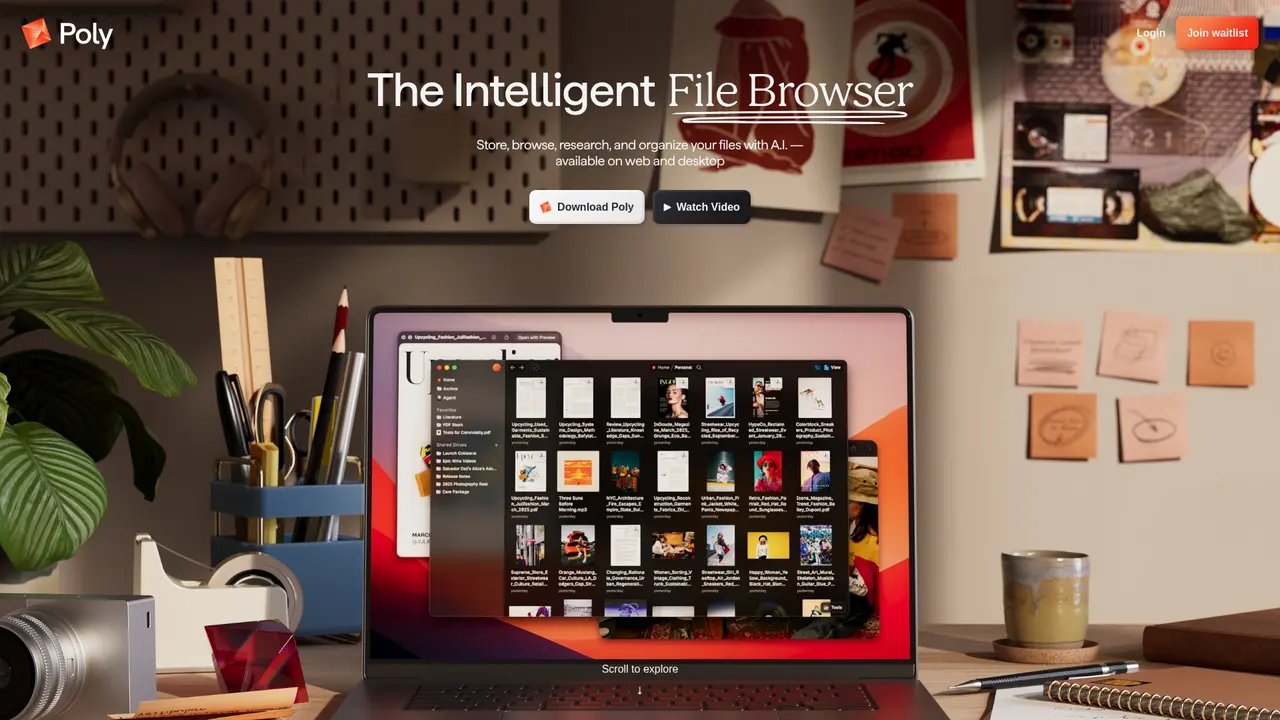
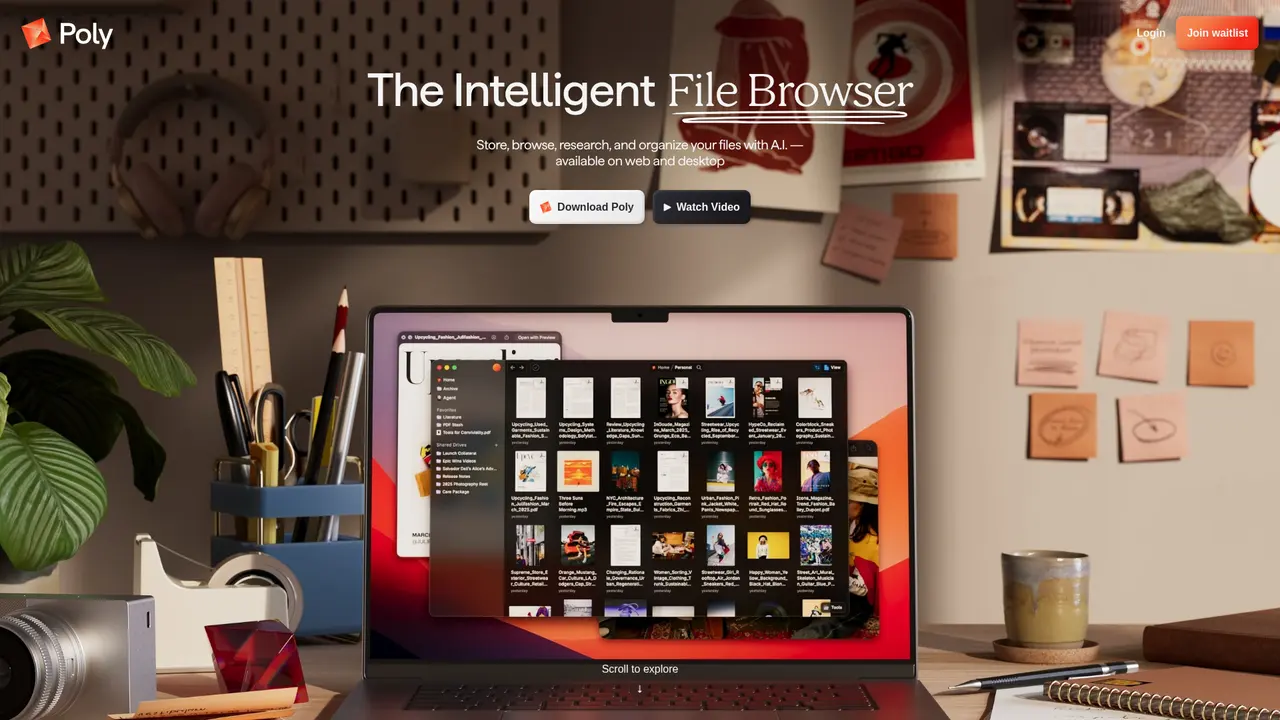
Launched on Feb 18, 2025Poly is an AI-powered file browser that truly understands your files at the page, paragraph, or pixel level. Search with natural language, ask questions about your content, and manage all your media with intelligent organization.

What is Poly
If you've ever spent precious minutes—or even hours—hunting for that perfect reference image, a specific passage in a research paper, or a video clip you know exists somewhere in your archives, you're not alone. Creative professionals, researchers, and designers often accumulate tens of thousands of files over time: images, videos, audio files, documents, code, and more. Traditional file browsers treat these as mere containers labeled with filenames. They search only what you've explicitly named, leaving the actual content—a paragraph in a PDF, a specific frame in a video, the theme of a mood board—completely invisible to search tools.
Poly is different. It's an AI-powered intelligent file browser designed for the generative era, built to truly *understand* your files down to the page, paragraph, or pixel level.
Instead of typing exact filenames, you can simply describe what you're looking for—"that sunset photo with warm colors from last summer" or "the presentation about machine learning from Q3"—and Poly finds it. The AI comprehends the semantic meaning and visual content within your files, not just their names. This means search becomes about *what's inside*, not what you remembered to label it.
Beyond search, Poly enables direct conversational interaction with your files. Ask questions like "What are the key findings in this research paper?" and receive instant answers drawn from the document itself. Have a folder full of reference images? Poly can analyze the entire collection and generate insights, or even create new images inspired by your existing visual library.
Poly supports virtually every file format you might work with: images like JPG, WebP, RAW, HEIF, TIFF, and PSD; videos including MP4, MOV, and MKV; audio files such as MP3 and FLAC; documents ranging from PDF and DOCX to PPTX and TXT; code files including Python and HTML; plus ZIP archives and more. Whether you're a graphic designer, video producer, researcher, musician, or developer, Poly handles your media ecosystem.
Access Poly through the web application or download desktop clients for MacOS, Windows, or Linux—whichever environment suits your workflow.
:::card{type="summary" title="TL;DR"}
- AI content understanding: Searches inside your files, not just filenames
- Natural language search: Find anything by describing what you need
- File-level depth search: Locate specific video frames, document pages, or paragraphs
- Multi-format support: Works with images, videos, audio, documents, code, and archives
- Cross-platform access: Available on web and desktop (MacOS, Windows, Linux) :::
---
Poly's Core Features
What makes Poly genuinely powerful isn't just a long list of capabilities—it's how these features transform the actual work you do every day. Here's how each one translates into real value for your creative or research workflow.
You can use natural language search to rediscover forgotten files. Gone are the days of scrolling through endless folders or racking your memory for exact filenames. Describe what you need in plain English—"the interview footage with soft lighting" or "notes from the product launch meeting"—and Poly understands both your intent and your file's content.
You can search by visual concepts, not just keywords. Need inspiration for a new design project? Search by image similarity, color palette, faces, or abstract concepts. Poly's computer vision capabilities let you find that "vintage aesthetic" or "minimalist composition" without needing to tag anything in advance.
You can dive deep inside files—way deeper than any traditional browser. Poly doesn't just scan filenames; it reads inside. Find that exact scene in a 90-minute video where the product is first shown. Locate the paragraph in a 200-page report discussing ROI projections. Search through audio files for specific phrases or sounds. This level of granularity changes how you interact with large media libraries.
You can have conversations with your files. Instead of manually opening and scanning documents, ask Poly direct questions: "What methodology was used in this paper?" or "Summarize the key takeaways from this meeting recording." The AI provides answers drawn directly from your content.
You can let AI organize for you. Upload a new project folder and Poly analyzes the entire contents, suggesting tags, creating structure, and generating summaries. For researchers managing hundreds of papers or designers with years of accumulated assets, this automation saves hours of manual整理.
You can generate new work from existing references. Draw upon your entire reference library to generate new images that capture the essence of your visual direction—perfect for building mood boards or exploring creative variations.
::::grid :::card{type="advantages"}
- True content understanding: Searches inside files, not just metadata
- Conversational interaction: Ask questions, get answers from your files
- Comprehensive format support: Virtually any file type you work with
- Automation-first approach: AI organizes and summarizes at scale
- Multi-dimensional search: By visual similarity, concept, color, faces, and more
- Cross-format unification: Search across all file types in one query ::: :::card{type="disadvantages"}
- Early-stage product: Currently in pre-release with waitlist access
- Features evolving: Core capabilities continue to develop and refine
- No pricing public yet: Business model and costs not yet announced ::: ::::
---
Who Uses Poly
If you manage large collections of digital assets—whether for professional work or personal projects—Poly addresses real pain points that traditional tools simply can't solve. Here's who benefits most from this approach.
Creative designers and visual artists often build extensive libraries of reference images, design assets, and inspiration materials over years of work. Finding the right reference when you need it becomes increasingly difficult as libraries grow. With Poly, you search by visual similarity or descriptive concepts rather than relying on inconsistent naming habits. A designer building a brand identity can instantly find all references matching "clean, minimalist, blue tones" across thousands of unlabeled images.
Video producers and content creators deal with massive media libraries where finding a specific clip within hours of footage feels like finding a needle in a haystack. Poly's frame-level search capability lets you locate exact moments—a product shot at 23:47, the interview segment where someone mentions "customer success," or the B-roll with the golden-hour lighting.
Researchers and academics juggle hundreds of PDFs, papers, notes, and articles. Rather than manually opening each document to remember its contents, you can ask Poly to compare findings across multiple papers, extract key methodologies, or summarize the main arguments of a specific document. This accelerates literature reviews and helps build connections between sources you might otherwise miss.
Musicians and audio producers maintain collections of samples, stems, reference tracks, and project files. Poly's audio understanding lets you find that specific drum pattern or bass line by describing it, rather than relying on filenames you may have forgotten.
Teams collaborating on shared resources benefit from AI-generated summaries and automatic tagging. When a new team member joins a project, they can quickly understand what each file contains without digging through every asset manually. This accelerates onboarding and improves knowledge sharing.
:::card{type="tip" title="💡 Is Poly right for you?"} If you spend more than 15 minutes daily searching through files, or if your media library has grown beyond what conventional folder structures can organize, Poly can significantly improve your workflow. The more files you manage, the more value you'll get from content-aware search and automatic organization. :::
---
Poly's Technical Features
Behind Poly's intuitive interface lies sophisticated technology designed to understand your content at a fundamental level. Here's what powers the experience.
The AI content understanding engine is Poly's foundation. Unlike conventional file browsers that only index filenames and basic metadata, Poly's engine processes the actual content within each file. For images, it analyzes visual elements, composition, and colors. For documents, it reads text, understands structure, and extracts key information. For videos and audio, it processes frames and audio waveforms. This means search results reflect what's *in* your files, not just what you named them.
Multi-modal AI capabilities enable diverse search approaches. Poly combines computer vision, natural language processing, and audio recognition into a unified system. You can search for "a person smiling in front of a sunset" using visual understanding, find documents discussing "supply chain optimization" through semantic text analysis, or locate audio files containing specific spoken phrases using speech recognition. These capabilities work together seamlessly.
Cloud-native architecture powers everything. Poly is built as what they describe as "the world's most advanced cloud storage system built for the generative age." This architecture enables processing large files and complex queries without taxing your local hardware, while ensuring your library remains accessible across all your devices.
Comprehensive file format support covers your entire workflow. Supported formats include:
- Images: JPG, WebP, RAW, HEIF, TIFF, PSD
- Video: MP4, MOV, MKV
- Audio: MP3, FLAC
- Documents: PDF, DOCX, PPTX, XLSX, TXT
- Code: Python, HTML
- Archives: ZIP
Deep content parsing technologies make granular search possible. Optical character recognition (OCR) extracts text from images and scanned documents. Video frame analysis enables searching within footage. Document parsing understands complex layouts, tables, and charts. This technical foundation makes it possible to find exactly what you need, whether it's a single slide in a 200-page deck or a specific visual element in a video.
Flexible view modes adapt to your working style. Whether you prefer a visual gallery of thumbnails, a detailed list view, a hierarchical tree structure, or a column-based layout, Poly supports multiple viewing approaches. Choose what works best for your current task.
::::grid :::card{type="advantages"}
- True content intelligence: Understands files at semantic level, not just metadata
- Unified multi-modal search: Visual, textual, and audio search in one system
- Cloud-powered performance: Handles large files without local resource drain
- Granular precision: Find specific frames, pages, or paragraphs within files
- Format flexibility: Virtually no file type left unsupported ::: :::card{type="disadvantages"}
- Pre-release stage: Product continues to mature and expand capabilities
- Requires internet: Cloud architecture means consistent connectivity needed
- Limited public documentation: Technical details still being formalized ::: ::::
---
Common Questions
:::card{type="faq" title="What exactly is Poly?"} Poly is an AI-powered intelligent file browser designed for creative professionals and researchers. Unlike traditional file browsers that only search filenames, Poly truly understands your files' content—images, videos, documents, audio, and code—enabling natural language search, conversational Q&A, and automatic organization at scale. :::
:::card{type="faq" title="What file types does Poly support?"} Poly supports virtually all common file formats. This includes images (JPG, WebP, RAW, HEIF, TIFF, PSD), video (MP4, MOV, MKV), audio (MP3, FLAC), documents (PDF, DOCX, PPTX, XLSX, TXT), code files (Python, HTML), and archives (ZIP). If you work with digital files, Poly can handle them. :::
:::card{type="faq" title="Does Poly have desktop apps?"} Yes. Poly offers a web-based application plus desktop clients for MacOS, Windows, and Linux. Your files and search capabilities sync across all devices, so you can work from whichever environment suits your setup. :::
:::card{type="faq" title="How do I get access to Poly?"} Poly is currently in pre-release development. To access the product, you'll need to join the waitlist through their website at poly.app/waitlist. This gives you early access as the platform continues development toward full release. :::
:::card{type="faq" title="Can Poly search inside files, not just between them?"} Absolutely. Poly goes far beyond surface-level search. You can find specific scenes within videos, locate particular pages or paragraphs in documents, and search audio files for spoken content. This deep search capability is what distinguishes Poly from conventional file management tools. :::
:::card{type="faq" title="What can Poly's AI actually do?"} Poly's AI offers multiple capabilities: analyze entire folders to generate insights and summaries, create images inspired by your reference collections, automatically generate notes and summaries for any document, tag and organize files intelligently, perform similarity searches across visual and semantic dimensions, and read complex documents including charts and tables. Essentially, it turns your file library into an interactive, queryable knowledge base. :::
Related Content

Copy.ai Review 2026: AI Copywriting Made Easy
Our honest Copy.ai review for 2026. We test Content Agents, AI Workflows, pricing ($29-$249/mo), and compare it to Jasper and Writesonic. Find out if it's worth it for your marketing team.

Rytr Review 2026: Is This Budget AI Writer Worth It?
Our hands-on Rytr review for 2026. We test features, pricing, content quality, and compare it to Jasper & ChatGPT. Find out if Rytr is the best budget AI writing tool.

Word Changer - Free AI tool to rewrite and improve your writing instantly
Writing always using repetitive words or need to avoid plagiarism? Word Changer is a free AI writing assistant that instantly rewrites any text with richer vocabulary and appropriate tone. Get multiple versions with one click, adjust formality level, check readability - all for free!

Unite - AI-powered platform for romantic fantasies and dream couple moments
Explore romantic fantasies and create special moments for your dream couple. This AI-powered platform lets you generate personalized romantic content and experience exclusive AI-created romantic experiences.
Comments