
Snapy.ai - AI-powered short video creator for professional content
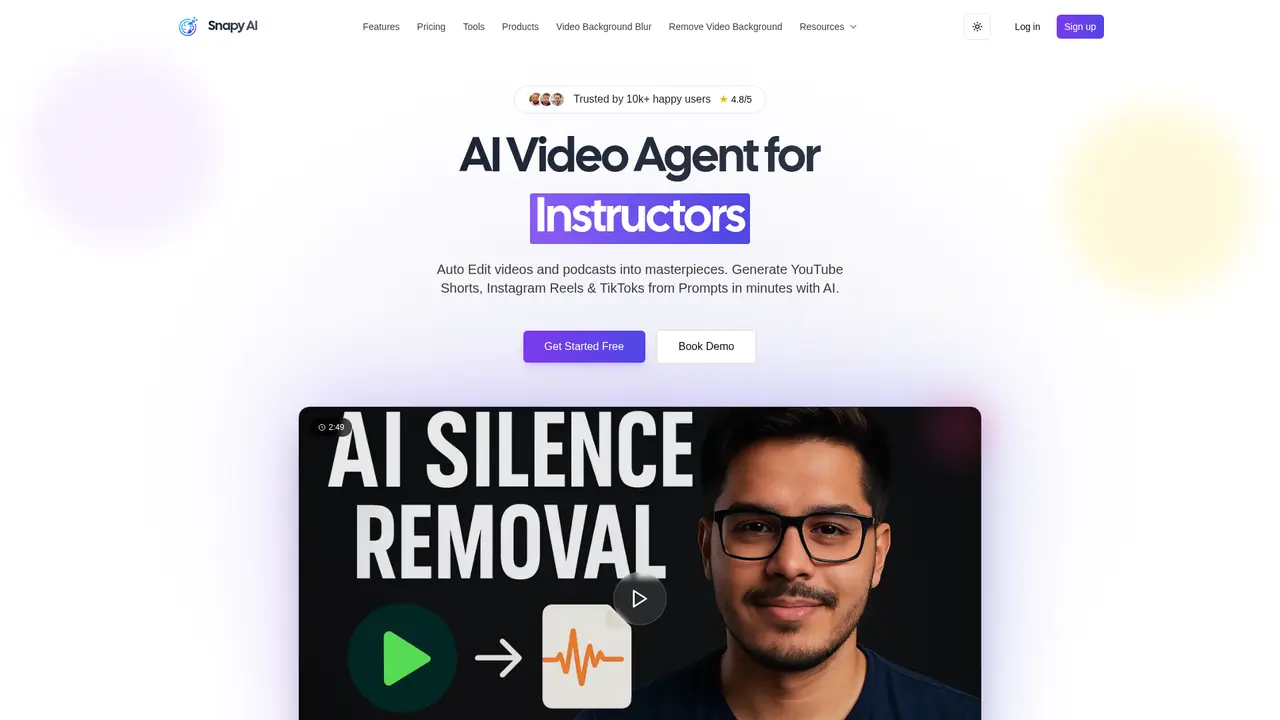
Launched on Feb 23, 2025Snapy.ai is an AI-powered video editing platform that automatically transforms long videos into engaging short clips. Save hours of manual editing with features like AI auto-editing, silence removal, video dubbing in 20+ languages, and background removal. Perfect for content creators, marketing teams, and podcasters.
What is Snapy.ai
If you've ever spent hours manually trimming a long video into short clips for TikTok, Reels, or YouTube Shorts, you know how time-consuming video editing can be. You watch the entire footage, identify the best moments, cut out the awkward pauses, add subtitles, and then repeat the process for each platform. It's tedious work that takes away time from actually creating content.
Snapy.ai is an AI-powered platform designed to handle these repetitive editing tasks automatically. Founded in 2022 by AISOLO Technologies Private Limited, this tool transforms your long-form videos into engaging short clips with minimal manual intervention. Whether you're a content creator repurposing a webinar, a podcaster cleaning up interview recordings, or a marketer expanding into multilingual markets, Snapy.ai handles the heavy lifting so you can focus on creativity.
The platform uses intelligent AI algorithms to analyze your video content, identify key moments, remove silence, and generate platform-ready clips in minutes rather than hours. It's built for professionals who need quality output without the steep learning curve of traditional video editing software.
What sets Snapy.ai apart is its comprehensive approach to video automation. Instead of offering just one feature, it provides a complete suite of AI tools—from auto-editing and silence removal to video dubbing and background removal—that work together seamlessly. The company holds SOC 2 certification and complies with GDPR and CCPA regulations, ensuring your content remains secure throughout the editing process.
:::card{type="summary" title="TL;DR"}
- AI Auto Editor automatically detects and extracts the best moments from long videos
- AI Silence Remover eliminates awkward pauses while preserving natural speech flow
- AI Video Dubber supports 20+ languages with natural-sounding AI voices
- AI Video Background Remover creates professional-looking videos without green screens
- PPT to Video Converter transforms static presentations into dynamic videos :::
---
Snapy.ai's Core Features
You can use Snapy.ai to automate nearly every time-consuming step in video editing. Let's walk through each feature and how it solves real problems for content creators.
AI Auto Editor is the flagship feature that fundamentally changes how you approach video content. Instead of manually watching through lengthy recordings to find the best moments, you upload your video and let AI analyze it for engaging segments—high-energy moments, significant points, and natural conversation peaks. The system then generates multiple short clips optimized for different platforms. Content repurposing becomes effortless: one long video can automatically produce dozens of platform-specific clips ready for posting.
AI Silence Remover tackles one of the most common issues in recorded content—awkward pauses and dead air. The AI precisely detects silent segments in your video and removes them while maintaining natural speech patterns and rhythm. This is particularly valuable for podcasters and interviewers whose recordings often contain thinking pauses or technical delays. The result is a more compact, engaging video that keeps viewers' attention throughout.
AI Video Dubber opens up global markets for your content without the traditional costs of professional translation and voice-over work. The tool supports over 20 languages and uses advanced speech synthesis with lip-sync technology to create natural-sounding translations. Whether you're a YouTuber wanting to reach Spanish-speaking audiences or an educator creating courses for international students, you can produce multilingual versions in a fraction of the time and cost of traditional dubbing.
AI Video Background Remover eliminates the need for expensive studio setups or green screens. With a single click, the AI isolates your subject and removes the background, leaving you with a clean, transparent backdrop or the option to replace it with anything you imagine. This feature is invaluable for product videos, social media content, and anyone needing professional-looking footage without professional equipment.
AI Background Noise Remover works on the audio track to eliminate unwanted sounds—background hum, echoes, keyboard clicks, or ambient noise. The AI distinguishes between human voice and interference, preserving speech clarity while removing distractions. This is essential for remote interviews, podcast recordings, and any content where clear audio matters.
PPT to Video Converter transforms static PowerPoint presentations into dynamic video content. The tool adds smooth transitions, animations, and even voice-over narration to create engaging presentations suitable for webinars, online courses, or marketing materials. You don't need video editing experience to produce professional results.
::::grid :::card{type="advantages"}
- Comprehensive AI suite covering all major video editing tasks
- Significant time savings—hours of manual work reduced to minutes
- No technical expertise required—intuitive interface suitable for beginners
- Multiple languages support for global content reach
- SOC 2, GDPR, and CCPA compliant ensuring data security
- 1080p HD output quality for professional results ::: :::card{type="disadvantages"}
- Credit-based system may limit heavy users on lower plans
- Mobile app not currently available—desktop-focused workflow
- AI-generated outputs may require manual refinement for perfection
- Advanced features like voice cloning only available on Pro plan ::: ::::
:::card{type="tip" title="💡 Pro Tip"} Many users achieve the best results by combining multiple features. Start with AI Silence Remover to clean up your recording, then use AI Auto Editor to generate clips, add AI Background Noise Remover for crystal-clear audio, and finish with AI Video Background Remover for a polished look. This workflow maximizes efficiency while ensuring consistent quality across all your content. :::
---
Who Uses Snapy.ai
Snapy.ai serves a diverse range of users across industries. Understanding how others use the platform can help you determine if it's the right fit for your needs.
Content creators repurposing material find Snapy.ai invaluable for maximizing the value of each piece of content they produce. A single webinar or workshop recording can be transformed into dozens of social media clips, blog snippets, email newsletter content, and platform-specific videos. Instead of creating each piece manually, the AI identifies the most engaging moments and formats them appropriately for each distribution channel.
Social media managers and marketers benefit from the platform's ability to produce platform-optimized content at scale. Creating daily or weekly content for multiple social channels is time-intensive when done manually. Snapy.ai streamlines this by generating multiple clips from one source, adding captions automatically, and ensuring each format meets the specific requirements of TikTok, Instagram Reels, or YouTube Shorts.
Podcasters and interviewers use AI Silence Remover to create more engaging video versions of their audio content. Long pauses, technical interruptions, and awkward moments that work in audio-only format can hurt viewer retention in video. The silence removal feature creates tight, engaging video content without compromising the natural flow of conversation.
Educators and course creators leverage the PPT to Video Converter and AI Video Dubber to reach global audiences. Converting existing slide decks into video lessons and then translating them into multiple languages dramatically expands the reach of educational content without requiring instructors to re-record everything.
Product teams and e-commerce businesses use AI Video Background Remover to create professional product demonstrations without photography studios. A simple smartphone recording with a cluttered background can become a clean, professional product video ready for websites, ads, or social media.
Enterprise teams benefit from additional security features including SSO integration, role-based access controls, and activity monitoring. The platform accommodates teams that need to manage multiple users while maintaining security and compliance standards.
:::card{type="tip" title="💡 Choosing the Right Features"} If you're primarily creating social media content, start with AI Auto Editor and AI Silence Remover. For multilingual expansion, prioritize AI Video Dubber. Product-focused creators should begin with AI Video Background Remover. You can always explore additional features as your needs evolve. :::
---
Snapy.ai's Pricing Plans
Transparent pricing helps you choose the plan that matches your needs. Snapy.ai offers a range of options from free to enterprise, with clear differences in credits, features, and processing time.
| Plan | Price | Credits | Video Length | Key Features | |------|-------|---------|--------------|---------------| | Free Forever | $0/month | 10 | Up to 5 min | Basic AI tools, watermarked output | | Hobbyist | $9/month ($15 billed annually) | 100 | Up to 200 min | Batch processing, no watermark, 1080p | | Creator (Most Popular) | $19/month ($30 billed annually) | 250 | Up to 500 min | All features, priority support | | Pro | $49/month ($60 billed annually) | 1000 | Up to 2000 min | Voice cloning, advanced processing | | Enterprise | Custom | Custom | Custom | SSO, RBAC, dedicated support |
The Free Forever plan lets you explore the platform with 10 credits—enough to test core features and understand how the AI works. Output includes watermarks, which is expected at the free tier.
The Hobbyist plan at $9/month (or $15 billed annually, saving 40%) is ideal if you're creating content occasionally. You get 100 credits, batch processing capabilities, and your videos export without watermarks in 1080p quality.
The Creator plan at $19/month (or $30 billed annually, saving 37%) is the most popular choice. With 250 credits and 500 minutes of video processing, it handles the needs of regular content creators. All features are included along with priority support.
The Pro plan at $49/month (or $60 billed annually, saving 18%) is designed for professional users and agencies. The 1000 credits and 2000 minutes of processing accommodate high-volume needs, while voice cloning support enables even more personalized content.
The Enterprise plan offers custom solutions for organizations with specific requirements. If you need SSO integration, role-based access controls, dedicated support, or custom processing capacities, the team can build a tailored package.
Annual billing provides significant savings across all paid plans—anywhere from 18% to 40% off the monthly price.
:::card{type="faq" title="Which plan should I choose?"} For most content creators, the Creator plan offers the best balance of features and value. If you're just testing the platform or creating content occasionally, the Hobbyist plan provides sufficient resources. Professionals needing high volume or voice cloning should consider Pro. :::
---
Frequently Asked Questions
:::card{type="faq" title="Who is Snapy.ai designed for?"} Snapy.ai serves content creators, marketing teams, educators, podcasters, social media managers, and anyone who needs to edit videos efficiently. Whether you're repurposing long-form content into short clips or creating multilingual videos for global audiences, the platform handles the technical work so you can focus on creativity. :::
:::card{type="faq" title="How do I get started with Snapy.ai?"} Simply visit snapy.ai and create a free account. You can start with the free plan to explore features, or upgrade anytime based on your needs. The intuitive interface requires no technical background—just upload your video and let the AI handle the editing. :::
:::card{type="faq" title="What makes Snapy.ai different from other AI video tools?"} Snapy.ai offers a comprehensive suite of AI-powered tools in one platform rather than requiring multiple subscriptions. The integration between features (auto editing, silence removal, dubbing, background removal) creates a seamless workflow. Additionally, the platform's SOC 2 certification and GDPR/CCPA compliance ensure enterprise-grade security. :::
:::card{type="faq" title="How much does Snapy.ai cost?"} Pricing starts at $0 for the free plan with 10 credits. Paid plans begin at $9/month for Hobbyist, with annual billing options that save 18-40%. The most popular Creator plan costs $19/month annually, while Pro is $49/month. Enterprise pricing is custom. :::
:::card{type="faq" title="Is there a free trial?"} The Free Forever plan provides 10 credits to test the platform without any payment. This lets you experience core features before committing to a paid plan. Paid plans also offer flexibility—you can upgrade or downgrade anytime. :::
:::card{type="faq" title="What file formats does Snapy.ai support?"} Snapy.ai supports standard video formats including MP4 and other common formats. The platform handles various video resolutions and can output in 1080p HD quality. Audio files are also supported for noise removal and voice processing features. :::
:::card{type="faq" title="How accurate is the AI editing?"} The AI performs well for standard editing tasks—identifying engaging moments, detecting silence, and removing backgrounds. However, as with any AI tool, results may occasionally need manual refinement for perfection. The platform allows you to edit and adjust AI-generated outputs to meet your exact standards. :::
:::card{type="faq" title="How long does processing take?"} Processing time depends on your video length and complexity, plus current server load. Simple edits like silence removal typically complete quickly, while features like video dubbing or background removal may take longer. The platform provides progress indicators so you know when your video is ready. :::
:::card{type="faq" title="Can I edit the AI-generated results?"} Absolutely. The AI provides a starting point, but you maintain full control over the final output. You can trim clips, adjust timing, modify subtitles, and make any changes needed to achieve your desired result. :::
:::card{type="faq" title="Is my content secure?"} Yes. Snapy.ai is SOC 2 certified and complies with GDPR and CCPA regulations. The platform uses end-to-end encryption, conducts regular security audits, and follows privacy-by-design principles. Your original videos are stored securely and you retain full ownership of your content. :::
:::card{type="faq" title="What support options are available?"} All users have access to 7x24 hour support. Paid plan users receive priority support with faster response times. Enterprise customers get dedicated support channels for their specific needs. :::
:::card{type="faq" title="Can I cancel my subscription anytime?"} Yes, you can cancel your subscription at any time. Your access continues until the end of your current billing period, and you won't be charged further. There are no long-term commitments or cancellation fees. :::
:::card{type="faq" title="Does Snapy.ai support multiple languages?"} Yes. The AI Video Dubber supports over 20 languages for voice-over and translation. The platform's interface and resources are available in 10 languages, and the blog covers content in English, Spanish, German, French, Italian, Hindi, Arabic, Chinese, Japanese, and Korean. :::
<card name="faq" title="Can I use Snapy.ai on mobile devices?"> Currently, Snapy.ai is optimized for desktop use. The platform works through web browsers, so you can access it from any computer with an internet connection. Mobile app development may be considered based on user demand. </card>
---
Ecosystem and Integration
Snapy.ai operates within a broader ecosystem of AI-powered tools under AISOLO Technologies Private Limited. This integrated approach provides additional capabilities that complement your video editing workflow.
The company manages several related products including Olly Social for social media management, ExplainX for AI-powered explanations, BG Blur for background blurring, Video Background Remover, and Image Background Remover. If your needs extend beyond video editing—such as managing social media presence or removing backgrounds from static images—you can explore these complementary tools.
Content creators also benefit from Snapy's extensive knowledge base. The blog library contains 295 articles covering video editing tips, content strategy, and platform-specific guidance across 10 languages. This resource alone provides significant value for anyone looking to improve their content marketing.
For enterprise users, Snapy offers robust security and management features. SSO integration allows single sign-on with your existing identity systems. Role-based access controls let administrators manage team permissions effectively. Activity monitoring provides visibility into platform usage across your organization. These features make Snapy suitable for teams of any size that require security and compliance assurances.
The global nature of the team—members distributed across North America, Europe, and Asia—enables around-the-clock customer support regardless of your time zone. Combined with the company's commitment to security (SOC 2 certification, GDPR compliance, CCPA compliance, regular penetration testing, and vulnerability assessments), enterprise customers can trust that their content and data are protected.
:::card{type="tip" title="💡 Enterprise Solutions"} If your organization has specific requirements—custom integrations, high-volume processing, dedicated infrastructure, or specialized support—the Enterprise plan provides tailored solutions. Contact the team through snapy.ai/contact to discuss your needs. :::
Whether you're a solo creator just starting out or part of a large enterprise team, Snapy.ai provides the AI-powered tools to transform your video content creation workflow. The combination of automation, quality output, security compliance, and comprehensive features makes it a compelling choice for anyone looking to scale their video content efficiently.
Related Content

Copy.ai Review 2026: AI Copywriting Made Easy
Our honest Copy.ai review for 2026. We test Content Agents, AI Workflows, pricing ($29-$249/mo), and compare it to Jasper and Writesonic. Find out if it's worth it for your marketing team.

Rytr Review 2026: Is This Budget AI Writer Worth It?
Our hands-on Rytr review for 2026. We test features, pricing, content quality, and compare it to Jasper & ChatGPT. Find out if Rytr is the best budget AI writing tool.

Word Changer - Free AI tool to rewrite and improve your writing instantly
Writing always using repetitive words or need to avoid plagiarism? Word Changer is a free AI writing assistant that instantly rewrites any text with richer vocabulary and appropriate tone. Get multiple versions with one click, adjust formality level, check readability - all for free!

Unite - AI-powered platform for romantic fantasies and dream couple moments
Explore romantic fantasies and create special moments for your dream couple. This AI-powered platform lets you generate personalized romantic content and experience exclusive AI-created romantic experiences.
Comments