


SketchEdge - AI-powered tool that extracts beautiful line drawings from photos
Launched on Feb 23, 2025Transform your photos into stunning hand-drawn style line art with AI precision. Perfect for designers, manga artists, and illustrators seeking authentic sketch references. Try it free with 10 credits for new users.
What is SketchEdge
Ever found yourself staring at a photo, wishing you could turn it into a hand-drawn sketch without spending hours with a pen? If you're a designer, manga artist, or illustrator, you probably know exactly what I'm talking about. That gap between having a great reference and actually having a sketch ready to work with can be frustrating.
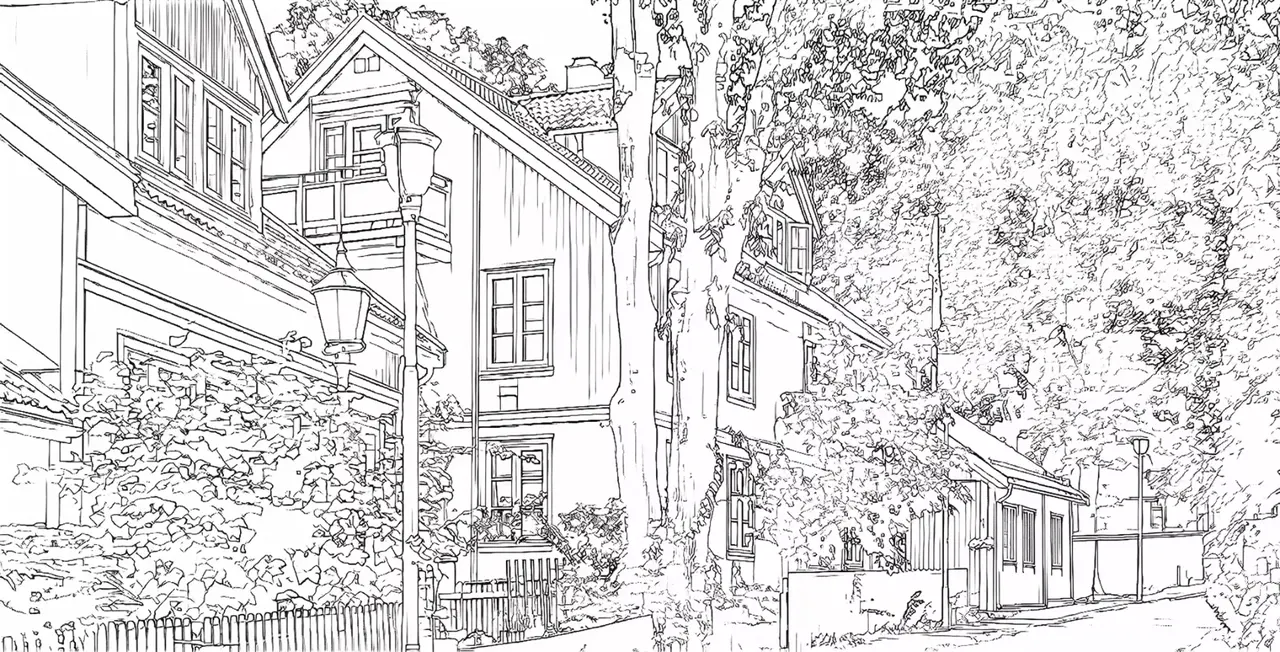
Here's the thing—SketchEdge is built exactly for this problem. It's an AI-powered tool that automatically transforms your photos into beautiful line drawings with that authentic hand-drawn feel. Yeah, you heard that right. Upload a photo, and get a line art version that looks like it was sketched by hand.
What makes SketchEdge stand out from other line extraction tools? The secret sauce is in how the AI works. It doesn't just trace edges mechanically like some basic filters do. Instead, it intelligently recognizes contours and generates soft, natural-looking lines that actually mimic how a human artist would draw. The result? Line drawings that maintain accurate outlines while having that beautiful, organic quality you get from traditional sketching.
Currently, SketchEdge is making waves in the Japanese market while also serving international users—fully available in both Japanese and English. Whether you're working on design projects, manga backgrounds, or just need reference materials, this tool has got you covered.
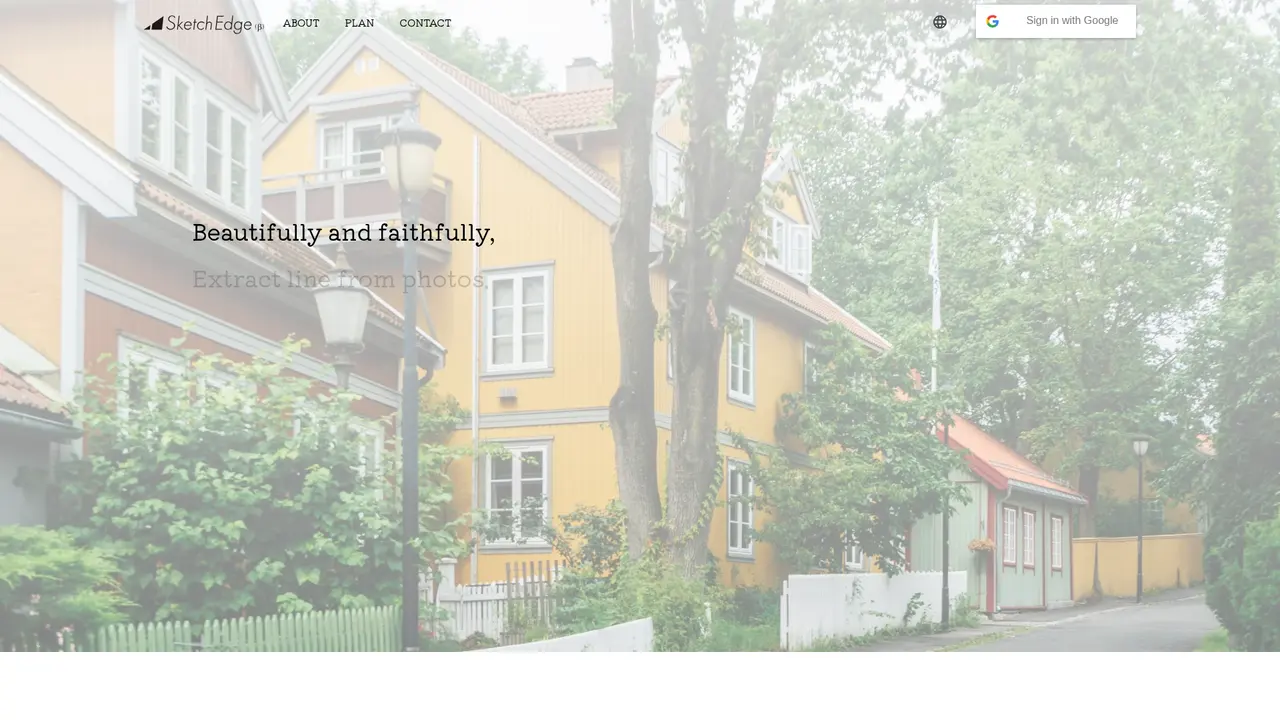
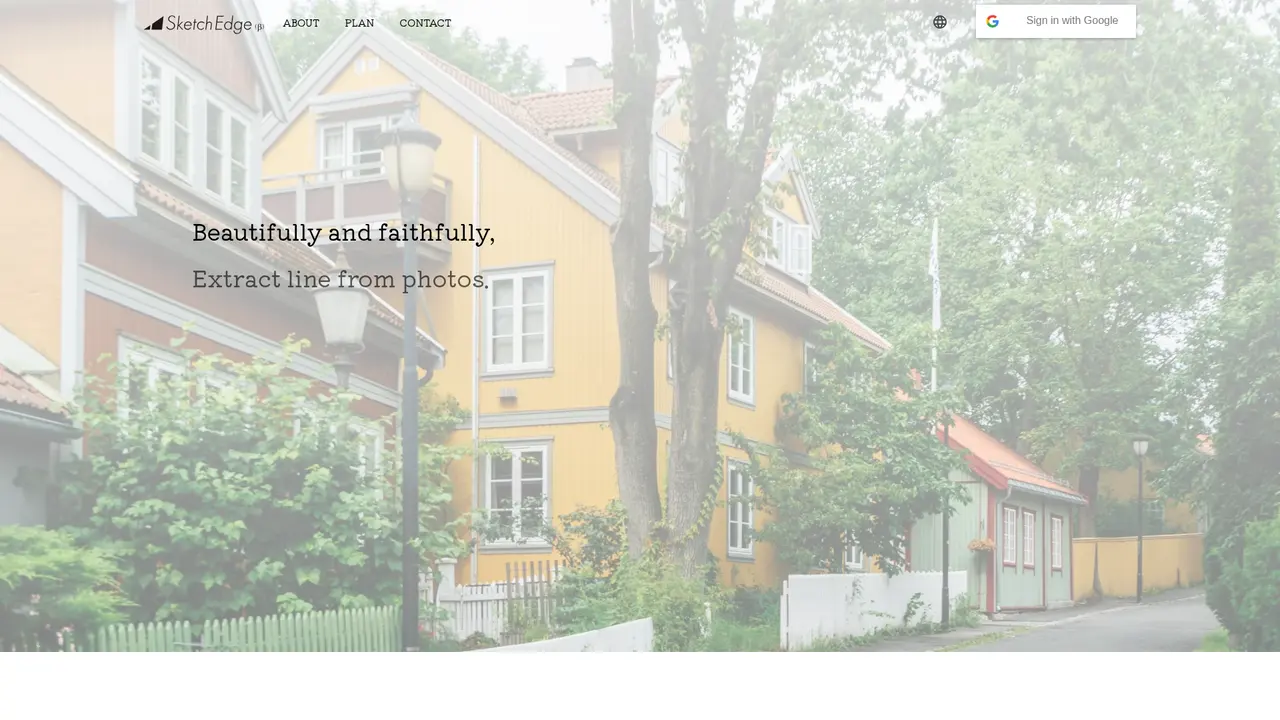
The best way to see what it can do? They've put up 4 sample pairs showing real photo-to-line conversions right on their website. You can check those out and judge the quality yourself before committing.
:::card{type="summary" title="TL;DR"}
- AI-powered line extraction that creates natural hand-drawn style lines
- High-quality and regular modes to match different needs
- 4 sample conversions available to preview the results
- Available in Japanese and English :::
---
SketchEdge's Core Features
Let's talk about what you can actually do with SketchEdge. Because honestly, knowing the features matters less than understanding what problems they solve for you.
AI Line Extraction is the heart of the whole operation. You upload a photo—any photo—and SketchEdge's AI gets to work identifying all the contours and edges. But here's the cool part: it doesn't just give you a robotic outline. The algorithm produces lines with that organic, slightly imperfect quality that makes hand-drawn art feel alive. Your photos become sketches that look like they came from a skilled artist's hand.
Now, depending on your needs, you can choose between two processing modes. High-Quality Mode is for when细节 matters. If you're working on professional illustrations or need the best possible output for client work, this mode delivers superior results. The tradeoff? It's limited to 20 conversions per day on the Pro plan. Regular Mode is your everyday workhorse. It's faster and lets you process up to 100 images daily—perfect for bulk work, brainstorming, or when you just need quick references.
One thing I really appreciate is that SketchEdge gives you a preview gallery with actual conversion samples. You can see real before-and-after examples before you even sign up. And if you're working across languages, the multi-language support (Japanese and English) makes the whole experience seamless.
::::grid :::card{type="advantages"}
- Natural hand-drawn feel: AI generates soft, organic lines that mimic human sketching
- Accurate contours: Smart edge detection maintains proper outline accuracy
- Flexible modes: Choose between high-quality (20/day) or regular (100/day) based on your workflow
- Bilingual: Full Japanese and English interface support ::: :::card{type="disadvantages"}
- High-quality limit: Only 20 high-quality conversions daily—even on Pro plan
- Daily resets: Quota doesn't roll over, so unused conversions are lost ::: ::::
---
Who's Using SketchEdge
So who exactly is SketchEdge for? Let me break it down with some real scenarios.
If you're a graphic designer, you know the struggle of needing line-art style assets but not having time to draw them from scratch. Maybe you're mocking up a website, creating print materials, or building a presentation. SketchEdge lets you grab any photo—architecture, products, whatever—and convert it into usable line art in seconds. What used to take hours of tracing now happens instantly. You get professional-looking sketch素材 without the manual effort.
Manga and comic artists might find this especially useful for backgrounds. Let's be honest, backgrounds are time-consuming. But with SketchEdge, you can take a photo of a street scene, convert it to a line drawing, and use that as your reference for the actual manga background. The hand-drawn quality means it fits naturally with your character work instead of looking like a traced photo. Huge time saver while keeping that authentic manga aesthetic.
And if you're just collecting reference materials for inspiration, SketchEdge makes it incredibly easy. Got a folder of photos you want to analyze for composition, architecture, or poses? One-click conversion gives you line-art versions that are easier to study and annotate.
:::card{type="tip" title="💡 Which mode should you start with?"} If you're new to SketchEdge, try the regular mode first. It's free to test with your initial 10 credits, and you'll quickly see if the quality meets your needs. Upgrade to high-quality mode only when regular just isn't cutting it for specific projects. :::
---
Getting Started
Alright, ready to try it out? Getting started with SketchEdge takes about 2 minutes, seriously.
First, head to their website at sketchedge.net. They've got separate versions for Japanese (just add /ja to the URL) and English (/en)—pick whatever's comfortable for you. No account needed to browse around and check out those sample conversions I mentioned.
When you're ready to dive in, click the login button and sign up with your Google account. That's it—no passwords to remember, no email verification to wait for. Super straightforward.
Here's the nice part: new users get 10 free conversion credits just for signing up. That's enough to test the tool thoroughly and see if it works for your specific needs. No credit card required, no strings attached.
The actual workflow is dead simple:
- Upload your photo
- Choose regular mode or high-quality mode (high-quality uses more credits)
- Click convert
- Download your line drawing
The AI processes your image and spits out the sketch. That's literally it. You're now ready to use those line drawings in your projects.
:::card{type="tip" title="💡 Best practice"} Use your 10 free credits to test both modes on the same image. Compare the results side by side—this helps you decide which mode is worth the upgrade when you move to Pro. :::
---
Pricing Plans
Let's be real—pricing matters. Here's exactly what SketchEdge offers:
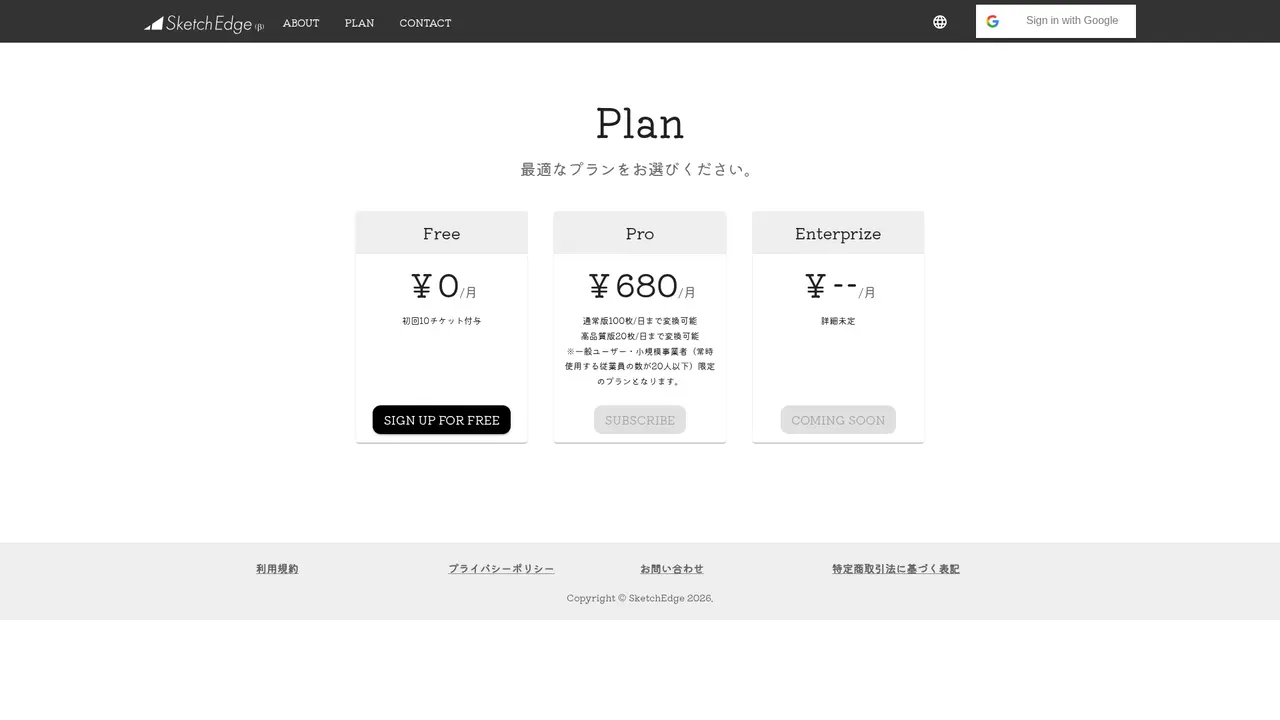
| Plan | Price | Daily Limits | Best For | |------|-------|--------------|----------| | Free | ¥0/month | 10 credits total | Try it out, test quality | | Pro | ¥680/month | 100 regular + 20 high-quality | Individual designers, small teams under 20 | | Enterprise | Coming soon | TBD | Larger organizations |
Free Plan — ¥0/month
You're basically getting a no-risk trial here. Those 10 credits you get on signup? That's plenty to upload several photos, test both modes, and see the results yourself. Perfect for verifying the quality before spending a single yen.
Pro Plan — ¥680/month
At about 680 yen per month (roughly $4-5 USD depending on exchange rates), this is pretty reasonable for what you get. You get 100 regular-mode conversions daily—which is honestly a lot for most workflows—and 20 high-quality conversions. That high-quality quota is the main constraint to watch. If you're doing heavy professional work, you might hit that 20-per-day ceiling.
The Pro plan is designed for individual creators and small teams (under 20 people). If you're a freelancer or part of a tiny studio, this covers most needs.
Enterprise Plan — Coming Soon
They're still working out the details for larger organizations. If you're a bigger company interested, worth reaching out to ask about custom options.
:::card{type="tip" title="💡 Is Pro worth it?"} If you're doing any serious design or illustration work regularly, the Pro plan pays for itself in time saved. 680 yen is less than a coffee. But start with free, confirm it works for your use case, then upgrade. :::
---
Frequently Asked Questions
:::card{type="faq" title="What exactly is SketchEdge?"} SketchEdge is an AI-powered line extraction tool that automatically converts photos and images into hand-drawn style line art. Think of it as having an AI artist that can turn any reference photo into a sketch instantly. :::
:::card{type="faq" title="How do I get started?"} Visit sketchedge.net, click login, sign up with your Google account, and you're in. New users get 10 free credits automatically. No payment info needed to try it out. :::
:::card{type="faq" title="What are the paid plan options?"} The Pro plan costs 680 yen per month and gives you 100 regular-mode conversions plus 20 high-quality conversions daily. Enterprise plans are coming soon for larger teams. :::
:::card{type="faq" title="What languages does it support?"} SketchEdge is available in both Japanese and English. Just switch to your preferred version using the /ja or /en URL path. :::
:::card{type="faq" title="Can I use the converted images for commercial projects?"} For specific commercial licensing details, it's best to check their terms of service or reach out directly. Each use case may have different requirements. :::
:::card{type="faq" title="Is there a discount for enterprise users?"} Enterprise pricing hasn't been released yet. The Enterprise plan is coming soon, and they're likely to offer custom packages for larger organizations. Contact them for more information. :::
Related Content

Copy.ai Review 2026: AI Copywriting Made Easy
Our honest Copy.ai review for 2026. We test Content Agents, AI Workflows, pricing ($29-$249/mo), and compare it to Jasper and Writesonic. Find out if it's worth it for your marketing team.

Rytr Review 2026: Is This Budget AI Writer Worth It?
Our hands-on Rytr review for 2026. We test features, pricing, content quality, and compare it to Jasper & ChatGPT. Find out if Rytr is the best budget AI writing tool.

Word Changer - Free AI tool to rewrite and improve your writing instantly
Writing always using repetitive words or need to avoid plagiarism? Word Changer is a free AI writing assistant that instantly rewrites any text with richer vocabulary and appropriate tone. Get multiple versions with one click, adjust formality level, check readability - all for free!

Unite - AI-powered platform for romantic fantasies and dream couple moments
Explore romantic fantasies and create special moments for your dream couple. This AI-powered platform lets you generate personalized romantic content and experience exclusive AI-created romantic experiences.
Comments