


Sink In - Stable Diffusion models on fast GPUs at low prices
Launched on Feb 23, 2025Sink In hosts over 40 Stable Diffusion models on fast GPUs at unbeatable prices. Generate images in the cloud without expensive hardware, use LoRA and ControlNet for precision control, starting at just $0.0015 per image.
What is Sink In
Hey, have you ever wanted to create amazing AI-generated images but got discouraged by the upfront costs? Yeah, I totally get it. Setting up Stable Diffusion locally means buying a powerful GPU—that's thousands of dollars right there, plus the headache of configuring environments and keeping everything updated. Not exactly beginner-friendly, right?
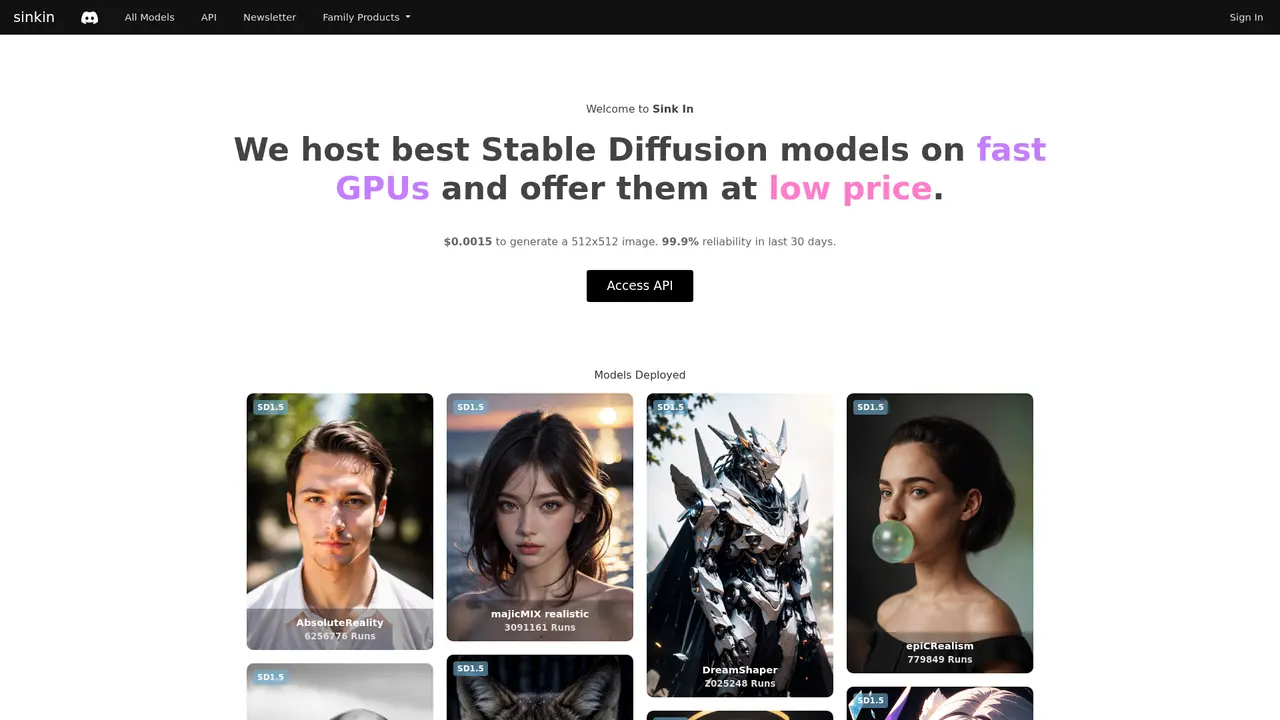
That's exactly why Sink In exists. Think of it as your shortcut to professional AI image generation without any of the hardware headaches. They host the best Stable Diffusion models on fast GPUs and offer them at ridiculously low prices. We're talking about $0.0015 per image to get started. That's less than a penny!
What really impresses me is their reliability. The platform has maintained 99.9% reliability over the past 30 days, and collectively, users have generated tens of millions of images through the platform. That's not just a numbers game—that's proof people trust this thing to deliver, day in and day out.
Whether you're a designer looking to prototype ideas quickly, a content creator needing fresh visuals, or a developer wanting to add AI image capabilities to your app without building ML infrastructure, Sink In basically hands you the keys to a powerful creative engine. No GPU required.
:::card{type="summary" title="TL;DR"}
- 40+ pre-deployed Stable Diffusion models (SD1.5, SDXL, Video)
- LoRA and ControlNet support for advanced customization
- Pay from $0.0015 per image—no GPU investment needed
- 99.9% reliability backed by millions of images generated :::
---
Sink In's Core Features
So what can you actually do with Sink In? Let me walk you through the good stuff.
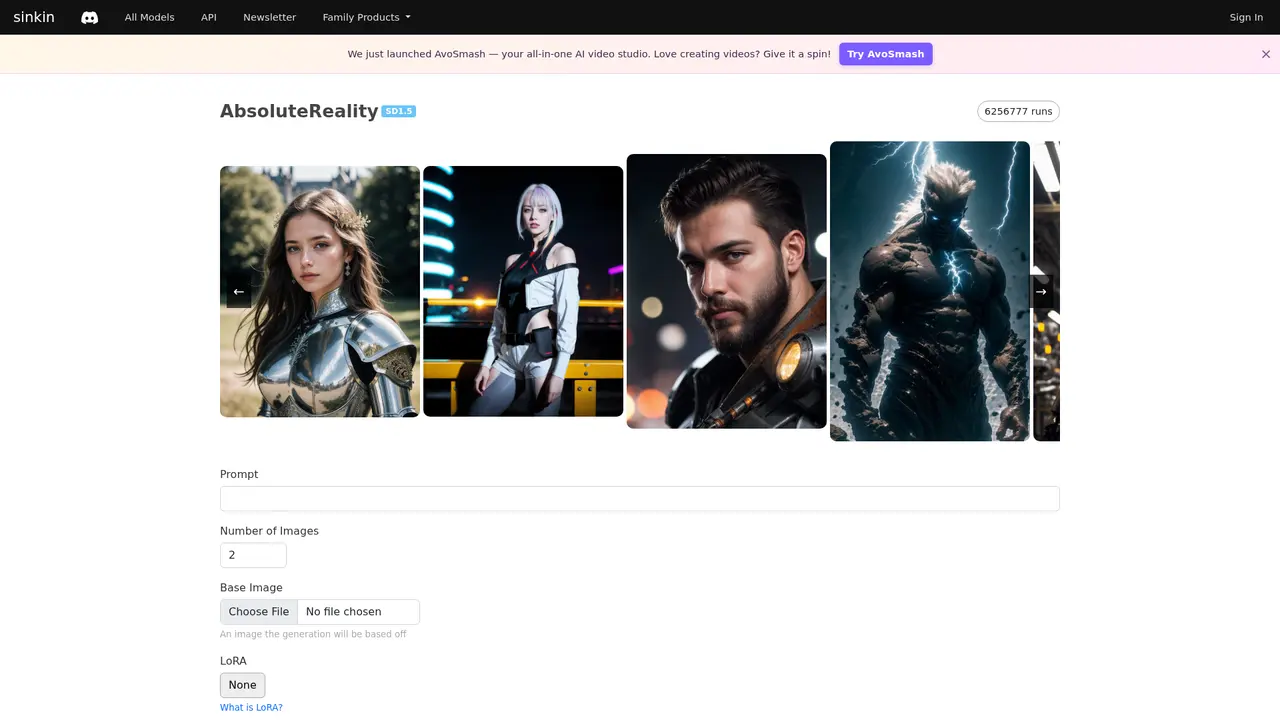
First up—the models. They've got over 40 pre-deployed Stable Diffusion models ready to go the second you need them. No waiting for downloads, no configuration nightmares. Just pick and create. Some of the most popular ones include AbsoluteReality (over 6.25 million runs!), majicMIX realistic (3+ million runs), DreamShaper (2+ million runs), and epiCRealism. Whether you need photorealistic outputs or artistic interpretations, these models have been battle-tested by millions of users.
Now, here's where it gets interesting—if you want to take your images further, they've got LoRA support with over 20 pre-loaded LoRAs. These are like little style boosters that can transform your outputs. The Add More Details Detail Enhancer alone has been used over 450,000 times. Popular options like KoreanDollLikeness, SamDoesArts Style, and WLOP Style let you nail specific aesthetics without breaking a sweat.
Need even more control? That's where ControlNet comes in. You can use edge detection, depth maps, and pose estimation to keep your compositions exactly where you want them. Perfect for when you need consistent framing across multiple generations or want to guide the AI's interpretation of your prompt.
And here's a handy feature: when you generate something that looks great but needs to be bigger, their Upscale function lets you increase resolution with just 1 credit. Print-quality images, anyone?
For the tinkerers out there, Sink In gives you full parameter control—Inference Steps up to 50, Guidance Scale up to 20, customizable Seeds, and multiple Scheduler options. This is where you really fine-tune the balance between generation speed and quality.
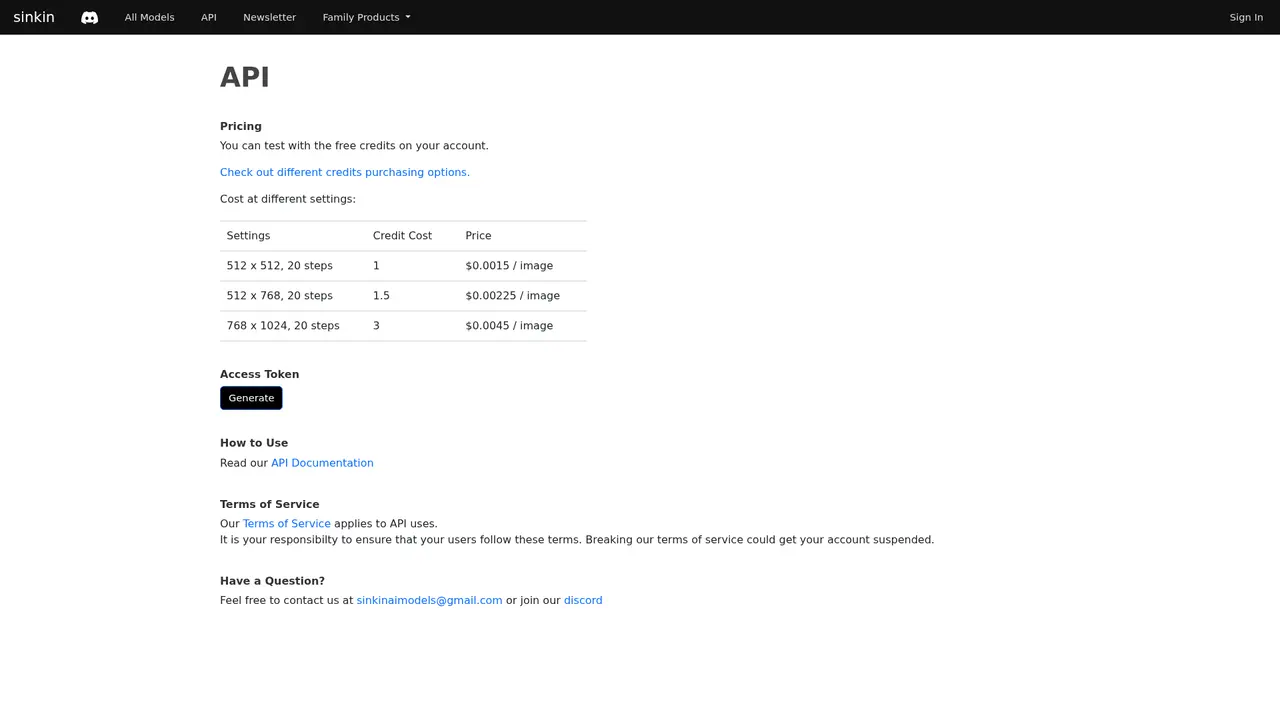
Developers, listen up: they've got a full REST API that lets you integrate AI image generation directly into your applications. The pricing matches the main platform—starting at $0.0015 per image—so adding AI capabilities to your product won't break the bank.
Oh, and they recently added video generation through WAN 2.2 I2V. Text-to-video and image-to-video are now in the mix, opening up even more creative possibilities.
::::grid :::card{type="advantages"}
- No GPU hardware investment: Cloud-based rendering means zero upfront costs
- 40+ models instantly available: Switch between SD1.5, SDXL, and video models anytime
- 99.9% reliability guaranteed: Consistent performance backed by real usage data ::: :::card{type="disadvantages"}
- Requires internet connection:生成 needs stable bandwidth for best experience
- Depends on platform availability: Like any cloud service, you'll need their systems to be running ::: ::::
---
Who's Using Sink In
Wondering if Sink In is right for you? Let me paint some pictures—these are real people getting real value from the platform.
AI Art Creators — This is probably the most obvious fit. If you've been wanting to explore AI art but didn't want to drop thousands on a GPU, Sink In is basically your gateway. At $0.0015 per image, you can experiment freely without watching your bank account bleed. Plus, you can create from anywhere—coffee shop, airport, your couch. No powerful machine required.
E-commerce Sellers — Here's a game-changer for small businesses. Instead of expensive product photography shoots, sellers use models like Realistic Vision and AbsoluteReality to generate stunning product images in minutes. Different angles, lighting setups, backgrounds—all from a single product description. The speed difference is insane.
Game Designers — Creating game assets is resource-intensive. Designers leverage LoRA + ControlNet combinations to maintain character consistency across hundreds of generations. Need 50 variations of your main character for a fighting game? No problem. The workflow becomes incredibly efficient when you can lock in style and features while generating batches.
Social Media Managers — Content creation is a volume game. Using Seed parameters and fine-tuned settings, managers batch-generate unique visuals for posts, ads, and campaigns. What used to take hours of searching stock photos now takes minutes of creative prompting.
Developer Teams — Companies without dedicated ML teams can now add AI image capabilities through the API. The integration is straightforward—generate your access token, check the docs, and boom—you've got Stable Diffusion powering your product. This democratization is huge for startups and smaller teams.
Anime Enthusiasts — If you're into anime-style art, Sink In has you covered with pre-deployed models like Animagine XL, Anime Pastel Dream, and AniMerge. No more wrestling with complex model configurations. One click and you're in anime world.
:::card{type="tip" title="💡 Quick Selection Guide"} Pay-as-you-go works best if you only need images occasionally—maybe a few dozen a month. But if you're creating regularly (think 100+ images monthly), the subscription plans save you money. The Ultimate plan at $90/month gives you 60,000 credits—that's the best rate at $0.0015 per image, same as bulk purchases. :::
---
Sink In's Pricing Plans
Let's talk numbers. One of the best things about Sink In is how transparent and flexible their pricing is. There's genuinely something for every use case.
Pay-as-you-go
The simplest entry point. You pay only for what you use:
| Resolution | Steps | Credits | Price per Image | |------------|-------|---------|-----------------| | 512×512 | 20 | 1 | $0.0015 | | 512×768 | 20 | 1.5 | $0.00225 | | 768×1024 | 20 | 3 | $0.0045 |
Perfect for trying things out or occasional projects. Honestly, at these prices, it's basically risk-free to test.
Subscription Plans
If you know you'll be generating regularly, subscriptions give you more bang for your buck:
| Plan | Monthly Cost | Credits Included | Effective Rate | |------|--------------|------------------|----------------| | Basic | $10 | 6,000 | ~$0.00167/credit | | Pro | $30 | 18,000 | ~$0.00167/credit | | Ultimate | $90 | 60,000 | $0.0015/credit |
The Ultimate plan hits the sweet spot—same rate as pay-as-you-go ($0.0015), but with 60,000 credits monthly, you're covered for serious creative work. Basic and Pro are great if you're just getting started or have moderate needs.
Bulk Purchases
For teams or heavy users, you can buy in bulk: $0.0015 per credit with a minimum of $150 (that's 100,000 credits). If you know you'll burn through credits fast, this avoids recurring subscription commitments.
Small Top-ups
Just need a quick boost? You can grab 1,000 credits for $5 or 3,000 credits for $10. No subscription required.
Referral Program
Here's a nice bonus: invite a friend and you both get 50 credits. Easy way to offset your costs if you've got creative colleagues.
---
Frequently Asked Questions
:::card{type="faq" title="What's the difference between Sink In and running Stable Diffusion locally?"} Local deployment means buying a powerful GPU (easily $1,000–$3,000), installing drivers, configuring Python environments, and managing model files yourself. With Sink In, all that hardware and setup is handled for you. You just log in and generate. Plus, their cloud GPUs are optimized for speed, so you often get faster results than mid-range local setups. :::
:::card{type="faq" title="What models does Sink In support?"} Over 40 pre-deployed models covering Stable Diffusion 1.5, SDXL, and even video generation models. Popular choices include AbsoluteReality, majicMIX realistic, DreamShaper, Juggernaut XL, Animagine XL, and more. They also support LoRAs and ControlNet for advanced control. :::
:::card{type="faq" title="How's the image quality compared to local generation?"} It's essentially identical. The models run on cloud GPUs with the same parameters you'd use locally. The platform maintains 99.9% reliability, so you're getting consistent, high-quality outputs. Many users report they can't tell the difference between Sink In generations and their local setups. :::
:::card{type="faq" title="Can I use generated images for commercial purposes?"} Absolutely. All images you generate through Sink In are yours to use commercially. No restrictions. This makes it a solid choice for client work, product marketing, and commercial projects. :::
:::card{type="faq" title="How do I get started with the API?"} After logging in, head to your account settings to generate an Access Token. Then check out their API documentation at sinkin.notion.site for integration guides. It's a standard REST API, so if you've worked with APIs before, you'll feel right at home. Support is available through their Discord community if you hit snags. :::
Related Content

Copy.ai Review 2026: AI Copywriting Made Easy
Our honest Copy.ai review for 2026. We test Content Agents, AI Workflows, pricing ($29-$249/mo), and compare it to Jasper and Writesonic. Find out if it's worth it for your marketing team.

Rytr Review 2026: Is This Budget AI Writer Worth It?
Our hands-on Rytr review for 2026. We test features, pricing, content quality, and compare it to Jasper & ChatGPT. Find out if Rytr is the best budget AI writing tool.

Word Changer - Free AI tool to rewrite and improve your writing instantly
Writing always using repetitive words or need to avoid plagiarism? Word Changer is a free AI writing assistant that instantly rewrites any text with richer vocabulary and appropriate tone. Get multiple versions with one click, adjust formality level, check readability - all for free!

Unite - AI-powered platform for romantic fantasies and dream couple moments
Explore romantic fantasies and create special moments for your dream couple. This AI-powered platform lets you generate personalized romantic content and experience exclusive AI-created romantic experiences.
Comments