Discover the ultimate AI prompt management tool that enhances your creativity and productivity!
How It Works
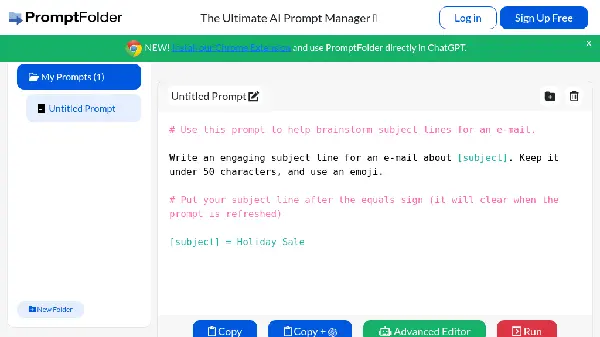
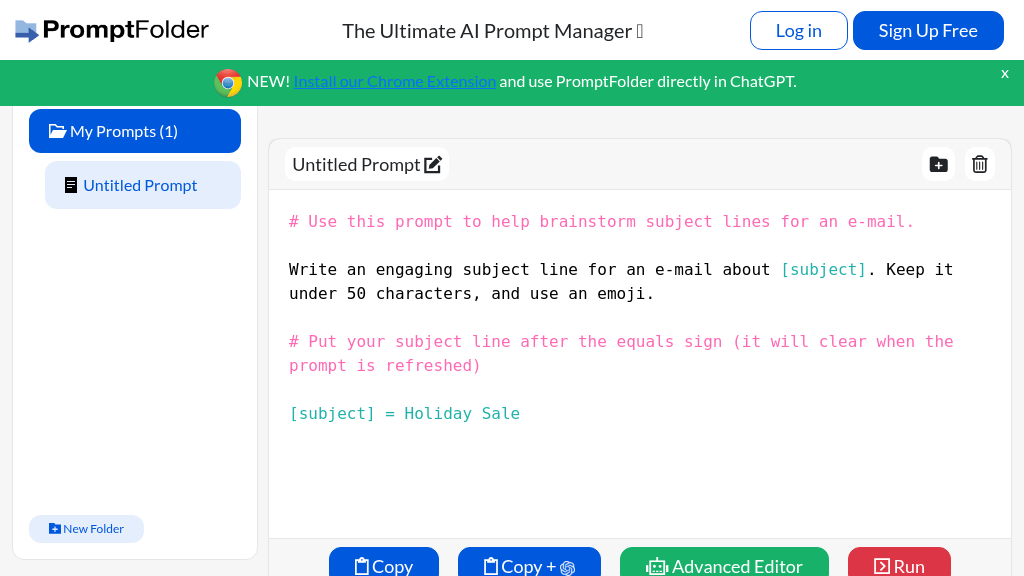
PromptFolder operates by providing users with an intuitive platform to create, organize, and edit prompts for various applications. Users can create folders to categorize their prompts, making it easier to find and utilize them when needed. The advanced editor allows for detailed customization of prompts, ensuring that users can refine their ideas to perfection. Additionally, the integration with ChatGPT through the Chrome extension enables real-time use of prompts in conversations, enhancing the overall AI interaction experience. The system is designed to streamline the creative process, allowing users to focus on generating high-quality content without the hassle of managing multiple files or notes. By browsing trending prompts, users can also gather inspiration, ensuring that their creative juices are always flowing. This holistic approach to prompt management makes PromptFolder a valuable tool for anyone looking to enhance their productivity and creativity in the digital space.
Usage
To get started with PromptFolder, simply sign up for a free account. Once you're logged in, you can create new folders and prompts. Use the advanced editor to refine your prompts and categorize them as needed. Don't forget to install the Chrome extension for easy access in ChatGPT. Manage your prompts efficiently and unleash your creativity!
Content Creation
Use PromptFolder to organize and manage your writing prompts for blogs, articles, and social media posts, ensuring a steady flow of ideas.
SEO Strategy
Leverage SEO-focused prompts to enhance your digital marketing strategies and improve website visibility.
Creative Projects
Organize prompts for artistic or creative projects, whether it’s for design, writing, or multimedia content.
Brainstorming Sessions
Use PromptFolder to gather and organize prompts for team brainstorming sessions, enhancing collaborative creativity.
Learning and Development
Utilize prompts for educational purposes, such as teaching materials or study prompts, to enhance learning experiences.
Manage prompts for social media posts to ensure a consistent and engaging online presence.
Features
- Chrome Extension: Access PromptFolder directly within ChatGPT for seamless prompt management.
- Advanced Prompt Editing: Edit and refine your prompts with an intuitive editor to enhance creativity.
- Folder Organization: Create folders to categorize and manage prompts efficiently.
- Trending Prompts: Browse popular prompts for inspiration and fresh ideas.
- User-Friendly Interface: Easily navigate through your prompts and folders for quick access.
- Feedback System: Receive feedback on prompts to improve your content creation process.
Free Plan (Monthly): $0
- Access to basic features
- Create and manage prompts
- Use Chrome extension
FAQ
- What is PromptFolder and how does it work?
PromptFolder is an AI prompt manager that helps users organize and utilize their AI prompts effectively. It offers features like folder creation, advanced editing, and trending prompts.
- Can I use PromptFolder with ChatGPT?
Yes! You can install the PromptFolder Chrome extension to use it directly in ChatGPT for seamless integration.
- Is there a free plan available for PromptFolder?
Yes, PromptFolder offers a free plan to help users get started with managing their AI prompts.
- What features does the PromptFolder Chrome extension provide?
The Chrome extension allows users to access their prompts within ChatGPT, making it easier to manage and use prompts while chatting.
- How do I create a new folder in PromptFolder?
To create a new folder, simply navigate to the folder creation section in the PromptFolder interface and follow the prompts.
- Can I edit my prompts after creating them?
Absolutely! PromptFolder allows users to edit prompts anytime, ensuring you can refine and improve your ideas.
- What types of prompts can I find in PromptFolder?
PromptFolder features a variety of prompts including SEO meta title writers, blog post idea generators, and more.
- How can I delete a prompt or folder in PromptFolder?
To delete a prompt or folder, select the item and choose the delete option. You will be prompted to confirm your action.






Comments