Transform your macOS experience with effortless ChatGPT interactions.
How It Works
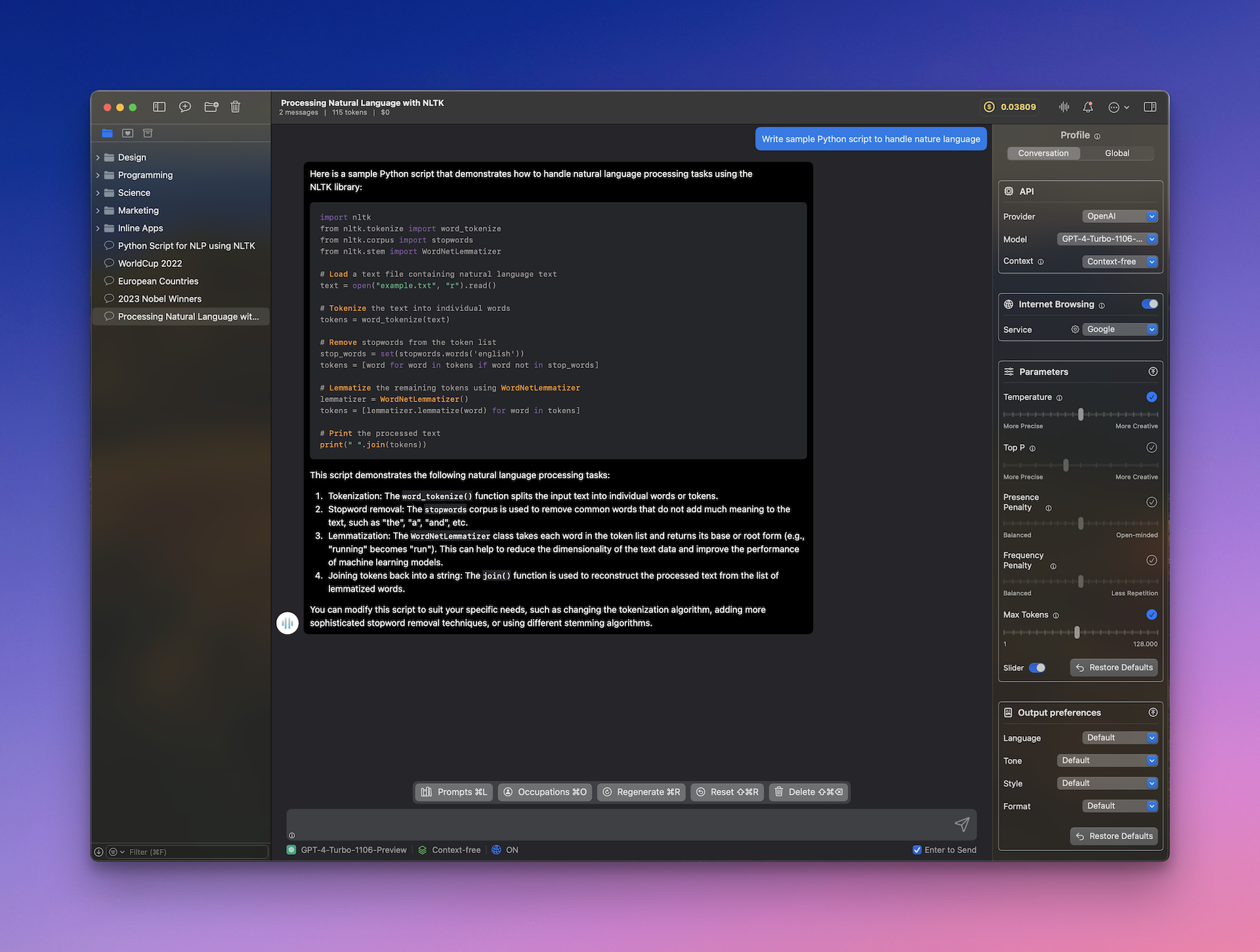
MindMac operates by integrating with OpenAI's ChatGPT API, allowing users to communicate directly with the model through a native macOS interface. The app supports Inline Mode, enabling users to generate responses in any application by simply typing commands. It offers a variety of customizable features, including prompt templates and API key management. Designed for performance, MindMac ensures fast and secure interactions while preserving user privacy by storing API keys locally in the Apple Keychain. With support for multiple languages and an intuitive UI, MindMac caters to a diverse range of users, from casual AI enthusiasts to professional teams looking for enhanced productivity.
Usage
To start using MindMac, simply download the app and install it on your macOS device. After installation, configure your OpenAI API key in the settings. Once set up, you can chat directly within the MindMac app or utilize Inline Mode in other applications. This allows you to generate content or ask questions seamlessly without switching windows. Enjoy the extensive features and improve your productivity effortlessly!
Content Creation
Generate articles, social media posts, and marketing content effortlessly using MindMac's Inline Mode.
Academic Research
Utilize ChatGPT for quick answers and insights while working on research papers or assignments.
Software Development
Leverage AI assistance for coding queries and debugging right within your IDE.
Business Communication
Enhance communication and productivity by generating emails and reports with ease.
Creative Writing
Get inspiration and generate story ideas or character descriptions quickly and easily.
Language Learning
Practice conversations and learn new languages interactively with ChatGPT's support.
Features
- Free to Use: Experience basic features of MindMac for free. Upgrade only when you're satisfied.
- Enhance ChatGPT: Maximize ChatGPT's potential with organized features for improved productivity.
- Powerful Inline Mode: Generate content quickly within any application without the hassle of switching windows.
- Native & Fast: MindMac is optimized for macOS, ensuring a smooth and responsive user experience.
- Pre-built Prompt Template: Access over 150 built-in prompt templates to enhance your interactions.
- Highly Customizable: Tailor OpenAI parameters, appearance, keyboard shortcuts, and more to fit your style.
Basic (One-time purchase): $29
- 1 macOS device
- Pay once, use forever
- All MindMac features
- 1 year of updates
Personal (One-time purchase): $49
- 2 macOS devices
- Pay once, use forever
- All MindMac features
- 1 year of updates
Standard (One-time purchase): $69
- 3 macOS devices
- Pay once, use forever
- All MindMac features
- 1 year of updates
FAQ
- How does MindMac enhance my experience with ChatGPT?
MindMac integrates seamlessly with ChatGPT, allowing you to chat directly within the app or use Inline Mode in other applications like Notes or Mail. It offers additional features such as a prompt library and customizable settings.
- What are the limitations of the free version of MindMac?
The free version allows users to access all features but limits you to creating a maximum of 5 conversations and using Inline Mode up to 10 times per day.
- Do I need to pay for an OpenAI account to use MindMac?
Yes, an OpenAI account and a valid API key are necessary to use ChatGPT with MindMac.
- Where can I get an OpenAI API key?
To obtain an OpenAI API key, sign up at OpenAI's platform and generate an API key from your account settings.
- Is my data secure with MindMac?
Yes, MindMac operates solely on your local device, ensuring your data goes directly to OpenAI servers without being stored or transmitted to other servers.
- What is Inline Mode in MindMac?
Inline Mode allows you to use ChatGPT directly within any application, enabling you to generate content without switching windows.
- Does MindMac support multiple languages?
Yes, MindMac currently supports over 15 languages for its interface, while you can chat in any language with ChatGPT.
- What is the refund policy for MindMac?
MindMac offers a 14-day money-back guarantee. If you're not satisfied, you can request a full refund within that period.




Comments