
- Monthly visits
- 0
- 2026-10
Image to Layers AI - Convert flat images into separate editable PNG layers
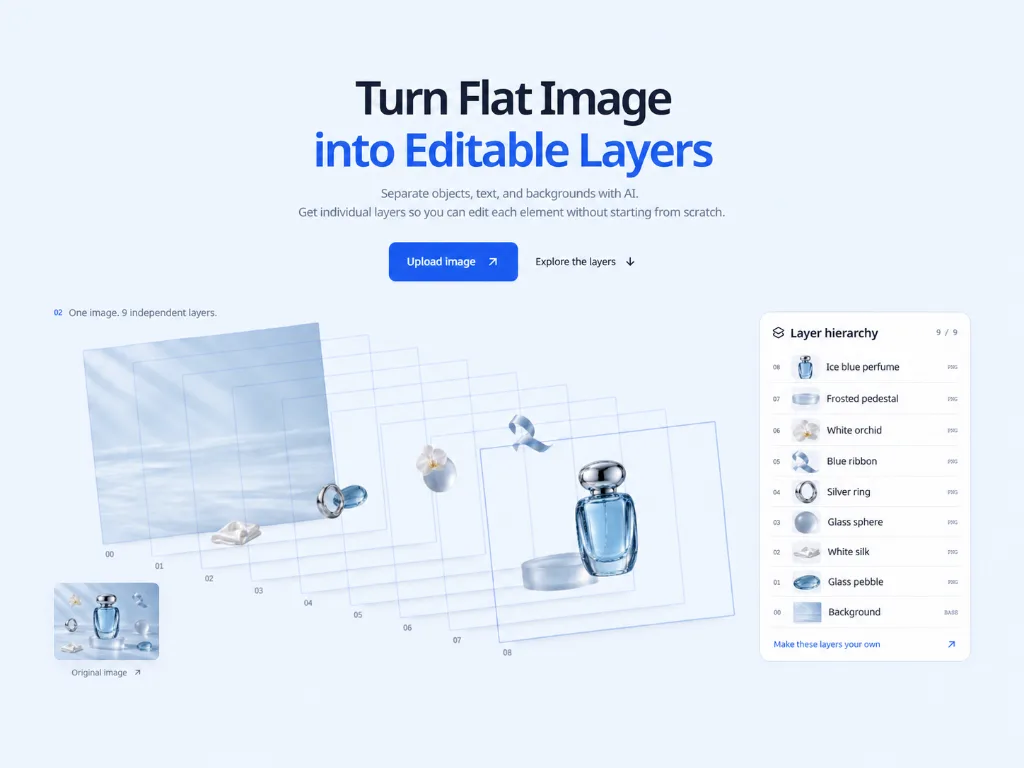
Image to Layers AI is a web-based AI tool that splits flat uploaded images into multiple independent raster PNG layers, including a dedicated reconstructed background layer. Users can hide, reorder, rename, and move layers directly in the browser workspace before downloading all assets as a ZIP file. It is built for designers, marketers, and creative professionals working on image recomposition, product visuals, and campaign assets. The tool supports JPG, PNG, and WebP uploads up to 30 MB with specified resolution and aspect ratio limits.
- AI Image
- Photo Editing
- Media
- E-commerce
- Software
- Image Editing
- image layering
- layer separation
- image editing
6Views
Capabilities
Image upload processing
Accepts JPG, PNG, or WebP image files up to 30 MB. It checks uploaded images for content safety before starting AI processing.
AI layer separation
Splits a flat input image into independent raster PNG layers, including a dedicated reconstructed background layer. It generates between 2 and up to 17 layers per valid processed image.
In-browser layer editing
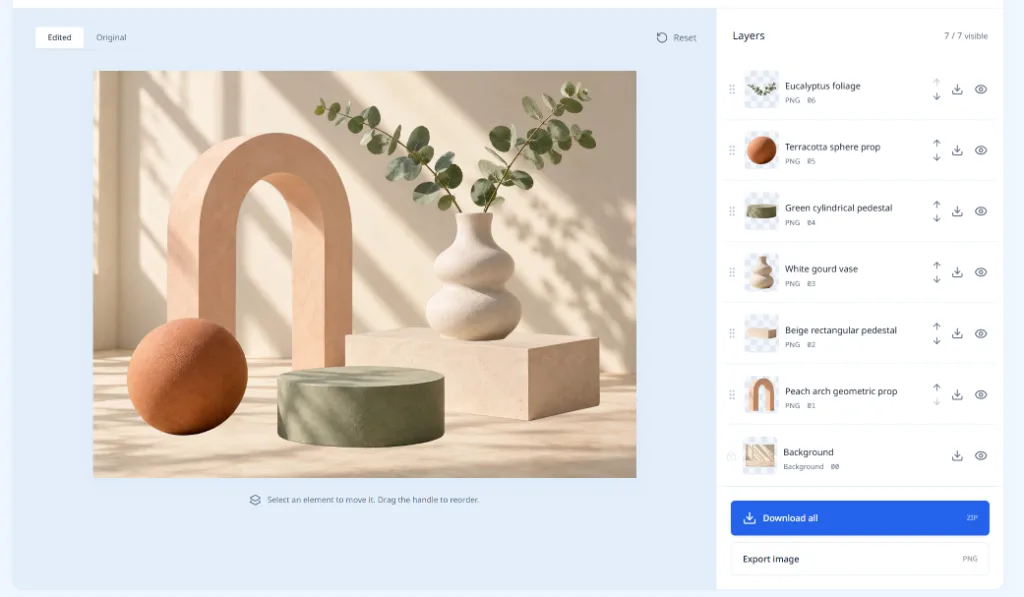
Lets users modify separated layers directly in the web workspace. Supported actions include hiding, reordering, renaming, and moving individual PNG layers.
Background reconstruction
Recreates hidden areas behind foreground subjects to produce a complete standalone base background layer. It fills in occluded regions that were not visible in the original flat image.
Layer export options
Outputs separated layers in two distinct formats. Users can download all layers as a single organized ZIP file, or export the currently visible layer composition as a single PNG image.
Private project storage
Saves paid user original images and all generated layers privately on the cloud. Stored assets remain accessible for 30 days after processing completes.
Pricing
This is a paid credit-based service with monthly subscription plans, where 10 credits are charged per delivered layer including the background. Users select a plan based on their monthly layer generation volume needs.
| Plan | Price | Included features and limits |
|---|---|---|
| Starter | $19.90 per month, billed monthly |
|
| Creator | $39.90 per month, billed monthly |
|
Editing and download actions do not consume credits. Credit packs are available for additional usage and are valid for 12 calendar months, and credits with the earliest expiry date are used first. Users can cancel monthly subscriptions at any time, and canceling renewal retains access to the current period's credits.
Use cases
Product imagery re-composition
Users working with existing product photos need to place items in new visual settings. They separate product elements from the original background, then rearrange layers to create fresh product visuals without manual tracing.
Campaign and social media asset creation
Marketers need multiple distinct visual variations from a single base campaign image. They split the original into editable layers, adjust element positions and visibility, then export new custom compositions for different social channels.
Collage and illustration element extraction
Designers want to repurpose elements from a single flat image for new collage work. They separate individual graphical components as transparent PNG layers, then combine these elements to build new original illustrated scenes.
Layered motion animation prep
Motion creators need isolated individual assets to build frame-by-frame or layered animations. They split a static flat image into separate independent layers, then use each isolated element as a distinct movable asset in their animation workflow.
Limitations
All output layers are raster PNG images, not editable text or vector objects.
Who it is for
Graphic designers needing to recompose existing flat images without manual tracing
Marketing professionals creating multiple campaign and social media visual variations from a single source image
Motion designers preparing isolated layered assets for animation workflows
Creative collage artists extracting reusable transparent elements from existing flat source images
FAQ
What file types can I upload?
You can upload JPG, PNG, and WebP files. Uploads must be no larger than 30 MB, and meet the specified pixel and aspect ratio limits.
How long does image separation take?
Processing time varies based on the uploaded image and the current model queue. The platform displays the real-time status of your active task.
What is included in the full ZIP download?
The full ZIP download includes every generated layer even hidden ones, plus a manifest file that describes the full layer composition.
Can I resize or rotate individual layers in the workspace?
No, scaling and rotation features are not included in the current version of the tool. You can only hide, reorder, rename, and move layers.
Will the separated layers perfectly match the original image details?
Results may differ from the original image, especially around overlapping objects, text, and fine edges, because the AI reconstructs hidden areas and reinterprets some details.

Comments