


Font Generators.org - Free fancy Unicode text converter for copy-paste fonts
Launched on Aug 21, 2026Tired of plain boring text on your social profiles? Font Generators.org converts ordinary words into stylish Unicode fonts that work everywhere. With cursive, bold, gothic, bubble, gaming and more styles, you can transform bios, usernames, captions and messages instantly. Everything runs in-browser with no sign-up or downloads required. Copy-paste compatible across Instagram, TikTok, Discord and gaming platforms. Elevate your text game in seconds, for free.
What is Font Generators.org
We've all been there. You're setting up your Instagram bio, crafting a Discord username, or posting a caption on TikTok—and you realize your text looks exactly like everyone else's. Plain black letters on a white background. Zero personality. Nothing that makes your profile you.
The struggle is real. Social platforms give you lots of ways to customize images, layouts, and colors, but when it comes to the actual text itself, you're often stuck with the same default font everyone else uses.
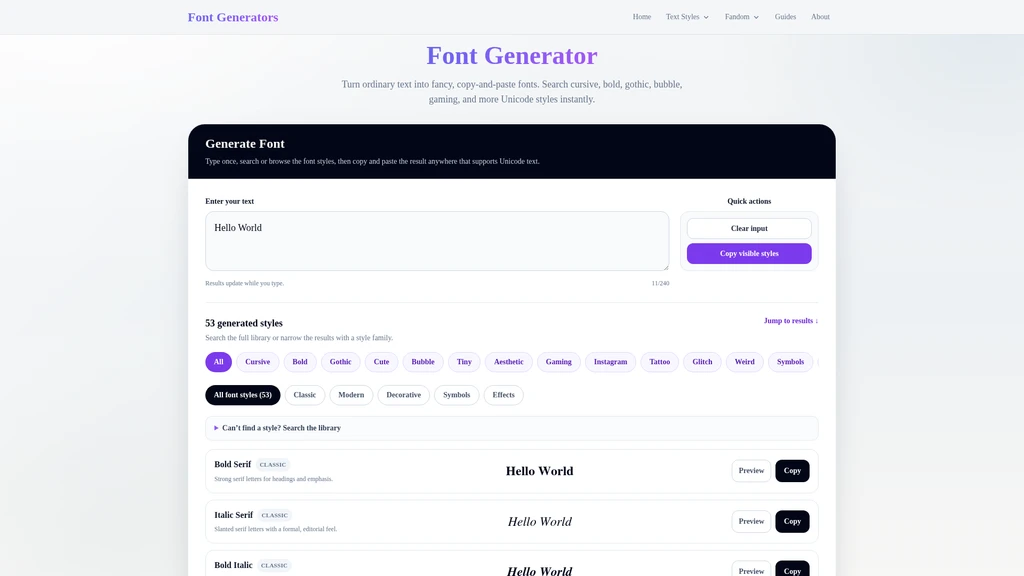
That's where Font Generators.org comes in. It's a free, browser-based tool that converts ordinary text into fancy, copy-and-paste Unicode fonts. Want a cursive script for your signature-style bio? Done. Craving gothic lettering for your gaming clan tag? Covered. Need bubble text for a cute community channel name? Absolutely.
Here's how simple it is:
Type your text — a name, bio, caption, message, or any phrase.
Explore styles — browse by popular tags, categories, or search for a specific look.
Preview and copy — check how your text looks in social previews, then copy the result.
No downloads. No account creation. No installation. The entire process runs right in your browser—just open the page and go.
What makes this tool genuinely different is how it works under the hood. Instead of applying CSS formatting (which many platforms strip out), Font Generators.org converts your letters into existing Unicode characters—think bold 𝐀, script 𝒜, double-struck 𝔸, circled Ⓐ, and fullwidth A. Because these are real Unicode symbols, they copy and paste cleanly across a wide range of apps and platforms. The character is the character, no matter where you drop it.
Unicode-based conversion means your fancy text stays copy-paste compatible across most platforms and apps
Completely free — no sign-up, no downloads, no hidden paywalls
Browser-local processing keeps your text private, with nothing stored or sent to a server
Core Capabilities of Font Generators.org
The real value of any font tool isn't the number of styles it offers—it's whether those styles actually solve your problem. Here are the capabilities that make Font Generators.org genuinely useful, viewed through the lens of what you can do with them.
Unicode-based text conversion
You can use it to make any text stylish while keeping it fully copy-paste friendly. Because the tool maps each letter to existing Unicode characters rather than applying temporary CSS formatting, your transformed text carries its styling with it. Copy a bold 𝐀 from the tool, paste it into Instagram, Discord, TikTok, or a document—it arrives styled, not stripped back to plain letters. This is the core technical advantage: it works everywhere Unicode is supported, which is nearly everywhere modern text appears.
Automatic fallback for missing characters
You can use it with confidence knowing that even if Unicode doesn't have a character for every letter in every style, the tool keeps your text readable. For example, if a particular style doesn't have a matching symbol for a letter or accent, the original character is retained. The result is a subtle mixed-style look rather than broken boxes or missing text—a thoughtful design choice that protects readability above all else.
Six curated style categories
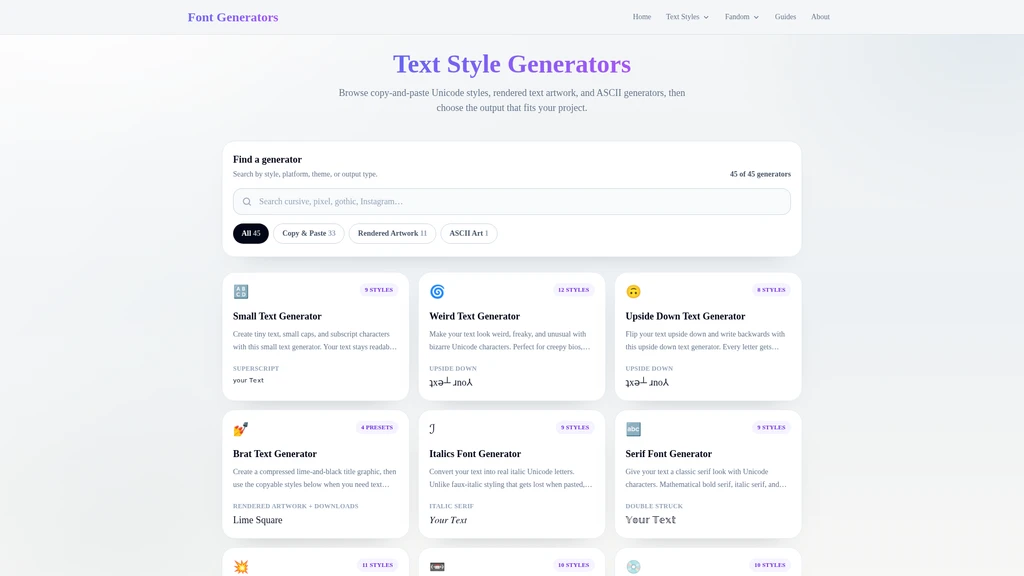
The tool organizes its styles into six categories, each tuned for a different vibe:
Cursive & Script. You can use it to add elegance to names, bios, invitations, and phrases that deserve a graceful touch. Think signature-style text like 𝒞𝓊𝓇𝓈𝒾𝓋𝑒 for a personal handle or a refined caption.
Bold & Italic. You can use it to make headlines, profile highlights, and labels pop with extra weight and emphasis. Perfect for drawing the eye to the most important words on a page.
Gothic & Old English. You can use it to channel dark, medieval, metal, or fantasy aesthetics—ideal for tattoo-themed usernames, gaming profiles, and anything with a bit of edge.
Bubble & Enclosed. You can use it to wrap your text in playful circles and bubbles, giving usernames and captions a cute, approachable feel. Great for community channels and lighthearted profiles.
Tiny & Aesthetic. You can use it to shrink text down for minimal bios, divider lines, and vaporwave-style composition. The small-height characters create a distinctive, airy look.
Glitch & Weird. You can use it to create corrupted, glitchy, experimental text for creepy or avant-garde aesthetics—text that looks a little broken on purpose.
Who Uses Font Generators.org
Fancy text generators attract a surprisingly wide audience. Here are the people who get the most out of Font Generators.org—and chances are, you'll see yourself in one of these scenarios.
Social media creators use it constantly for Instagram and TikTok. Suppose you're an influencer or content creator building a personal brand. Your bio is one of the first things people see, and a cursive script for an elegant phrase or a bold style for headline-worthy text can make that first impression count. Captions and comments get the same treatment—a touch of style that helps your posts feel curated rather than rushed.
Community members and moderators find it essential for Discord and similar platforms. If you run or participate in servers, you know that names and labels set the tone. Gothic fonts fit gaming and dark-themed servers perfectly, while bubble styles bring a friendly, approachable energy to cute or wholesome communities. Channel labels, status text, and even nicknames all benefit from a distinct look.
Gamers are a huge part of the user base. Want a player name that looks corrupted and glitchy, like something out of a horror game? The Glitch & Weird category delivers. Prefer dark, medieval lettering for your clan tag? Gothic & Old English has you covered. Team labels and community profiles gain personality that helps you stand out in crowded lobbies.
Design and craft enthusiasts turn to Font Generators.org for creative projects. Invitations, headings, digital notes, and decorative labels all get a custom touch. The Tiny & Aesthetic styles are perfect for minimal divider lines that separate sections of a document or a carefully styled project file.
Students and professionals use it for short display text in documents and editors that support Unicode. A stylish heading for a class presentation, a decorative label for a report—these small touches polish otherwise standard work.
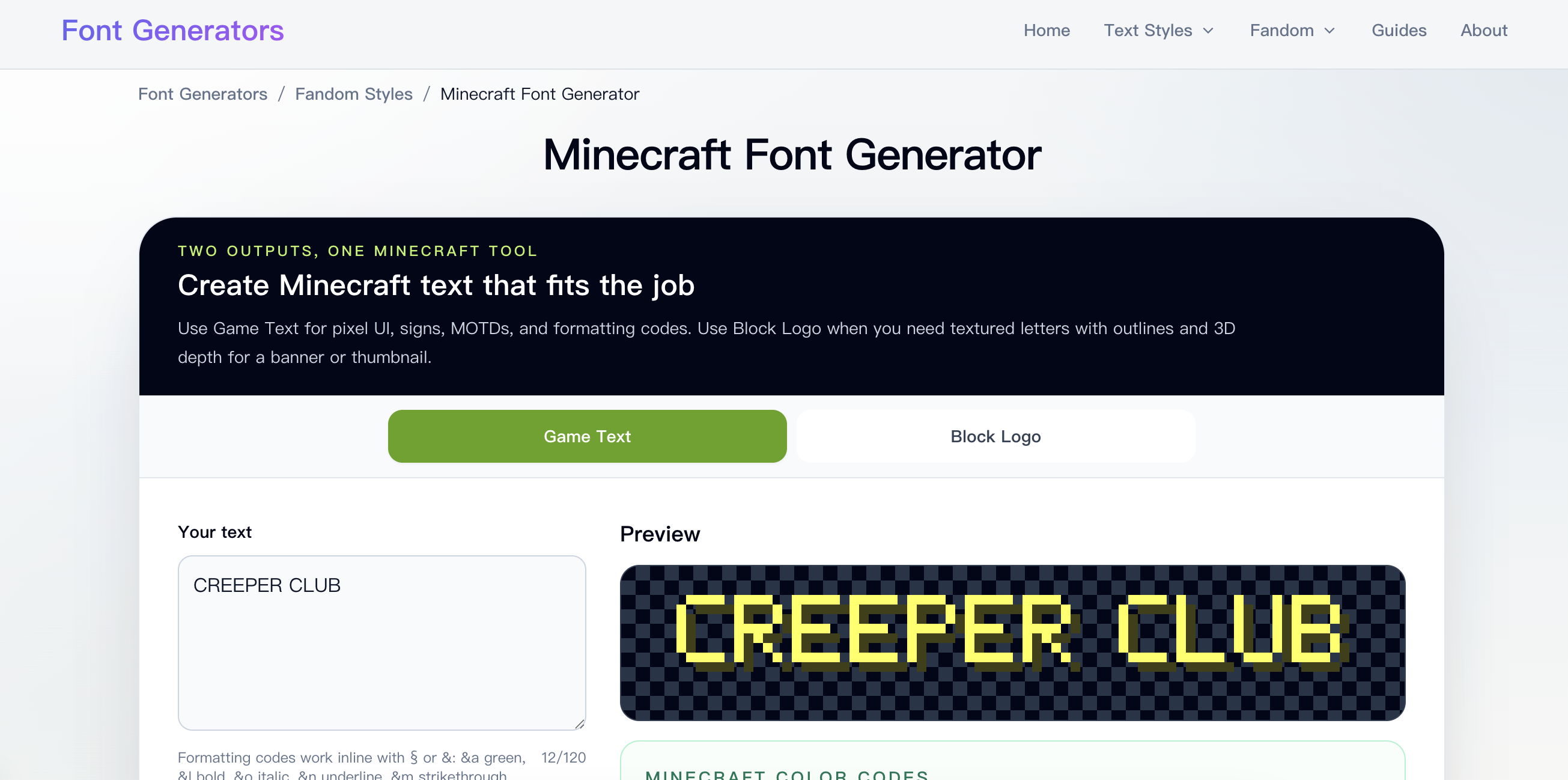
One thing worth noting: if you need exact colors, precise layouts, outlines, or downloadable files, this tool isn't the right fit. For those requirements, the site also offers a rendered graphics generator that produces PNG/SVG output. Font Generators.org is specifically for copy-paste text styling, and that's its sweet spot.
Before you finalize your styled text, test it on your target platform. Instagram, TikTok, Discord, and other apps all have their own rules about which Unicode characters they display properly. What looks flawless on one platform might show as boxes on another—so paste, preview, and adjust before you hit save.
Quick Start Guide
Getting started with Font Generators.org takes literally seconds. There's no registration form to fill out, no software to install, and no learning curve to climb. Here's all you need to do:
Step 1: Enter your text
Type whatever you want to transform into the input box. It could be your name, a bio line, a caption, a message, a phrase—anything you'd like to see in a different style. The input is plain text, so just type naturally.
Step 2: Explore styles
Once your text is in, browse the gallery of generated styles. You can filter by popular tags, jump into one of the six categories (Cursive & Script, Bold & Italic, Gothic & Old English, Bubble & Enclosed, Tiny & Aesthetic, Glitch & Weird), or search for a specific style by name. Every style updates instantly with your text, so you can compare options side by side without any wait.
Step 3: Preview and copy
When a style catches your eye, take a look at it in the social preview to get a sense of how it'll render in context. If it looks right, copy the result with a single click and paste it wherever you need it—your bio, your username, your caption, your document. Done.
The whole experience runs entirely in your browser, which means it works on virtually any device with a modern browser—desktop, laptop, tablet, or phone. There's nothing to install, nothing to download, and no account to create. Open the page, transform your text, and you're out in under a minute.
If you're styling text for a platform where compatibility is uncertain, start with broadly supported styles like Bold, Italic, Sans, and Fullwidth. These use widely available Unicode characters that render correctly across most devices and apps. You can always experiment with more exotic styles afterward.
Troubleshooting and Common Questions
Even the smoothest tools have moments where things don't behave as expected. Here are the common issues users run into with fancy Unicode text—and how to handle them.
Boxes or missing characters. If your styled text shows up as empty boxes (▯) or question marks on the destination platform, it means the device or app you're pasting into doesn't have a font that can display that particular Unicode symbol. The fix is simple: switch to broadly supported styles like Bold, Italic, Sans, or Fullwidth, and always test on both mobile and desktop before committing.
Unchanged letters. You might notice that some letters in your styled text look identical to the original plain text. This happens because Unicode doesn't support every character in every style. When a matching character doesn't exist, Font Generators.org keeps the original letter to preserve readability. It's a deliberate trade-off—readable text beats broken formatting any day.
Spacing issues. Some styles—particularly combining effects like glitch and underline—may render with different spacing than you'd expect. This is a characteristic of how combining characters work in Unicode, not a bug. If the spacing looks off on your platform, try a different style or test on another device.
Beyond these technical quirks, here are the questions users ask most often.
Is Font Generators.org really free?
Yes, completely free. You can generate, filter, preview, copy, and paste every style without signing up, downloading anything, or paying for a premium tier. There's no hidden paywall—every feature is available to everyone.
Are these downloadable fonts?
No. Font Generators.org produces Unicode characters, not installed font files. The output is copy-paste text, not something you can download and install on your system. If you need PNG/SVG files with exact rendering, the site's visual graphics generator is the right tool for that job.
Can I use this on Instagram, TikTok, or Discord?
Many styles work on these platforms, but not all of them render perfectly on every app. The best approach is to generate your text, paste it into the platform you're targeting, and check the result before saving. Since platform rules vary, a quick test saves you from disappointment later.
Why do some letters stay normal?
Unicode simply doesn't have matching characters for every letter, accent, or symbol in every style. When no equivalent exists, the original character is retained so your text stays readable. It's not a bug—it's a deliberate design decision to protect text quality.
Does the tool store my text?
No. All processing runs locally in your browser—your text never leaves your device. That said, as with any online tool, it's good practice to avoid entering passwords, credit card numbers, or other sensitive information into any text box. The tool itself doesn't want that data, and neither should you put it there.
Related Content
Copy.ai Review 2026: AI Copywriting Made Easy
Our honest Copy.ai review for 2026. We test Content Agents, AI Workflows, pricing ($29-$249/mo), and compare it to Jasper and Writesonic. Find out if it's worth it for your marketing team.

Rytr Review 2026: Is This Budget AI Writer Worth It?
Our hands-on Rytr review for 2026. We test features, pricing, content quality, and compare it to Jasper & ChatGPT. Find out if Rytr is the best budget AI writing tool.

Word Changer - Free AI tool to rewrite and improve your writing instantly
Writing always using repetitive words or need to avoid plagiarism? Word Changer is a free AI writing assistant that instantly rewrites any text with richer vocabulary and appropriate tone. Get multiple versions with one click, adjust formality level, check readability - all for free!

Unite - AI-powered platform for romantic fantasies and dream couple moments
Explore romantic fantasies and create special moments for your dream couple. This AI-powered platform lets you generate personalized romantic content and experience exclusive AI-created romantic experiences.
Comments