Ever wondered what you'll look like at 70? Extrapolate uses AI to transform your photo into different ages—from 10 to 90 years old. Just upload, see the magic, and share the fascinating results with friends. Over 377,900 photos generated and counting.
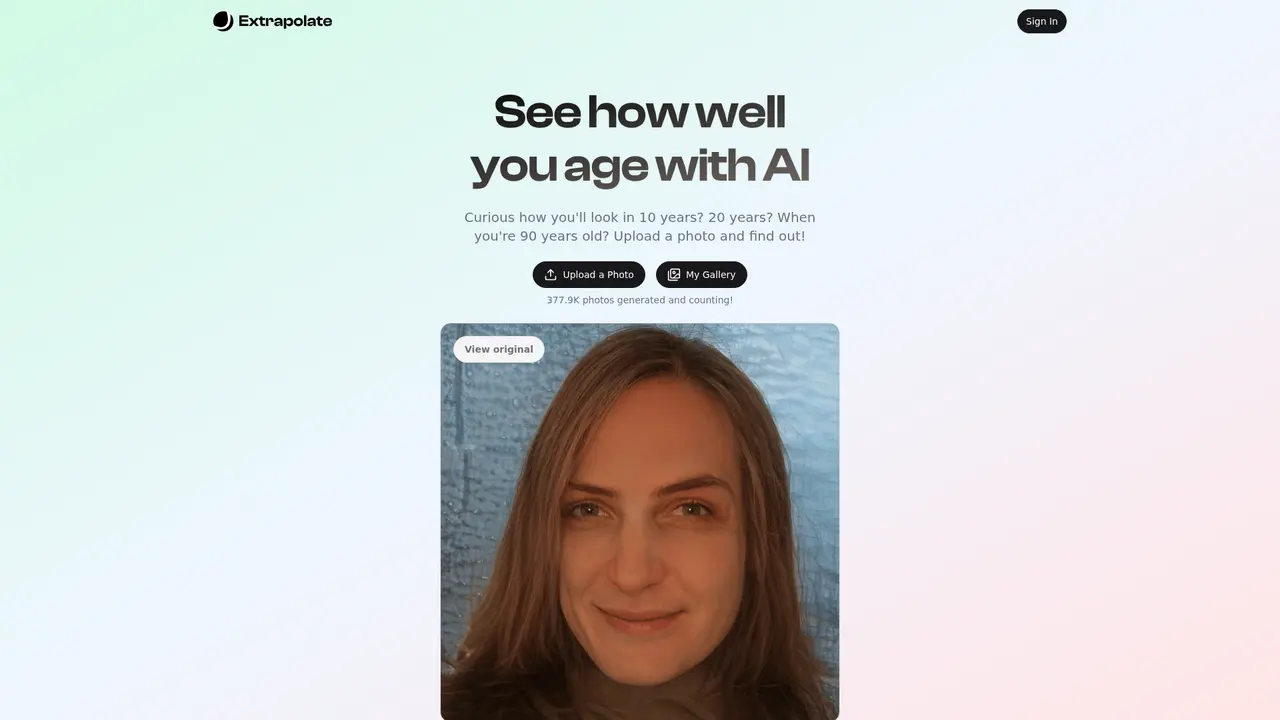
Ever caught yourself wondering what you'll look like in 10, 20, or even 30 years? That curiosity is totally natural—we all wonder how time will reshape our faces. Here's the thing: you don't need to wait decades to find out.
Extrapolate is an AI-powered tool that takes your photo and shows you exactly how you'll look as you age. Think of it as a sneak peek into your future self. Upload one picture, and boom—you can see yourself at 40, 50, 60, even 90 years old. The AI analyzes your facial features and generates realistic aged versions of you.
What makes this cool? It's not some blurry filter or cartoon effect. The technology behind Extrapolate uses advanced AI image processing to create surprisingly realistic results. We're talking actual facial structure changes, skin texture shifts, all those little details that come with aging.
The proof is in the numbers—over 377,900 photos have already been generated on the platform, and that number keeps growing every day. People are genuinely curious about their future selves, and Extrapolate gives them a fun, low-commitment way to satisfy that curiosity.
Here's where things get interesting. Let's say you upload a selfie right now. What happens next?
First, the AI gets to work analyzing your face—your bone structure, skin texture, all those unique features that make you, you. Then it projects how those features will change over time. The result? A series of aged photos showing you at different life stages.
You can see yourself at 10 years from now, then 20, 30, and if you're feeling adventurous, even at 90. The comparison view is particularly striking—you get to see your current self side by side with your future self. It's wild to see exactly how the years might change your face.
Once you've got your results, sharing is super easy. One tap and you can send those aged photos to friends, family, or post them on social media. It's become a pretty popular thing for people to share at parties or family gatherings—"Hey, check out what I'll look like in 40 years!"
Your photos get stored so you can come back and check them later. And here's something important: if you ever want them deleted, you totally can. You're in control of your data.
For the best results, use a photo with good lighting, a clear view of your face, and a natural expression. The AI has more to work with when your features are clearly visible.
So who exactly is using this thing? Pretty much anyone who's ever been curious about aging.
The Curious Ones — These are people who just want to satisfy that basic human curiosity. "What will I look like at 40?" They upload a photo, get their answer, and have a good laugh or moment of reflection.
The Social Butterflies — These users love the social aspect. They generate their aged photos specifically to share with friends and family. It's become a fun conversation starter at gatherings—everyone wants to see what everyone else will look like decades from now.
The Memory Keepers — Some people use it as a unique way to document themselves. Seeing different age versions becomes a kind of personal time capsule, a different way to capture who you are at this moment.
Family Fun — And then there are families who do this together. Couples seeing each other in 50 years, parents showing kids what grandma might look like, that kind of thing. It sparks conversations and creates shared moments.
If you're just playing around for fun, go for it! If you want to share the results, posting to social media tends to get the best engagement and reactions.
Ready to see your future self? Here's how simple it is:
Step 1: Visit the website — Head to extrapolate.app. You'll land on a clean, simple interface that doesn't require any account creation to get started.
Step 2: Upload your photo — Click the upload button and select a photo from your device. Remember those tips from earlier—good lighting, clear face, natural expression.
Step 3: Let AI work its magic — The system processes your photo and generates aged versions. This only takes a moment.
Step 4: Explore and share — Browse through your different age versions, check out the before/after comparisons, and when you're ready, share away or save your favorites.
That's literally it. Four steps, couple of minutes, and you're looking at yourself decades from now.
For optimal aged photos, choose a recent photo where your face is clearly visible, the lighting is even (natural light works great), and you're not making an extreme expression. Avoid heavily filtered photos—the AI needs to see your real features to generate accurate aging predictions.
Let's get a bit technical (but keep it simple, promise).
Extrapolate runs on AI and machine learning—specifically, deep learning algorithms trained on thousands of faces at different ages. The system learned patterns in how human faces change over time: the way skin loses elasticity, how facial structures shift, the development of wrinkles and age spots.
When you upload your photo, the AI maps your facial landmarks and applies these learned aging patterns while preserving the unique features that make you identifiable. That's the key—it's not applying a generic filter. It's generating predictions based on how faces actually age.
The platform includes a photo storage system so your generated images are available whenever you want to revisit them. Your photos stay on their servers, but here's the important part: you have full control. You can request deletion of individual photos, or if you want to wipe everything, deleting your account removes all your data automatically.
The company is based in the US and operates under California law. They've got proper Terms of Service and Privacy Policy documents in place, so you're protected legally.
Extrapolate is an AI tool that transforms your photo to show what you'll look like at different ages—10 years, 20 years, even 90 years from now. It's designed purely for fun and curiosity.
Your photos are stored on their servers so you can view them later. You can always request to delete specific photos, and if you delete your account, all your data gets automatically removed.
Check their website for the latest pricing information. They offer a way to generate aged photos, and there may be free options or paid tiers depending on usage.
Absolutely. You have full control—you can request deletion of individual photos, and deleting your account removes all photos and personal information automatically.
The Terms of Service state that Extrapolate has rights to use your photos to provide the service. For specific commercial usage rights, you'd need to check their Terms of Service document.
Since the service involves AI-generated digital content that's delivered immediately (in the form of credits), refunds generally aren't available once the content has been generated. If you have special circumstances, you can reach out to their support team through the Crisp chatbox on their website.
Yes—Extrapolate explicitly prohibits using the service for phishing, adult content, gambling, or copyright infringement. It's meant for legitimate personal entertainment use only.
Ever wondered what you'll look like at 70? Extrapolate uses AI to transform your photo into different ages—from 10 to 90 years old. Just upload, see the magic, and share the fascinating results with friends. Over 377,900 photos generated and counting.
One app. Your entire coaching business
AI-powered website builder for everyone
AI dating photos that actually get matches
Popular AI tools directory for discovery and promotion
Product launch platform for founders with SEO backlinks
We tested 30+ AI coding tools to find the 12 best in 2026. Compare features, pricing, and real-world performance of Cursor, GitHub Copilot, Windsurf & more.
Looking for free AI coding tools? We tested 8 of the best free AI code assistants for 2026 — from VS Code extensions to open-source alternatives to GitHub Copilot.

