


Disney Pixar AI Generator - Transform photos into Disney Pixar style in minutes
Launched on Jan 13, 2025Turn your photos into stunning Disney Pixar-style images in just minutes with this AI-powered generator. Perfect for family photos, wedding memories, pet portraits, and unique gifts. Features negative prompts and multiple format support.
What is Disney Pixar AI Generator
Have you ever looked at a family photo and thought it could use a little more magic? Or maybe you've seen those adorable Pixar-style portraits online and wondered how people create them? Here's the thing — you don't need to be a professional artist or have expensive software to turn your photos into stunning animation-style images.
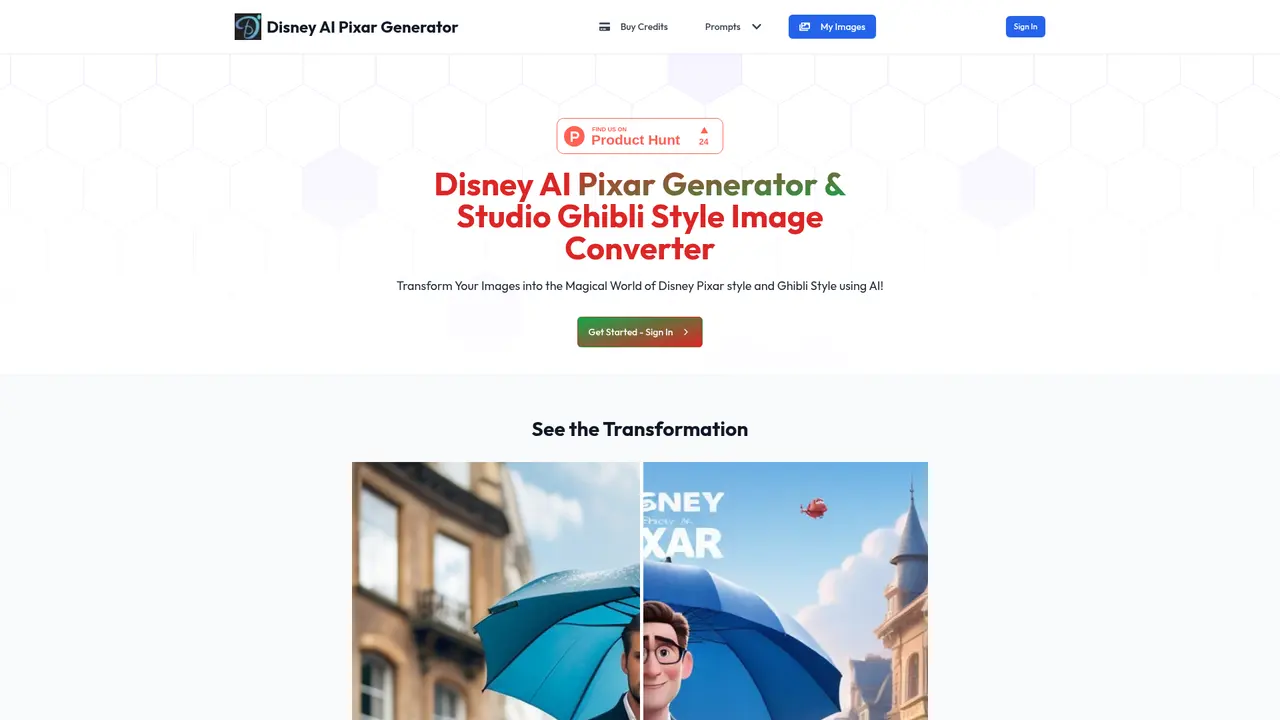
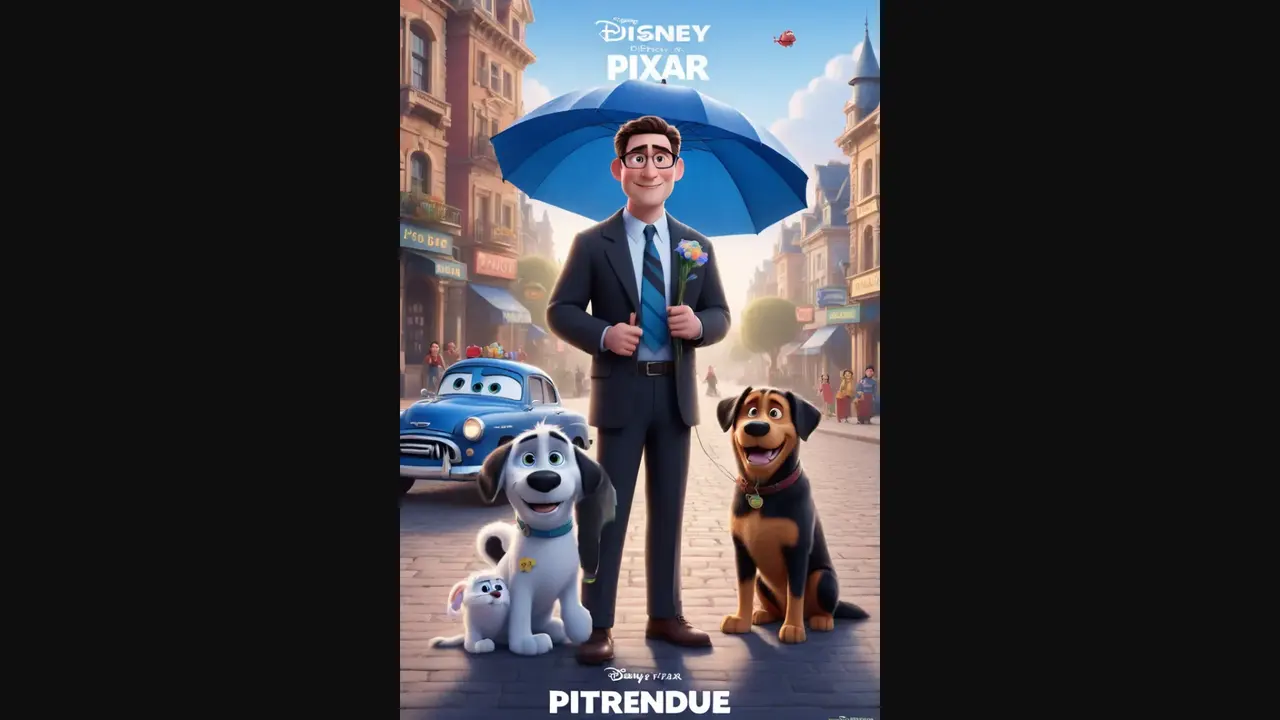
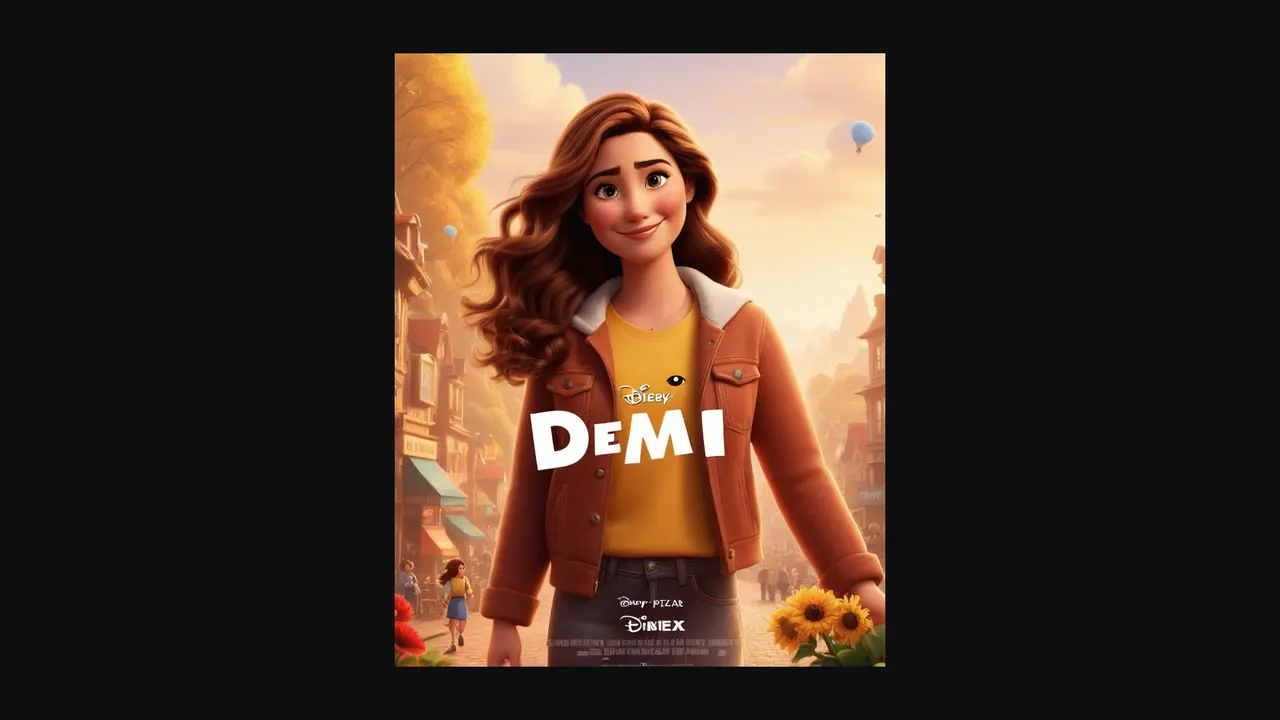
Disney Pixar AI Generator is an AI-powered tool that transforms your ordinary photos into Disney Pixar and Studio Ghibli artwork in just minutes. Think of it like giving your photos a ticket to the animated world — your family portraits become characters from a Pixar movie, your wedding photos turn into beautiful hand-drawn animation, and your pets become lovable animated companions.
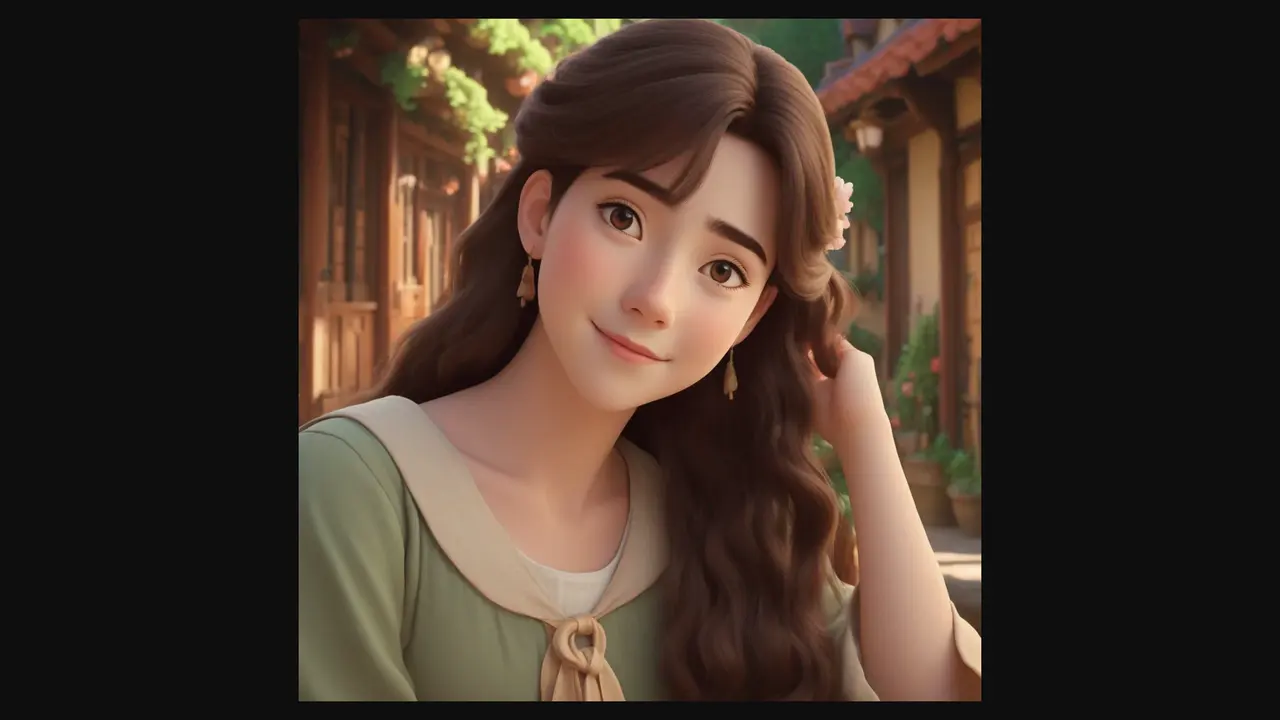
What makes this tool special is its ability to maintain the essential facial features while applying the animation style. Your photos don't become generic — they become *you* in animated form. The AI analyzes your image and intelligently applies the artistic style while keeping the recognizable details intact.
The platform has already helped over 5,000 happy customers generate more than 50,000 images. With a 4.9/5 rating from thousands of reviews, it's clear that people love what this tool can do. Whether you want to create a unique gift, preserve precious memories in a creative way, or add some magic to your social media content, this tool delivers.
:::card{type="summary" title="TL;DR"}
- Transforms photos into Disney Pixar and Ghibli animation styles
- Advanced AI keeps facial features recognizable while applying the style
- Generates images in just minutes
- 5,000+ satisfied customers, 50,000+ images generated, 4.9/5 rating
- Supports negative prompts, multiple sizes (including 1024x1024), and JPEG/PNG formats :::
---
Core Features of Disney Pixar AI Generator
So what exactly can you do with this tool? Let's break it down in plain terms.
Disney Pixar Style Transformation — This is the flagship feature. Upload any photo and watch it become a Pixar-style creation. Family photos become charming animated portraits, complete with that signature Pixar warmth and detail. The AI-driven algorithm analyzes your image and applies the style while preserving what makes your photo unique — your smile, your eyes, your recognizable features.
Ghibli Studio Style Transformation — If you prefer the hand-drawn aesthetic of Japanese animation, this feature has you covered. Studio Ghibli films are known for their whimsical, nature-inspired art style. Now you can transform your photos into that same magical look. It's perfect for creating dreamy, artistic versions of your memories.
Negative Prompt Feature — Sometimes you know what you *don't* want in your image. Maybe you want to remove a distracting background element or avoid a particular color tone. The negative prompt feature lets you specify what to exclude, and the AI respects those boundaries in real-time.
Custom Image Sizes — Different platforms require different dimensions. Whether you need a square image for Instagram, a banner for your website, or a print-ready 1024x1024 file, you can choose your preferred size. The tool processes these dimensions instantly.
Multiple Output Formats — Download your creations as JPEG for smaller file sizes or PNG for higher quality. Both options are available, and the download link generates immediately after processing.
Commercial Usage License — Once you purchase credits and generate images, you can use them for both personal and commercial purposes. This opens up possibilities for designers, marketers, and business owners who need unique visual content.
::::grid :::card{type="advantages"}
- Two distinct animation styles: Disney Pixar and Ghibli
- Maintains facial recognition while applying artistic styles
- Fast processing — images ready in minutes
- Flexible output options: sizes, formats, negative prompts
- Commercial usage rights included
- One-time payment, no subscription required ::: :::card{type="disadvantages"}
- Refunds not available due to processing resource costs
- Best results require high-resolution input images
- Processing time varies based on image complexity ::: ::::
---
Who's Using Disney Pixar AI Generator
This tool isn't just for one type of person — it's surprisingly versatile. Let me walk you through who typically finds it useful.
Families with Kids — Here's a scenario: you have a drawer full of family photos that nobody really looks at anymore. But what if those same photos turned your kids into Pixar characters? Suddenly, they're excited to see themselves as the heroes of their own animated movie. Parents tell us this is one of the easiest ways to make lasting memories fun again. The kids absolutely love seeing their "Pixar versions."
Couples Getting Married — Wedding photos are precious, but let's be honest — they can feel a bit traditional. This tool lets couples transform their wedding photos into beautiful animated artwork. Imagine receiving a Pixar-style portrait of your wedding day as a gift, or using an animated version for your thank-you cards. It's a completely unique way to treasure that special day.
Pet Owners — If you have pets, you already know how much joy they bring. Now you can give that joy an extra boost by turning your furry friends into animated characters. These make incredible gifts for pet-loving friends or special keepsakes for yourself.
Gift Givers — Looking for a gift that's truly one-of-a-kind? A Pixar-style portrait of a loved one beats any generic store-bought item. It's personal, creative, and shows you put actual thought into the gift.
Designers and Creatives — Graphic designers, social media managers, and content creators use this tool to generate unique visual assets. The AI's ability to maintain facial features while applying animation styles means you get usable, recognizable results fast.
:::card{type="tip" title="💡 Pro Tip"} For the best results, use photos that are high-resolution, under 1MB in file size, and have clear, visible features. Faces should be well-lit and clearly visible — this helps the AI work its magic most effectively. :::
---
Quick Start: How to Use Disney Pixar AI Generator
Ready to try it yourself? Here's the entire process from start to finish — it only takes a few minutes.
Step 1: Visit the Website — Head over to disneypixaraigenerator.com. The interface is clean and straightforward, so you won't need to hunt for buttons or figure out complicated menus.
Step 2: Upload Your Photo — Click the upload button and select the image you want to transform. Remember what I mentioned earlier — high-resolution photos with clear features work best. If you're working with an older photo, try to find the highest quality version available.
Step 3: Choose Your Style — You'll see options for Disney Pixar style and Ghibli (Studio Ghibli) style. Pick the one that matches your vision. Both are stunning, so it really comes down to personal preference.
Step 4: Customize Your Output (Optional) — This is where things get interesting. You can use the negative prompt feature to exclude elements you don't want. Maybe there's a background object you'd like removed, or a color tone to avoid. Type that in and the AI will take it into account. You can also select your preferred image size — 1024x1024 is popular for good reason.
Step 5: Generate Your Image — Click the generate button and wait a few minutes. The exact time depends on how complex your image is, but typically you'll have your result in just a few minutes.
Step 6: Download — Once your image is ready, you'll get a download link. Choose JPEG or PNG depending on your needs, and save it to your computer. That's it — you're done!
:::card{type="tip" title="💡 Best Practices"} Upload photos with good lighting and clear, unobstructed faces. Avoid heavily filtered or low-resolution images. For group photos, ensure everyone is clearly visible. These small details make a big difference in the final result. :::
---
Pricing Plans
Let's talk numbers. One of the best things about Disney Pixar AI Generator is the straightforward pricing — no subscriptions, no monthly fees, no surprises.
You purchase credits once, and they never expire. Use them whenever you want, at your own pace.
| Plan | Price | Credits | Cost per Image | Best For | |------|-------|---------|----------------|----------| | Starter | $1.99 | 5 Credits | $0.40/image | First-time try | | Popular | $4.99 | 25 Credits | $0.20/image | Families | | Advanced | $7.99 | 50 Credits | $0.16/image | Creative users | | Premium | $9.99 | 100 Credits | $0.10/image | Designers/businesses |
The Premium plan at $9.99 gives you the best value — just 10 cents per image. If you're planning to create multiple images or need content for commercial use, this is the obvious choice.
Payment is secure — the platform uses Stripe and PayPal, so your financial information stays protected. They don't store your credit card details on their servers.
About refunds: The team is upfront about this — they don't offer refunds. Why? Because image processing consumes significant computational resources the moment you make a purchase. It's a common practice for AI generation services, and they explain it clearly so there are no surprises.
All four plans give you access to the same features: high-quality output, fast generation, and the ability to download in both JPEG and PNG formats. The only difference is how many images you can create.
---
FAQ
:::card{type="faq" title="Can I download the generated images?"} Yes, absolutely. Once your image is ready, you can download it directly to your computer. The platform generates an instant download link after processing. :::
:::card{type="faq" title="Is payment secure?"} Yes. All payments are processed through Stripe, which is a trusted, industry-standard payment processor. Your credit card information is never stored on their servers. :::
:::card{type="faq" title="Do you offer refunds?"} Unfortunately, no. Due to the significant computational resources required for image processing, all sales are final. This is clearly stated before purchase so you know exactly what to expect. :::
:::card{type="faq" title="How long does image generation take?"} Most images are ready within a few minutes. The exact time depends on the complexity of your photo and the current demand on the platform. :::
:::card{type="faq" title="What image formats are supported?"} You can download your generated images in either JPEG or PNG format. Choose JPEG for smaller file sizes or PNG for the highest quality. :::
:::card{type="faq" title="Can I use the images for commercial purposes?"} Yes. Once you purchase credits and generate images, you can use them for both personal and commercial projects. Just be sure to review their terms of service for any specific restrictions. :::
:::card{type="faq" title="What is the Ghibli style generator?"} It's a feature that uses advanced AI algorithms to transform your photos into the distinctive Studio Ghibli art style — think dreamy landscapes, soft colors, and that beloved hand-drawn aesthetic from classic films like Spirited Away and My Neighbor Totoro. :::
:::card{type="faq" title="What kind of photos work best?"} For optimal results, use photos that are high-resolution, under 1MB in file size, and have clear, well-defined features. Images with good lighting and clearly visible faces produce the best animated transformations. :::
Related Content

Copy.ai Review 2026: AI Copywriting Made Easy
Our honest Copy.ai review for 2026. We test Content Agents, AI Workflows, pricing ($29-$249/mo), and compare it to Jasper and Writesonic. Find out if it's worth it for your marketing team.

Rytr Review 2026: Is This Budget AI Writer Worth It?
Our hands-on Rytr review for 2026. We test features, pricing, content quality, and compare it to Jasper & ChatGPT. Find out if Rytr is the best budget AI writing tool.

Word Changer - Free AI tool to rewrite and improve your writing instantly
Writing always using repetitive words or need to avoid plagiarism? Word Changer is a free AI writing assistant that instantly rewrites any text with richer vocabulary and appropriate tone. Get multiple versions with one click, adjust formality level, check readability - all for free!

Unite - AI-powered platform for romantic fantasies and dream couple moments
Explore romantic fantasies and create special moments for your dream couple. This AI-powered platform lets you generate personalized romantic content and experience exclusive AI-created romantic experiences.
Comments