


Detail - AI video editing in seconds
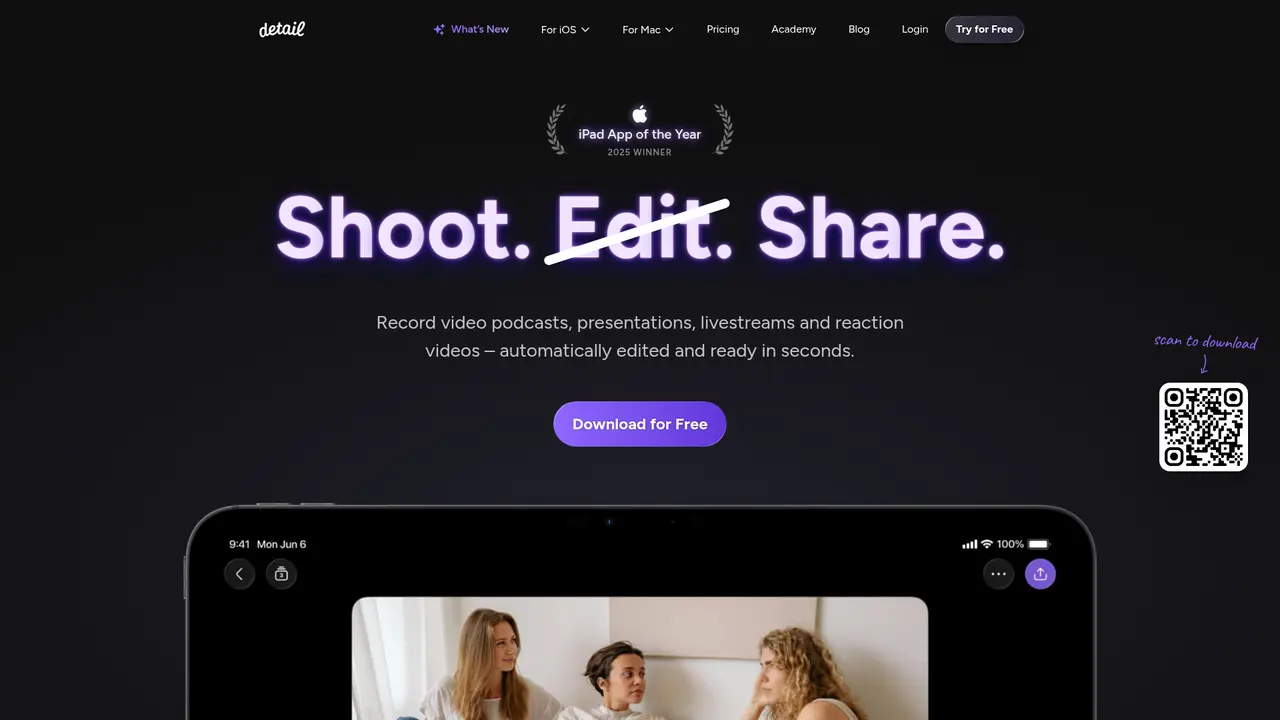
Launched on Feb 23, 2025Struggling with video editing? Detail uses AI to automate the entire process—auto mute removal, zoom clips, titles, subtitles, and music. Record, tap, and share in seconds. Winner of 2025 iPad App of the Year.
What Is Detail
Hey, have you ever stared at hours of raw video footage, dreading the editing marathon ahead? Yeah, we all know that feeling. You've got something great to say, but turning it into a polished video? That's where things get messy—fast.
Here's the thing: traditional video editing takes forever. We're talking hours upon hours of cutting, trimming, adding subtitles, syncing audio, the list goes on. And unless you're a pro with Final Cut or Adobe Premiere, the results often feel... underwhelming. Not to mention you probably don't have a whole studio setup lying around.
That's exactly why Detail exists.
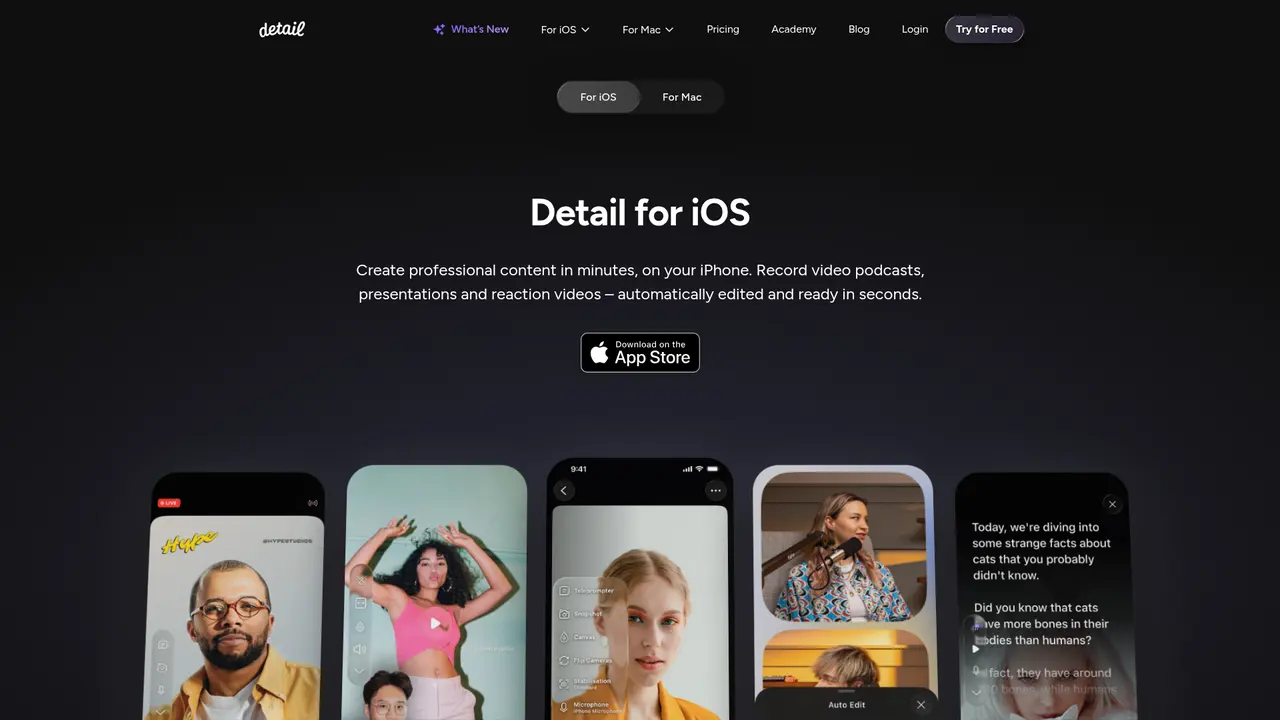
Detail is an AI-powered video creation app built for iOS, iPadOS, and macOS. Think of it as having a professional video editor in your pocket—one that does all the heavy lifting for you in seconds, not hours. Whether you're recording a podcast, teaching an online course, reacting to viral videos, or going live on social media, Detail handles the entire workflow from recording to export.
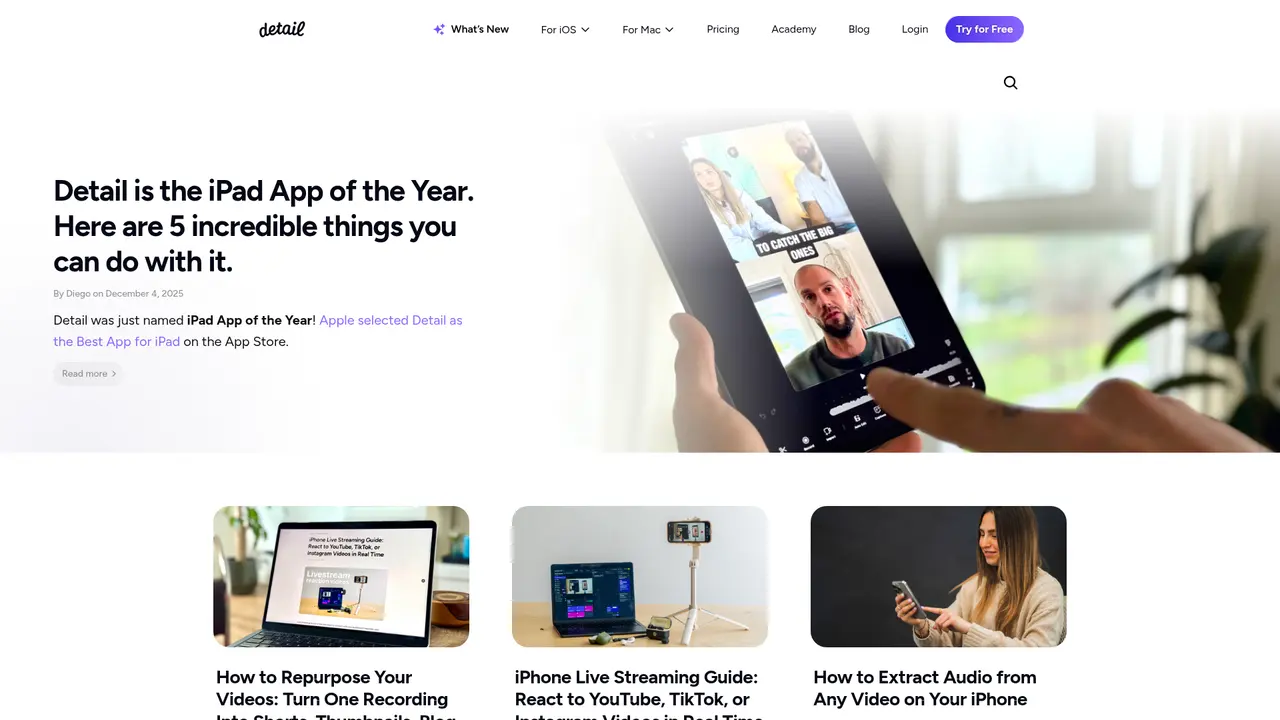
And here's the kicker: it actually works. Like, really well. So well that Apple named it the 2025 iPad App of the Year. Yeah, that happened.
What makes Detail special is its AI Auto Edit feature. You hit record, have your conversation or presentation, and then—boom—the AI automatically removes awkward pauses, adds perfect transitions, creates captions, and even throws in some background music. What used to take you 4 hours now takes about 30 seconds. It's almost like magic.
Oh, and it speaks 46 languages. So whether you're in Tokyo, São Paulo, or Amsterdam, Detail's got you covered.
:::card{type="summary" title="TL;DR"}
- AI Auto Edit: Turns hours of editing into seconds
- Podcast Auto Edit: One-click long-form and short-form content
- Teleprompter: Script display with Voice Tracking
- Reaction Videos: Import YouTube/TikTok directly—no screen recording needed
- Livestreaming: Go live on YouTube, Twitch, Instagram, LinkedIn, TikTok
- Award Winner: 2025 iPad App of the Year
- Languages: 46 supported :::
---
What Detail Can Actually Do for You
Let's talk about what you can actually accomplish with this thing—because honestly, the list of features doesn't matter if it doesn't make your life easier. So here's the real talk on what Detail brings to the table.
AI Auto Edit is the real star of the show. You record your video, and Detail's AI gets to work immediately. It finds the best moments, cuts out the dead space, removes background noise, adds smooth transitions, creates captions, and even layers in appropriate music. What would normally take you half a day (or more, let's be honest) now happens automatically. You literally just tap a button and watch the magic happen. For content creators who need to pump out videos regularly, this is a game-changer.
If you're into podcasts, Podcast Auto Edit is going to feel like a cheat code. It automatically switches between speakers, generates both long-form edits for YouTube and short clips for TikTok or Instagram Reels, and handles all the tedious stuff so you can focus on the conversation. Imagine recording a 60-minute podcast and getting 12 ready-to-post social clips in under a minute. That's the reality here.
The Teleprompter feature is surprisingly robust. You can type your own script, use Detail's AI Script Writing tool to generate one for you, or paste in something you already wrote. The Voice Tracking feature is super handy—it adjusts the scrolling speed to match how fast you're actually talking, so you never lose your place. Plus, you can control everything from your Apple Watch, which is perfect when you're on camera and can't reach your phone. And if you're doing presentations, the Slides feature integrates directly with your recorded content.
Reaction videos used to be a pain in the neck. Not anymore. You just paste a URL from YouTube or TikTok, and Detail imports it directly—no weird screen recording workarounds needed. You record your facecam reaction on top, and the app syncs everything up automatically. People are literally calling it the "best reaction video camera & editor" out there.
Going live is built right in. You can stream to YouTube, Twitch, Instagram, LinkedIn, TikTok, or any RTMP-compatible platform. Pro users can even broadcast to two platforms simultaneously. And yes, it's completely free on iPhone and iPad—no catch.
Multi-device recording is huge for interviews and podcasts. Connect multiple iPhones or iPads wirelessly, and they sync automatically with high-quality audio. Better yet, remote guests can join directly through a browser link—no software installation required on their end.
The AI Content Generator saves you hours on the distribution side too. It creates titles, descriptions, tags, and chapter markers tailored to each platform. We're talking platform-specific marketing copy generated from your actual video content. For iOS 26, they're even rolling out on-device AI that generates titles, descriptions, and video ideas using your device's own foundation model—meaning it works faster and keeps your data private.
On the recording side, you've got professional-grade tools: AI-powered framing that keeps your face centered, real-time green screen, virtual backgrounds, custom portrait filters, AI noise reduction, automatic audio leveling, and full support for external cameras, microphones, and audio interfaces like the RodeCaster, Zoom, and Tascam.
::::grid :::card{type="advantages"}
- Massive time saver: AI Auto Edit compresses hours of work into seconds
- All-in-one platform: Recording, editing, captions, livestreaming, distribution
- Flexible for everyone: Solo creators, podcasters, educators, marketers
- Pro features on mobile: Stuff that used to require desktop software
- Regular updates: New features rolling out consistently (recently added AI Script Writing, Voice Tracking, Apple Watch control) ::: :::card{type="disadvantages"}
- Separate subscriptions: iOS and Mac versions are separate apps with separate pricing
- Free version limitations: Watermarked exports, limited caption styles
- Platform locked: iOS/macOS only—no Android or Windows version ::: ::::
---
Who's Actually Using Detail
One of the best ways to figure out if a tool is right for you? See who else is using it and how. Here's the thing about Detail—it attracts a pretty diverse crowd, and the chances are good that there's someone using it just like you.
If you're a solo content creator—maybe you're starting a YouTube channel, posting on LinkedIn, or just want to put yourself out there more—Detail is basically your secret weapon. You don't need fancy equipment. You don't need editing skills. You just need your iPhone and the app. The AI Auto Edit feature alone makes it possible to produce professional-looking content in minutes rather than hours. One user put it perfectly: "Got me excited to finally start creating content."
Podcast hosts absolutely love this app. The Podcast Auto Edit feature handles all the post-production heavy lifting—switching between speakers, creating both long and short versions, generating platform-specific content. You're recording your episode once, and Detail essentially repurposes it for YouTube, Spotify, TikTok, and Instagram automatically. No more manually cutting clips for social media. One user said it best: "What a champion—High-quality recording with guests through browser links, perfect audio sync, and the AI-generated descriptions save so much time."
Social media influencers and creators are getting serious mileage out of the reaction video feature and the quick-turnaround short-form content. Paste a TikTok or YouTube link, record your reaction, and you've got a shareable video in minutes. It's one of the fastest ways to engage with trending content and grow your following.
Teachers, instructors, and online educators are finding Detail incredibly useful for course creation. The teleprompter keeps you on script, Slides integration lets you record presentations alongside your talking head, and AI-generated captions make everything accessible. You can produce a full course without needing a production team.
Marketing teams and small businesses are using Detail for everything from product demos to social media content to live shopping streams. The multi-camera setup, real-time captions, and built-in overlays give live broadcasts a professional feel without the professional price tag. One user called it "perfect for live selling, comedy shows, and educational streams."
Ecommerce sellers and live shoppers are using Detail's iPhone/iPad livestreaming with overlays and green screen to create polished, engaging sales broadcasts that actually convert.
:::card{type="tip" title="💡 Not sure which features to focus on?"} Start by identifying your main content format. If it's talking-head videos → AI Auto Edit is your friend. If it's podcasts → Podcast Auto Edit. If it's reaction content → start with the URL import feature. If it's presentations → the Teleprompter + Slides combo. You can always explore more features later! :::
---
How Much Does Detail Cost
Let's be real—pricing matters. You want to know what you're getting and whether it makes sense for your situation. Here's the breakdown.
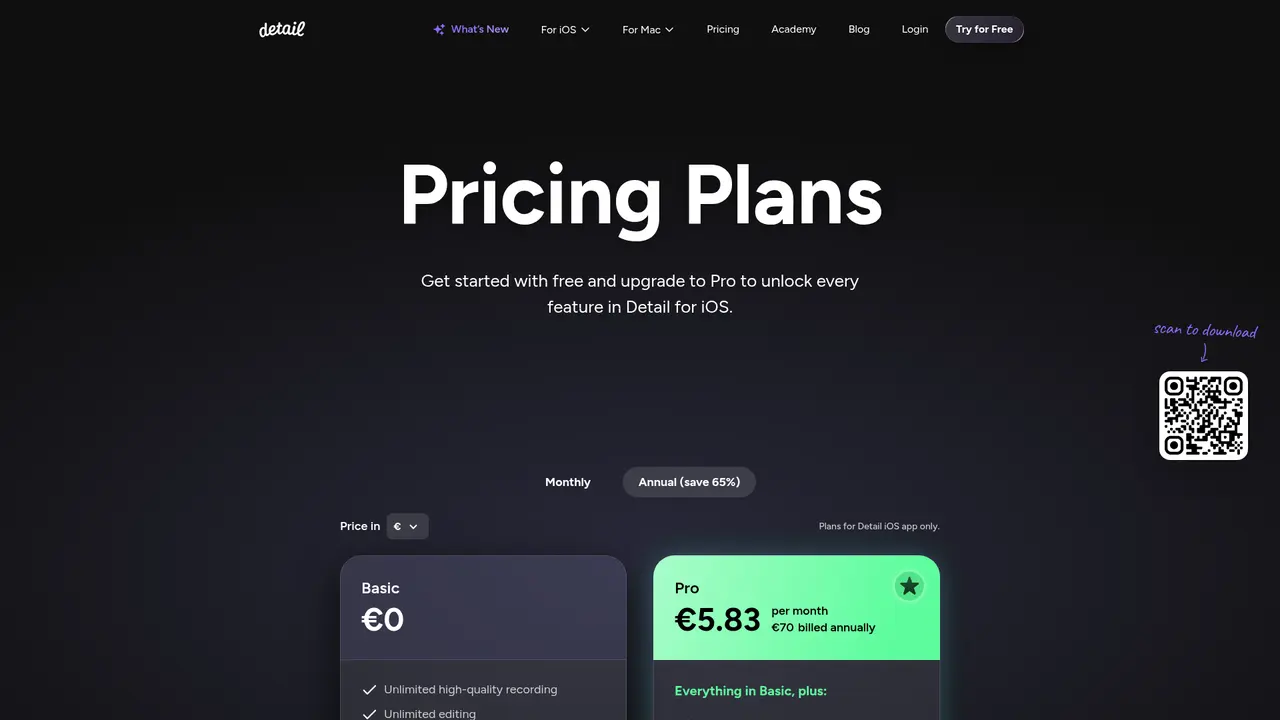
Detail uses a "free + Pro" model. The free version (called Basic) gives you a surprising amount to play with, and the Pro version unlocks the AI features that really set Detail apart.
Basic (Free)
- Unlimited HD recording
- Unlimited editing
- Unlimited watermarked exports
- Unlimited remote recording
- Multi-camera recording
- Transcription
- Auto-captions (3 styles only)
- Green screen editor for livestreams
- Teleprompter
- Video import
- Responsive layouts
Pro (€5.83/month if billed annually, or €70/year)
- Watermark-free exports
- All caption styles (not just 3)
- AI-generated clips and content
- AI composition/framing
- Podcast Auto Edit
- Custom portrait filters
Here's the full comparison in table form:
| Feature | Basic (Free) | Pro (€5.83/month) | |---|---|---| | HD Recording | Unlimited | Unlimited | | Editing | Unlimited | Unlimited | | Export | Watermarked | Watermark-free | | Auto-captions | 3 styles | All styles | | AI Auto Edit | ✓ | ✓ | | AI Content Generation | Limited | Full | | AI Composition | ✗ | ✓ | | Podcast Auto Edit | ✗ | ✓ | | Custom Filters | ✗ | ✓ | | Simultaneous Livestreams | 1 platform | 2 platforms | | Price | Free | €70/year |
One important thing to note: The iOS version and the Mac version (Detail Studio) are separate apps with separate subscriptions. An iOS Pro subscription doesn't give you access to Mac Pro features, and vice versa. They're sold independently, so factor that into your decision.
Which should you choose? If you're just testing the waters or need basic recording and editing without the AI bells and whistles, the free version is surprisingly capable. But if you're serious about content creation—podcasting, pumping out regular social content, going live professionally—the Pro version pays for itself in time saved. The AI features alone would cost you hours upon hours if you were doing them manually or hiring an editor.
:::card{type="tip" title="💡 Pro tip"} Start with the free version to get comfortable with the interface. Once you hit a wall and wish you had AI helping you out, that's your sign to upgrade. You can also try the Pro trial before committing—most users say the AI features become addictive pretty quickly. :::
---
Frequently Asked Questions
:::card{type="faq" title="What's the difference between Detail's free and paid versions?"} The free Basic version gives you full access to recording, editing, the teleprompter, multi-camera setups, and livestreaming. The main trade-offs are watermarked exports and limited caption styles (only 3). The Pro version (€5.83/month) removes watermarks, unlocks all caption styles, and adds the powerful AI features: AI Auto Edit, AI content generation, AI composition, Podcast Auto Edit, and custom filters. :::
:::card{type="faq" title="Is Detail for iOS the same as Detail Studio for Mac?"} Nope—they're completely separate applications. Each has its own subscription system. Your iOS Pro subscription won't work on the Mac app, and a Mac subscription doesn't give you Pro features on iOS. Both are excellent, but they're sold and billed independently. :::
:::card{type="faq" title="Which livestream platforms does Detail support?"} You can go live on YouTube, Twitch, Instagram, LinkedIn, TikTok, and any platform that accepts RTMP streams. Pro subscribers can stream to two platforms at the same time, which is super handy for maximizing reach. :::
:::card{type="faq" title="Can I export my Detail projects to use in other video editors?"} Absolutely. Detail supports export to Final Cut Pro XML, so you can take your project into Final Cut if you want to do additional editing. It also supports standard video format exports for pretty much any platform or workflow. :::
:::card{type="faq" title="What devices do I need?"} For iOS, an iPhone 11 or newer is recommended—iPhone 12 or later gets you the full dual-camera experience. For Mac, you'll need an M1, M2, or M4 Apple Silicon Mac running macOS Monterey 12.3 or later. Both versions are optimized for their respective platforms. :::
---
Get Started with Detail
Ready to give it a shot? Here's how to get rolling in just a few minutes.
First, check your devices. On iOS, you'll want at least an iPhone 11 (iPhone 12 or newer recommended for the best dual-camera experience). On Mac, make sure you've got an M1/M2/M4 Apple Silicon Mac running macOS 12.3 or later.
Next, download the app. Head to the App Store on your iPhone or iPad to grab Detail. For Mac, download Detail Studio directly from detail.co/download—the app isn't in the Mac App Store.
When you first open Detail, you'll create an account, then choose your plan. Start with Basic (free) to explore the interface, or jump straight to Pro if you're ready for the AI features. Most people do the free version first, then upgrade when they hit a workflow bottleneck.
The basic workflow looks like this:
- Open Detail and tap the big record button (it's hard to miss)
- Choose your settings—camera, audio, whether you want the teleprompter on
- Record your content (talk, teach, react, go live—whatever your thing is)
- Hit the AI Auto Edit button and watch Detail work its magic
- Preview, make any manual tweaks if needed
- Export and share directly to your platforms
Where to learn more? Detail's website has an Academy (detail.co/academy) with tutorials, a blog (detail.co/blog) packed with tips and updates, a changelog showing what's new, and a beginner's podcasting guide (detail.co/beginner-podcasting-cheatsheet) if you're just starting out. Their support pages (support.detail.co) are solid for troubleshooting.
:::card{type="tip" title="💡 Quick starter tip"} Before your first real recording, spend 5 minutes doing a test run. Play with the teleprompter, try the AI Auto Edit on a 30-second clip, and see how the export works. That way, when it's time to create your actual content, the whole flow feels natural. :::
Related Content

Copy.ai Review 2026: AI Copywriting Made Easy
Our honest Copy.ai review for 2026. We test Content Agents, AI Workflows, pricing ($29-$249/mo), and compare it to Jasper and Writesonic. Find out if it's worth it for your marketing team.

Rytr Review 2026: Is This Budget AI Writer Worth It?
Our hands-on Rytr review for 2026. We test features, pricing, content quality, and compare it to Jasper & ChatGPT. Find out if Rytr is the best budget AI writing tool.

Word Changer - Free AI tool to rewrite and improve your writing instantly
Writing always using repetitive words or need to avoid plagiarism? Word Changer is a free AI writing assistant that instantly rewrites any text with richer vocabulary and appropriate tone. Get multiple versions with one click, adjust formality level, check readability - all for free!

Unite - AI-powered platform for romantic fantasies and dream couple moments
Explore romantic fantasies and create special moments for your dream couple. This AI-powered platform lets you generate personalized romantic content and experience exclusive AI-created romantic experiences.
Comments