
Cozy

Cozy - A private journal that stays yours, saved as plain local files with no server sync and no AI processing

Launched 1 days ago

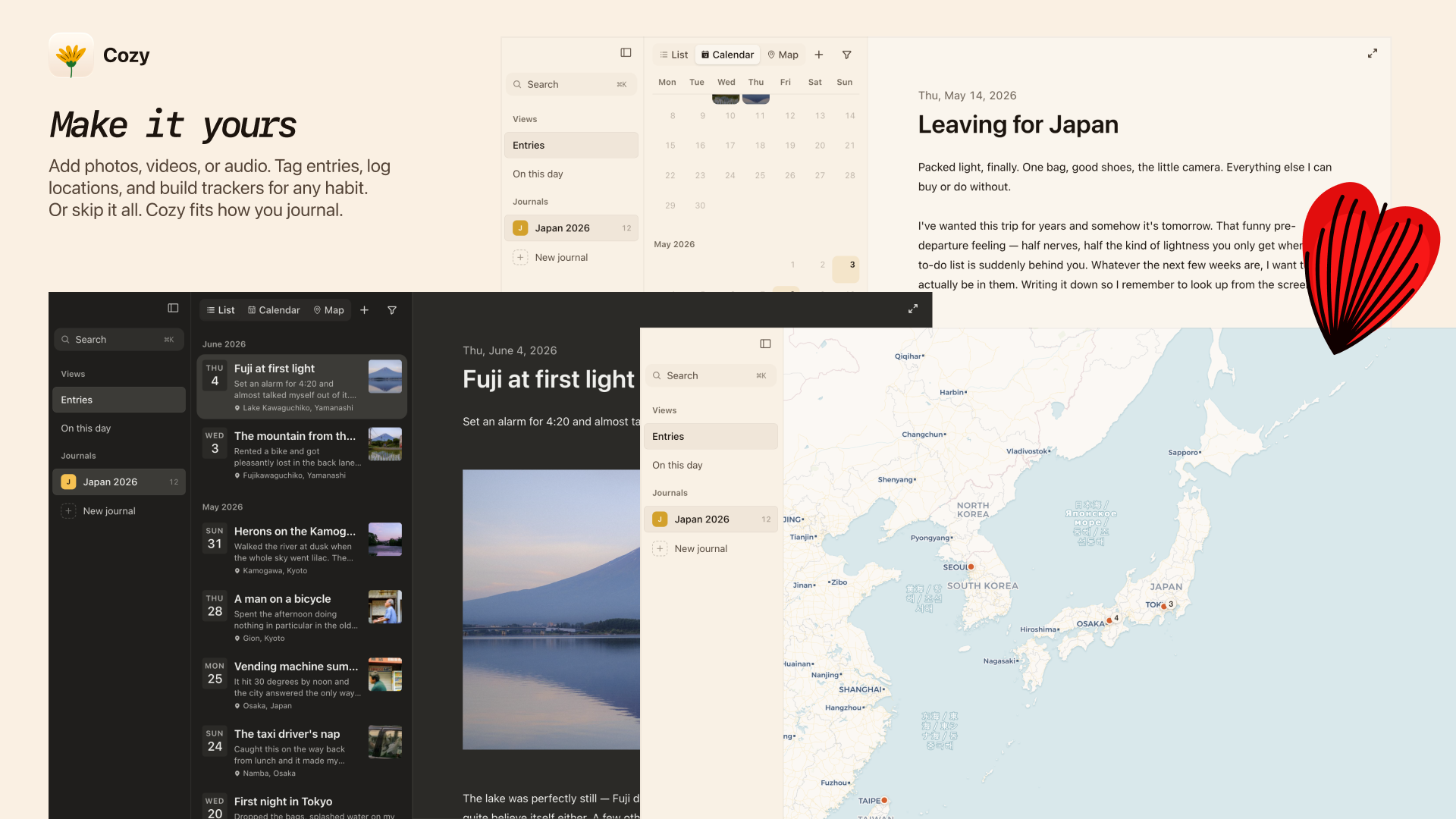
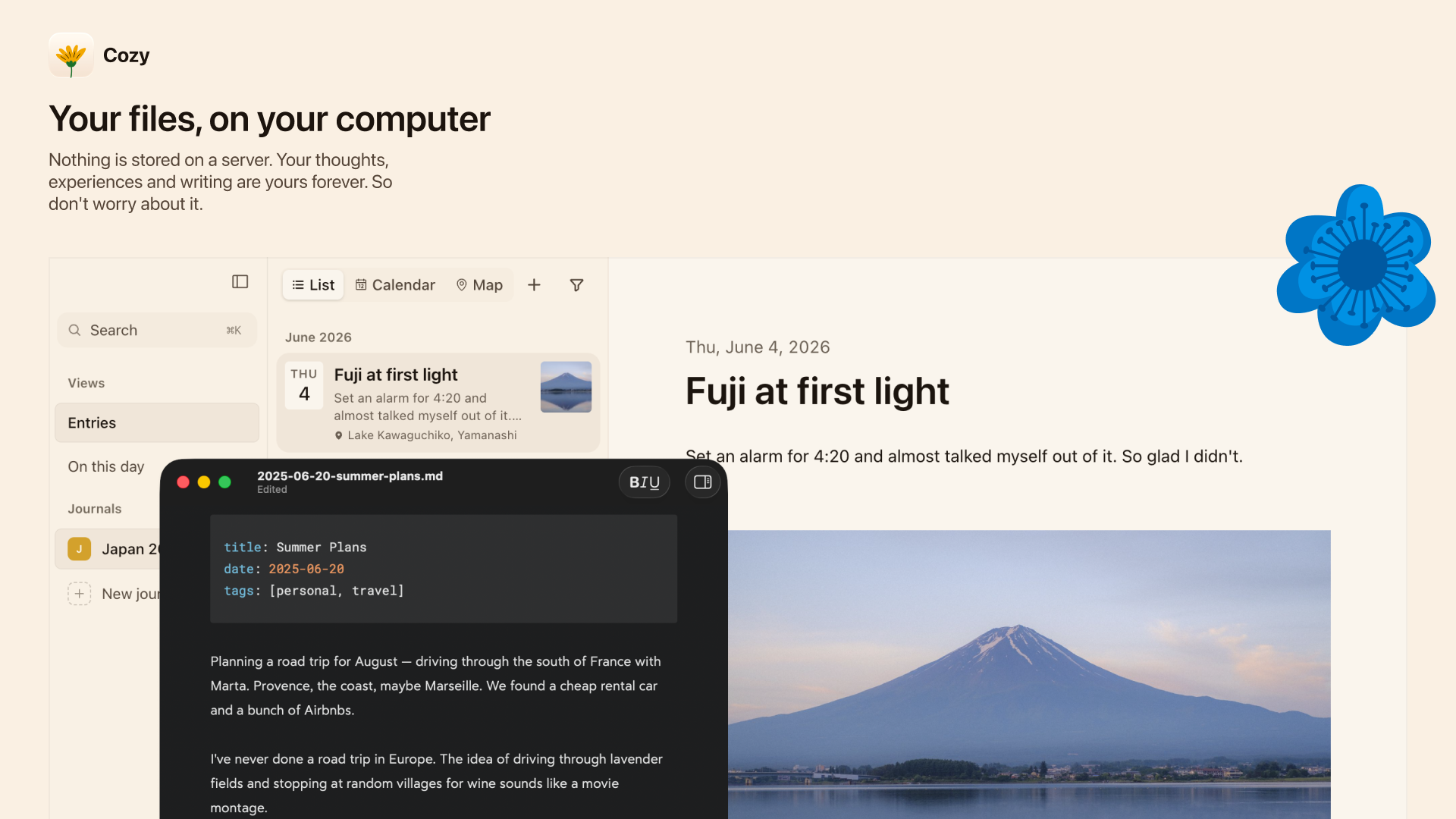
Cozy is a private cross-platform journal app for macOS, Windows, iPhone and iPad that stores all your entries as plain readable files on your own device, no data sent to external servers or AI models. It is built for users who want full control over their personal diary content without recurring subscription fees. The app supports multiple import options from existing popular journaling tools and lets you organize entries with tags, locations, custom trackers, and flexible viewing views.

2ViewsAI ProductivityPaidPrivacy FocusedOffline Capable

Core Privacy Features

Cozy does not send any of your journal content to external servers. All entries and attached media are stored in a regular folder on your local device, accessible with any file browser. No user data is processed, read, or used to train any AI model. There is no cloud account requirement, so there is no remote server breach risk and no third party can access your diary content.

You can sync your journal across multiple devices manually using any cloud folder service you already use, including iCloud, Dropbox, or Google Drive. Cozy does not operate its own sync service.

Supported Entry Capabilities

Each journal entry supports text, photos, audio files, video files, and embedded YouTube links. You can assign custom tags to entries, mark locations for each writing session, and create your own habit trackers to follow any metric you want to log. The app supports full multilingual writing, including right-to-left scripts for Arabic and other corresponding languages.

Three native views are available for browsing past content: list view, calendar view, and map view that pins entries to their recorded locations. Full screen writing mode includes optional background ambient soundscapes including rain, forest, cafe, and fireplace audio to reduce distraction.

Import Functionality

Cozy supports direct import of your existing journal history from four common tools:

  • Notion: Import from Markdown and CSV export folders

  • Day One: Import from .zip export files

  • Obsidian: Import from local vault folders, processing existing daily notes

  • Bear: Import from Markdown export folders

You do not need to retype or manually move your existing journal content to switch to Cozy.

Pricing Terms

A Cozy desktop license for macOS and Windows costs $35 one-time, no recurring base subscription. The license covers all Mac and Windows devices you own, and includes access to the iPhone and iPad app at no extra cost. Each purchase includes 12 months of free feature and bugfix updates. After the 12 month period, the app continues to work fully without any restrictions. Optional renewals for additional update access cost $17 per year, and you can opt out at any time. A 14-day money-back guarantee applies to all purchases.

The iPhone and iPad app is currently in open free beta on TestFlight, and will be sold separately for $19.99 once it launches on the App Store. Android support is planned for a future release. Student and educator users get a 40% discount by verifying their school email address, and additional regional discounts are available by direct request for users in countries where the standard price is not accessible.

Imported User Feedback

Early user testimonials confirm smooth migration from competing journal apps, including Day One, after those services added unwanted AI features. The development team responds quickly to bug reports, with some fixes released the same day users report issues. Users note the lightweight, clean interface and intuitive workflow that stays focused on writing without unnecessary extra features.

Comments

Comments

No comments yet. Be the first to share your thoughts!