

- Monthly visits
- 2,627
- 2026-10
Coverlttr - Turn your CV and a job listing into a tailored cover letter
Coverlttr uses your CV and a job listing to draft an editable cover letter aligned with the role’s stated requirements. Save preferences for future applications, import LinkedIn jobs with its Chrome extension, refine the draft, and export it using a template as a PDF or Word document.
- AI Career
- Job Search
- Document Generators
- AI cover letter generator
- LinkedIn job import cover letters
- CV-based cover letter writing
Capabilities
Tailored letter drafting
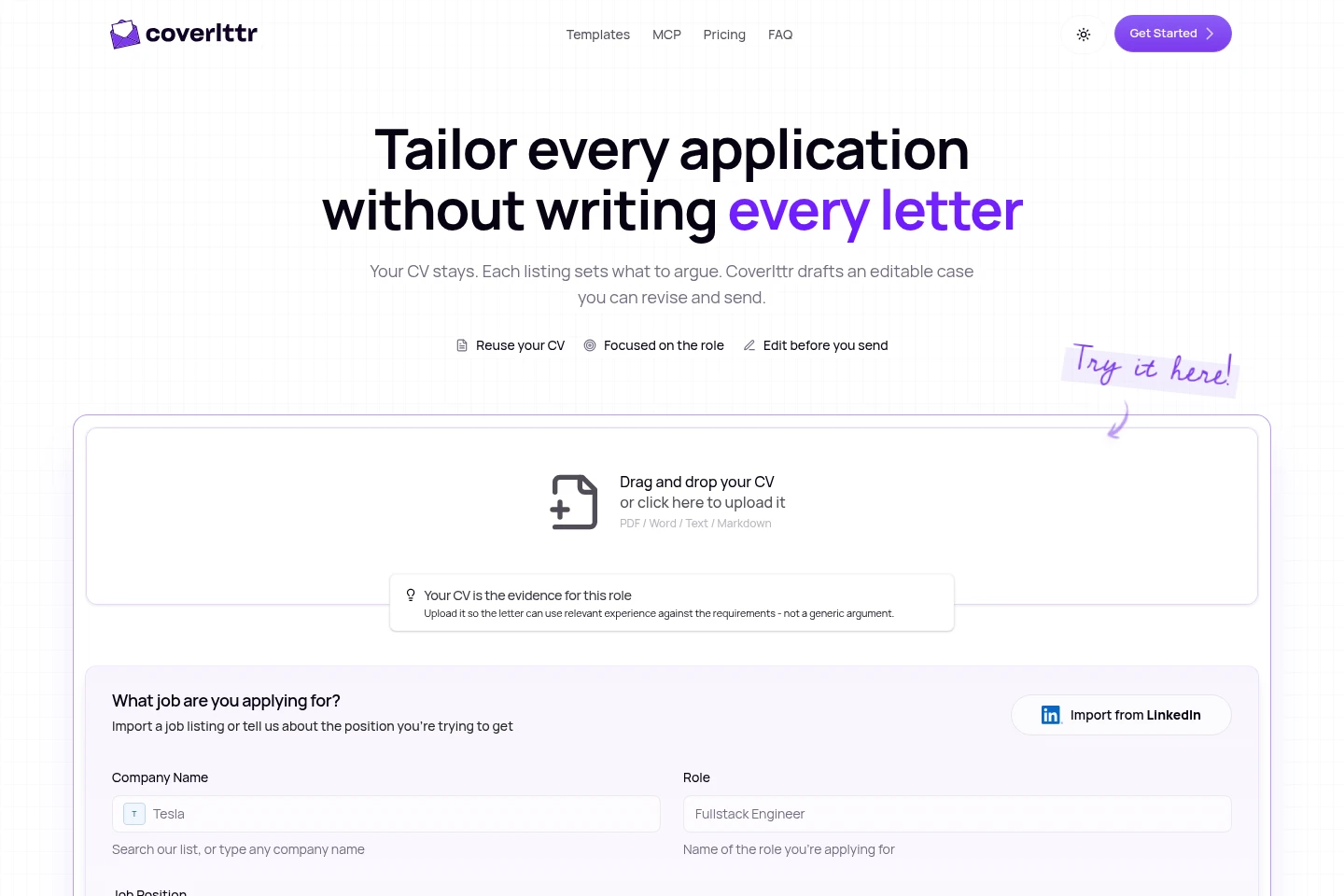
Drafts an editable cover letter using a CV and the requirements in a job listing. Users can set tone, length, key points, and language, and revise the resulting draft before exporting.
LinkedIn job import
Saves a job posting from LinkedIn through the Chrome extension for use in Coverlttr. The imported company and position can fill in the application form, avoiding manual re-entry of those details.
Reusable CV and preferences
Stores an uploaded CV and saved preferences for later applications. Users can reuse their experience and personal information across roles rather than entering them for each listing.
Letter templates and export
Applies a visual template to a reviewed cover letter and exports a document for an application. The homepage specifies PDF and Word downloads.
MCP client connection
Connects a Coverlttr account to supported MCP clients, including ChatGPT, Claude, Cursor, and Gemini. The connected workflow can use resumes and letters without copying between tabs.
Pricing
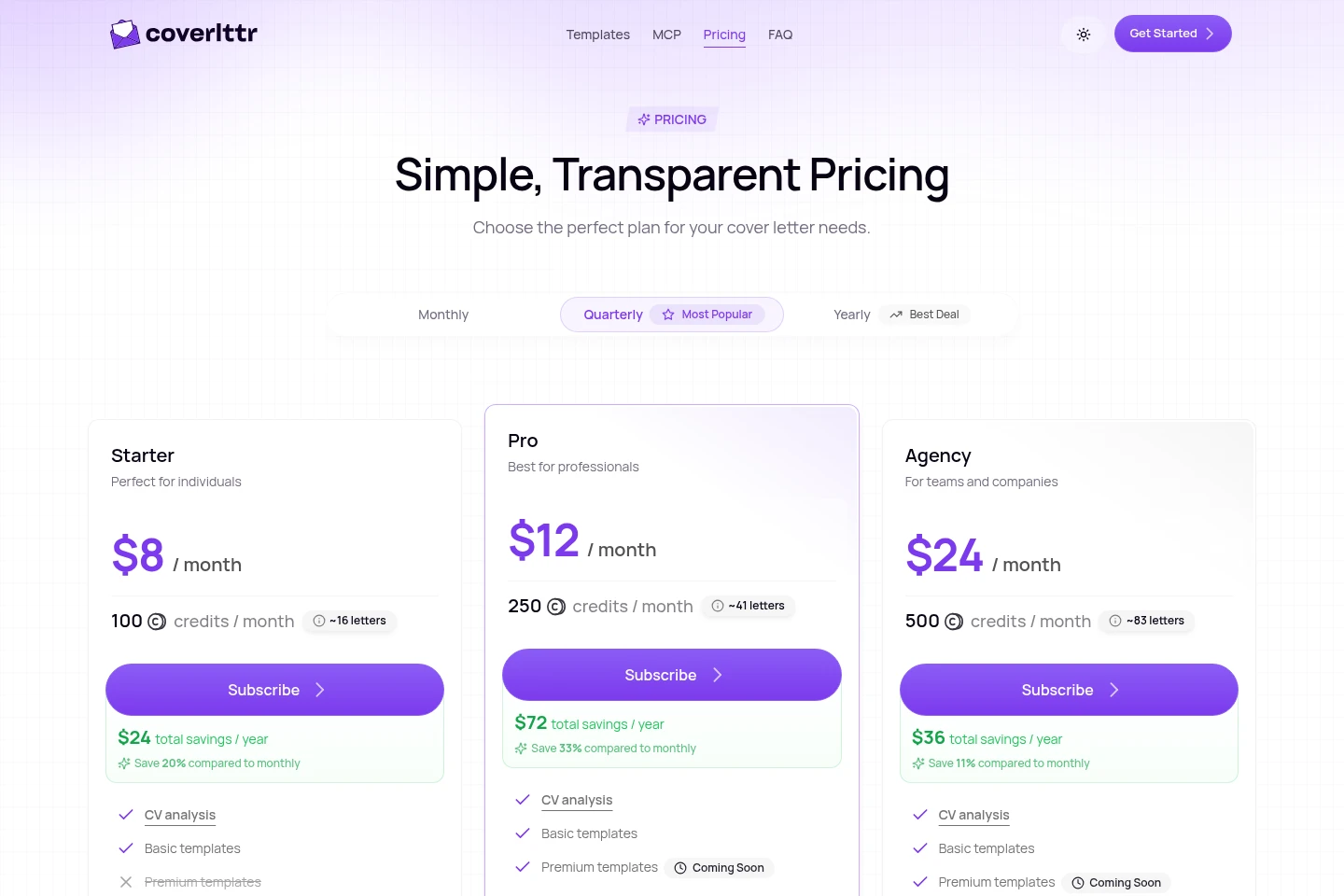
Coverlttr offers a free first letter, credit-based monthly plans, and subscriptions. Compare each plan’s monthly credit allowance and included features; the page also displays quarterly and yearly billing choices and annual savings.
| Plan | Price | Included features and limits |
|---|---|---|
| Starter | $8/month |
|
| Pro | $12/month |
|
| Agency | $24/month |
|
The pricing page offers monthly, quarterly, and yearly billing choices. It displays annual savings of $24 for Starter, $72 for Pro, and $36 for Agency, with stated savings of 20%, 33%, and 11% compared with monthly billing, respectively.
Use cases
Draft a cover letter for a specific role
When applying to a role with a defined job listing, upload or reuse a CV and provide the listing to prepare a draft. Review and refine the editable letter before applying a template and exporting it.
Save a LinkedIn job for later drafting
When browsing LinkedIn, use the Chrome extension to capture a job posting in Coverlttr. Select the saved listing later to bring its company and position details into the letter workflow.
Export a formatted application letter
When a cover letter is ready to submit, choose a template if needed and download the document. The homepage identifies PDF and Word export options.
Limitations
The Chrome extension is labeled desktop-only on the homepage, so that extension workflow is presented for desktop use.
The pricing page marks Pro premium templates and Agency advanced analytics as Coming Soon; those features are not presented as currently available on those plans.
Who it is for
Job applicants who want a cover letter tailored to a specific role using their CV and the job listing.
Job seekers who save LinkedIn postings and want to use them later when preparing application letters.
Teams and companies preparing cover letters for multiple applicants, for whom the Agency plan is presented.
FAQ
What information does Coverlttr use to draft a letter?
It uses your uploaded CV or saved professional profile and the target job description. You can also specify tone, length, key points, and the language for the generated letter.
Can I import a job listing from LinkedIn?
Yes. The Chrome extension saves a LinkedIn posting to Coverlttr so you can select it later and use its company and position details. The homepage labels the extension desktop-only.
Can I edit and download my cover letter?
Yes. Review and refine the draft, apply a template if desired, and export it. The homepage lists PDF and Word downloads; the FAQ also names Markdown and other formats.
Is there a free way to try Coverlttr?
Yes. The first letter is free and does not require a credit card. The pricing page also describes credit-based plans and subscriptions.
Can I use Coverlttr with ChatGPT or Claude?
Yes. Coverlttr offers an MCP connection for clients including ChatGPT, Claude, Cursor, and Gemini, allowing them to work with your resumes and letters.


Comments