


Telex - AI-powered WordPress code generation assistant
Launched on Feb 18, 2025Telex is an AI-powered code generation tool designed specifically for WordPress developers. It helps you quickly generate PHP, JavaScript, and CSS code, fix errors, and create WordPress-standard compliant solutions. With WordPress Playground integration, you can test code directly in your browser without local setup.

Telex: Your AI-Powered Partner for WordPress Development
Building WordPress themes, plugins, and custom functionality shouldn't feel like wrestling with code. If you've spent hours debugging a stubborn PHP error or flipping through scattered documentation just to figure out how to register a custom post type, you're not alone—and there's a better way forward.
Telex is an AI-assisted code generation platform designed specifically for the WordPress ecosystem. Developed by Automattic—the company behind WordPress.com, WooCommerce, and Jetpack—Telex leverages OpenAI's language models to help you generate, debug, and optimize WordPress code faster than ever before. Whether you're building a custom theme from scratch or fixing a tricky compatibility issue, Telex acts as your intelligent coding partner, translating your natural language descriptions into production-ready PHP, JavaScript, and CSS.
The need for such a tool is more pressing than ever. WordPress powers over 40% of all websites globally—that's hundreds of millions of sites built on a platform that has evolved for nearly two decades. Yet developers still face fragmented documentation, time-consuming manual coding, and the inevitable debugging frustrations that come with WordPress development. Automattic, with its nearly 20 years of WordPress ecosystem experience, recognized this pain point and built Telex to address it directly.
It's worth noting that Telex evolved from CodeWP, which has now been discontinued and integrated into the Telex platform. If you're coming from CodeWP, the core mission remains the same: making WordPress development more accessible and efficient through AI assistance.
:::card{type="summary" title="What Telex Does"}
- AI Code Generation: Creates PHP, JavaScript, and CSS based on natural language descriptions
- Code Repair & Optimization: Diagnoses and fixes errors in existing WordPress code
- WordPress Standards Compliance: Generates code that follows WordPress coding standards and best practices
- Playground Integration: Lets you test code directly in the WordPress Playground without setting up a local environment :::
What Telex Can Do for You
Telex isn't just another AI coding tool—it's purpose-built for WordPress developers who want to work smarter, not harder. Here's how you can use each of its core capabilities:
AI Code Generation is where Telex shines. Instead of starting from a blank file, you can describe what you need in plain English—"Create a custom widget that displays recent posts" or "Build a shortcode for a pricing table"—and Telex generates the corresponding WordPress code. This works for creating custom functionalities, theme templates, plugin code, and more. The AI understands WordPress conventions, so the output isn't just functional code—it's code that follows WordPress patterns and best practices.
Code Repair and Optimization addresses one of the most frustrating parts of WordPress development: debugging. When you're staring at a white screen of death or chasing a compatibility issue between a theme and a plugin, Telex can analyze your problematic code and suggest fixes. It helps you debug theme and plugin compatibility issues faster, saving hours of trial and error.
WordPress-Specific Optimization means every piece of code Telex generates is tailored to WordPress standards. You don't need to worry whether the code follows WordPress coding conventions—Telex handles that for you. This is particularly valuable if you're developing themes or plugins for distribution, where code quality and standards compliance matter for approval and user trust.
Playground Integration is a game-changer for testing. The WordPress Playground lets you run a full WordPress environment directly in your browser—no local server setup, no environment configuration. Telex integrates with this capability, meaning you can generate code and test it immediately without leaving your development workflow.
::::grid :::card{type="advantages"}
- Accelerates Development: Dramatically reduces time spent on boilerplate code and repetitive tasks
- Automattic Backing: Built by the company that knows WordPress better than anyone else
- Playground Integration: Test code instantly in-browser without local environment setup
- Standards-Compliant Output: Code follows WordPress best practices out of the box ::: :::card{type="disadvantages"}
- Human Review Required: AI output needs verification, as with any AI-assisted coding tool
- Pricing Not Publicly Available: Currently no transparent pricing information published ::: ::::
Who Should Use Telex
Telex serves a wide range of users, from seasoned developers to newcomers just getting started with WordPress. Here's how different people are using it:
WordPress Developers use Telex to speed up custom functionality development, theme creation, and plugin building. If you're building client sites or maintaining a portfolio of WordPress projects, Telex helps you deliver faster without sacrificing code quality. The AI handles the scaffolding so you can focus on the unique aspects of each project.
Theme and Plugin Authors benefit from Telex's standards-compliant code generation. When you're developing products for the WordPress repository or commercial distribution, code quality directly impacts reviews and user satisfaction. Telex generates code that meets WordPress coding standards, helping your submissions get approved faster and your users have fewer compatibility issues.
Website Owners who need simple customizations can use Telex without becoming programmers. Need a custom shortcode or a minor functionality tweak? Describe what you want, and Telex generates the code. You won't need to hire a developer for every small change.
Learners find Telex particularly valuable for accelerating their WordPress education. Instead of struggling through fragmented documentation, you can see working code examples generated in response to your questions. This hands-on approach to learning WordPress development patterns helps you understand not just what code works, but why it works that way.
:::card{type="tip" title="Choosing Your Approach"} Not sure where to start? Consider your technical background: if you're new to WordPress development, begin by testing generated code in the Playground to see how things work. If you're an experienced developer, integrate Telex into your workflow for routine tasks and focus your energy on complex, custom functionality. :::
How Telex Works Under the Hood
Understanding Telex's technical foundation helps you use it more effectively. Here's what powers the platform:
OpenAI Language Models form the AI backbone. Telex uses OpenAI's large language models to understand your natural language descriptions and generate appropriate code. This isn't a simple template system—the AI comprehends context, WordPress conventions, and best practices to produce relevant output.
WordPress Playground Integration represents a significant technical advantage. The Playground is a browser-based WordPress environment that runs entirely without server-side infrastructure. When you generate code in Telex, you can test it immediately in this environment. This deep integration with WordPress Playground means Telex isn't just generating code—it's generating code that can be verified in a real WordPress context right away.
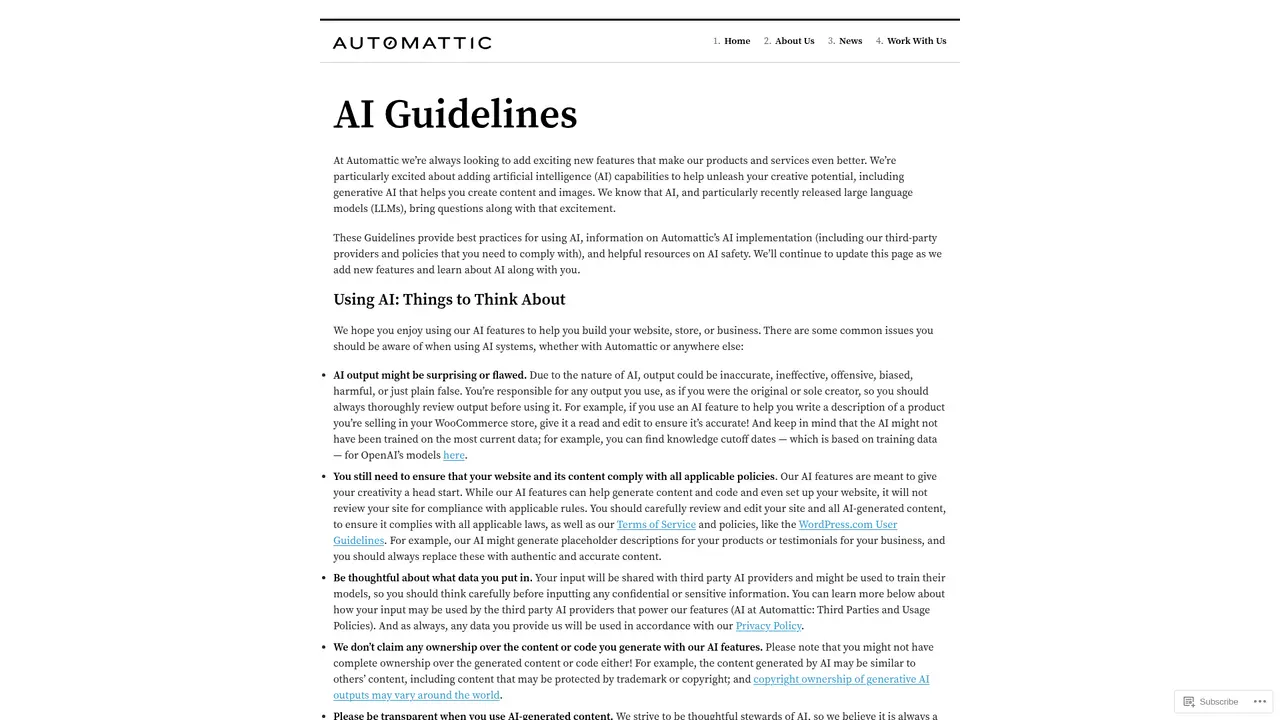
Automattic's AI Guidelines shape how Telex is used responsibly. Automattic has published comprehensive AI usage guidelines that acknowledge a fundamental principle: AI assists but doesn't replace human judgment. All Telex output should be reviewed by a qualified developer before being used in production environments. This transparency reflects Automattic's commitment to responsible AI deployment.
The Automattic Foundation provides unmatched credibility. With over 1,450 employees (called Automatticians) distributed globally, Automattic operates some of the most recognizable products in the web ecosystem: WordPress.com, WooCommerce, Jetpack, Tumblr, and Simplenote. This isn't a startup experimenting with WordPress—this is the company that has shaped WordPress for nearly two decades.
:::card{type="tip" title="Best Practice Reminder"} Always test AI-generated code in a staging environment before deploying to production. While Telex produces standards-compliant code, every WordPress site has unique configurations, themes, and plugins that may interact differently with new code. :::
Getting Started with Telex
Ready to try Telex? Here's how to begin:
Access Telex by visiting the original CodeWP website (codewp.ai), which will redirect you to the Telex platform. You'll need to create or log in with an Automattic account to use the service.
Understand the Data Flow: When you use Telex, your input descriptions are sent to OpenAI for processing. This is clearly disclosed in Automattic's privacy documentation, which you should review to ensure it aligns with your project's data handling requirements.
Write Your First Prompt: Start with something specific. The more precise your description, the better the output. For example:
- "Create a WordPress plugin that adds a custom widget area to the sidebar"
- "Write a PHP function to register a custom post type called 'Portfolio'"
- "Generate a shortcode that displays a grid of featured images"
Include details about whether you need a plugin, theme modification, or widget—this context helps Telex generate the right code structure.
Test in Playground: Once Telex generates code, use the WordPress Playground integration to test it immediately. This lets you verify functionality without configuring a local development environment, making it perfect for quick prototyping and learning.
:::card{type="tip" title="Writing Effective Prompts"} Be specific about the deliverable type (plugin, theme, widget, shortcode) and include context about what the code should accomplish. Instead of "make a contact form," try "create a WordPress shortcode for a contact form that saves submissions to a custom database table." :::
Frequently Asked Questions
:::card{type="faq" title="What's the relationship between Telex and CodeWP?"} CodeWP has been discontinued and its functionality integrated into Telex. If you were a CodeWP user, you'll find the core capabilities you relied on now available through the Telex platform. :::
:::card{type="faq" title="Can I use Telex-generated code in production environments?"} We recommend testing all AI-generated code in a staging environment before deploying to production. Following Automattic's AI guidelines, all output should be reviewed by a qualified developer to ensure it's secure, performant, and compatible with your specific WordPress setup. :::
:::card{type="faq" title="Is Telex free to use?"} Telex pricing information is currently not publicly available. For the most current information about pricing and plans, please check the official Telex website. :::
:::card{type="faq" title="How is my data handled when using Telex?"} Your input descriptions are sent to OpenAI for processing. Automattic's privacy policy governs how your data is handled. Review their privacy documentation to understand the complete data flow and your rights under regulations like GDPR. :::
:::card{type="faq" title="What programming languages does Telex support?"} Telex primarily generates PHP, JavaScript, and CSS—the core languages used in WordPress development. The AI understands WordPress-specific patterns and conventions in these languages. :::
:::card{type="faq" title="How is Telex different from other AI coding assistants?"} Telex is purpose-built for the WordPress ecosystem, developed by Automattic—the company that maintains WordPress itself. Unlike general-purpose AI coding tools, Telex understands WordPress conventions, coding standards, and integrates directly with WordPress Playground for instant testing. This specialization means more relevant output for WordPress-specific tasks. :::
Related Content

Copy.ai Review 2026: AI Copywriting Made Easy
Our honest Copy.ai review for 2026. We test Content Agents, AI Workflows, pricing ($29-$249/mo), and compare it to Jasper and Writesonic. Find out if it's worth it for your marketing team.

Rytr Review 2026: Is This Budget AI Writer Worth It?
Our hands-on Rytr review for 2026. We test features, pricing, content quality, and compare it to Jasper & ChatGPT. Find out if Rytr is the best budget AI writing tool.

Word Changer - Free AI tool to rewrite and improve your writing instantly
Writing always using repetitive words or need to avoid plagiarism? Word Changer is a free AI writing assistant that instantly rewrites any text with richer vocabulary and appropriate tone. Get multiple versions with one click, adjust formality level, check readability - all for free!

Unite - AI-powered platform for romantic fantasies and dream couple moments
Explore romantic fantasies and create special moments for your dream couple. This AI-powered platform lets you generate personalized romantic content and experience exclusive AI-created romantic experiences.
Comments