Logo
ProductsBlogs
Submit

Categories

  • AI Coding
  • AI Writing
  • AI Image
  • AI Video
  • AI Audio
  • AI Chatbot
  • AI Design
  • AI Productivity
  • AI Data
  • AI Marketing
  • AI DevTools
  • AI Agents

Featured Tools

  • Coachful
  • Wix
  • TruShot
  • AIToolFame
  • ProductFame
  • Google Gemini
  • Jan
  • Zapier
  • LangChain
  • ChatGPT

Featured Articles

  • The Complete Guide to AI Content Creation in 2026
  • 5 Best AI Agent Frameworks for Developers in 2026
  • 12 Best AI Coding Tools in 2026: Tested & Ranked
  • Cursor vs Windsurf vs GitHub Copilot: The Ultimate Comparison (2026)
  • 5 Best AI Blog Writing Tools for SEO in 2026
  • 8 Best Free AI Code Assistants in 2026: Tested & Compared
  • View All →

Subscribe to our newsletter

Receive weekly updates with the newest insights, trends, and tools, straight to your email

Browse by Alphabet

ABCDEFGHIJKLMNOPQRSTUVWXYZOther
Logo
English中文PortuguêsEspañolDeutschFrançais|Terms of ServicePrivacy PolicyTicketsSitemapllms.txt

© 2025 All rights reserved

  • Home
  • /
  • Products
  • /
  • AI Design
  • /
  • CharmBar - Personalize your Mac Dock with unique icons
CharmBar

CharmBar - Personalize your Mac Dock with unique icons

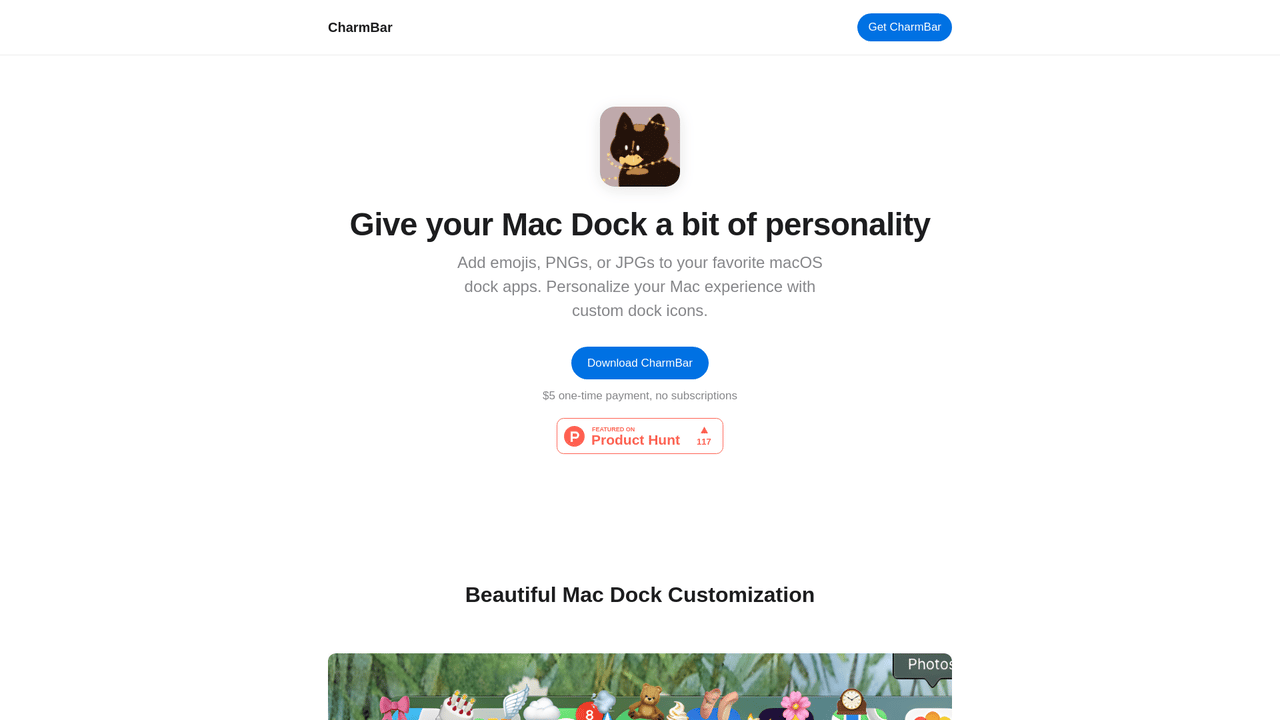
CharmBar is designed for Mac users who want to make their dock more visually appealing. With a simple and intuitive interface, you can personalize your app icons using emojis, PNGs, or JPGs. The app features real-time updates, meaning your custom icons will appear immediately in your dock. Furthermore, CharmBar is built with privacy in mind — there’s no tracking, no analytics, and no data collection, so your activity remains completely private. Enjoy a lightweight application that won’t slow down your Mac while allowing you to personalize your dock seamlessly. Plus, with a one-time payment of just $5, you can use CharmBar on multiple devices without worrying about subscriptions or ads.

AI DesignPaidImage EditingUI DesignIcon Generation
Visit Website
Product Details
CharmBar - Main Image

Are you tired of the same old plain Mac Dock? With CharmBar, you can easily enhance your dock experience by adding custom icons like emojis or images. This lightweight application is designed specifically for macOS, ensuring a native experience without any hassle.

How It Works

CharmBar operates on a straightforward principle to enhance your macOS experience by providing an interface to customize your dock icons. When you use CharmBar, you can choose from a wide range of images, including emojis, PNGs, and JPGs. Here’s how it works:

  • Choose Your Icon: Select from the images you want to use as dock icons.
  • Instant Updates: Once you choose an image, it gets updated in your dock instantly, offering real-time feedback.
  • Lightweight & Private: Designed to be resource-efficient, CharmBar ensures that it doesn’t burden your Mac. Moreover, the app is entirely privacy-focused — no data collection and zero tracking involved.
  • Multi-Mac Support: With a single purchase, you can install the app on up to three Mac devices, making it convenient for families or small office setups.

Usage

Using CharmBar is incredibly straightforward. Just follow these steps to customize your dock:

  1. Download and Install: Start by downloading the CharmBar application from the official site. Install it like any other Mac app.
  2. Open the Application: Launch CharmBar from your applications folder.
  3. Select Your Apps: The app will display the applications currently residing in your dock.
  4. Choose Icons: Click on any app and select an emoji or upload a PNG/JPG image you’d like as the new icon.
  5. Real-Time Customization: Once selected, the new icon will appear in your dock instantly, allowing you to see the changes immediately.
  6. Enjoy Your Custom Dock: Use your dock as usual, now enhanced with your personalized icons. Repeat these steps for any other app you wish to customize.
  7. Manage Multi-Mac Usage: If you're using CharmBar on multiple Macs, simply repeat the download and installation process on each device, using the same purchase to activate.

Creative professionals

These users can create a more personalized workspace by utilizing custom icons that reflect their artistic style.

Business users

Enhance productivity with recognizable custom icons that help in quickly identifying important applications.

Students

Make your workspace enjoyable and uniquely yours, making it easier to navigate between study applications.

Tech enthusiasts

Customize their dock to match their personal theme, providing a unique aesthetic that resonates with their tech-savvy identity.

Families

Use different icons for family members to make it easier for children to find their favorite apps on shared devices.

Home office workers

Create a comfortable and unique workspace in their home office with personalized dock icons.

Podcast creators

Quickly access editing tools and resources with clear customized icons designed to enhance workflow.

Features

  • Custom Dock Icons: Add any emoji, PNG, or JPG to customize app icons in your macOS dock.
  • Real-time Icon Updates: Custom icons appear instantly when apps show up in your Mac dock.
  • Privacy Focused: Zero tracking, zero analytics, zero data collection — your Mac activity stays private.
  • Native macOS Experience: Designed specifically for Mac users for seamless dock integration.
  • Lightweight App: Minimal resource usage to keep your Mac fast while customizing your dock.
  • One-time Payment: Single lifetime purchase with no subscriptions for your Mac dock customization.
  • Multi-Mac License: Use on up to 3 Mac devices with a single purchase.

Standard License (One-time payment): $5

  • Lifetime access
  • No subscriptions
  • Use on up to 3 devices
  • Free updates
  • Privacy focused

FAQ

  1. What is CharmBar?

CharmBar is an application that allows you to personalize your Mac Dock by adding emojis and custom images as app icons.

  1. How much does CharmBar cost?

CharmBar costs a one-time payment of $5 for a lifetime license.

  1. Can I use CharmBar on multiple Macs?

Yes, you can use CharmBar on up to 3 Mac devices with a single purchase.

  1. Does CharmBar track my usage?

No, CharmBar is privacy-focused and does not track your usage or collect data.

  1. What types of images can I use for dock icons?

You can use any emojis, PNGs, or JPGs to customize your dock icons.

  1. Is there a trial version of CharmBar available?

No, there is currently no trial version available for CharmBar; it is a straightforward purchase.

  1. Will there be updates for CharmBar?

Yes, charmBar offers free updates for life upon purchase.

  1. How do I download CharmBar?

You can download CharmBar from the official website or purchase it through the provided link.

Explore AI Potential

Discover the latest AI tools and boost your productivity today.

Browse All Tools
CharmBar
CharmBar

CharmBar is designed for Mac users who want to make their dock more visually appealing. With a simple and intuitive interface, you can personalize your app icons using emojis, PNGs, or JPGs. The app features real-time updates, meaning your custom icons will appear immediately in your dock. Furthermore, CharmBar is built with privacy in mind — there’s no tracking, no analytics, and no data collection, so your activity remains completely private. Enjoy a lightweight application that won’t slow down your Mac while allowing you to personalize your dock seamlessly. Plus, with a one-time payment of just $5, you can use CharmBar on multiple devices without worrying about subscriptions or ads.

Visit Website

Featured

Coachful

Coachful

One app. Your entire coaching business

Wix

Wix

AI-powered website builder for everyone

TruShot

TruShot

AI dating photos that actually get matches

AIToolFame

AIToolFame

Popular AI tools directory for discovery and promotion

ProductFame

ProductFame

Product launch platform for founders with SEO backlinks

Featured Articles
8 Best Free AI Code Assistants in 2026: Tested & Compared

8 Best Free AI Code Assistants in 2026: Tested & Compared

Looking for free AI coding tools? We tested 8 of the best free AI code assistants for 2026 — from VS Code extensions to open-source alternatives to GitHub Copilot.

The Complete Guide to AI Content Creation in 2026

The Complete Guide to AI Content Creation in 2026

Master AI content creation with our comprehensive guide. Discover the best AI tools, workflows, and strategies to create high-quality content faster in 2026.

Information

Views
Updated

Related Content

6 Best AI Logo Generators in 2026: Create Stunning Logos in Minutes
Blog

6 Best AI Logo Generators in 2026: Create Stunning Logos in Minutes

Looking for the best AI logo generator? We tested 6 top AI logo makers — from free tools to premium platforms. Find the perfect one for your brand in 2026.

5 Best AI Presentation Tools in 2026: Better Than PowerPoint
Blog

5 Best AI Presentation Tools in 2026: Better Than PowerPoint

Discover the 5 best AI presentation tools in 2026 that create stunning slides in minutes. We tested Gamma, Beautiful.ai, SlidesAI, and more to find the best PowerPoint alternatives.

Piktochart - Infographic Maker Trusted By 14 Million Users
Tool

Piktochart - Infographic Maker Trusted By 14 Million Users

Piktochart is a comprehensive visual design SaaS platform trusted by over 200 million users worldwide. With 14+ years of experience, it offers AI-powered design tools including image, document, and video generation. The platform provides 5000+ templates, brand management tools, and team collaboration features, making it ideal for marketers, educators, and enterprises. Create professional infographics, presentations, and marketing materials in minutes.

Pixcap - Elevate your designs with stunning 3D assets
Tool

Pixcap - Elevate your designs with stunning 3D assets

Pixcap offers over 15,000 free and premium 3D icons and illustrations, along with 1,000+ 3D characters and 500+ mockups. Users can edit high-quality animated mockups, customize colors and materials, and download assets in various formats including GLB, MP4, GIF, and PNG. The platform is designed for easy use across different software, making it an essential tool for designers and marketers.