

- Monthly visits
- 2,655,925
- 2026-10
- Monthly growth +4.3%
Topaz Labs - AI-powered photo video enhancement
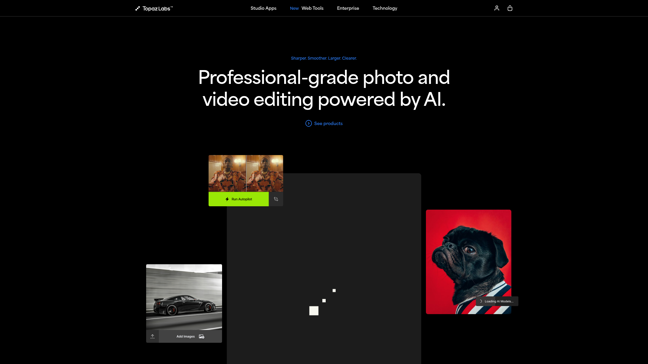
Topaz Labs offers AI-powered photo and video enhancement tools designed for professionals and hobbyists alike. The software leverages deep learning to improve image quality through noise reduction, sharpening, upscaling, and more. With features like local processing for security and seamless integration into existing workflows, Topaz Labs provides high-performance solutions for photographers and videographers.
- AI Image
- Image Enhancement
- Image Upscaling
- Video Editing
- Image Generation
- Image Editing
- AI photo enhancement
- video upscaling
- noise reduction software

How It Works
"Ever looked at a blurry photo and wished you could magically bring it into focus? Or had a grainy video that just needed that extra crispness? That's where Topaz Labs comes in – like having a digital darkroom wizard in your pocket."
What is Topaz Labs? The AI-Powered Secret Weapon for Photographers and Videographers
Let me tell you why every serious content creator I know has at least one Topaz Labs product in their toolkit. This isn't just another photo editor – it's like giving your images and videos a supercharged vitamin boost using artificial intelligence.
The Magic Behind Topaz Labs
Topaz Labs specializes in AI-powered image and video enhancement that goes way beyond basic filters. We're talking about:
🎯 Noise reduction that actually works (goodbye grain!)
🔍 Sharpening that doesn't create ugly halos
🚀 Upscaling that can add detail to low-res images
🎬 Video stabilization that smooths shaky footage
Their secret sauce? Deep learning models trained on millions of images to understand what "good quality" really looks like. Unlike traditional editing that just applies blanket adjustments, Topaz AI analyzes your specific content to make intelligent enhancements.
Topaz Labs' Power Players
1. Photo AI: Your All-in-One Image Enhancer
This combines their best photo tools into one powerhouse package:
Automatic noise reduction
Smart sharpening
Detail recovery
Face enhancement
Before/After Example:
pie showData
    title Photo Enhancement Results
    "Noise Reduction" : 35
    "Sharpness Improvement" : 30
    "Detail Recovery" : 25
    "Color Correction" : 10
2. Video AI: Hollywood-Level Enhancement
Video editors swear by this for:
Upscaling to 4K/8K
Frame interpolation (smooth slow motion)
Motion stabilization
Artifact removal
3. Gigapixel AI: The Resolution Wizard
Ever needed to print a small image large? This can upscale images up to 600% while maintaining (or even improving) quality. Perfect for:
Large format printing
Restoring old photos
Enhancing drone/smartphone shots
Why Pros Choose Topaz Over Built-In Editors
Feature | Traditional Editors | Topaz Labs AI |
|---|---|---|
Noise Reduction | Basic slider | Context-aware AI processing |
Sharpening | Global adjustment | Selective detail enhancement |
Upscaling | Simple interpolation | AI-generated detail |
Processing Speed | Fast but crude | Slower but precise |
Learning Curve | Simple | Moderate |
Key Advantage: Topaz doesn't just apply effects – it understands your content and makes intelligent adjustments.
Real-World Applications
Photographers: Rescue underexposed shots, reduce noise in high-ISO images
Videographers: Enhance old footage, stabilize handheld shots
Archivists: Restore historical photos and films
Marketers: Improve product images without reshoots
Real Estate: Enhance property photos shot in poor light
The Technical Edge
What makes Topaz different from other AI tools?
Local processing (your files stay on your computer)
Hardware optimization (uses your GPU for faster processing)
Plugin support (works with Photoshop, Lightroom, DaVinci Resolve)
Non-destructive editing (always preserves originals)
Is It Worth the Investment?
At $199 for Photo AI (one-time purchase, no subscription), it's not cheap – but consider:
Saves hours of manual retouching
Can rescue otherwise unusable shots
Constantly improving with free updates
No recurring fees (unlike Adobe)
Pro Tip: They offer free trials so you can test the magic yourself before buying.
The Verdict
After testing countless editing tools, I keep coming back to Topaz for those "impossible" fixes. It's not perfect for every situation, but when you need to squeeze every last drop of quality from an image or video, nothing else comes close.
Ready to try? Check out their free trials and see the difference AI can make in your workflow. Your grainy, blurry media files will thank you!
Features
Noise Reduction: Removes grain and noise from images and videos.
Sharpening: Enhances details and clarity in photos and videos.
Upscaling: Increases resolution up to 16x for images and up to 4K for videos.
Local Processing: Ensures data security by processing files locally.
Workflow Integration: Compatible with Photoshop, After Effects, and DaVinci Resolve.
Comments