


Infographics.so - AI-powered infographic creation tool
Launched on Apr 1, 2025Transform your text into stunning infographics instantly with AI. This platform automatically converts any content into professional visualizations including funnel diagrams, timelines, roadmaps, mind maps and more. Perfect for marketers, content creators and product managers who need eye-catching graphics without design skills. Export your creations in PNG, JPG or SVG format for easy sharing across all platforms.
What Is Infographics.so
Creating professional visual content has always been a challenge for marketers and content creators. Traditional design tools require significant time investment and design expertise—resources that most busy professionals simply don't have. Whether you're crafting a presentation for stakeholders, trying to make your blog posts more engaging, or need to visualize complex data for a client report, the process often feels overwhelming.
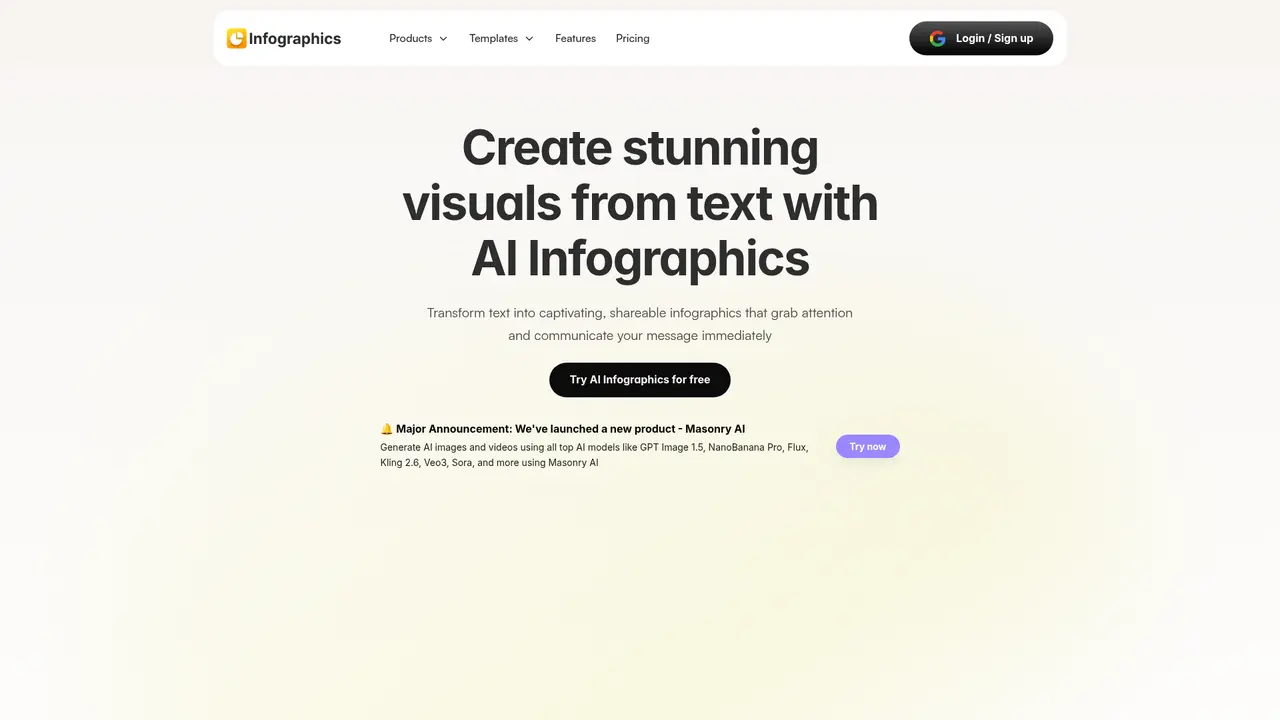
This is where Infographics.so comes in. It's an AI-powered infographics generation platform that transforms any text into professional-quality visualizations in seconds. Instead of spending hours in complex design software, you simply provide your content and let artificial intelligence handle the visual creation.
Infographics.so supports multiple visualization types including funnel diagrams, cyclic processes, step-by-step journeys, hierarchy charts, roadmaps, timelines, mind maps, numbered listicles, and pipeline diagrams. This versatility means you can create virtually any type of visual content your business needs—from sales funnel visualizations to project timelines to strategic mind maps.
The platform's modern canvas-style editor gives you full control over branding elements, allowing you to customize colors, fonts, and layouts to match your brand identity. When you're ready to share, export your creations in PNG, JPG, or SVG formats for seamless integration into presentations, social media, reports, or websites.
The demand for visual content continues to grow exponentially. Research shows that visuals are processed 60,000 times faster than text, and 55% of professionals create infographics more frequently than any other visual medium. Infographics.so helps you meet this demand without the traditional barriers of design skills or time constraints.
:::card{type="summary" title="TL;DR"}
- AI-powered text-to-infographic conversion in seconds
- 10+ visualization types: funnels, timelines, roadmaps, mind maps, and more
- Modern canvas editor with drag-and-drop customization
- Export to PNG, JPG, or SVG for any platform :::
Core Features of Infographics.so
Infographics.so offers a comprehensive suite of features designed to make visual content creation effortless. Here's what you can accomplish with the platform.
The AI Text-to-Infographic feature is the heart of the platform. You paste any text—whether it's a blog article, a data report, or a strategy document—and the AI automatically structures the content and selects the most appropriate visualization layout. This eliminates the guesswork from design decisions and produces professional results instantly.
For sales and marketing professionals, the Funnel Diagrams feature transforms complex customer journey and conversion data into clear visual representations. Track marketing campaign performance, analyze sales pipelines, and identify optimization opportunities with professionally designed funnel visualizations.
The Roadmaps and Timelines feature addresses a critical need for project managers and team leaders. Roadmaps help you track project progress, document milestones, and facilitate communication across stakeholders. Timelines work beautifully for showcasing company history, project milestones, or even personal履历—any situation where chronological visualization adds clarity.
Mind Maps support strategic thinking and project planning. Whether you're facilitating a brainstorming session, organizing complex concepts, or managing knowledge assets, the mind map feature provides an intuitive visual framework that enhances understanding and collaboration.
The platform's Modern Canvas Editor gives you flexible control over your creations. The drag-and-drop interface lets you position elements exactly where you want them, while comprehensive styling options enable you to adjust colors, fonts, and layouts to align with your brand guidelines. Your visualizations remain consistent with your overall brand identity.
Finally, the Quick Export functionality supports multiple formats—PNG for web and presentations, JPG for compact file sizes, and SVG for scalable vector graphics that maintain quality at any size. Share directly on social media, embed in documents, or include in presentations with confidence.
::::grid :::card{type="advantages"}
- Intuitive AI conversion: Transform text to professional infographics in seconds without design skills
- Versatile visualization types: 10+ diagram types cover virtually any business need
- Full customization control: Adjust every visual element to match your brand
- Flexible export options: Three formats (PNG, JPG, SVG) for any use case
- No software installation: Browser-based platform works on any device ::: :::card{type="disadvantages"}
- Limited third-party integrations: Currently no direct integration with Google Docs or Slides
- Learning curve for advanced features: Maximum customization requires some platform exploration ::: ::::
Who Uses Infographics.so
Infographics.so serves a diverse range of professionals across industries. Here's how different users leverage the platform to solve real business challenges.
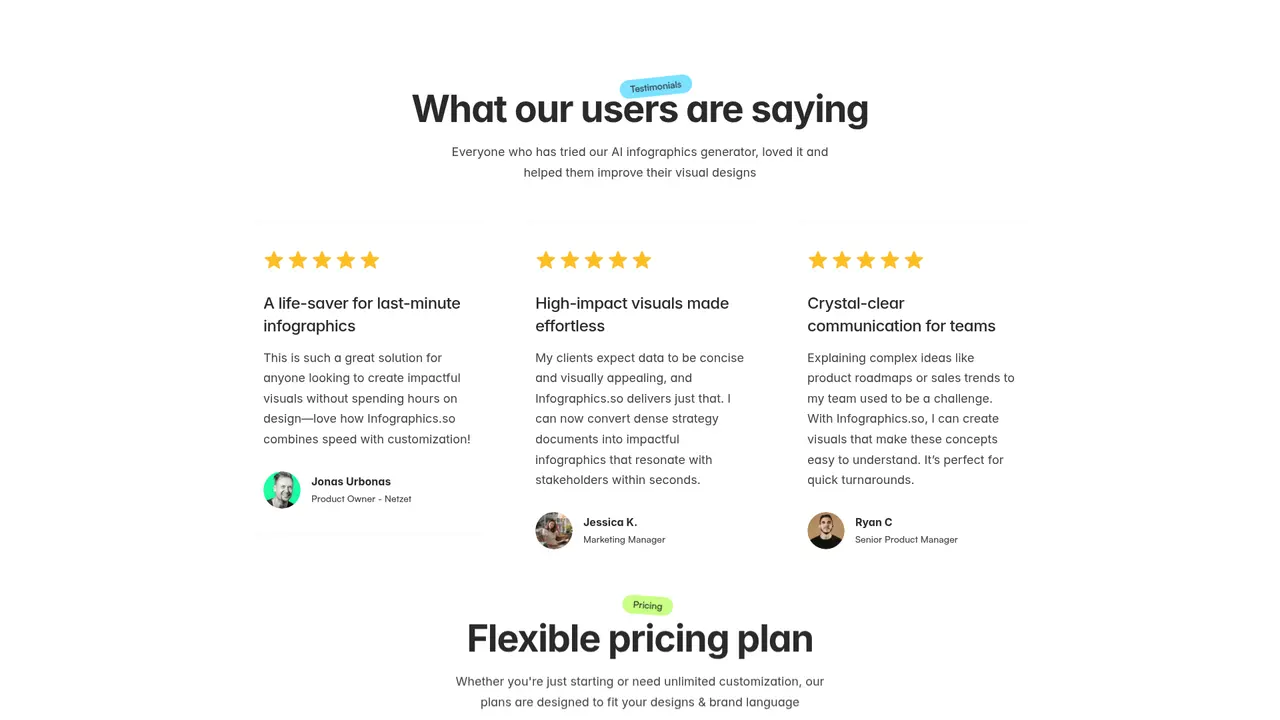
Presentations and Slides are where many users first discover Infographics.so. If you've ever struggled to make complex data understandable in a slide deck, this platform transforms your content into visuals that communicate instantly. Marketing manager Jessica K. uses it to convert dense strategy documents into compelling infographics that resonate with stakeholders. Pairing Infographics.so with presentation tools like Runable AI creates a powerful content creation workflow.
Bloggers and Content Creators benefit tremendously from visual enhancements. Pure text blog posts struggle to capture attention in crowded feeds, but AI-generated charts and illustrations dramatically improve readability and shareability. When your content includes professionally designed visuals, readers stay engaged longer and are far more likely to share your work with their networks.
Social Media Managers rely on Infographics.so to cut through the noise of increasingly crowded feeds. Converting insights and data points into eye-catching social graphics dramatically improves visibility. Posts with compelling visuals generate higher engagement rates and reach broader audiences—essential metrics for anyone managing social presence.
Business Professionals use the platform to simplify complex documents and reports. Raw data often buries the key insights you're trying to communicate. Infographics.so generates charts and diagrams that highlight what matters most, making reports immediately comprehensible to team members, clients, and stakeholders.
Project Managers find the roadmap and timeline features invaluable for visualizing complex workflows. Instead of lengthy written explanations, creating clear visual timelines ensures everyone on the team understands the project schedule and milestones. This visual approach significantly improves communication efficiency and reduces misunderstanding.
Sales Teams leverage funnel diagrams and pipeline visualizations to present performance data effectively. Product Owner Jonas Urbonas from Netzet describes Infographics.so as "a lifesaver for last-minute infographics"—precisely the kind of quick-turnaround visual aid that sales teams frequently need. Senior Product Manager Ryan C. uses it to visualize product roadmaps and sales trends for executive presentations.
:::card{type="tip" title="💡 Pro Tip"} For maximum productivity, combine Infographics.so with other AI tools in your workflow. Use it alongside presentation tools like Runable AI for comprehensive content creation, or pair with your favorite design software for additional customization. :::
Quick Start Guide
Getting started with Infographics.so takes only a few minutes. Here's your path from sign-up to your first professional infographic.
Step 1: Create Your Account
Visit app.infographics.so and sign up for a free account. The registration process requires just your email address and a password. No credit card is needed to start with the free tier, and you can explore all platform features immediately.
Step 2: Enter Your Content
Once logged in, you'll see a clean, intuitive interface. Paste or type your text content into the input field. This can be anything from a blog post outline to sales data to a project plan—the AI works with any text format.
Step 3: Generate Visualizations
Click the generate button and watch the AI transform your text into multiple infographic options. The system automatically selects appropriate visualization types based on your content structure. You'll receive several design alternatives to choose from.
Step 4: Customize Your Design
Select the template that best fits your needs, then customize colors, fonts, and layouts to match your brand identity. The modern canvas editor supports drag-and-drop positioning, making adjustments intuitive even for users without design experience.
Step 5: Export and Share
When your infographic is ready, export it in your preferred format. Choose PNG for versatility, JPG for smaller file sizes, or SVG for scalable graphics that maintain quality at any resolution. Download directly to your device or share immediately to your preferred platform.
The entire process—from text input to finished visual—typically takes under two minutes. This speed makes Infographics.so particularly valuable when you need professional visuals under tight deadlines.
:::card{type="tip" title="💡 Best Practices"} For best results, use clear, well-structured text when generating infographics. Break content into logical sections or bullet points to help the AI understand structure and produce the most accurate visualizations. :::
Pricing Plans
Infographics.so offers two straightforward pricing tiers designed to meet different user needs—from casual creators to power users requiring unlimited access.
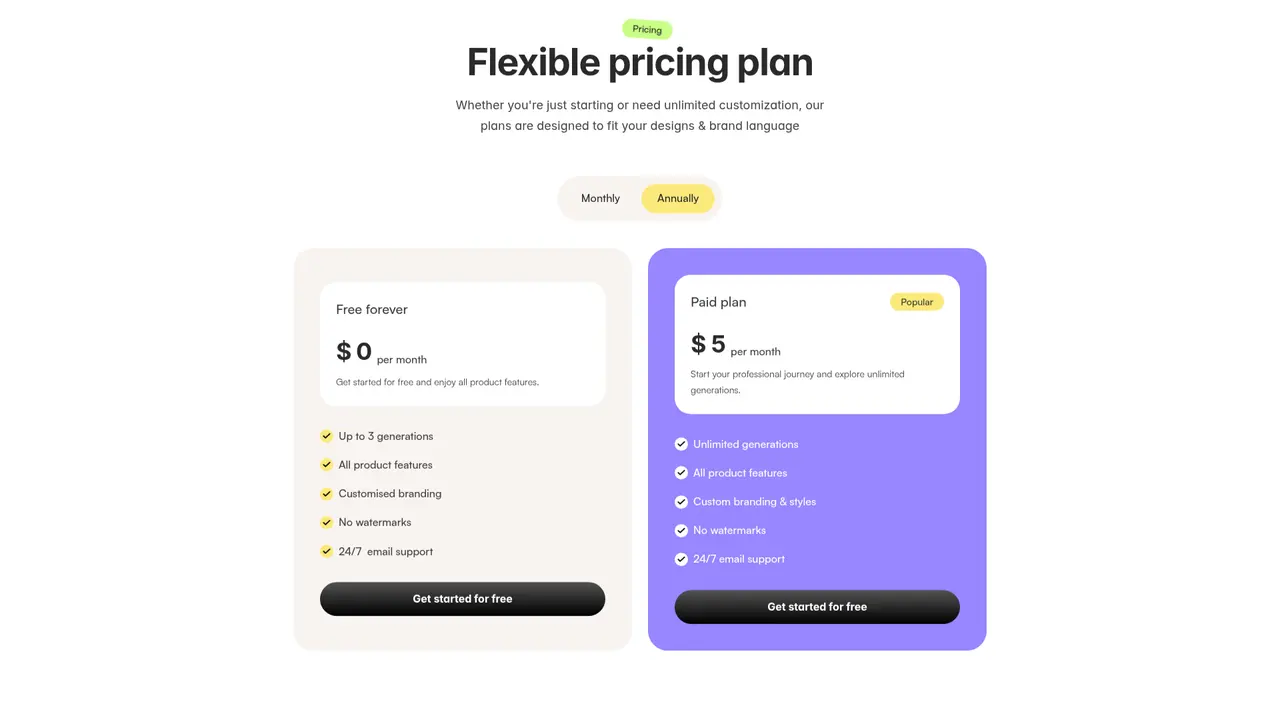
| Feature | Free Forever | Popular (Paid) | |---------|--------------|-----------------| | Price | $0/month | $5/month | | Generations | Up to 3 | Unlimited | | All Product Features | ✓ | ✓ | | Custom Brand Elements | ✓ | ✓ | | Advanced Styling Options | — | ✓ | | Watermark | None | None | | Support | 24/7 Email | 24/7 Email |
The Free Forever plan is ideal for testing the platform and handling occasional needs. With up to 3 generations per month, you can create professional infographics for important projects without any investment. All core features are available, including brand customization and watermark-free exports.
The Popular plan at $5/month unlocks unlimited generation capability—perfect for professionals who create visual content regularly. Beyond unlimited generations, paid subscribers access advanced styling options that provide greater creative control. At this price point, the platform delivers exceptional value for the volume of professional visuals you can produce.
We recommend the Popular plan if you create infographics more than twice monthly, manage multiple brands or clients, or need advanced customization features. The unlimited generations quickly pay for themselves compared to hiring designers or subscribing to traditional design software.
:::card{type="summary" title="TL;DR"}
- Free: 3 generations/month, all core features
- Paid ($5/month): Unlimited generations + advanced styling
- No watermark on either plan
- 24/7 email support for all users :::
Frequently Asked Questions
:::card{type="faq" title="Is the AI infographics generator free to use?"} Yes, Infographics.so offers a free forever plan with 3 generations per month. This lets you test the platform and create occasional infographics without any payment. The paid plan at $5/month unlocks unlimited generations, advanced customization options, and more template choices. :::
:::card{type="faq" title="Can I customize AI-generated infographics?"} Absolutely. You have full control over colors, fonts, and layouts to match your brand or project requirements. The modern canvas editor supports drag-and-drop adjustments, giving you precise control over every visual element while maintaining professional design standards. :::
:::card{type="faq" title="How do I generate an infographic from text?"} The process is simple: paste your text into the input field, click generate, review the AI-produced templates, select your preferred design, customize as needed, and download in your chosen format (PNG, JPG, or SVG). The entire workflow takes less than two minutes. :::
:::card{type="faq" title="What types of infographics can I create?"} Infographics.so supports 10+ visualization types including funnel diagrams, cyclic processes, step-by-step journeys, hierarchy charts, roadmaps, timelines, mind maps, numbered listicles, and pipeline diagrams. This variety covers virtually any business visualization need. :::
:::card{type="faq" title="Does Infographics.so integrate with Google Docs or Slides?"} While direct integration isn't currently available, you can easily export your infographics and insert them into any document or presentation. The PNG, JPG, and SVG formats are compatible with Google Docs, Slides, and virtually all other办公 applications. :::
Related Content

Copy.ai Review 2026: AI Copywriting Made Easy
Our honest Copy.ai review for 2026. We test Content Agents, AI Workflows, pricing ($29-$249/mo), and compare it to Jasper and Writesonic. Find out if it's worth it for your marketing team.

Rytr Review 2026: Is This Budget AI Writer Worth It?
Our hands-on Rytr review for 2026. We test features, pricing, content quality, and compare it to Jasper & ChatGPT. Find out if Rytr is the best budget AI writing tool.

Word Changer - Free AI tool to rewrite and improve your writing instantly
Writing always using repetitive words or need to avoid plagiarism? Word Changer is a free AI writing assistant that instantly rewrites any text with richer vocabulary and appropriate tone. Get multiple versions with one click, adjust formality level, check readability - all for free!

Unite - AI-powered platform for romantic fantasies and dream couple moments
Explore romantic fantasies and create special moments for your dream couple. This AI-powered platform lets you generate personalized romantic content and experience exclusive AI-created romantic experiences.
Comments