Heatbot

Heatbot - AI-driven UI redesign tool

Launched on Apr 18, 2025

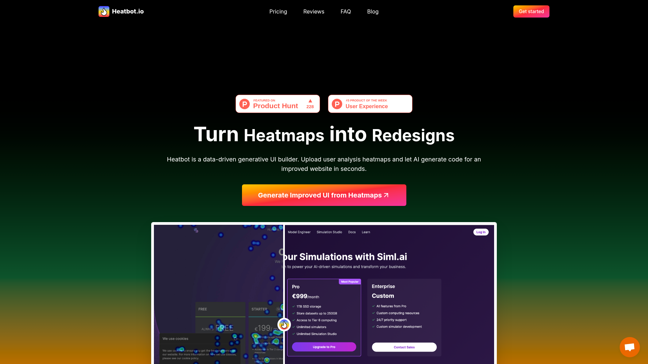
Heatbot.io transforms heatmaps into redesigned websites using AI. It analyzes user interaction data to generate improved HTML, CSS, and JavaScript. The tool supports multiple frameworks like Bootstrap and TailwindCSS. Users can upload heatmaps and specify improvement goals. Heatbot offers various pricing plans, including Basic, Pro, and Enterprise. It provides detailed improvement reports and priority support for Pro users. The tool is praised for simplifying the redesign process.
346ViewsAI DesignFreeUI DesignCode Generation
Heatbot - Main Image
Heatbot - Screenshot 2

Product Introduction

Heatbot.io is a data-driven generative UI builder that leverages AI to transform heatmaps into redesigned websites. By analyzing user interaction data, it generates improved HTML, CSS, and JavaScript, streamlining the redesign process for developers and designers.

!Heatbot.io homepage

Functionality

Heatbot.io works by:

  1. Uploading Heatmaps: Users upload heatmaps from tracking software.
  2. Specifying Goals: Select predefined goals or write custom ones.
  3. Generating UI: AI analyzes the heatmap and generates improved UI code.
  4. Providing Reports: Detailed improvement reports are included for Pro users.

```mermaid flowchart TD A[Upload Heatmap] --> B[Specify Goals] B --> C[AI Generates UI] C --> D[Receive Report] ```

Pricing Plans

| Plan | Price | Features | |-------------|-------------|--------------------------------------------------------------------------| | Basic | $X/month | 1 user, 2 projects, 1350 credits, HTML/CSS/JS generation, Bootstrap | | Pro | $Y/month | 3 users, 15 projects, 4350 credits, custom goals, improvement reports | | Enterprise | Custom | Unlimited users/projects, custom integrations, 24/7 support, SSO |

!Pricing plans

Usage

  1. Upload: Snap a screenshot and upload the corresponding heatmap.
  2. Select Goals: Choose from predefined goals or write your own.
  3. Generate: Let AI create the improved UI and report.

!Usage dashboard

Pros and Cons

Pros

  • AI-driven redesign saves time.
  • Supports multiple frameworks.
  • Detailed improvement reports.

Cons

  • Limited custom goals in Basic plan.
  • Requires heatmap data.

Case Studies

Users praise Heatbot.io for its ability to simplify redesigns:

  • "Heatbot is going places!" — John
  • "Automatically improving conversions with heatmap results could be a game-changer." — S

Support and Services

  • Priority Support: Available for Pro and Enterprise users.
  • Custom Solutions: Enterprise plans offer tailored integrations.

FAQs

<faqs> <faq index="1" question="What is Heatbot.io?">A tool that uses AI to redesign websites based on heatmap data.</faq> <faq index="2" question="What frameworks does it support?">Bootstrap, TailwindCSS, Foundation, and more.</faq> <faq index="3" question="Is there a free trial?">No, but Basic plan starts at $X/month.</faq> <faq index="4" question="Can I use custom goals?">Only in Pro and Enterprise plans.</faq> <faq index="5" question="How many projects can I have?">Basic: 2, Pro: 15, Enterprise: Unlimited.</faq> <faq index="6" question="What is included in the improvement report?">Detailed analysis and suggested changes.</faq> <faq index="7" question="How do I contact support?">Email hello@michaltakac.com for Enterprise inquiries.</faq> </faqs>

Comments

Comments

Please sign in to leave a comment.
No comments yet. Be the first to share your thoughts!