


2Slash - AI-powered browser assistant with pre-built prompts
Launched on Feb 23, 20252Slash is a Chrome extension that brings AI assistance to any website. No prompt engineering required—just select from 150+ pre-built prompts to generate high-quality content, images, and summaries. Perfect for marketers, content creators, and professionals who write frequently.
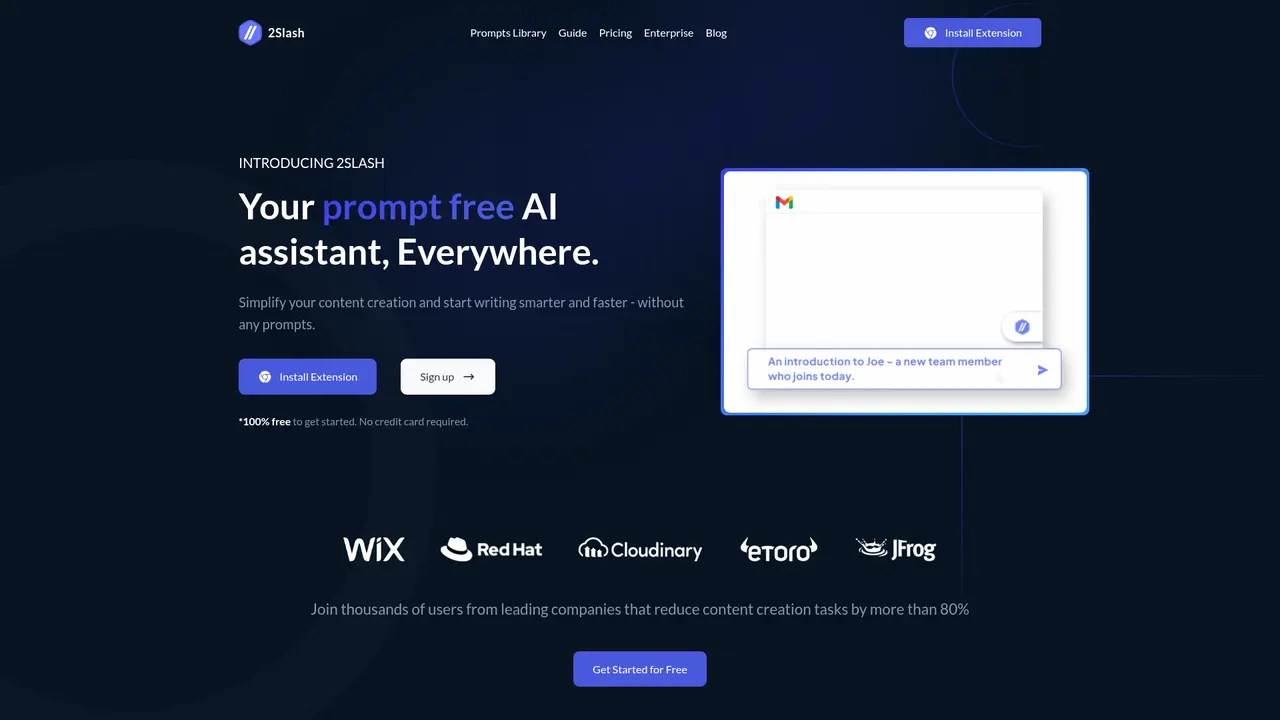
What is 2Slash
If you spend hours each day crafting emails, drafting documents, or creating social media content, you've probably felt the frustration of repetitive writing tasks eating into your productivity. Perhaps you've tried using AI tools but got stuck figuring out the right prompts to get quality output. Or maybe you've found yourself constantly switching between browser tabs to access ChatGPT, losing focus in the process. These are exactly the challenges 2Slash was built to solve.
2Slash is an AI-powered browser extension that transforms how you write. Rather than requiring you to master complex prompt engineering, it gives you access to over 150 ready-made prompts designed by experts—so you can generate high-quality content instantly without any AI knowledge. Think of it as having a writing assistant that understands exactly what you need, available right in your browser wherever you type.
The extension works across any website or application with a text input field. Simply type "//" or click the floating icon, and the AI assistant activates instantly. Whether you're composing emails in Gmail, writing documents in Google Docs, drafting posts on LinkedIn, or working in any other web-based platform, 2Slash is there when you need it.
Behind the scenes, 2Slash connects you to leading AI models including GPT-4, Claude 3.5, Llama 3, Dalle, and Flux. It supports more than 25 languages for both reading and writing, making it a powerful tool for global teams and multilingual content creation. The goal is simple: remove every barrier between you and efficient, high-quality writing.
:::card{type="summary" title="TL;DR"}
- Chrome extension that works across any website with text input
- 150+ pre-built prompts eliminate the need for AI expertise
- Supports GPT-4, Claude 3.5, Llama 3, Dalle, and Flux models
- Available in 25+ languages for global teams
- Activates via "//" shortcut or floating icon—AI assistant appears instantly :::
---
Core Features That Transform Your Writing
The real power of 2Slash lies in its thoughtfully designed features that prioritize your productivity over technical complexity. Rather than asking you to learn new tools, it meets you where you already work.
The Smart Prompt Library gives you access to over 150 pre-built prompts covering everything from blog posts and social media captions to video scripts and advertising copy. These prompts were crafted by writing experts and are continuously updated, so you always have access to best-in-class starting points. You don't need to understand prompt engineering—you just choose what you need and get results.
Cross-Platform Coverage means 2Slash works everywhere you type. Since it's a Chrome extension, it integrates seamlessly with any website or web application. Whether you're in your email client, a document editor, a CRM system, or a social media platform, the AI assistant is just a shortcut away. No more copying and pasting between tabs or losing your train of thought.
Personalized Voice and Tone lets the AI learn your writing style over time. You can choose from pre-trained voices for different scenarios—formal for business emails, conversational for social posts, or technical for reports—and the AI adapts to match your unique tone. This ensures your output sounds authentically like you, not generic AI-generated text.
Multi-Model Comparison gives you the flexibility to switch between leading AI models. Need the creativity of GPT-4? Prefer Claude's nuance? Want to try Llama 3? You can compare outputs across models and choose what works best for each task. This is particularly valuable when you need to optimize for specific outcomes or budgets.
Image Generation is built right in, powered by Dalle and Flux. The extension includes dedicated prompts for image creation, so you can generate marketing visuals, social media graphics, or creative assets without leaving your workflow.
YouTube Video Processing lets you paste a video link and get an AI-generated summary. This is incredibly useful for quickly extracting key information from tutorials, webinars, or research content without watching the full video.
Document Intelligence allows you to upload files and ask questions about their contents. Whether you need to extract specific information from a report or quickly understand a lengthy document, the AI reads and responds intelligently—saving hours of manual reading.
:::card{type="tip" title="💡 Pro Tip"} Start with the pre-built prompts to see immediate results, then gradually explore customization options as you become more comfortable. The prompt library is organized by use case, making it easy to find exactly what you need. :::
---
Who Is Using 2Slash
2Slash serves a wide range of professionals who share one common need: writing more efficiently without sacrificing quality. Here's how different users benefit:
Marketing Professionals rely on 2Slash to maintain high-volume content production. Social media posts, blog articles, email campaigns, ad copy—these all require different tones and formats, and the prompt library delivers them in seconds. Users report up to 10x improvement in content output efficiency, freeing their time for strategy and creative direction instead of staring at blank pages.
Customer Support Teams use the extension to draft responses quickly and consistently. Pre-built prompts for common scenarios ensure quality and speed simultaneously, reducing response times while maintaining the human touch customers appreciate.
Sales Representatives benefit from personalized email generation at scale. Whether reaching out to prospects or following up with clients, 2Slash helps craft messages that resonate—without the time drain of writing each one from scratch.
Content Creators and Writers find creative inspiration through the prompt library. Many users describe moving from "creative block" to "confident content creation" after discovering the breadth of available templates and starting points. It's like having a brainstorming partner available 24/7.
Business Professionals handling international communication leverage the 25+ language support. Creating multilingual content for global markets becomes straightforward—no need for separate translation tools or bilingual team members for every task.
Researchers and Analysts use document processing to quickly extract insights from lengthy reports, whitepapers, or data sets. The ability to ask specific questions about uploaded documents transforms hours of reading into minutes of focused understanding.
:::card{type="tip" title="💡 Choosing the Right Use Case"} Start with your most frequent writing task—whether that's emails, social media, or document creation. Master that workflow first, then expand to other areas. The learning curve is minimal, so you'll quickly discover which features deliver the most value for your specific role. :::
---
Technical Approach and Architecture
2Slash was designed with simplicity at its core, but beneath that simplicity lies robust technology that makes the experience seamless and powerful.
Chrome Extension Architecture means you don't need IT support or complex integrations to get started. Install the extension from the Chrome Web Store, and it works immediately across your browser. This also means automatic updates—you always have the latest features without manual intervention.
Universal Text Field Integration is achieved through careful browser API usage that detects text input areas across virtually any website. The "//" keyboard shortcut intelligently detects when you're in a text field and activates the assistant contextually. The floating icon provides an alternative click-based activation for situations where keyboard shortcuts aren't convenient.
Multi-Language AI Infrastructure supports 25+ languages through integrated language models optimized for multilingual tasks. Whether you're writing in English, Japanese, Spanish, Portuguese, or any other supported language, the AI maintains contextual understanding and produces natural-sounding output.
Document Processing Pipeline uses specialized parsing to understand uploaded documents—whether PDFs, Word files, or other formats. The AI then indexes the content so you can ask questions naturally and receive accurate, contextually relevant answers.
Video Analysis Integration connects to YouTube through API integration, extracting transcripts and generating summaries that capture the essential points. This is particularly valuable for professionals who need to stay informed across many videos but lack the time to watch each one fully.
::::grid :::card{type="advantages"}
- Zero integration required: Install as a Chrome extension and start immediately—no IT setup or technical knowledge needed
- Universal browser coverage: Works across all websites with text input fields, creating a consistent experience everywhere you work
- Continuous model updates: New AI models and capabilities are added regularly, keeping your tool current
- Privacy-conscious design: Your content stays in your browser; only necessary data is transmitted to AI services
- Cross-device sync: Once configured, your preferences and customizations travel with your browser profile ::: :::card{type="disadvantages"}
- Chrome-only: Currently available only as a Chrome extension; Firefox, Safari, or Edge users need to switch browsers
- Requires internet: Like all cloud-based AI tools, an active connection is needed for full functionality
- Learning curve for advanced features: While basic use is intuitive, exploring custom voice training and model comparison takes time to master ::: ::::
---
What Users Are Saying
The best measure of a product's real-world value is what people who use it every day have to say. Here's what 2Slash users from diverse roles and industries are experiencing:
"Content game changer. It has accelerated my writing process and saved me countless hours." — Maddalena
Maddalena's experience reflects what many content creators discover: once you remove the friction of starting from a blank page, productivity follows naturally. The pre-built prompts give you a foundation to build on rather than staring at nothing.
"Mind blowing. Using AI text generation directly in Google Docs has transformed how I work." — Carlos
Carlos highlights a key advantage—having AI assistance directly where you work rather than in a separate tab. This context preservation means less mental switching and more continuous productivity.
"I went from struggling with content creation to feeling like a hero. 2Slash gave me confidence in my writing." — Yasmina
Yasmina's transformation from creative doubt to creative confidence speaks to the emotional dimension of writing assistance. When you have reliable help, the anxiety of the blank page disappears.
"A remarkable AI app that combines尖端技术 with a user-friendly interface." — Peter
Peter appreciates that sophisticated technology doesn't have to mean complicated interfaces. The balance between capability and accessibility is central to 2Slash's design philosophy.
"No more manual copying and pasting between ChatGPT and my work. This is so much more efficient." — Christian
Christian's feedback gets at a practical daily frustration: the cognitive and time cost of switching contexts. Having AI built into your workflow eliminates that overhead entirely.
Across all reviews, certain themes appear consistently: significant time savings, simplified workflows, improved output quality, and the confidence that comes from having reliable writing support. Users emphasize that they don't need AI expertise—the tool handles the complexity so they can focus on their work.
:::card{type="tip" title="💡 The Bottom Line"} Users consistently report the greatest value in three areas: time saved on repetitive writing tasks, quality improvement in their output, and the peace of mind that comes from having reliable AI assistance always available. :::
---
Frequently Asked Questions
:::card{type="faq" title="Which AI models does 2Slash support?"} 2Slash currently supports GPT-4, Claude 3.5, Llama 3, Dalle, and Flux. New models are added continuously as they become available, so you'll always have access to the latest AI capabilities without needing to switch tools. :::
:::card{type="faq" title="How do I install 2Slash?"} Installation is simple: visit the Chrome Web Store, search for "2Slash," and click "Add to Chrome." The extension installs instantly and is ready to use immediately—no account creation or complex setup required. :::
:::card{type="faq" title="Can 2Slash generate images?"} Yes, absolutely. 2Slash includes dedicated image generation capabilities powered by Dalle and Flux. The extension provides specific prompts optimized for different types of visual content, from marketing graphics to social media images. :::
:::card{type="faq" title="How many pre-built prompts are available?"} The library contains over 150 prompts covering a wide range of use cases: text writing, image concepts, social media, articles, video scripts, email templates, and more. The collection is regularly expanded based on user feedback and emerging needs. :::
:::card{type="faq" title="Do I need AI or technical knowledge to use 2Slash?"} Not at all—this is the core principle behind 2Slash's design. The entire product was built to make AI accessible to everyone, regardless of technical background. You don't need to understand prompt engineering or have any AI experience. Just choose what you want to create, and the pre-built prompts handle the rest. :::
:::card{type="faq" title="Does 2Slash work on mobile devices?"} Currently, 2Slash is designed as a Chrome browser extension and works best on desktop or laptop computers where you have the full Chrome experience. Mobile browsing has different extension limitations, but we're always evaluating new platforms based on user demand. :::
Related Content

Copy.ai Review 2026: AI Copywriting Made Easy
Our honest Copy.ai review for 2026. We test Content Agents, AI Workflows, pricing ($29-$249/mo), and compare it to Jasper and Writesonic. Find out if it's worth it for your marketing team.

Rytr Review 2026: Is This Budget AI Writer Worth It?
Our hands-on Rytr review for 2026. We test features, pricing, content quality, and compare it to Jasper & ChatGPT. Find out if Rytr is the best budget AI writing tool.

Word Changer - Free AI tool to rewrite and improve your writing instantly
Writing always using repetitive words or need to avoid plagiarism? Word Changer is a free AI writing assistant that instantly rewrites any text with richer vocabulary and appropriate tone. Get multiple versions with one click, adjust formality level, check readability - all for free!

Unite - AI-powered platform for romantic fantasies and dream couple moments
Explore romantic fantasies and create special moments for your dream couple. This AI-powered platform lets you generate personalized romantic content and experience exclusive AI-created romantic experiences.
Comments