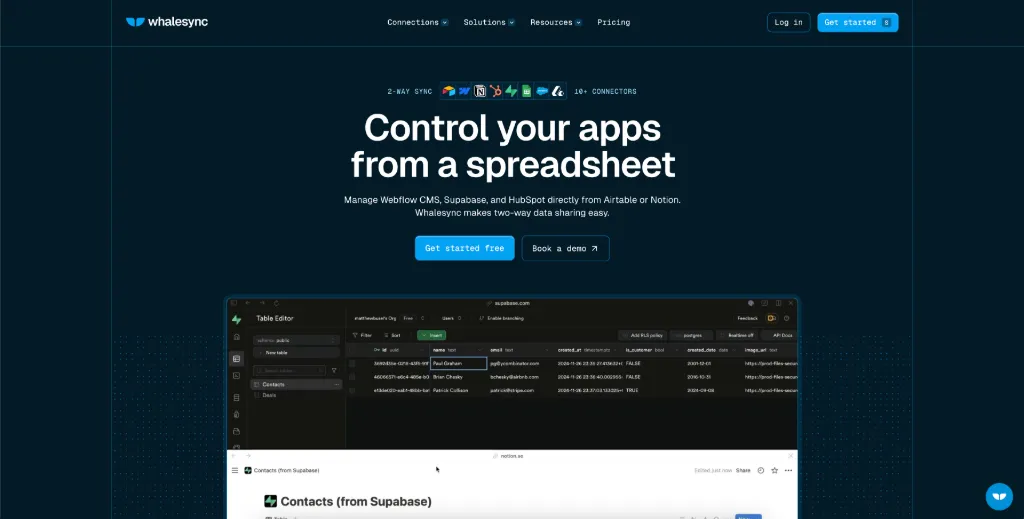
Struggling with disorganized customer data? Whalesync seamlessly integrates your vital applications, enabling a two-way sync of your records like never before. Say goodbye to data silos and hello to streamlined operations across your entire GTM stack. Whether it's Airtable, HubSpot, or any other tool, our service ensures that your data is always current and accessible, minimizing errors and maximizing productivity.
How It Works
Whalesync operates on the principle of bi-directional data synchronization, establishing deep connections between your most important applications. By integrating tools like Airtable and Salesforce, Whalesync allows changes made in one application to reflect in another instantaneously. This ensures data accuracy across the board. Here is how it works:
- Choose Apps: Begin by selecting the applications you want to connect from our growing library of connectors.
- Map Fields: Determine which fields in your applications correspond, tailoring the sync to meet your specific workflow needs.
- Start Syncing: Once the setup is done, activate the sync, and data will automatically flow between the selected applications.
This seamless integration allows you to maintain data integrity while simplifying workflow processes.
Usage
Using Whalesync is straightforward and efficient, enabling you to set up syncs for your applications in minutes. First, log in to your Whalesync account and navigate to the 'Connections' section. Here, you can select your desired applications from the available connectors. Once you’ve selected your apps, proceed to map out the relevant fields you want to sync. This step ensures that all necessary data points are accurately aligned across applications. After mapping, you can turn on the sync feature, and Whalesync will begin monitoring changes in real-time. This means updates made in, say, Airtable, will immediately reflect in your other applications like Salesforce or Google Sheets, keeping everything updated effortlessly. Throughout the process, if any errors arise, the platform provides detailed alerts for quick troubleshooting. With robust support and easy navigation, sync management has never been simpler.
Startups
Ideal for startups looking to establish efficient workflows and centralize their data processes without extensive resources.
Marketing Teams
Empower marketing teams to manage customer records across various platforms like HubSpot and Google Sheets.
Sales Operations
Allows sales teams to maintain updated leads and customer information, facilitating streamlined communication and tracking.
Content Management
Utilize Whalesync to connect CMS platforms like Notion and Webflow for seamless content updates.
Project Management
Integrate project management tools with databases to keep stakeholders informed of progress and changes.
Corporate Environments
Suitable for larger organizations needing robust sync solutions that comply with corporate governance and security standards.
Features
- 2-way Sync: Integrate your mission-critical tools seamlessly, allowing updates to flow in both directions.
- Real-time Monitoring: Receive instant notifications for any syncing issues or errors, ensuring your data stays consistent.
- Enterprise Security: Benefit from top-grade security protocols, including SOC 2 Type II compliance and GDPR adherence.
- Customizable Mappings: Tailor mappings between applications to suit your organization’s specific workflow needs.
- Unlimited Records: Sync as many records as you require, ensuring scalability as your data needs grow.
- Dedicated Support: Access tailored support options, including expert guidance from a dedicated account manager.
FAQ
- Is Whalesync really a two-way sync?
Yes! Whalesync offers true two-way sync, ensuring that any data changes in one application will instantly reflect in the other.
- What is a 'record in sync'?
A 'record in sync' refers to any data that successfully syncs between applications. For example, syncing 10 rows from Airtable to Webflow counts as 10 records.
- How fast are updates with Whalesync?
Updates occur instantly, meaning as soon as a change is made in one application, it’s reflected in the other without delay.
- Are multi-reference fields supported?
Absolutely! Whalesync accommodates complex fields, including multi-reference fields, ensuring smooth data handling.
- What happens if there’s a syncing error?
Whalesync will alert you about any issues during the syncing process, providing specific details to assist in troubleshooting.
- How do I get started with Whalesync?
Simply create an account on our website, select your applications, map the fields, and start syncing in minutes.
- Can I use Whalesync for large datasets?
Yes! Whalesync allows unlimited records to be synced, making it suitable for both small and large datasets.
- Is there a free trial available?
Yes! Whalesync offers a 2-week free trial, allowing users to explore the features without any commitment.




Comments