Unlock seamless automation for your workflows
How It Works
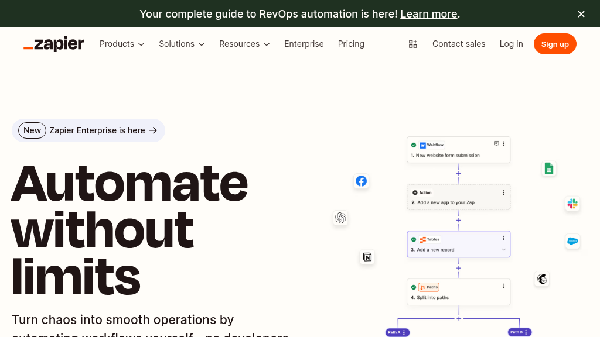
Zapier operates on a simple principle: connect apps and automate processes. Users create Zaps, which consist of triggers and actions. A trigger is an event that initiates the workflow, while actions are the tasks performed automatically as a result of that trigger. For example, when a new lead is added to a CRM (trigger), Zapier can automatically send a notification to the sales team (action). With over 7,000 integrations, Zapier allows for endless possibilities in workflow automation.
Usage
Using Zapier is simple and intuitive. Start by creating an account on the website. After logging in, you can explore various templates available for different use cases. Choose a template that suits your needs, or create a Zap from scratch by selecting a trigger app and an action app. Follow the step-by-step instructions to set up your Zap, and once you're done, activate it to automate your workflow seamlessly. You can monitor your Zaps' performance and make adjustments as needed.
Lead Generation
Automate the collection of leads from multiple sources and sync them with your CRM.
Customer Support
Streamline customer support by automating ticket management and notifications.
Data Entry
Reduce manual data entry by automating data transfer between apps.
Marketing Campaigns
Automate the process of sending emails and managing responses in marketing campaigns.
E-commerce Order Processing
Automate order confirmations and customer notifications for e-commerce businesses.
Employee Onboarding
Simplify the onboarding process by automating task assignments and document collection.
Features
- Automation without coding: Easily create automated workflows connecting over 7,000 apps without the need for technical skills.
- Customizable workflows: Build tailored workflows that suit your business needs by setting specific triggers and actions.
- Data management with Tables: Utilize Tables for effective data storage and management as part of your automated workflows.
- User-friendly interface: Navigate through a simple, intuitive interface that makes setting up automations a breeze.
- AI integration: Leverage AI capabilities to enhance your automations and make workflows smarter.
- Enterprise features: Advanced security and governance features tailored for larger organizations.
Free (Monthly): Free
- Connect 5 apps
- Limited features
- Basic support
Starter (Monthly): $19
- Connect 20 apps
- More features
- Priority support
Professional (Monthly): $49
- Connect unlimited apps
- Advanced features
- Premium support
Team (Monthly): $299
- Collaborative features
- Unlimited users
- Advanced security
Enterprise (Monthly): Custom pricing
- Custom solutions
- Dedicated support
- Advanced compliance
FAQ
- What is Zapier and how does it work?
Zapier is an automation platform that connects over 7,000 apps to help automate workflows. It works by creating Zaps, which are automated workflows that consist of triggers and actions.
- Do I need to know how to code to use Zapier?
No, you do not need any coding skills to use Zapier. The platform is designed for users of all skill levels, enabling easy automation of tasks.
- What are the pricing options available for Zapier?
Zapier offers several pricing plans, including free and paid options, with varying features and capabilities to suit different needs.
- Can I integrate Zapier with my existing software?
Yes, Zapier integrates with over 7,000 apps, allowing you to connect your existing software and automate workflows seamlessly.
- What is a Zap and how is it different from a task?
A Zap is an automated workflow that connects apps, consisting of a trigger and one or more actions. A task is counted each time a Zap successfully completes an action.
- How does Zapier ensure data security?
Zapier is built on a foundation of security, adhering to regulations like GDPR and CCPA, and offers features such as data privacy and identity management.
- What support does Zapier provide for users?
Zapier offers various support options, including email assistance and a comprehensive help center for users to find answers to common questions.
- Can I try Zapier for free?
Yes, Zapier offers a free trial for new users to explore its features and capabilities without any cost.






Comments