


AI Perfect Assistant - AI Assistant for Microsoft Office and Google Workspace
Launched on Jan 13, 2025AI Perfect Assistant is an AI-powered productivity tool that integrates natively into Microsoft Office and Google Workspace. With support for 5 major AI models and 60+ tools for writing, email, spreadsheets, and presentations, it helps you work smarter. Trusted by 2,362+ users including Starbucks, with a 5.0-star rating on Microsoft App Marketplace.
What Is AI Perfect Assistant?
If you're spending too much time switching between apps to write emails, polish documents, or analyze data in Excel, you're not alone. Millions of professionals using Microsoft Office every day face the same frustration—they need AI assistance but can't find a solution that works natively within the tools they already rely on. That's exactly where AI Perfect Assistant comes in.
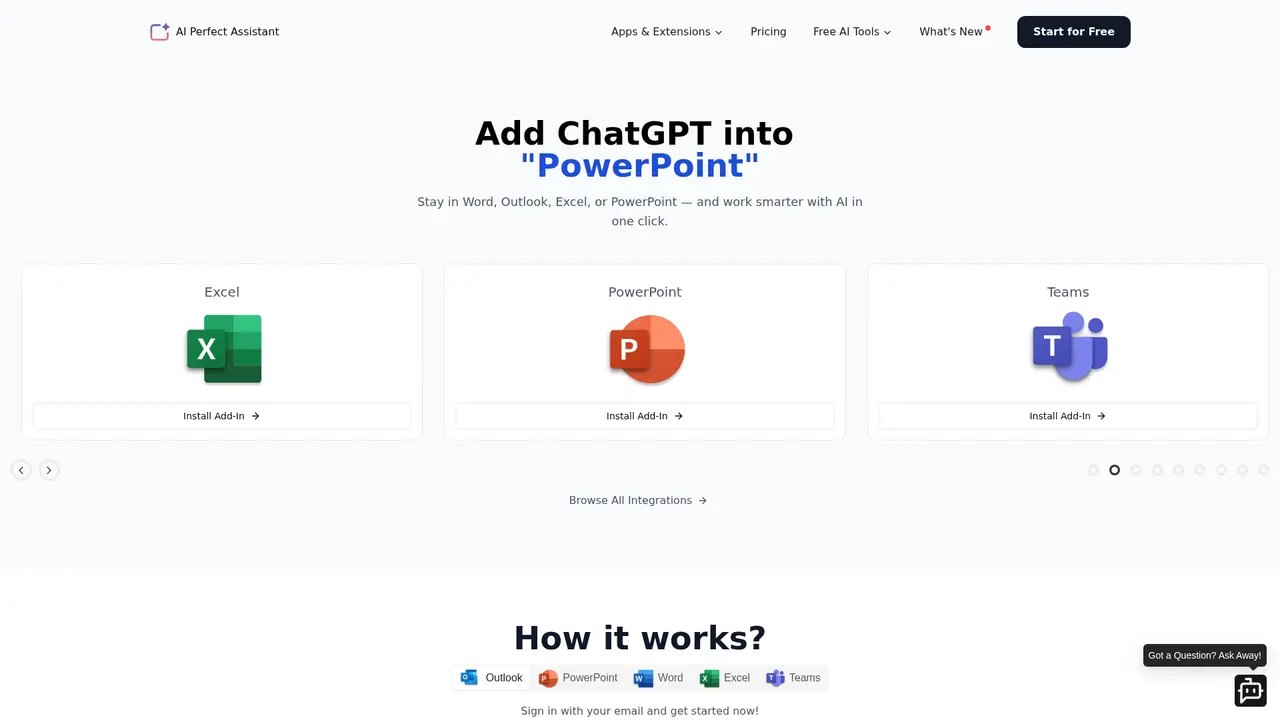
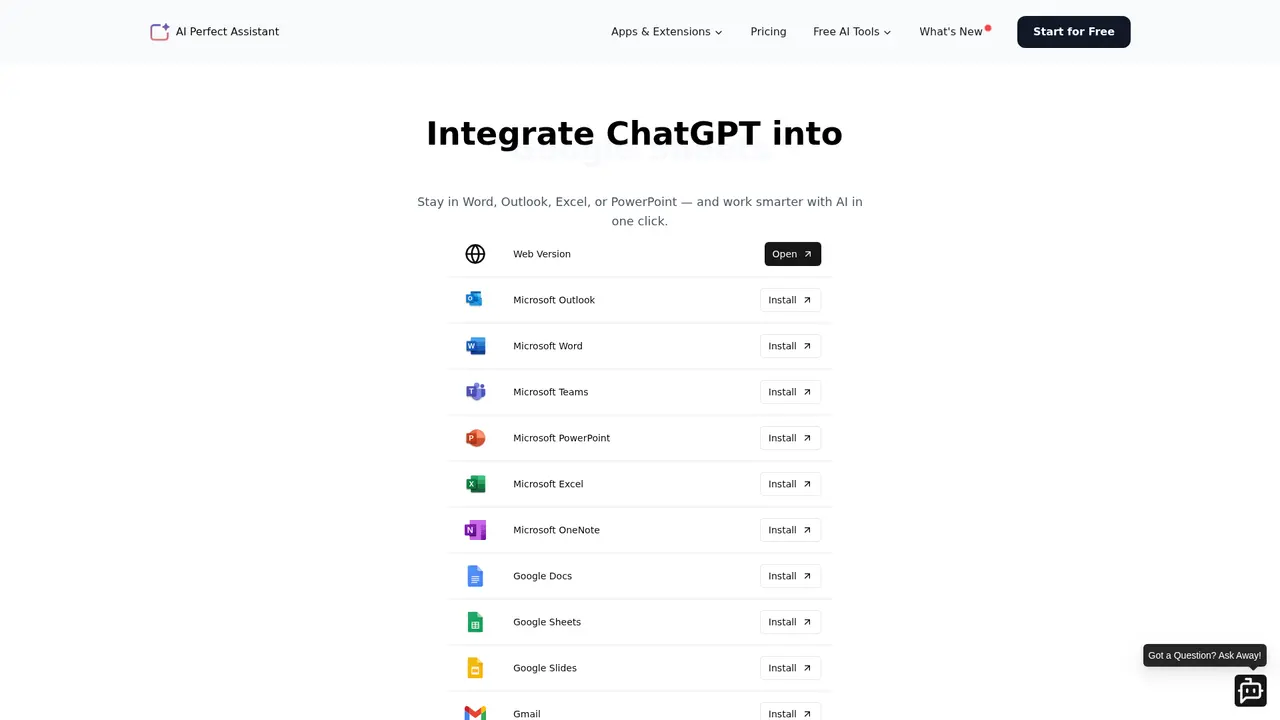
AI Perfect Assistant is an AI productivity tool that integrates directly into Microsoft Office and Google Workspace applications. Instead of copying content into a separate AI chatbot and pasting it back, you get powerful AI capabilities right inside Word, Excel, PowerPoint, Outlook, Teams, and OneNote. The same functionality extends to Google Docs, Sheets, Slides, and Gmail.
What sets this apart from basic grammar checkers is the breadth of AI power you're getting. The tool supports five leading AI models—ChatGPT, Gemini, Claude, Perplexity, and DeepSeek—so you can choose the best model for each task. Combined with over 60 specialized AI tools covering content creation, email drafting, social media, business documents, and data analysis, you have a comprehensive productivity suite at your fingertips.
The numbers speak for themselves: over 2,362 satisfied users have left 100+ five-star reviews, and the Microsoft App Marketplace rates it 5.0 stars based on 245 reviews. Companies like Starbucks are already using it—content managers report that it makes writing blogs incredibly easy with prompt templates, while HR teams appreciate how it transforms rough notes into polished, client-ready content in seconds.
:::card{type="summary" title="TL;DR"}
- Native integration with Microsoft Office and Google Workspace
- Support for 5 leading AI models (ChatGPT, Gemini, Claude, Perplexity, DeepSeek)
- 60+ AI tools covering email, content, social media, business, and data tasks
- Cross-platform support across 15+ applications
- Enterprise-grade security with GDPR compliance :::
---
Core Features: What AI Perfect Assistant Can Do for You
The real power of AI Perfect Assistant lies in how seamlessly it brings AI into your existing workflow. Here's what you can accomplish with it:
Office-Native Integration means you never leave your work. Whether you're drafting a contract in Word, building a financial model in Excel, creating a presentation in PowerPoint, or composing an email in Outlook, the AI assistant lives in the sidebar—ready to help with a single click. No tab switching, no copy-pasting, no disruption to your flow.
Multi-Model Selection gives you flexibility. Premium subscribers can switch between ChatGPT, Gemini, Claude, Perplexity, and DeepSeek depending on what the task demands. Need creative writing? Claude might be your best bet. Working with data interpretation? Gemini could be ideal. You're not locked into one approach.
The 60+ AI Tools cover nearly every productivity scenario. For email, you can generate replies, improve drafts, or create subject lines in seconds. For content, there's blog generation, SEO optimization, summarization, and rewriting. Business users get resume builders, cover letter templates, SOP generators, and meeting notes. Marketing teams have tools for Instagram captions, tweet ideas, and content calendars. Even video scripts and ad copy are covered.
Beyond Microsoft Office, you get Google Workspace integration (Docs, Sheets, Slides, Gmail), a Chrome extension for web content processing, a Telegram bot for quick AI assistance on the go, and full mobile support across iPhone, iPad, and Android. And if you work with Excel, the dedicated AI assistant can generate formulas, explain complex calculations, and fix errors—saving hours of troubleshooting.
::::grid :::card{type="advantages"}
- Native integration: Works directly inside Office apps—no switching windows
- Multi-model flexibility: Switch between ChatGPT, Gemini, Claude, Perplexity, DeepSeek
- 60+ specialized tools: Covers email, content, social media, business, and data tasks
- Cross-platform coverage: Microsoft Office, Google Workspace, Chrome, Telegram, mobile
- Excel AI assistant: Generates formulas, explains calculations, fixes errors ::: :::card{type="disadvantages"}
- Premium required for full access: Some features like multi-model switching require a Premium subscription
- Learning curve: With 60+ tools, new users may need time to explore and find their go-to features ::: ::::
---
Who Is Using AI Perfect Assistant?
One of the best ways to figure out if a tool is right for you is to see who else is using it—and how they're applying it to their work. AI Perfect Assistant serves a wide range of professionals:
Enterprise professionals rely on it for document creation. Writing reports, proposals, and contracts in Word becomes dramatically faster. The AI helps polish your content, optimize your phrasing, and ensure consistency—all within minutes. What might have taken hours now takes a fraction of the time.
Marketing teams use the 60+ content tools to maintain a steady output of blogs, social media posts, and ad copy. Instead of staring at a blank page waiting for inspiration, they generate first drafts instantly and refine from there. The result is consistent, high-quality content at scale.
HR professionals leverage AI to handle time-consuming tasks like screening resumes, drafting welcome messages, preparing interview questions, and writing job descriptions. One HR manager reported that the tool transformed their entire onboarding workflow.
Business users appreciate the email capabilities in Outlook. Whether you're responding to a positive customer, handling a complaint from an angry client, or crafting a neutral follow-up, the AI generates professional responses instantly—helping you communicate more effectively and maintain a polished professional image.
Teams collaborators use the integration to speed up internal communication. Quick message generation, translation, and proofreading happen directly within Teams, keeping conversations flowing without delays.
Data analysts and Excel users rely on the AI to generate complex formulas, explain what existing formulas do, and debug errors. This is particularly valuable for anyone who isn't a spreadsheet expert but needs to work with data regularly.
:::card{type="tip" title="💡 Choosing the Right Features"} Start by identifying your most frequent task. If you write a lot of emails, focus on the Outlook integration first. If数据分析 is your daily work, explore the Excel AI assistant. The tool is designed to let you build your workflow around what you actually do. :::
---
Getting Started with AI Perfect Assistant
Ready to bring AI into your daily workflow? Here's how to get up and running quickly:
Installation is straightforward. You can install the plugin directly from the Microsoft App Marketplace or through the official website at perfectassistant.ai. Once installed, it appears as a sidebar panel within your Office applications.
Supported platforms include the full Microsoft Office suite (Word, Excel, PowerPoint, Outlook, Teams, OneNote), Google Workspace (Docs, Sheets, Slides, Gmail), plus Chrome, Telegram, Windows, iOS, and Android. One subscription gives you access across all of these.
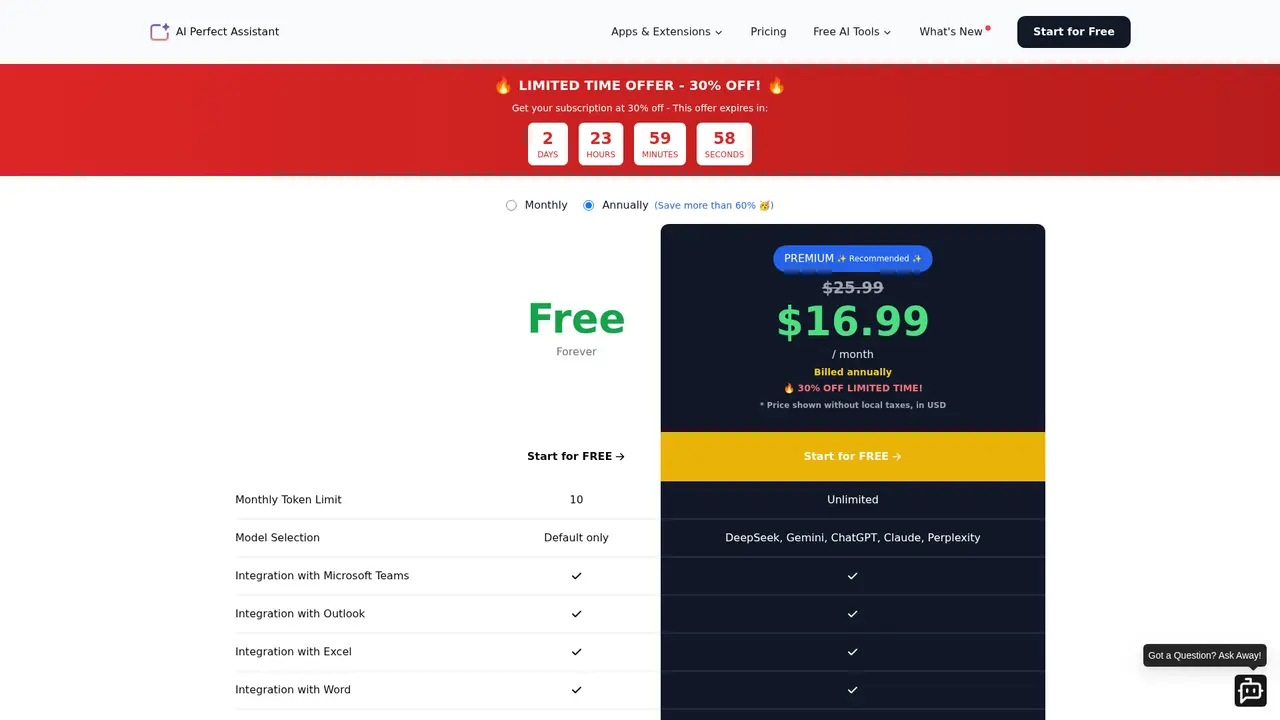
Free tier lets you test the waters with 10 tokens per month using the default AI model. This is enough to try out basic features and see if the tool fits your needs.
Premium subscription unlocks unlimited tokens and lets you switch between all five AI models (ChatGPT, Gemini, Claude, Perplexity, DeepSeek). You also get access to all 60+ tools and every platform integration, plus professional support.
First-time use is simple: after installation, open any supported application and look for the AI Perfect Assistant sidebar. Choose an AI tool from the menu or type your own prompt. The AI responds instantly, right where you're working.
:::card{type="tip" title="💡 Best Practices for New Users"} Start with one specific use case—email replies in Outlook or document editing in Word. Master that workflow first before exploring other features. You'll quickly see the time savings, and then you can expand to other tasks. :::
---
Pricing Plans: Finding the Right Option for You
AI Perfect Assistant offers two clear tiers to match different needs and budgets:
| Plan | Features | Best For | |------|----------|----------| | Free | 10 tokens/month, default AI model only, basic features | Light users who want to try the tool | | Premium | Unlimited tokens, all 5 AI models, all 60+ tools, full platform access, priority support | Professionals and teams who need full AI power |
The Premium plan is priced competitively—it's notably more affordable than Grammarly Business or QuillBot Premium, especially considering the breadth of features you're getting. And unlike those alternatives, one Premium subscription gives you access across *all* Office applications, not just one.
Payment methods accepted include major credit and debit cards (MasterCard, VISA, American Express) and PayPal. All payments are processed securely through Paddle, which meets PCI DSS standards.
Refund policy: Due to the high costs of AI processing and infrastructure, subscription fees are generally non-refundable. However, exceptions may apply in specific circumstances—refer to the refund policy page at perfectassistant.ai/refund for details.
:::card{type="tip" title="💡 Which Plan Should You Choose?"} If you use Microsoft Office daily for documents, emails, or data work, Premium is worth the investment. The unlimited tokens and multi-model access pay for themselves in time saved. If you're only occasionally using Office, start with Free to explore the features first. :::
---
Frequently Asked Questions
:::card{type="faq" title="What if I can't install the AI Assistant plugin?"} Visit help.perfectassistant.ai and submit a support request. The team will help you troubleshoot the installation and get started. :::
:::card{type="faq" title="How do I cancel my subscription?"} You can cancel anytime. Check the help center for step-by-step instructions on managing your subscription. :::
:::card{type="faq" title="What payment methods are supported?"} We accept all major credit and debit cards (MasterCard, VISA, American Express) and PayPal. All transactions are processed securely through Paddle. :::
:::card{type="faq" title="Do you offer refunds?"} All sales are final. Due to the high costs of AI processing and hosting, subscription fees are generally non-refundable. Exceptions may apply in specific cases—please review the refund policy page for full details. :::
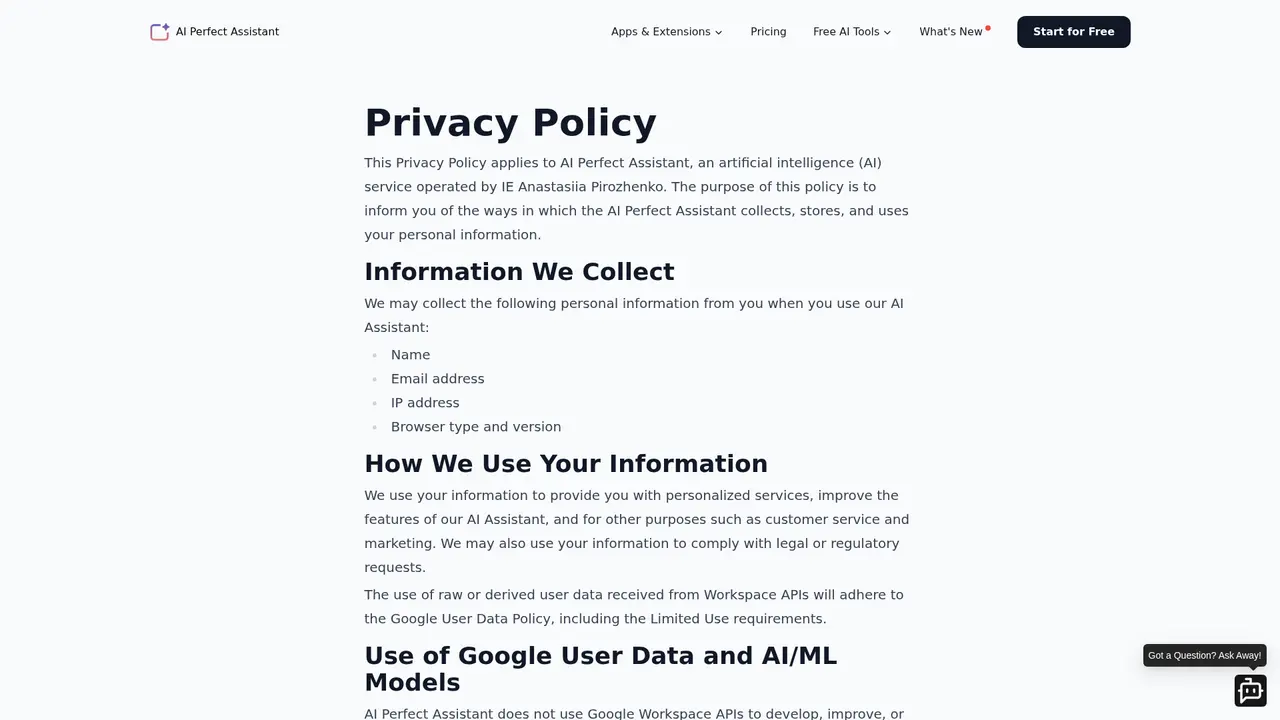
:::card{type="faq" title="Is AI Perfect Assistant GDPR compliant?"} Yes, it's fully GDPR compliant. All data is encrypted during transmission and storage. We don't store your Office documents or emails. All AI processing happens securely, servers are located in EU data centers, and we never share your data with third parties for marketing purposes. :::
:::card{type="faq" title="What's the difference between Free and Premium?"} The Free plan gives you 10 tokens per month with access to the default AI model. Premium provides unlimited tokens, lets you switch between ChatGPT, Gemini, Claude, Perplexity, and DeepSeek, and includes all 60+ tools plus full platform integration and professional support. :::
:::card{type="faq" title="Which platforms does AI Perfect Assistant support?"} It works across Microsoft Office (Word, Excel, PowerPoint, Outlook, Teams, OneNote), Google Workspace (Docs, Sheets, Slides, Gmail), Chrome, Telegram, Windows, iOS, and Android. :::
Related Content

Copy.ai Review 2026: AI Copywriting Made Easy
Our honest Copy.ai review for 2026. We test Content Agents, AI Workflows, pricing ($29-$249/mo), and compare it to Jasper and Writesonic. Find out if it's worth it for your marketing team.

Rytr Review 2026: Is This Budget AI Writer Worth It?
Our hands-on Rytr review for 2026. We test features, pricing, content quality, and compare it to Jasper & ChatGPT. Find out if Rytr is the best budget AI writing tool.

Word Changer - Free AI tool to rewrite and improve your writing instantly
Writing always using repetitive words or need to avoid plagiarism? Word Changer is a free AI writing assistant that instantly rewrites any text with richer vocabulary and appropriate tone. Get multiple versions with one click, adjust formality level, check readability - all for free!

Unite - AI-powered platform for romantic fantasies and dream couple moments
Explore romantic fantasies and create special moments for your dream couple. This AI-powered platform lets you generate personalized romantic content and experience exclusive AI-created romantic experiences.
Comments